
Convert PowerPoint to eLearning: A Simple, Complete Guide for Global Teams
 Dec 20,2025
  By Sarah Fernandez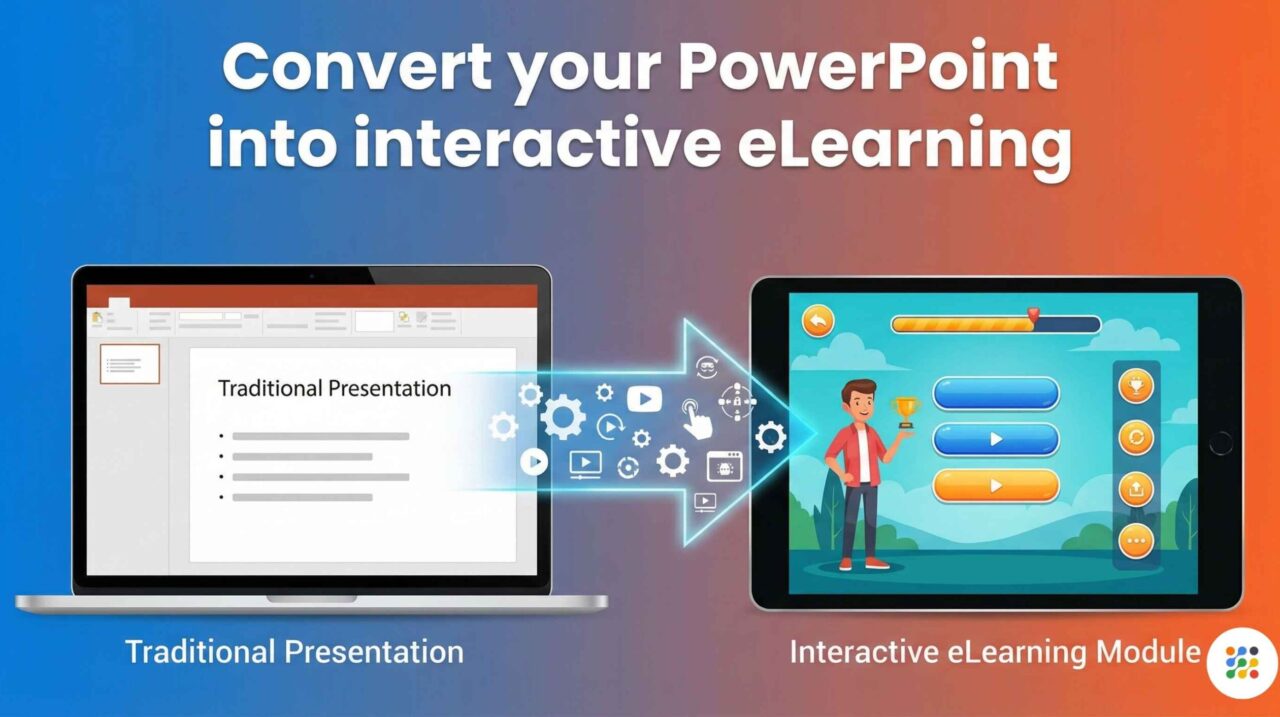
Why PowerPoint Is No Longer Enough for Training
For many years, organizations have relied on PowerPoint for training, but as learning needs evolve, many now need to convert PowerPoint to eLearning to keep training effective. PowerPoint is simple to create, easy to update, and widely used across teams. However, today’s learners expect more than static slides filled with text and images.
Today, organizations need training that is:
- Interactive
- Easy to access online
- Trackable and measurable
- Suitable for global and remote teams
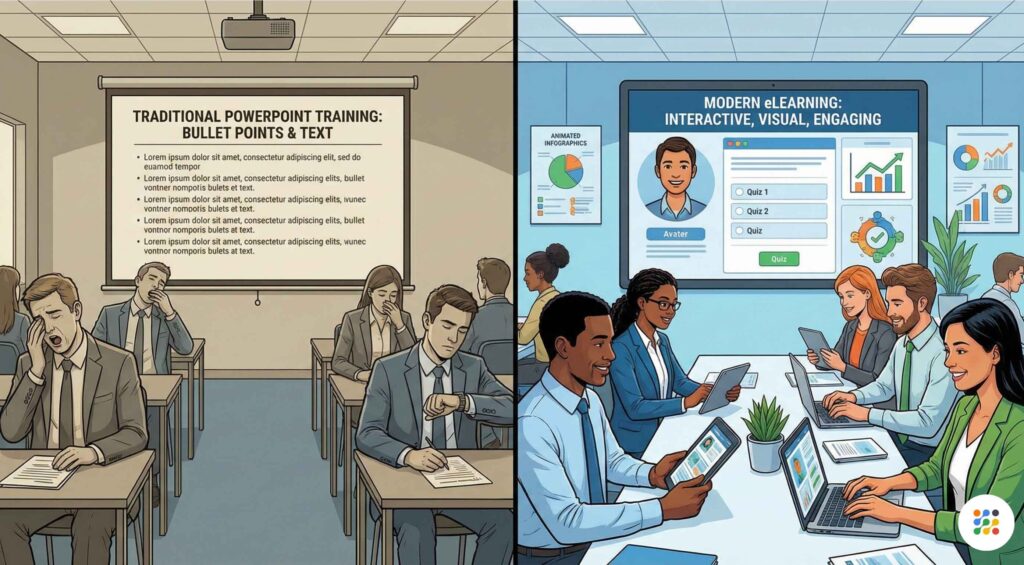
This is why many organizations are choosing to convert PowerPoint to eLearning services. At IKHYA eLearning Solutions, we help companies transform existing PowerPoint presentations into effective eLearning courses that improve learning outcomes and performance.
How Do You Convert PowerPoint to eLearning?
To convert PowerPoint to eLearning, you review your existing slides, redesign them for online learning, add interactivity such as quizzes and scenarios, and publish the course in a format like SCORM so it works inside a Learning Management System (LMS). This process turns static slides into engaging, trackable digital training.
What Does “Convert PowerPoint to eLearning” Mean?
Converting PowerPoint to eLearning means transforming slide-based content into structured online learning that learners can complete independently.
It includes:
- Simplifying and restructuring content
- Adding interactions and assessments
- Making courses mobile-friendly
- Enabling tracking through an LMS
This process is often called legacy content modernization.
Why Organizations Are Converting PowerPoint to eLearning
Problems with Traditional PowerPoint Training
- Learners passively read slides
- No tracking of completion or scores
- Difficult to scale for large or remote teams
- Low engagement and retention
Benefits of eLearning
- Learners actively participate
- Managers track progress and performance
- Training is consistent across locations
- Content is easy to update and reuse
PowerPoint vs eLearning: Simple Comparison
PowerPoint training:
- Static content
- No interactivity
- No reporting or analytics
- Depends on an instructor
eLearning training:
- Interactive learning modules
- Quizzes and scenarios
- LMS tracking and reports
- Self-paced and scalable
When Should You Convert PowerPoint to eLearning?
You should convert PowerPoint to eLearning when:
- You train remote or global employees
- Compliance or certification tracking is required
- Training needs to be reused often
- Learners find classroom sessions boring
- You want measurable learning results
Step-by-Step Process to Convert PowerPoint to eLearning
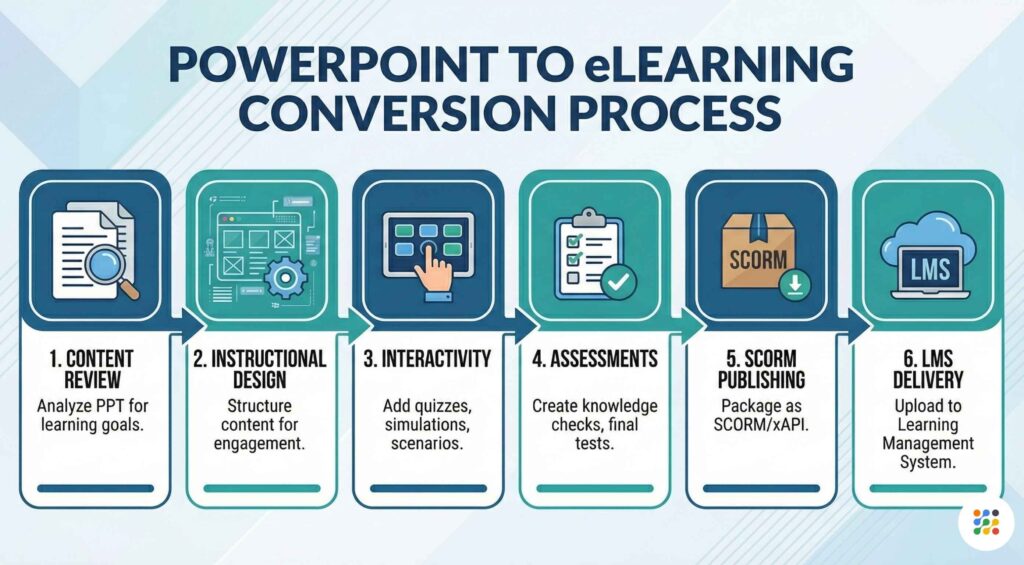
Step 1: Review and Audit Your PowerPoint Content
Start by checking if your content is still accurate and relevant.
Ask:
- Is this information up to date?
- Is there too much text?
- Can content be broken into smaller lessons?
Tip: One slide does not equal one learning screen.
Step 2: Define Clear Learning Objectives
Clear objectives help learners understand what they will gain.
Examples:
- Apply safety rules correctly
- Use a system without errors
- Understand company policies
Learning objectives guide design and assessment.
Step 3: Choose the Right Rapid eLearning Authoring Tool
Authoring tools help convert PowerPoint into eLearning quickly.
Key features to look for:
Step 4: Redesign Slides for Online Learning
PowerPoint slides are made for presentations. eLearning screens are made for learners.
Best practices:
- Reduce text
- Use visuals and icons
- Focus on one idea per screen
- Keep navigation simple
Step 5: Add Interactivity
Interactivity keeps learners engaged.
Common options:
- Click-to-reveal content
- Knowledge checks
- Drag-and-drop activities
- Scenario-based questions
Step 6: Add Quizzes and Assessments
Assessments help measure understanding.
Types include:
- Multiple-choice questions
- True or false
- Scenario-based questions
- Final assessments
Step 7: Add Audio and Visual Elements
Audio and visuals improve learning when used correctly.
Examples:
- Voice-over narration
- Short videos
- Infographics and illustrations
Avoid adding media that distracts from learning.
Step 8: Ensure Accessibility for All Learners
Accessible eLearning supports diverse learners.
Accessibility features include:
- Captions for audio
- Keyboard navigation
- Screen reader support
- Clear fonts and contrast
Step 9: Publish as SCORM or LMS-Compatible Format
Publishing allows your course to work inside an LMS.
Common formats:
- SCORM 1.2
- SCORM 2004
- xAPI (Tin Can)
This enables tracking and reporting.
Step 10: Test Before Launch
Always test your course before rollout.
Check:
- Navigation
- Quizzes
- Mobile compatibility
- LMS reporting
Key Benefits of Converting PowerPoint to eLearning
- Higher learner engagement
- Better knowledge retention
- Measurable training results
- Faster content updates
- Lower long-term training costs
- Consistent learning across locations
Common Mistakes to Avoid
- Converting slides without redesign
- Using too much on-screen text
- Ignoring mobile learners
- Skipping assessments
- Treating eLearning like a slideshow
Why Choose IKHYA eLearning Solutions?
IKHYA eLearning Solutions helps organizations worldwide convert PowerPoint to impactful eLearning.
Our services include:
- PPT to SCORM conversion
- Interactive training modules
- Rapid eLearning development
- Accessible and inclusive design
- LMS-ready delivery
We focus on clarity, simplicity, and real learning outcomes.
Frequently Asked Questions (FAQ)
1. What does it mean to convert PowerPoint to eLearning?
Converting PowerPoint to eLearning means turning slide-based content into interactive online training that learners can complete independently, with quizzes, tracking, and LMS reporting.
2. Why should companies convert PowerPoint presentations into eLearning courses?
Companies convert PowerPoint to eLearning to improve engagement, support remote learning, track performance, and deliver consistent training at scale.
3. Can PowerPoint be converted into SCORM format?
Yes, PowerPoint can be converted into SCORM format using rapid eLearning authoring tools or professional eLearning development services.
4. What is the benefit of converting PPT to SCORM?
SCORM allows eLearning courses to work inside an LMS, making it possible to track completion status, assessment scores, and compliance records.
5. Is it possible to convert PowerPoint to eLearning for free?
Yes, some free tools exist, but they offer limited interactivity, poor design options, and little or no tracking functionality.
6. How long does it take to convert PowerPoint to eLearning?
Basic conversions may take a few days, while interactive and scenario-based courses may take one to three weeks depending on complexity.
7. Do I need a Learning Management System (LMS) after converting PowerPoint to eLearning?
An LMS is recommended if you want to manage learners, track progress, generate reports, and store training records.
8. Can quizzes and assessments be added during PowerPoint to eLearning conversion?
Yes, quizzes, knowledge checks, and final assessments are essential parts of effective eLearning conversion.
9. Will converted eLearning courses work on mobile devices?
Yes, professionally converted eLearning courses are designed to work on desktops, tablets, and mobile devices.
10. Is voice-over narration mandatory when converting PowerPoint to eLearning?
Voice-over is not mandatory, but it improves understanding and engagement, especially for global and non-native English learners.
11. Can old or outdated PowerPoint files still be converted into eLearning?
Yes, legacy PowerPoint content can be updated, redesigned, and modernized as part of the conversion process.
12. Which industries benefit most from PowerPoint to eLearning conversion?
Industries such as corporate training, healthcare, manufacturing, IT, compliance, and education benefit greatly from eLearning conversion.
13. Is accessibility included when converting PowerPoint to eLearning?
Yes, professional eLearning conversion includes accessibility features such as captions, keyboard navigation, and screen reader support.
14. What is the difference between uploading PowerPoint to an LMS and converting it to eLearning?
Uploading PowerPoint only shares slides, while converting it to eLearning adds interactivity, assessments, tracking, and better learning experiences.
15. Does IKHYA eLearning Solutions offer complete PowerPoint to eLearning services?
Yes, IKHYA eLearning Solutions provides end-to-end PowerPoint to eLearning services, including instructional design, interactivity, SCORM publishing, and LMS-ready delivery.
Final Summary
Converting PowerPoint to eLearning transforms static slides into interactive, trackable, and scalable digital training. By redesigning content, adding interactivity, and publishing in LMS-compatible formats, organizations can improve engagement, accessibility, and learning outcomes. IKHYA eLearning Solutions specializes in helping global teams modernize training efficiently.
Ready to convert your PowerPoint into engaging eLearning?
Email us at info@ikhya.com to discuss your PowerPoint to eLearning conversion needs and get expert guidance from IKHYA eLearning Solutions.
