
Design Once, Deliver Everywhere: Complete Guide to Lectora Inspire for Multi-Device eLearning

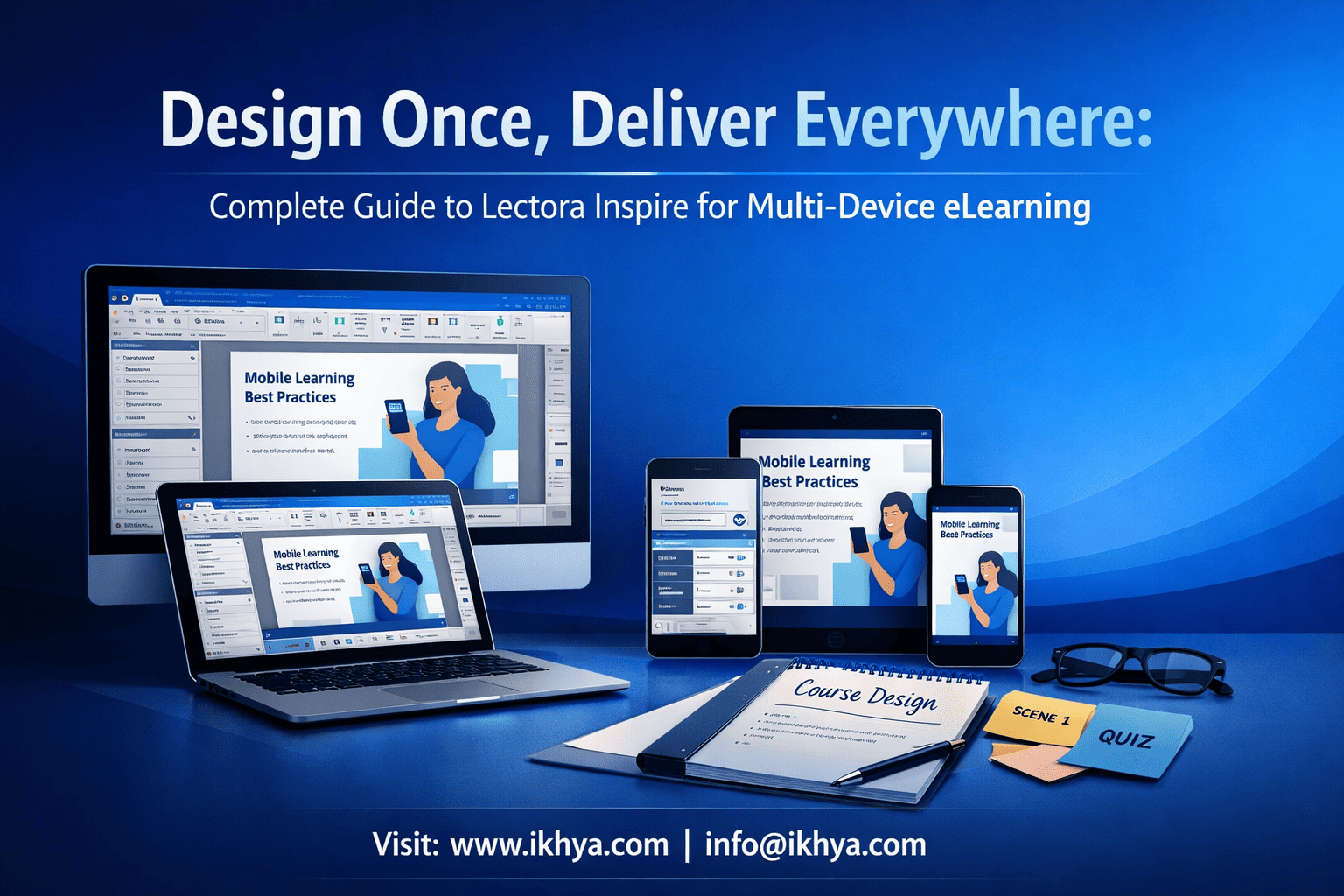
In today’s corporate training environment, learners expect seamless access to courses on desktops, tablets, and smartphones. Lectora Inspire empowers organizations to design once and deliver everywhere, ensuring consistent learning experiences across devices without multiple versions or rework. By leveraging responsive design, SCORM/xAPI compliance, and mobile-friendly authoring, companies can streamline course development, reduce costs, and enhance learner engagement. This guide will explore how Lectora Inspire simplifies multi-device eLearning, provide real-world examples, cost and timeline insights, and actionable steps for organizations looking to modernize their training programs.
Start transforming your training approach today with a free eLearning demo from IKHYA and see how responsive courses can be delivered effortlessly across all devices.
What is Lectora Inspire?
Lectora Inspire is a powerful eLearning authoring tool designed for creating responsive, multi-device training courses. Its features allow instructional designers and corporate L&D teams to build interactive courses once and deploy them across desktops, tablets, and smartphones seamlessly.
Key Capabilities:
- Responsive Design: Automatically adjusts course layout based on device screen size, eliminating the need for separate desktop and mobile versions.
- SCORM/xAPI Compliance: Ensures smooth LMS integration and tracking of learner progress across platforms.
- Multi-Device Authoring: Single course development for multiple devices reduces development time and maintenance effort.
- Content Conversion: Supports converting legacy PowerPoint presentations and instructor-led training into interactive eLearning modules.
By using Lectora Inspire, organizations can streamline development processes, improve learner accessibility, and maintain consistent content delivery across devices and platforms. Companies in healthcare, manufacturing, finance, and retail have leveraged Lectora Inspire to modernize their corporate training while meeting compliance and engagement goals.
For organizations looking to modernize training, IKHYA offers custom Lectora Inspire development services to deliver fully responsive courses that work across all devices, tailored to your industry needs.
Top Features of Lectora Inspire
Lectora Inspire stands out as a versatile authoring tool due to its robust feature set that supports multi-device eLearning development, interactive content creation, and seamless LMS integration. These features empower instructional designers to build engaging, scalable, and responsive courses efficiently.
Mobile-Friendly Courses
Lectora Inspire enables organizations to create courses that automatically adapt to desktops, tablets, and smartphones. Key capabilities include:
- Automatic layout adjustment for different screen sizes
- Touch-friendly navigation for mobile learners
- Offline access for learners in remote or low-connectivity areas
By ensuring courses are mobile-optimized, organizations can increase learner engagement and completion rates while reducing the need for multiple versions of the same course. Industries like retail and healthcare have successfully deployed mobile-ready courses for on-the-go training needs.
SCORM and xAPI Compliance
Lectora Inspire fully supports SCORM 1.2, SCORM 2004, and xAPI standards, allowing courses to be tracked accurately in any Learning Management System (LMS). Benefits include:
- Detailed reporting on learner progress and performance
- Tracking completion, scores, and time spent on each module
- Compatibility with modern LMS platforms for corporate training
This compliance ensures organizations maintain regulatory and compliance training standards while leveraging analytics to optimize learning programs. For tailored SCORM/xAPI integration, IKHYA offers LMS-compatible eLearning course development services.
Multi-Device Authoring
One of Lectora Inspire’s defining strengths is authoring once for multiple devices. Features that support this include:
- Flexible page layouts and responsive templates
- Conditional content display based on device type
- Centralized content management to avoid duplications
This functionality reduces development time and maintenance costs, allowing organizations to deliver consistent learning experiences at scale. Companies in finance and manufacturing have reported significant time savings when adopting multi-device authoring with Lectora Inspire.
Benefits of Multi-Device eLearning
Delivering courses across multiple devices is no longer optional; it is critical for modern corporate training. Lectora Inspire enables organizations to reach learners wherever they are, enhancing engagement, retention, and productivity.
Key Benefits:
Improved Learner Engagement
- Learners can access courses on desktops at the office, tablets during meetings, or smartphones on the go.
- Interactive elements such as quizzes, simulations, and branching scenarios are fully responsive.
- Increased flexibility leads to higher course completion rates and knowledge retention.
Cost and Time Efficiency
- Designing once for multiple devices eliminates redundant development work.
- Reduced maintenance costs because updates are applied centrally.
- Example: A 20-module compliance course deployed across three device types can save 30–40% in development time compared to creating separate versions.
Industry Applicability
- Healthcare: Mobile-friendly compliance and procedural training for staff across hospitals.
- Manufacturing: On-the-floor safety and equipment operation training accessible via tablets.
- Finance: Regulatory and compliance modules available anytime, supporting remote employees.
- Retail & IT: Microlearning modules delivered to smartphones for just-in-time training.
Organizations can accelerate learning adoption and maintain consistent messaging by leveraging responsive multi-device courses. IKHYA’s custom eLearning development services help implement such solutions across industries efficiently.
Lectora Inspire vs Competitors
Choosing the right eLearning authoring tool is critical for organizations looking to maximize efficiency, engagement, and multi-device delivery. Lectora Inspire is often compared with Articulate Storyline, Rise, Adobe Captivate, and Elucidat. Here’s a comprehensive breakdown:
Lectora Inspire vs Articulate Storyline
- Responsive Design: Lectora Inspire offers true multi-device responsive design, while Storyline requires separate adjustments for mobile.
- SCORM/xAPI Compliance: Both support standards, but Lectora provides more flexible LMS integration options.
- Content Conversion: Lectora supports direct PowerPoint and ILT conversions with responsive layout adjustments.
- Best Use: Large-scale corporate training needing consistent multi-device delivery.
Lectora Inspire vs Articulate Rise
- Authoring Flexibility: Rise is web-based with prebuilt templates, ideal for rapid microlearning. Lectora offers full customizability for interactive and simulation-based courses.
- Multi-Device Support: Both tools are responsive, but Lectora allows more advanced branching and device-specific customization.
- Best Use: Lectora is preferable for complex compliance, healthcare, and manufacturing training programs requiring intricate interactivity.
Lectora Inspire vs Adobe Captivate
- Interactivity: Captivate excels in simulations and software training, but responsive design requires additional effort.
- Ease of Use: Captivate has a steeper learning curve for new users; Lectora provides a more intuitive drag-and-drop interface.
- Best Use: Lectora is suitable for scalable multi-device deployment, whereas Captivate is ideal for scenario-based simulations.
Lectora Inspire vs Elucidat
- Enterprise Focus: Elucidat is cloud-based with rapid authoring but limited advanced interactivity. Lectora supports complex, highly customized eLearning projects.
- Analytics & Reporting: Lectora’s integration with LMS platforms provides detailed SCORM/xAPI tracking across devices.
- Best Use: Lectora is recommended for organizations that need long-term, scalable, multi-industry eLearning solutions.
By understanding these comparisons, organizations can select the tool that best aligns with their training goals, complexity of content, and multi-device strategy. For a guided approach, IKHYA provides how to choose a Lectora Inspire development company to ensure project success.
Converting Legacy Training to Lectora Inspire
Many organizations rely on PowerPoint presentations or instructor-led training (ILT) for their corporate learning programs. Lectora Inspire enables seamless conversion of these legacy courses into interactive, multi-device eLearning modules, saving time and improving learner engagement.
PowerPoint to Lectora Inspire Conversion
- Interactive Elements: Transform static slides into interactive quizzes, branching scenarios, and simulations.
- Responsive Layouts: Lectora automatically adjusts slide content for mobile and tablet devices.
- Cost & Time Efficiency: A 20-slide PowerPoint deck can be converted into a fully responsive module in 2–3 days, compared to several weeks if rebuilt from scratch.
- Real-World Example: A financial services company converted a 50-slide compliance deck into a multi-device course, reducing development time by 35% and achieving higher completion rates.
- IKHYA offers PowerPoint to eLearning conversion services to handle this process efficiently.
Instructor-Led Training (ILT) Conversion
- From Classroom to Online: ILT sessions can be broken into microlearning modules, interactive eLearning, and scenario-based exercises.
- Engagement Features: Include assessments, polls, and simulations to replicate classroom interactivity online.
- Timeline Example: A 2-day ILT workshop can be converted into a 5-module online course over 2–3 weeks.
- Organizations in healthcare and manufacturing have successfully digitized compliance and safety training using Lectora Inspire.
- IKHYA provides ILT to eLearning course conversion services for smooth transitions.
Microlearning Development
- Short, Focused Modules: Ideal for busy employees, microlearning ensures retention and on-the-job application.
- Multi-Device Ready: Delivered via mobile, tablet, or desktop, allowing just-in-time learning.
- Example: Retail training modules on customer service delivered in 5–10 minute microlearning chunks increased learner engagement by 40%.
- IKHYA supports microlearning development using Lectora Inspire tailored to industry-specific needs.
By converting legacy content into responsive eLearning, organizations can modernize training, increase engagement, and reduce overall development costs while ensuring content is accessible anytime, anywhere.
Vendor Selection & Outsourcing Strategy
Selecting the right development approach is crucial for successful multi-device eLearning implementation. Organizations must decide whether to develop courses in-house or outsource to experts, balancing cost, timeline, and quality.
In-House vs Outsourced Development
| Aspect | In-House | Outsourced |
|---|---|---|
| Expertise | Relies on internal instructional designers and developers | Access to specialized Lectora Inspire experts |
| Cost | Salary + tool license + training | Project-based, often more predictable for multi-device courses |
| Timeline | Longer for complex courses | Faster turnaround due to experienced teams |
| Scalability | Limited by team size | Can scale for large projects or multiple modules simultaneously |
| Industry Applicability | Best for small, ongoing updates | Ideal for enterprise-scale, cross-industry training programs |
Organizations often blend approaches—using in-house staff for content creation and outsourcing technical development for responsive multi-device delivery.
Vendor Decision Framework
- Define Requirements: Number of courses, modules, device coverage, interactivity level.
- Evaluate Expertise: Check vendor experience with Lectora Inspire, multi-device projects, and SCORM/xAPI compliance.
- Assess Cost & Timeline: Compare estimates for different development scopes.
- Request Case Studies: Look for industry-specific examples (Healthcare, Manufacturing, Finance, Retail).
- Pilot Project: Start with a small module to evaluate quality, responsiveness, and LMS integration.
For organizations seeking guidance, IKHYA offers outsourcing Lectora Inspire eLearning development to ensure high-quality, multi-device course delivery without overburdening internal teams.
Cost & Timeline Estimates
- Small Module (5–10 minutes of learning): 1–2 weeks, $2,500–$4,000 per module
- Medium Module (20–30 minutes of learning): 3–4 weeks, $5,000–$7,500 per module
- Complex Multi-Module Course (50+ minutes): 6–8 weeks, $10,000–$15,000 per course
These estimates vary based on interactivity, multimedia, and industry compliance requirements. Using a vendor like IKHYA ensures predictable costs and faster deployment for multi-device learning initiatives.
Real-World Examples and Case Studies
Organizations across industries have successfully implemented multi-device eLearning using Lectora Inspire, achieving higher engagement, faster deployment, and measurable ROI.
Healthcare Training
- Use Case: Compliance and procedural training for hospital staff across multiple locations.
- Solution: Converted ILT sessions and legacy PowerPoint content into responsive eLearning modules.
- Timeline: 2-week pilot module; full 10-module program deployed in 6 weeks.
- Outcome: Completion rates increased by 35%, and knowledge retention improved by 25%.
- IKHYA provides healthcare training eLearning solutions to streamline these programs.
Manufacturing Training
- Use Case: On-the-floor safety and equipment operation training.
- Solution: Developed mobile-friendly, interactive courses with simulations and quizzes for different devices.
- Timeline: 4 weeks for a 6-module course.
- Outcome: Reduced in-person training hours by 50%, improved safety compliance reporting.
- For scalable solutions, explore Lectora Inspire development for manufacturing training.
Finance & Banking
- Use Case: Regulatory compliance training for employees in multiple regions.
- Solution: PowerPoint and ILT content converted into responsive courses with SCORM/xAPI tracking.
- Timeline: 3-week development for 8 modules.
- Outcome: Increased course completion from 60% to 92%, reduced training support queries by 30%.
- IKHYA’s financial services training eLearning solutions ensure compliance across devices.
Retail & IT Training
- Use Case: Customer service modules and software onboarding for distributed teams.
- Solution: Short microlearning modules delivered via mobile and desktop for just-in-time training.
- Timeline: 2 weeks for 5 microlearning modules.
- Outcome: Learner engagement increased by 40%; reduced new-hire ramp-up time by 20%.
- IKHYA supports mobile learning development solutions tailored to retail and IT environments.
These case studies illustrate that Lectora Inspire enables efficient multi-device course delivery, reduces costs, and enhances learner engagement across industries. Organizations can adapt similar approaches for their own training needs to achieve measurable results.
Best Practices for Responsive Course Design
Creating effective multi-device eLearning requires careful planning and design to ensure content is accessible, engaging, and functional on all devices. Lectora Inspire provides the tools, but following best practices ensures optimal results.
Step-by-Step Design Guidelines
- Plan for Device Flexibility: Begin by defining how content should appear on desktop, tablet, and mobile.
- Use Responsive Templates: Leverage Lectora Inspire’s built-in templates to maintain layout consistency across devices.
- Optimize Multimedia: Compress images, videos, and animations for fast loading without sacrificing quality.
- Prioritize Core Content: Focus on essential learning objectives for mobile learners who may have limited attention spans.
- Test Across Devices: Conduct extensive testing to ensure interactivity, quizzes, and navigation work on all platforms.
Mobile Optimization Tips
- Touch-Friendly Navigation: Ensure buttons and interactive elements are large enough for mobile use.
- Short Modules: Break long courses into 5–10 minute modules for microlearning.
- Offline Accessibility: Provide downloadable content for learners in areas with limited connectivity.
- Adaptive Media: Use scalable images and responsive videos that adjust to different screen sizes.
Microlearning and Simulation Integration
- Microlearning: Deliver short, focused modules that learners can complete in 5–10 minutes, improving knowledge retention and engagement.
- Simulations: Use interactive scenarios to replicate real-world tasks, allowing learners to practice skills in a safe environment.
- Example: A retail company deployed 7 microlearning modules with simulations for new hires. Completion rates increased by 45%, and on-the-job performance improved significantly.
By following these best practices, organizations can maximize learner engagement, improve knowledge retention, and ensure consistent multi-device experiences. IKHYA offers rapid eLearning development using Lectora Inspire to implement these strategies effectively for corporate training programs.
IKHYA Solutions for Lectora Inspire Development
IKHYA – eLearning Solutions Company – provides end-to-end Lectora Inspire development services that help organizations design, develop, and deploy multi-device eLearning courses efficiently. Their expertise ensures courses are responsive, engaging, and aligned with industry-specific compliance and learning objectives.
Services Overview
- Custom eLearning Development: Tailored solutions for corporate training, compliance, product, and onboarding programs.
- Legacy Content Conversion: Transform PowerPoint and ILT content into interactive, responsive courses.
- Microlearning Development: Short, focused modules for just-in-time learning on desktops and mobile devices.
- Simulation-Based Training: Interactive scenarios for practical skill development across industries.
How IKHYA Supports Multi-Device Learning
- Responsive Design Implementation: Courses work seamlessly on desktops, tablets, and smartphones.
- SCORM/xAPI Integration: Complete LMS compatibility ensures detailed tracking and analytics.
- Industry-Specific Expertise: Healthcare, manufacturing, finance, retail, IT, and more.
Organizations looking to modernize corporate training and reduce development time can leverage IKHYA’s expertise to achieve measurable results.
Next Steps:
- Explore a free eLearning demo to see responsive Lectora courses in action.
- Request a custom RFP to get a tailored project plan and cost estimate.
- Contact IKHYA’s team for consultancy services to align your training goals with the right development strategy.
By partnering with IKHYA, organizations can ensure high-quality, scalable, and multi-device-ready eLearning solutions that meet modern training demands.
Conclusion
Lectora Inspire empowers organizations to design once and deliver everywhere, providing responsive, multi-device eLearning that engages learners and ensures consistent knowledge delivery. By leveraging its responsive design, SCORM/xAPI compliance, and powerful authoring capabilities, companies can streamline course development, reduce costs, and modernize legacy training programs.
Key Takeaways:
- Multi-Device Accessibility: Courses work seamlessly across desktops, tablets, and smartphones.
- Legacy Conversion: PowerPoint and ILT content can be transformed into interactive, engaging eLearning modules.
- Cost & Timeline Efficiency: Centralized multi-device authoring reduces development time and maintenance costs.
- Industry Applicability: Effective in healthcare, manufacturing, finance, retail, and IT training.
- Vendor Guidance: In-house vs outsourced development decisions can be guided by structured frameworks for cost, timeline, and quality.
For organizations ready to modernize their corporate training, IKHYA offers end-to-end support:
- Book a free eLearning demo to experience responsive courses in action.
- Request a custom RFP to get a tailored development plan.
- Talk to IKHYA experts for guidance on multi-device course strategy.
By choosing the right approach and partner, businesses can ensure engaging, scalable, and measurable training outcomes across all devices.
FAQs
1. Can Lectora Inspire courses run on any device?
Yes, courses are fully responsive and work on desktops, tablets, and smartphones.
2. How long does it take to develop a multi-device course?
Typically 2–6 weeks per module depending on complexity and interactivity.
3. What is the cost of Lectora Inspire course development?
Costs generally range from $2,500–$15,000 per course based on length, interactivity, and industry requirements.
4. Is Lectora Inspire SCORM and xAPI compliant?
Yes, it supports SCORM 1.2, SCORM 2004, and xAPI for LMS tracking.
5. Can I convert PowerPoint presentations into Lectora courses?
Yes, Lectora supports direct PowerPoint-to-eLearning conversion with responsive design.
6. How does Lectora Inspire support microlearning?
It allows creation of short, focused modules optimized for mobile and desktop learners.
7. Can instructor-led training be converted to eLearning?
Yes, ILT sessions can be digitized into interactive modules, simulations, or microlearning.
8. Does Lectora Inspire work offline?
Yes, learners can access downloaded content on mobile devices in low-connectivity areas.
9. Which industries benefit most from Lectora Inspire?
Healthcare, manufacturing, finance, retail, IT, and oil & gas commonly use Lectora for training.
10. How does responsive design improve learner engagement?
It ensures courses display correctly on all devices, enhancing accessibility and completion rates.
11. Can I track learner progress in Lectora courses?
Yes, detailed analytics on completion, scores, and time spent can be tracked via LMS integration.
12. Is it better to develop courses in-house or outsource?
Both approaches are valid; outsourcing is often faster and provides access to specialized expertise.
13. How can I ensure compliance with industry regulations?
By using Lectora’s SCORM/xAPI features and following best practices for responsive course design.
14. Can simulations be included in Lectora courses?
Yes, interactive simulations allow learners to practice real-world scenarios safely.
15. How are mobile users accommodated in Lectora courses?
Courses use touch-friendly navigation, adaptive layouts, and optimized multimedia for mobile screens.
16. Can Lectora Inspire handle multi-language training?
Yes, courses can be localized for global audiences with translations and cultural adaptations.
17. How do I choose the right Lectora vendor?
Evaluate expertise, case studies, cost, timeline, and ability to deliver multi-device courses.
18. Can Lectora integrate with any LMS?
Yes, it integrates with SCORM/xAPI-compliant LMS platforms for seamless tracking and reporting.
19. Are there best practices for course design?
Yes, including responsive templates, mobile optimization, short modules, and testing across devices.
20. How can IKHYA help with Lectora Inspire development?
IKHYA provides end-to-end services, including custom development, conversion, microlearning, and consultancy.
Related Resources
For further reading and to deepen your understanding of multi-device eLearning and Lectora Inspire, explore these carefully curated resources:




