
Rapid eLearning Development Using Storyline and Rise 360

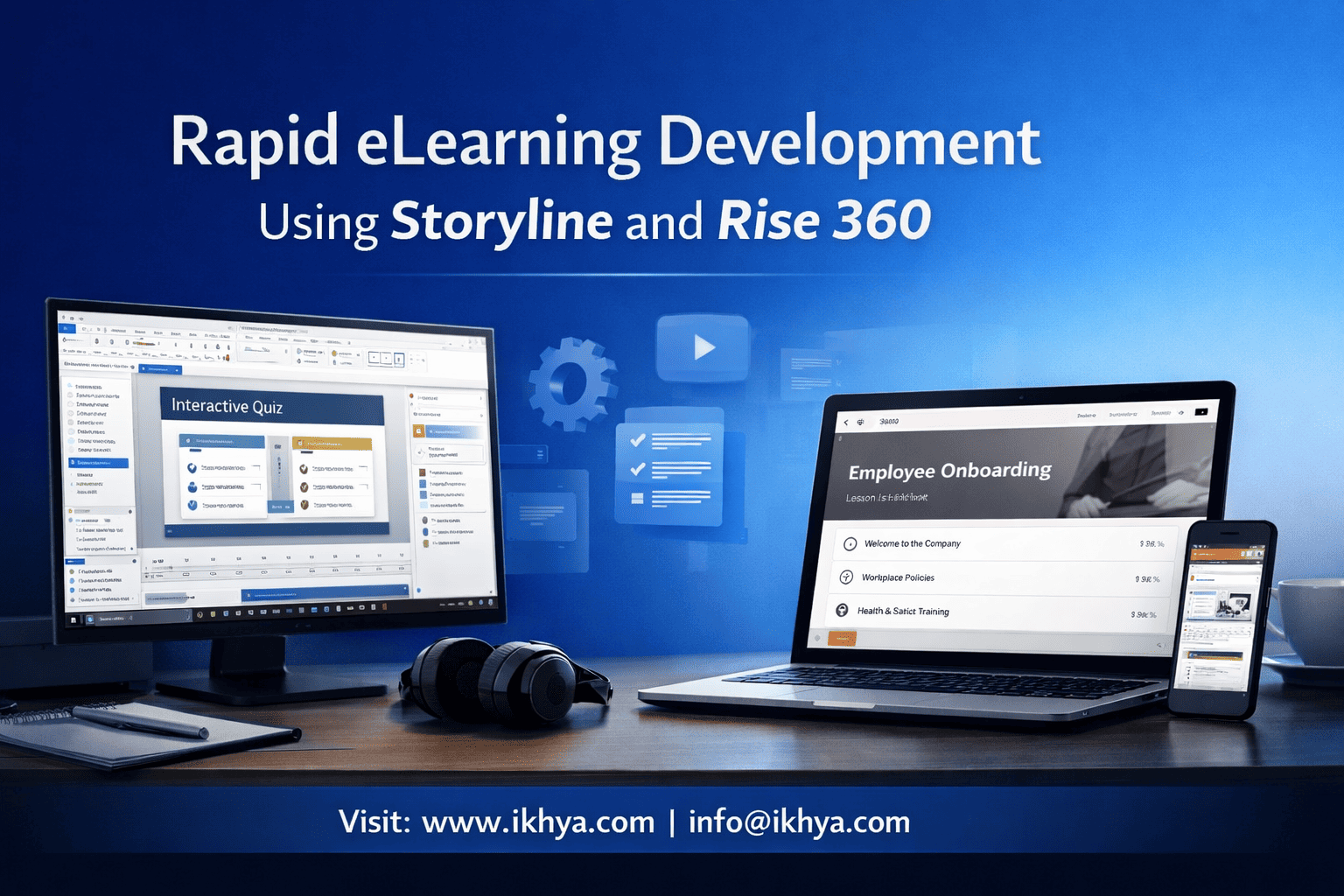
Organizations cannot afford 6–12 months to build training anymore. Compliance deadlines, product launches, and workforce changes demand courses in weeks, not quarters. Rapid eLearning using Storyline and Rise 360 makes this possible without sacrificing quality.
If you need fast, scalable, SCORM-compliant courses built by experts, contact IKHYA – eLearning Solutions Company at info@ikhya.com to estimate timeline and cost.
Rapid development is not about cutting corners—it is about using the right tools, templates, and workflows to produce instructionally sound, technically robust training at speed. Global organizations across the USA, UK, Australia, and UAE now rely on Articulate Storyline and Rise 360 as the foundation of rapid eLearning strategies because they balance speed, interactivity, and LMS compatibility.
What Is Rapid eLearning Development Using Storyline and Rise 360?
Rapid eLearning development using Storyline and Rise 360 means creating structured, interactive, LMS-ready courses in weeks instead of months by using prebuilt components, reusable templates, and streamlined workflows. Storyline enables custom interactions and simulations, while Rise 360 enables fast, responsive courses. Together, they balance speed, scalability, and instructional effectiveness.
Rapid eLearning is a methodology that accelerates course creation by leveraging modern authoring tools, existing content, and standardized processes. Instead of building everything from scratch, instructional designers use structured frameworks, templates, and tool-based automation.
Articulate’s two flagship tools—Storyline 360 and Rise 360—are designed specifically to support this approach.
Why Rapid eLearning Exists
Traditional eLearning development timelines are slow because they involve:
- Custom programming
- Graphic design from scratch
- Multiple development iterations
- Complex testing cycles
Typical traditional development timelines:
| Course Length | Traditional Development Time | Rapid eLearning Time |
|---|---|---|
| 30 minutes | 6–10 weeks | 2–4 weeks |
| 60 minutes | 8–14 weeks | 3–6 weeks |
| 2 hours | 12–20 weeks | 6–10 weeks |
This acceleration is possible because tools like Storyline and Rise eliminate the need for manual coding.
Overview of Articulate Storyline 360
Storyline 360 is a powerful desktop authoring tool used to build highly interactive and simulation-based courses.
Organizations evaluating authoring tools often compare platforms using a detailed Storyline vs Adobe Captivate analysis before selecting the right development environment.
It is widely used in:
- Corporate compliance training (USA healthcare, OSHA, HIPAA)
- Software simulations (banking systems in UK financial institutions)
- Safety training (Australia mining and construction)
- Aviation and logistics training (UAE and global aviation hubs)
Key Capabilities
1. Custom Interactions
- Drag-and-drop exercises
- Scenario-based learning
- Branching logic
- Interactive assessments
2. Software Simulations
- Screen recording
- Guided practice mode
- Test mode simulations
3. Advanced Logic and Variables
- Personalized learning paths
- Conditional navigation
- Learner-specific feedback
4. SCORM, xAPI, and LMS Compatibility
Supports:
- SCORM 1.2
- SCORM 2004
- xAPI (Tin Can)
- AICC
- cmi5
These standards are critical for LMS platforms such as:
- Cornerstone OnDemand (USA)
- Docebo (global)
- Moodle (UK universities)
- Totara (Australia enterprises)
Overview of Rise 360
Rise 360 is a web-based authoring tool designed for speed, responsiveness, and mobile-first learning.
Unlike Storyline, Rise does not require installation. Courses are created in a browser and automatically optimized for all devices.
Key Capabilities
1. Fully Responsive Design
Courses automatically adapt to:
- Mobile phones
- Tablets
- Laptops
- Desktop monitors
This is essential because over 60% of corporate learners now access training via mobile devices.
2. Block-Based Course Creation
Content blocks include:
- Text
- Video
- Interactive knowledge checks
- Tabs and accordion interactions
- Scenarios
3. Rapid Publishing
Courses can be published to:
- SCORM
- xAPI
- LMS platforms
- Web delivery
4. Collaborative Development
Multiple team members can work simultaneously, which accelerates development for global teams.
Why Storyline and Rise 360 Are Used Together
Storyline and Rise serve different purposes but work best in combination.
| Feature | Storyline 360 | Rise 360 |
|---|---|---|
| Custom interactivity | Excellent | Limited |
| Software simulations | Excellent | Not supported |
| Mobile responsiveness | Good | Excellent |
| Development speed | Medium | Very fast |
| Complex branching | Excellent | Limited |
| Microlearning | Good | Excellent |
Organizations combine both tools by embedding Storyline interactions inside Rise courses.
Example workflow:
- Use Rise for main course structure
- Use Storyline for simulations and scenarios
- Embed Storyline blocks inside Rise
This creates fast and highly interactive courses.
Real-World Global Example
A UAE aviation company needed safety training for 4,000 employees.
Traditional timeline estimate: 6 months
Rapid development using Storyline and Rise: 8 weeks
Solution:
- Rise used for core modules
- Storyline used for aircraft maintenance simulations
- SCORM deployed via Cornerstone LMS
Result:
- 70% faster development
- 45% cost reduction
- 92% course completion rate
When Rapid eLearning Using Storyline and Rise Is Most Effective
Rapid development is ideal for:
- Compliance training
- Software training
- Product training
- Safety training
- Employee onboarding
It is less suitable for:
- Highly experimental learning research
- Fully custom game-based learning from scratch
Why Are Storyline and Rise 360 the Industry Standard for Rapid eLearning?
Storyline and Rise 360 are industry standards because they combine fast development, SCORM/xAPI compatibility, responsive design, and advanced interactivity without requiring programming. They enable organizations to create scalable, LMS-ready training efficiently while maintaining instructional quality, compliance tracking, and cross-device accessibility required by enterprises worldwide.
Articulate tools are used by more than 120,000 organizations globally, including Fortune 500 companies, government agencies, universities, and regulated industries.
Many organizations are also modernizing legacy corporate learning programs through corporate training modernization strategies that leverage Storyline and Rise development frameworks.
Their adoption is driven by technical reliability, global LMS compatibility, and the ability to support both simple and complex learning experiences.
Global Enterprise Adoption Across Major Markets
United States: Compliance and Healthcare Training
In the USA, strict regulatory requirements such as HIPAA, OSHA, and FDA compliance require frequent training updates. Rapid eLearning is essential because regulations change regularly.
Typical use cases:
- Healthcare compliance training (HIPAA, patient safety)
- Manufacturing safety training (OSHA)
- Financial compliance training (SEC, FINRA)
- Cybersecurity awareness training
Why Storyline and Rise are preferred:
- SCORM 2004 compliance for LMS tracking
- Scenario-based training for compliance decisions
- Fast updates when regulations change
Example workflow in a US healthcare company:
- Rise 360 for compliance modules
- Storyline for patient interaction scenarios
- xAPI tracking for learner analytics
Result: Compliance training rollout reduced from 4 months to 5 weeks.
United Kingdom: Financial Services and Corporate Training
UK organizations, especially in banking and insurance, use rapid eLearning to meet FCA (Financial Conduct Authority) training requirements.
Common applications:
- Anti-money laundering (AML) training
- Data protection (GDPR) training
- Risk management training
- Employee onboarding
Key technical requirement: LMS compatibility with platforms such as Totara and Moodle.
Storyline advantages in UK financial training:
- Complex branching scenarios
- Real-world decision simulations
- Assessment tracking via SCORM 2004
Rise advantages:
- Fast deployment to distributed workforce
- Mobile-friendly learning for remote employees
Australia: Mining, Construction, and Safety Training
Australia has strict safety requirements under Safe Work Australia and WHS regulations.
Rapid eLearning is essential because:
- Safety procedures change frequently
- Workforce is geographically distributed
- Mobile access is required for field workers
Typical technical implementation:
- Rise for mobile safety training modules
- Storyline for equipment simulations
- Offline LMS access via SCORM packages
Example:
A mining company reduced safety training development from 12 weeks to 4 weeks using Rise and Storyline combination.
UAE and Middle East: Aviation, Oil & Gas, and Enterprise Training
The UAE has major aviation and oil industries with strict training requirements.
Typical training areas:
- Aviation safety training
- Equipment operation training
- Compliance training
- Technical skills training
Why Storyline is critical:
- Simulation-based learning for complex systems
- Equipment operation simulations
- Scenario-based risk training
Why Rise is critical:
- Mobile learning for field workers
- Fast multilingual deployment
- Easy updates for regulatory changes
Example:
A logistics company in Dubai deployed multilingual safety training in:
- English
- Arabic
- Hindi
Using Rise and Storyline, deployment was completed in 6 weeks instead of 16 weeks.
Technical Reasons Organizations Choose Storyline and Rise
1. SCORM and xAPI Compliance
Both tools support global LMS standards:
| Standard | Purpose | Supported |
|---|---|---|
| SCORM 1.2 | Basic tracking | Yes |
| SCORM 2004 | Advanced tracking | Yes |
| xAPI | Detailed analytics | Yes |
| AICC | Legacy systems | Yes |
| cmi5 | Modern LMS environments | Yes |
These standards are used in LMS platforms worldwide.
2. No Programming Required
Traditional development requires:
- HTML
- JavaScript
- CSS
Storyline and Rise eliminate this requirement.
Instructional designers can build advanced courses without coding.
3. Reusable Templates and Components
Organizations create template libraries for rapid development.
Examples:
- Compliance templates
- Safety templates
- Product training templates
This reduces development time by 40–70%.
4. LMS Compatibility Worldwide
Compatible LMS platforms include:
- Cornerstone
- Docebo
- SAP SuccessFactors
- Moodle
- Totara
- Absorb LMS
This ensures global scalability.
How Storyline and Rise 360 Enable Rapid Development Technically
Storyline and Rise enable rapid development by using template-based architecture, reusable components, built-in interactivity, automated publishing, and LMS-ready output. These tools eliminate manual programming, reduce design time, and streamline testing, allowing instructional designers to focus on content quality instead of technical implementation and coding.
Rapid development is achieved through technical efficiencies built into the tools.
Template-Based Development Architecture
Templates dramatically reduce development time.
Instead of building courses from scratch, developers reuse:
- Slide templates
- Interaction templates
- Assessment templates
Example Storyline templates:
- Scenario templates
- Quiz templates
- Simulation templates
Example Rise templates:
- Compliance course template
- Microlearning template
- Onboarding template
Time saved:
| Task | Traditional | Using Templates |
|---|---|---|
| Course structure | 8–16 hours | 2–4 hours |
| Interaction design | 16–24 hours | 4–8 hours |
| Assessment creation | 8–12 hours | 2–4 hours |
Built-In Interactivity Without Programming
Storyline includes built-in triggers and variables.
These allow:
- Conditional logic
- Branching scenarios
- Personalized learning paths
Example:
If learner selects wrong answer → show remediation slide
If learner passes test → unlock next module
This is done without coding.
Block-Based Development in Rise 360
Rise uses content blocks.
Developers add blocks such as:
- Text blocks
- Video blocks
- Quiz blocks
- Scenario blocks
Courses can be built 3–5 times faster than traditional tools.
Rapid Publishing and Deployment
Publishing options include:
- SCORM
- xAPI
- Web output
- LMS packages
Publishing takes minutes instead of days.
Cloud-Based Collaboration
Rise enables multiple developers to work simultaneously.
This is critical for global teams in:
- USA
- UK
- India
- UAE
- Australia
This reduces development timelines significantly.
What Is the Step-by-Step Workflow for Rapid eLearning Using Storyline and Rise 360?
Rapid eLearning using Storyline and Rise 360 follows a structured workflow: analyze source content, define learning objectives, select templates, build content using Rise and Storyline, conduct SME reviews, publish to SCORM/xAPI, and deploy to LMS. This structured process reduces delays, ensures compliance, and enables scalable, high-quality global training delivery.
Rapid development succeeds because it replaces slow, unpredictable processes with repeatable production workflows. Global organizations use standardized pipelines to ensure courses can be delivered in weeks.
Step 1: Content Analysis and Instructional Planning
This step identifies what content exists and what must be created.
Typical source materials include:
- PowerPoint presentations
- Instructor-led training materials (ILT)
- PDFs and manuals
- SOP documents
- Videos
- Regulatory compliance documents
Instructional designers define:
- Learning objectives
- Course structure
- Assessment strategy
- Interaction requirements
Example: UK Banking Compliance Training
Source material: 180-slide PowerPoint
Output plan:
- Rise modules for theory
- Storyline simulations for decision-making scenarios
- Final compliance assessment
Time required: 1–3 days
Step 2: Storyboarding and Template Selection
Instead of designing every screen from scratch, rapid development uses prebuilt templates.
Templates include:
- Introduction slides
- Learning objective slides
- Content layouts
- Scenario layouts
- Assessment layouts
Storyboarding defines:
- Screen sequence
- Interaction type
- Media requirements
- Assessment points
Example structure:
| Module | Tool Used | Purpose |
|---|---|---|
| Introduction | Rise | Overview |
| Core content | Rise | Theory |
| Simulation | Storyline | Practice |
| Assessment | Storyline | Evaluation |
| Summary | Rise | Reinforcement |
Time required: 2–5 days
Step 3: Rapid Content Development in Rise 360
Rise is used first because it allows fastest course creation.
Developers add:
- Text blocks
- Image blocks
- Video blocks
- Knowledge check blocks
- Scenario blocks
Advantages:
- Fully responsive
- Fast development
- Easy editing
- Built-in navigation
Example: UAE logistics safety course
- 12 modules built in Rise
- Completed in 10 days
- Mobile-ready instantly
Step 4: Building Advanced Interactions in Storyline 360
Storyline is used for complex learning interactions.
This includes:
- Software simulations
- Branching scenarios
- Decision-based training
- Drag-and-drop exercises
Example: US healthcare software training
Storyline simulation includes:
- Login simulation
- Patient record navigation
- Error correction scenarios
Development time: 3–10 days depending on complexity
Step 5: Embedding Storyline Modules into Rise
Storyline modules are exported and embedded directly into Rise courses.
This creates a unified learning experience.
Benefits:
- Combines speed and interactivity
- Maintains responsive structure
- Preserves advanced functionality
Typical course structure:
- Rise module (core theory)
- Storyline interaction
- Rise reinforcement module
- Storyline assessment
Step 6: SME Review and Quality Assurance
Subject Matter Experts review course accuracy.
Quality assurance includes:
- Content accuracy
- Interaction functionality
- LMS compatibility testing
- Mobile responsiveness testing
Testing environments include:
- Cornerstone LMS (USA)
- Moodle LMS (UK universities)
- Totara LMS (Australia)
- SAP SuccessFactors (global enterprises)
Review cycle duration: 3–7 days
Step 7: LMS Publishing and Deployment
Courses are published and uploaded to LMS platforms.
Supported formats:
- SCORM 1.2
- SCORM 2004
- xAPI
- cmi5
Deployment includes:
- LMS upload
- Learner assignment
- Tracking configuration
- Completion criteria setup
Deployment time: 1–2 days
Complete Rapid Development Timeline Example
| Phase | Timeline |
|---|---|
| Content analysis | 2 days |
| Storyboarding | 3 days |
| Rise development | 7 days |
| Storyline interactions | 7 days |
| QA and review | 5 days |
| LMS deployment | 2 days |
| Total | 26 days |
Traditional timeline: 3–4 months
Rapid eLearning timeline: 3–5 weeks
How Long Does Rapid eLearning Development Take Using Storyline and Rise?
Rapid eLearning using Storyline and Rise typically takes 2–6 weeks for a 60-minute course depending on interaction complexity, SME availability, and review cycles. Rise accelerates content development, while Storyline adds advanced simulations. Template libraries and experienced teams can reduce timelines by up to 70 percent compared to traditional development methods.
Development speed depends on course complexity.
Timeline Based on Course Complexity
| Course Type | Tool Used | Development Time |
|---|---|---|
| Basic compliance course | Rise | 1–2 weeks |
| Standard corporate training | Rise + Storyline | 3–5 weeks |
| Software simulation course | Storyline + Rise | 4–6 weeks |
| Highly complex technical training | Storyline-heavy | 6–10 weeks |
Timeline Based on Course Duration
| Course Length | Rapid Development Time |
|---|---|
| 15 minutes | 1–2 weeks |
| 30 minutes | 2–3 weeks |
| 60 minutes | 3–5 weeks |
| 120 minutes | 5–8 weeks |
Global Example: Australia Workplace Safety Training
Project details:
- 90-minute safety training
- 5 Storyline simulations
- 12 Rise modules
- LMS: Totara
Timeline achieved:
- Development: 5 weeks
- Traditional estimate: 16 weeks
- Time saved: 69%
Factors That Affect Development Speed
Faster Development When:
- Source content is well structured
- Templates are available
- SME feedback is quick
- Rise is used for most content
Slower Development When:
- Content must be created from scratch
- Many custom simulations required
- SME reviews are delayed
- Compliance approvals take longer
How Global Enterprises Reduce Timelines Further
Large organizations maintain:
- Template libraries
- Interaction libraries
- Standard course frameworks
This reduces development time significantly.
Example: US Fortune 500 company
- Template library reduced development time by 52%
What Does Rapid eLearning Development Cost Globally Using Storyline and Rise 360?
Rapid eLearning using Storyline and Rise 360 typically costs between $3,000 and $12,000 per hour of finished training globally, depending on complexity, interactivity, and region. Rise-based courses cost less, while Storyline-heavy simulation courses cost more due to advanced interaction design, instructional engineering, and testing requirements across LMS platforms.
Costs vary significantly across the USA, UK, Australia, UAE, and offshore development hubs such as India.
Many organizations reduce costs by partnering with specialized vendors through outsourced eLearning development models that provide experienced instructional designers and rapid development teams.
Global Cost Comparison by Region
| Region | Cost Per Hour (USD) | Typical Use Case |
|---|---|---|
| USA | $8,000 – $15,000 | Healthcare, aviation, finance |
| UK | $7,000 – $13,000 | Banking, compliance, universities |
| Australia | $7,000 – $14,000 | Mining, safety, government |
| UAE | $6,000 – $12,000 | Aviation, oil & gas, logistics |
| India (Offshore) | $3,000 – $7,000 | Global enterprise outsourcing |
Offshore development using experienced teams can reduce costs by 40–60% while maintaining SCORM and xAPI compliance.
Cost Breakdown by Development Component
| Component | Cost Percentage |
|---|---|
| Instructional design | 20–30% |
| Visual design | 10–20% |
| Storyline interaction development | 20–35% |
| Rise development | 10–20% |
| QA and LMS testing | 10–15% |
| Project management | 5–10% |
Storyline increases cost due to interaction complexity, while Rise reduces cost due to template-based development.
Cost Comparison: Rise vs Storyline
| Development Type | Cost Per Hour |
|---|---|
| Rise-only course | $3,000 – $6,000 |
| Mixed Rise + Storyline | $4,000 – $10,000 |
| Storyline-heavy course | $6,000 – $15,000 |
Rise is more cost-effective for:
- Compliance training
- Microlearning
- Policy training
Storyline is necessary for:
- Software simulations
- Technical training
- Scenario-based learning
Real Global Cost Example: UAE Logistics Training
Project scope:
- 60-minute safety training
- 8 Rise modules
- 3 Storyline simulations
- SCORM deployment
Costs:
| Region | Cost |
|---|---|
| USA vendor | $48,000 |
| UK vendor | $42,000 |
| Offshore vendor | $19,000 |
Savings achieved: 54%
When Should You Use Storyline vs Rise 360 vs Both?
Use Rise 360 for fast, responsive courses and Storyline for simulations, complex interactivity, and branching scenarios. Most enterprise courses combine both tools: Rise for structure and Storyline for interaction. This hybrid approach provides speed, scalability, and instructional effectiveness while maintaining global LMS compatibility and compliance tracking.
Choosing the right tool improves both speed and effectiveness.
Use Rise 360 When You Need:
- Fast course development
- Mobile-first learning
- Compliance training
- Policy training
- Microlearning modules
Best industries:
- Healthcare
- Retail
- Corporate compliance
- HR training
Use Storyline 360 When You Need:
- Software simulations
- Complex decision scenarios
- Technical training
- Interactive assessments
- Certification exams
Best industries:
- Aviation
- Banking
- Manufacturing
- Healthcare systems training
Use Both Together When You Need Enterprise Training
This is the most common approach globally.
Example structure:
| Course Component | Tool Used |
|---|---|
| Introduction | Rise |
| Core content | Rise |
| Simulation | Storyline |
| Scenario | Storyline |
| Assessment | Storyline |
| Summary | Rise |
This approach balances speed and interactivity.
Best Practices for Rapid eLearning Using Storyline and Rise
Rapid eLearning succeeds when organizations use structured templates, standardized workflows, SME collaboration, and hybrid tool strategies. Using Rise for content and Storyline for interactions maximizes speed while maintaining instructional quality, LMS compatibility, and global scalability required by enterprise training programs.
1. Use Template Libraries
Create reusable templates for:
- Compliance training
- Safety training
- Onboarding training
Benefits:
- 40–70% faster development
- Consistent course design
- Lower development cost
2. Use Rise for Core Content
Rise should be used for:
- Text content
- Videos
- Basic assessments
This accelerates development significantly.
3. Use Storyline Only Where Needed
Use Storyline selectively for:
- Simulations
- Scenarios
- Assessments
This controls development cost and timeline.
4. Standardize LMS Publishing Settings
Use standard settings:
- SCORM 2004 for most LMS
- xAPI for advanced tracking
This prevents deployment issues.
5. Maintain an Interaction Library
Create reusable:
- Simulations
- Scenarios
- Assessments
This reduces development time dramatically.
Why Global Organizations Choose IKHYA for Rapid eLearning Development
Organizations choose IKHYA because it combines rapid development workflows, Storyline and Rise expertise, global LMS compatibility, and cost-efficient offshore delivery.
Many enterprise organizations also evaluate multiple partners and follow structured frameworks to choose the eLearning vendor that best fits their training technology and instructional design requirements.
IKHYA delivers SCORM and xAPI compliant courses faster while maintaining enterprise instructional design standards required by companies in the USA, UK, Australia, UAE, and worldwide.
IKHYA helps organizations reduce development timelines by up to 60%.
IKHYA Rapid eLearning Services Include
- Storyline 360 development
- Rise 360 course development
- ILT to eLearning conversion
- Software simulation training
- Compliance training development
- LMS deployment and testing
Global Client Benefits
- Faster course delivery
- Lower development cost
- SCORM/xAPI compliance
- Enterprise-grade instructional design
Frequently Asked Questions (FAQ)
Is Rise 360 enough for most corporate training?
Yes, Rise 360 is sufficient for most compliance, onboarding, and policy training because it provides responsive design, built-in interactions, and LMS compatibility. However, Storyline is required for simulations, branching scenarios, and advanced interactivity where learners must practice decision-making or software tasks in realistic training environments.
Is Storyline slower than Rise?
Yes, Storyline development is slower because it involves custom interactions, triggers, and variables. Rise uses prebuilt blocks and templates, which significantly accelerate development. Most organizations use Rise for speed and Storyline only where advanced interaction is required.
Can Storyline and Rise courses work in any LMS?
Yes, both tools support SCORM 1.2, SCORM 2004, xAPI, and cmi5, making them compatible with major LMS platforms including Cornerstone, Moodle, Docebo, Totara, and SAP SuccessFactors used globally across corporate, academic, and government training environments.
How much faster is rapid eLearning compared to traditional development?
Rapid eLearning using Storyline and Rise is typically 40–70% faster than traditional development. A course that normally takes 4 months can often be developed in 4–6 weeks using structured templates, standardized workflows, and modern authoring tools.
Can existing PowerPoint training be converted into rapid eLearning?
Yes, PowerPoint, ILT materials, PDFs, and videos can be converted into interactive eLearning using Rise and Storyline. This conversion process significantly reduces development time compared to creating training from scratch.
Start Rapid eLearning Development with IKHYA
You can also request a consultation and get a rapid development estimate for your training project.
If you need Storyline or Rise 360 courses developed quickly and cost-effectively, IKHYA can help. Our team delivers SCORM-compliant, mobile-ready, enterprise-grade courses for global organizations.
Contact IKHYA – eLearning Solutions Company 📧 Email: info@ikhya.com
Get a rapid development estimate and timeline tailored to your training needs.




