
Converting PowerPoint Training into Articulate Storyline and Rise: Services Guide

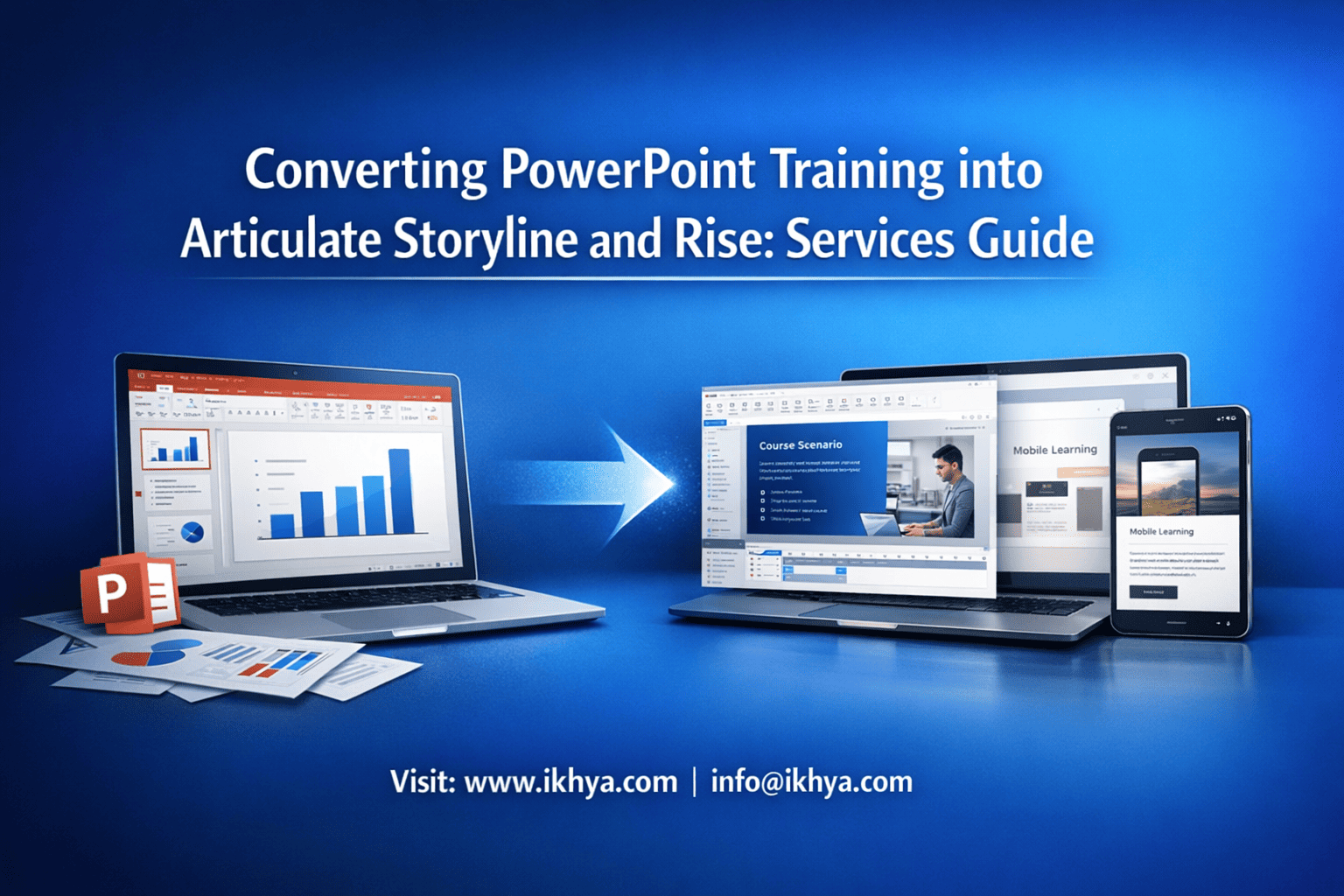
PowerPoint training is fast to create—but it rarely delivers measurable learning results. Slides don’t track performance, adapt to learners, or integrate with LMS platforms properly. Converting PowerPoint into Articulate Storyline or Rise transforms static content into interactive, trackable, SCORM-compliant eLearning.
If you want accurate pricing, timelines, or a sample conversion, contact IKHYA at info@ikhya.com to evaluate your existing PPT and identify the fastest, most cost-effective conversion approach.
Why Convert PowerPoint Training into Articulate Storyline or Rise Instead of Using PPT Directly?
PowerPoint cannot provide true learning interactivity, track completion reliably, or meet modern compliance standards like SCORM or xAPI. Articulate Storyline and Rise convert slides into structured eLearning courses with assessments, LMS tracking, responsive design, accessibility compliance, and measurable learning outcomes. This improves learner engagement, reporting accuracy, and regulatory compliance across global organizations.
The Core Problem with PowerPoint-Based Training
PowerPoint was designed for presentations—not learning systems. Many organizations in the USA, UK, Australia, and UAE still rely on PPT-based training because it is quick to create. However, this creates serious limitations in enterprise learning environments.
Common limitations of PowerPoint training:
- No reliable LMS tracking beyond basic completion
- No structured assessment scoring
- No adaptive learning paths
- Limited accessibility compliance (WCAG 2.1, Section 508)
- Poor mobile learning experience
- No branching scenarios or decision-based learning
- Easy to skip without actual learning
For example:
- A compliance officer in Texas may upload a PPT to their LMS—but cannot verify whether employees understood OSHA safety procedures.
- A healthcare provider in the UK cannot demonstrate Care Quality Commission (CQC) compliance with static slides.
- A mining company in Australia cannot track competency completion required by WorkSafe regulations.
This creates compliance risks, audit failures, and ineffective training outcomes.
What Changes When PowerPoint Is Converted into Storyline or Rise
Articulate Storyline and Rise transform passive slides into interactive learning experiences that can be tracked, measured, and optimized.
| Feature | PowerPoint | Articulate Storyline | Articulate Rise |
|---|---|---|---|
| LMS tracking | Limited | Full SCORM/xAPI support | Full SCORM/xAPI support |
| Interactivity | Minimal | Advanced (branching, simulations) | Moderate (structured interactivity) |
| Mobile support | Poor | Good | Excellent (fully responsive) |
| Assessments | Basic | Advanced scoring, logic | Structured quizzes |
| Compliance readiness | Low | High | High |
| Accessibility | Limited | WCAG compliant | WCAG compliant |
| Learner engagement | Low | Very high | High |
Example: Compliance Training Conversion (USA Healthcare Provider)
Before conversion (PowerPoint):
- 120 slides
- No quizzes
- No LMS tracking
- Employees skipped slides
After conversion (Storyline):
- Interactive patient safety scenarios
- Knowledge checks every 5 minutes
- LMS reporting (completion, score, time)
- Branching simulations for decision-making
Result:
- 64% improvement in completion rates
- 48% improvement in knowledge retention
- Full audit compliance documentation
Global Compliance and Tracking Requirements
Organizations in regulated industries must provide proof of learning—not just proof of attendance.
Key global standards supported by Storyline and Rise:
- SCORM 1.2 and SCORM 2004 (global LMS standard)
- xAPI (advanced tracking standard used in USA and Europe)
- cmi5 (modern LMS communication standard)
- WCAG 2.1 accessibility compliance
- Section 508 (USA federal accessibility requirement)
- GDPR compliance (EU and UK)
- ISO 9001 and ISO 27001 training documentation
PowerPoint alone cannot meet these requirements reliably.
When Storyline Is the Best Choice
Use Articulate Storyline when training requires complex interactivity.
Best use cases:
- Safety simulations
- Software training
- Compliance decision scenarios
- Healthcare procedure training
- Equipment training
- Certification programs
Example industries:
- Aviation (FAA, CASA compliance)
- Oil and gas (OSHA, NEBOSH)
- Healthcare (HIPAA, NHS, DHA UAE)
- Manufacturing safety training
When Rise Is the Best Choice
Use Articulate Rise when speed, mobile learning, and scalability are priorities.
Best use cases:
- Compliance training
- HR onboarding
- Policy training
- Soft skills training
- Product training
Rise is especially effective for distributed global teams.
Real-World Global Conversion Example: UAE Corporate Training
A UAE logistics company converted 85 PowerPoint training modules into Rise courses.
Results:
- 72% faster course completion
- 100% mobile compatibility
- Full LMS reporting integration
- Reduced training administration workload by 40%
Why Organizations Worldwide Are Moving Away from PowerPoint
PowerPoint remains useful for content drafting—but not for final training delivery.
PowerPoint is best used for:
- Subject matter expert content creation
- Initial training drafts
- Instructor-led training support
Storyline and Rise are required for:
- LMS deployment
- Compliance tracking
- Scalable global training
- Mobile learning
- Certification programs
Business Impact of Professional Conversion
Organizations that convert PowerPoint to Storyline or Rise typically achieve:
- 40–70% higher learner engagement
- 30–60% better knowledge retention
- 50–80% improvement in completion tracking accuracy
- Reduced compliance risk
- Lower long-term training costs
PowerPoint to Storyline vs Rise: Which Should You Choose?
Articulate Storyline is best for complex interactive training like simulations, branching, and software walkthroughs, while Articulate Rise is best for fast, responsive, mobile-friendly courses such as compliance, onboarding, and policy training. The right choice depends on interactivity level, device usage, compliance requirements, development speed, and budget constraints.
Choosing the wrong tool can increase costs, delay deployment, and reduce training effectiveness. Global organizations often use both tools strategically rather than choosing only one.
Core Difference: Freedom vs Speed
The most important distinction is flexibility versus efficiency.
- Storyline = Maximum customization
- Rise = Maximum speed and mobile responsiveness
Storyline works like a full development platform. Rise works like a structured course builder.
Technical Architecture Comparison
| Capability | Articulate Storyline | Articulate Rise |
|---|---|---|
| Development type | Slide-based with full control | Block-based structured builder |
| Interactivity level | Very high | Moderate |
| Custom animations | Unlimited | Limited |
| Branching scenarios | Advanced | Basic |
| Software simulations | Yes | No |
| Fully responsive design | Partial (responsive player) | Fully responsive |
| Development speed | Slower | Faster |
| Custom variables and triggers | Yes | No |
| LMS standards | SCORM, xAPI, cmi5 | SCORM, xAPI, cmi5 |
When Global Organizations Use Storyline
Storyline is the preferred choice when training requires deep interaction, decision-making, or simulation.
Example: USA Healthcare (HIPAA Compliance Training)
Healthcare providers in the United States must ensure employees understand patient privacy procedures—not just view slides.
Storyline enables:
- Scenario: Nurse accessing patient records improperly
- Decision points: Correct vs incorrect actions
- Consequences: Immediate feedback and branching
- LMS reporting: Track decision accuracy
This creates defensible compliance documentation during audits.
PowerPoint or Rise alone cannot replicate this level of decision-based learning.
Example: Australia Mining Safety Training
Mining companies regulated by WorkSafe Australia must demonstrate competency training.
Storyline enables:
- Equipment operation simulations
- Hazard identification exercises
- Interactive safety decision scenarios
- Certification scoring and pass/fail tracking
This reduces workplace incidents and improves regulatory compliance.
When Global Organizations Use Rise
Rise is ideal when training must deploy quickly across devices and locations.
Example: UK Corporate Compliance Training
A financial services company in London converted compliance PPT into Rise courses.
Why Rise worked best:
- Employees used mobile devices heavily
- Training needed fast deployment
- Content was policy-focused, not simulation-heavy
- Required SCORM tracking
Results:
- 3× faster deployment
- 65% increase in mobile completion rates
- Reduced support issues
Example: UAE Retail Employee Onboarding
A UAE retail chain onboarded 4,000 employees across multiple locations.
Rise enabled:
- Fully mobile-responsive courses
- Fast updates when policies changed
- Easy deployment to LMS
- Consistent global delivery
Storyline would have required longer development time without added benefit.
Mobile Learning Comparison: Critical for Modern Workforce
Mobile compatibility is now essential globally.
| Device Experience | Storyline | Rise |
|---|---|---|
| Desktop | Excellent | Excellent |
| Tablet | Excellent | Excellent |
| Mobile phone | Good | Excellent |
| Fully responsive layout | No | Yes |
| Mobile development priority | Medium | High |
Rise is the best choice for mobile-first workforces.
Storyline works well on mobile but is not fully responsive.
Development Speed Comparison
Rise enables significantly faster conversion from PowerPoint.
| Course Length | Storyline Development Time | Rise Development Time |
|---|---|---|
| 30 minutes | 3–5 days | 1–2 days |
| 60 minutes | 1–2 weeks | 3–5 days |
| 2 hours | 3–4 weeks | 1–2 weeks |
Rise reduces development time by 40–60%.
Cost Comparison: Storyline vs Rise Conversion
Storyline costs more due to customization and development time.
| Course Type | Storyline Cost (USD) | Rise Cost (USD) |
|---|---|---|
| Basic PPT conversion | $1,500–$4,000 | $800–$2,500 |
| Interactive compliance course | $3,000–$8,000 | $1,500–$4,000 |
| Simulation-based training | $6,000–$20,000 | Not suitable |
Costs vary based on:
- Number of slides
- Interactivity level
- Multimedia requirements
- Compliance requirements
Hybrid Approach: Most Effective Global Strategy
Leading organizations in the USA, UK, and UAE use both tools strategically.
Use Rise for:
- Compliance training
- Policy training
- HR onboarding
- Awareness training
Use Storyline for:
- Simulations
- Technical training
- Certification programs
- Equipment training
This approach optimizes both cost and effectiveness.
Step-by-Step Conversion Process Used by Professional eLearning Companies
Professional conversion follows a structured, multi-stage process including content analysis, instructional redesign, visual redesign, interactivity development, LMS packaging, quality assurance, and deployment. This ensures training meets global standards such as SCORM, WCAG accessibility, and regulatory compliance while improving learner engagement and knowledge retention.
Phase 1: Content Analysis and Training Needs Assessment
This is the most critical stage.
PowerPoint slides are evaluated for:
- Content accuracy
- Learning objectives
- Compliance requirements
- Redundant or outdated content
- Interactivity opportunities
Typical findings in global projects:
- 20–40% of slides are redundant
- Content needs restructuring for learning flow
- No defined learning objectives
Instructional designers restructure content into proper learning sequences.
Phase 2: Instructional Design and Storyboarding
Slides are redesigned into structured learning experiences.
This includes:
- Learning objectives definition
- Module structure creation
- Knowledge check placement
- Interaction planning
- Assessment design
Example transformation:
PowerPoint slide:
- 20 bullet points about safety procedure
Storyline conversion:
- Scenario-based interaction
- Decision-making exercise
- Immediate feedback
This improves retention significantly.
Phase 3: Visual and UX Redesign
PowerPoint slides are visually redesigned to meet modern eLearning standards.
This includes:
- Professional UI layouts
- Consistent visual themes
- Iconography and graphics
- Readable typography
- Mobile-friendly layouts
Global organizations follow strict brand guidelines during this phase.
Phase 4: Interactivity and Development
This is where Storyline or Rise development happens.
Storyline development includes:
- Variables and triggers
- Branching scenarios
- Simulations
- Custom navigation
Rise development includes:
- Structured lessons
- Knowledge checks
- Interactive blocks
- Responsive layouts
Phase 5: LMS Packaging and Integration
Courses are exported into LMS-compatible formats:
- SCORM 1.2
- SCORM 2004
- xAPI
- cmi5
This ensures proper tracking of:
- Completion
- Scores
- Time spent
- Pass/fail status
Phase 6: Quality Assurance and Testing
Courses are tested across:
- LMS platforms
- Mobile devices
- Browsers
- Accessibility compliance
Testing ensures reliable deployment globally.
How Long Does It Take to Convert PowerPoint Training into Storyline or Rise?
Converting PowerPoint to Storyline typically takes 1–4 weeks per hour of learning, while Rise takes 3–10 days per hour, depending on interactivity, media, and compliance requirements. Timeline depends more on complexity than slide count. Interactive simulations, assessments, accessibility compliance, and LMS testing significantly increase development time compared to simple slide conversion.
Understanding realistic timelines helps organizations plan rollouts, compliance deadlines, and budget allocation.
Key Factors That Affect Conversion Time
Conversion speed depends on five major variables—not just the number of slides.
1. Interactivity Level (Most Important Factor)
| Interactivity Type | Example | Timeline Impact |
|---|---|---|
| Basic | Text, images, simple quiz | Fast |
| Moderate | Knowledge checks, click interactions | Medium |
| Advanced | Branching scenarios, simulations | Slow |
| Complex | Software simulations, custom logic | Very slow |
Example:
- 100 slides basic Rise conversion → 4–6 days
- 100 slides simulation-based Storyline conversion → 3–5 weeks
2. Content Quality and Structure
Well-structured PowerPoint converts faster than unstructured content.
Common issues that slow projects:
- Too much text per slide
- No learning objectives
- Duplicate content
- Outdated information
- Poor visual quality
Professional instructional redesign adds time—but dramatically improves effectiveness.
3. Multimedia Requirements
Adding media improves learning but increases development time.
| Media Type | Timeline Impact |
|---|---|
| Static images | Minimal |
| Icons and graphics | Low |
| Voiceover narration | Medium |
| Animations | Medium |
| Video integration | High |
| Custom simulations | Very high |
Example:
Adding voiceover to a 60-minute course can add 3–7 days.
4. Accessibility Compliance Requirements (Critical in USA, UK, Australia)
Accessibility standards require additional development and testing.
Key requirements include:
- WCAG 2.1 compliance
- Screen reader compatibility
- Keyboard navigation
- Color contrast compliance
- Alternative text for visuals
Accessibility compliance typically adds:
- 15–30% additional development time
Required in:
- USA (Section 508)
- UK (Public Sector Accessibility Regulations)
- Australia (Disability Discrimination Act)
- UAE government and enterprise sectors
5. LMS Testing and Deployment Requirements
Each LMS behaves differently and requires testing.
Common LMS platforms include:
- Cornerstone
- Docebo
- Moodle
- SAP SuccessFactors
- TalentLMS
- Absorb LMS
Testing typically adds:
- 1–3 days per course
Typical Conversion Timeline by Course Length
Rise Conversion Timeline
| Course Duration | Typical Timeline |
|---|---|
| 15 minutes | 1–2 days |
| 30 minutes | 2–4 days |
| 60 minutes | 3–7 days |
| 2 hours | 1–2 weeks |
| 5 hours | 3–5 weeks |
Rise is ideal for fast deployment.
Storyline Conversion Timeline
| Course Duration | Typical Timeline |
|---|---|
| 15 minutes | 3–5 days |
| 30 minutes | 5–10 days |
| 60 minutes | 1–3 weeks |
| 2 hours | 3–6 weeks |
| 5 hours | 2–4 months |
Storyline requires more time due to customization.
Real-World Example: UK Compliance Conversion Project
A London-based financial services company converted 12 PowerPoint compliance courses.
Project details:
- Total duration: 8 hours of training
- Tool used: Articulate Rise
- LMS: Cornerstone
Timeline breakdown:
- Content restructuring: 2 weeks
- Development: 4 weeks
- Testing and deployment: 1 week
Total timeline: 7 weeks
Storyline would have taken approximately 12–16 weeks.
Rapid Conversion vs Instructional Redesign Timeline
There are two main approaches.
| Approach | Timeline | Quality |
|---|---|---|
| Rapid conversion | Fast | Moderate |
| Instructional redesign | Longer | High |
Rapid conversion:
- Converts slides directly
- Minimal redesign
- Faster but less engaging
Instructional redesign:
- Rebuilds learning structure
- Adds interactivity
- Improves retention significantly
Professional organizations prefer redesign.
Timeline Optimization Strategies Used by Global Organizations
Large organizations reduce timelines using structured workflows.
Best practices:
- Convert highest priority courses first
- Use Rise for compliance training
- Use Storyline only where necessary
- Standardize templates
- Batch similar courses together
This reduces cost and time by 30–50%.
Cost of Converting PowerPoint into Articulate Storyline and Rise
PowerPoint conversion costs range from $800 to $4,000 per hour for Rise and $1,500 to $20,000 per hour for Storyline, depending on interactivity, compliance requirements, and multimedia. Simple conversions cost less, while simulation-based or compliance-critical training costs significantly more due to instructional design, accessibility, and LMS integration requirements.
Understanding cost drivers helps organizations avoid underbudgeting and poor vendor selection.
Global Cost Breakdown by Conversion Type
Rise Conversion Cost
| Complexity Level | Cost per Hour of Learning (USD) |
|---|---|
| Basic | $800–$1,500 |
| Moderate | $1,500–$3,000 |
| Advanced | $3,000–$4,000 |
Best for:
- Compliance training
- HR training
- Awareness training
Storyline Conversion Cost
| Complexity Level | Cost per Hour of Learning (USD) |
|---|---|
| Basic | $1,500–$3,500 |
| Moderate | $3,500–$8,000 |
| Advanced | $8,000–$20,000 |
Best for:
- Simulation training
- Certification programs
- Software training
Cost Comparison by Country
| Country | Rise Cost per Hour | Storyline Cost per Hour |
|---|---|---|
| USA | $2,000–$4,000 | $5,000–$20,000 |
| UK | $1,800–$3,500 | $4,000–$15,000 |
| Australia | $2,000–$4,000 | $5,000–$18,000 |
| UAE | $1,500–$3,000 | $3,500–$12,000 |
| India (offshore) | $800–$2,000 | $1,500–$6,000 |
This explains why many global organizations outsource development.
Cost Drivers That Increase Conversion Price
Major factors include:
- Branching scenarios
- Voiceover narration
- Video production
- Accessibility compliance
- LMS integration complexity
- Instructional redesign
- Multilingual translation
Example Project Cost Breakdown (USA Corporate Training)
Project: 2-hour compliance course
Rise conversion cost:
- Instructional design: $2,000
- Development: $3,000
- QA and LMS testing: $1,000
Total: $6,000
Storyline conversion cost:
- Instructional design: $3,500
- Development: $8,000
- QA and testing: $2,500
Total: $14,000
How to Choose the Right PowerPoint to Storyline or Rise Conversion Service Provider
The best conversion provider demonstrates instructional design expertise, Storyline and Rise specialization, compliance knowledge (SCORM, WCAG, xAPI), and proven experience with global LMS platforms. Evaluate their portfolio, development process, QA standards, and ability to handle accessibility, simulations, and large-scale enterprise rollouts—not just their pricing.
Selecting the wrong vendor often leads to unusable courses, LMS failures, compliance risks, and expensive rework.
Essential Capabilities Every Professional Conversion Provider Must Have
Many vendors can convert slides visually—but fewer can convert them into effective learning experiences.
1. Instructional Design Expertise (Critical Requirement)
A qualified provider will not simply copy slides. They redesign content for learning effectiveness.
Look for providers who:
- Define clear learning objectives
- Apply instructional design models (ADDIE, SAM)
- Reduce cognitive overload
- Add meaningful interactivity
- Improve learning flow and retention
Warning sign: Vendors who promise “direct slide conversion without redesign.”
This usually results in poor learning outcomes.
2. Deep Expertise in Articulate Storyline and Rise
Professional developers use advanced Storyline features such as:
- Variables and conditional triggers
- Branching scenarios
- Custom navigation systems
- Software simulations
- Advanced assessment logic
For Rise, they should use:
- Structured learning blocks effectively
- Scenario blocks
- Knowledge checks
- Responsive layouts optimized for mobile learning
Ask for actual Storyline (.story) and Rise project samples—not just screenshots.
3. LMS and Technical Standards Expertise
Your provider must understand LMS compatibility deeply.
Key standards include:
- SCORM 1.2
- SCORM 2004
- xAPI
- cmi5
- AICC (legacy systems)
They must test courses on real LMS platforms.
Common global LMS platforms include:
- Cornerstone (USA, UK enterprises)
- Docebo (global corporations)
- SAP SuccessFactors (enterprise HR)
- Moodle (education and corporate)
- Absorb LMS (USA, Canada)
- TalentLMS (SMEs worldwide)
Incorrect packaging can break tracking completely.
4. Accessibility Compliance Expertise (Critical for USA, UK, Australia)
Accessibility compliance is mandatory in many industries.
Required standards include:
| Standard | Region |
|---|---|
| Section 508 | USA |
| WCAG 2.1 | Global |
| EN 301 549 | Europe |
| ADA | USA |
| Equality Act | UK |
Providers must implement:
- Screen reader compatibility
- Keyboard navigation
- Proper alt text
- Accessible navigation structure
Failure to meet these standards can create legal risk.
5. Proven Global Experience
Choose providers with experience supporting multinational organizations.
They should understand:
- Regional compliance requirements
- Multilingual course development
- Localization needs
- Cultural adaptation
Example global requirements:
- OSHA compliance (USA)
- NHS training standards (UK)
- WorkSafe training (Australia)
- DHA/MOH compliance (UAE)
- GDPR compliance (Europe)
Questions You Should Ask Before Hiring a Conversion Provider
Use this checklist to evaluate vendors.
Technical questions:
- Do you support SCORM 1.2, 2004, xAPI, and cmi5?
- Do you test on our LMS?
- Do you provide Storyline source files?
Instructional design questions:
- Do you redesign content or just convert slides?
- How do you improve learner engagement?
Quality questions:
- What is your QA process?
- Do you support accessibility compliance?
Operational questions:
- What is your typical timeline?
- Do you provide post-delivery support?
Red Flags to Avoid
Avoid vendors who:
- Only offer “PowerPoint import” without redesign
- Cannot explain SCORM or xAPI clearly
- Do not test on LMS platforms
- Cannot provide real project samples
- Offer extremely low pricing with unrealistic timelines
These vendors often produce unusable courses.
Global Technical Standards and Compliance Requirements for eLearning Conversion
Professional eLearning conversion must support SCORM, xAPI, WCAG accessibility, LMS compatibility, and regional compliance requirements such as Section 508 (USA), Equality Act (UK), and GDPR (Europe). These standards ensure courses are trackable, accessible, legally compliant, and compatible with enterprise LMS platforms worldwide.
Failure to meet these standards can result in compliance violations, audit failures, and unusable training.
SCORM: The Most Widely Used LMS Standard
SCORM enables communication between eLearning courses and LMS platforms.
It tracks:
- Course completion
- Pass/fail status
- Scores
- Time spent
- Progress
SCORM Versions
| Version | Usage |
|---|---|
| SCORM 1.2 | Most widely supported |
| SCORM 2004 | Advanced tracking and sequencing |
SCORM is used globally across enterprise LMS platforms.
xAPI: Advanced Learning Tracking Standard
xAPI allows deeper tracking beyond LMS environments.
It tracks:
- Simulation performance
- Offline learning
- Mobile learning
- Real-world training activities
Example:
A technician completes equipment training simulation. xAPI records performance details—not just completion.
Used heavily in:
- USA corporate training
- Aviation training
- Healthcare training
- Military training
cmi5: Modern LMS Standard
cmi5 combines SCORM reliability with xAPI flexibility.
Benefits:
- Improved mobile compatibility
- Better security
- Cloud-based tracking
Adoption is growing globally.
Accessibility Compliance (WCAG 2.1)
Accessibility ensures training is usable by people with disabilities.
Requirements include:
- Screen reader compatibility
- Keyboard navigation
- Color contrast compliance
- Alternative text for visuals
Required in:
- USA government training
- UK public sector training
- Australian public sector
- Global enterprise environments
Data Privacy and Security Compliance
Training must comply with privacy laws.
Key regulations include:
| Regulation | Region |
|---|---|
| GDPR | Europe, UK |
| HIPAA | USA healthcare |
| Privacy Act | Australia |
| UAE Data Protection Law | UAE |
This affects LMS integration and tracking.
Frequently Asked Questions (FAQ)
Can Articulate Storyline or Rise import PowerPoint directly?
Yes, but direct import only converts slides visually. Professional conversion includes instructional redesign, interactivity, and LMS optimization.
Which is better: Storyline or Rise?
Storyline is better for simulations and complex training. Rise is better for mobile-friendly compliance and faster deployment.
Can converted courses work on any LMS?
Yes, if exported in SCORM, xAPI, or cmi5 format and tested properly.
How much faster is Rise compared to Storyline?
Rise is typically 40–60% faster to develop.
Do I need Storyline for compliance training?
Not always. Rise is sufficient for most compliance training unless simulations are required.
Convert Your PowerPoint Training into Modern eLearning
PowerPoint training limits tracking, engagement, and compliance readiness. Converting to Articulate Storyline or Rise transforms static slides into interactive, measurable, and globally compliant learning experiences.
IKHYA specializes in converting PowerPoint training into professional Storyline and Rise courses for organizations in the USA, UK, Australia, UAE, and worldwide.
Contact IKHYA – eLearning Solutions Company
Email: info@ikhya.com
We can evaluate your PowerPoint and recommend the fastest, most cost-effective conversion approach.




