
Rapid eLearning Development Using iSpring

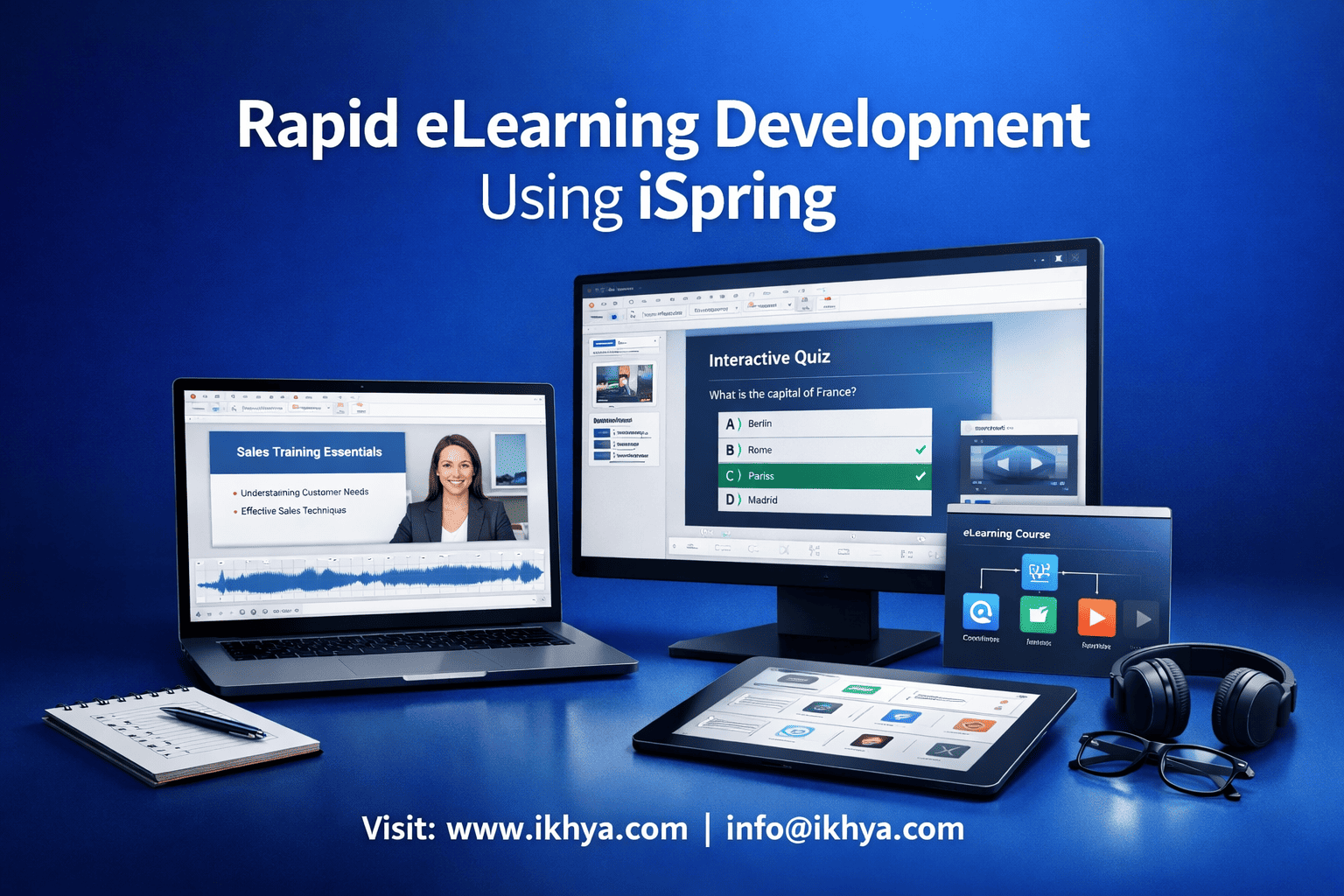
Modern organizations don’t have months to build training. They need fast, scalable, and cost-effective solutions—and that’s exactly where rapid eLearning development using iSpring stands out. It enables teams to convert existing PowerPoint content into interactive, LMS-ready courses in days instead of weeks.
If you’re looking to accelerate training delivery, you can also explore iSpring eLearning development services or even book a free eLearning demo to see how it works in practice.
What is iSpring and Why It’s Used for Rapid eLearning Development
iSpring is a PowerPoint-based eLearning authoring tool that allows organizations to quickly transform existing presentations into interactive, SCORM/xAPI-compliant courses. It is widely used for rapid eLearning because it combines familiarity (PowerPoint) with powerful learning features.
Overview of iSpring Suite
iSpring Suite is designed for speed and simplicity. It works as a PowerPoint add-in, enabling users to build courses without needing advanced technical skills.
Core capabilities include:
- Slide-based course creation
- Quiz and assessment builder
- Video and screen recording
- Dialogue simulations
- Mobile-responsive publishing
Because it integrates directly with PowerPoint, it eliminates the steep learning curve seen in many traditional authoring tools.
Key Features That Enable Rapid Development
iSpring stands out because it reduces both development time and complexity.
Key features include:
- PowerPoint Conversion
- Converts slides into interactive eLearning instantly
- Built-in Quiz Maker
- Create assessments without external tools
- Dialogue Simulations
- Ideal for customer service and compliance training
- SCORM/xAPI Compatibility
- Works seamlessly with any LMS
- Mobile-Ready Output
- Courses work across devices automatically
These features make it a strong choice for organizations that need to move quickly without compromising quality.
Why iSpring is Ideal for Rapid eLearning Development
iSpring is specifically built for speed-driven training environments.
Here’s why organizations prefer it:
- Familiar Interface
- SMEs and trainers already know PowerPoint
- Minimal Development Time
- Courses can be created in 2–5 days instead of weeks
- Low Technical Dependency
- No heavy programming or design skills required
- Easy Updates
- Modify content quickly without rebuilding courses
For companies transitioning from classroom training or static presentations, iSpring acts as the fastest bridge to digital learning.
If you already have existing training materials, leveraging PPT to eLearning conversion services can further accelerate the process.
Key Benefits of Using iSpring for Rapid eLearning
iSpring enables organizations to create high-quality eLearning courses quickly, without heavy technical effort. Its biggest advantage lies in combining speed, cost-efficiency, and ease of use, making it ideal for corporate training teams that need scalable solutions.
Speed and Efficiency
iSpring dramatically reduces development timelines by leveraging existing PowerPoint content and eliminating complex design workflows.
How it improves speed:
- Convert presentations into eLearning in hours, not weeks
- Built-in templates reduce design time
- No coding or advanced authoring skills required
- Faster review cycles with easy edits
Typical development timeline comparison:
| Development Approach | Timeline |
|---|---|
| Traditional eLearning | 3–6 weeks |
| Rapid eLearning with iSpring | 2–5 days |
This speed makes iSpring especially valuable for time-sensitive training, such as compliance updates or product launches.
Organizations aiming to scale quickly often combine this approach with rapid eLearning development services to further reduce turnaround time.
Cost Advantages
iSpring significantly lowers development costs by reducing dependency on specialized developers and designers.
Cost-saving factors:
- Reuse existing PowerPoint content
- Fewer development hours required
- Minimal training for internal teams
- Lower outsourcing costs
Estimated cost comparison:
| Approach | Cost Range (Per Hour of Content) |
|---|---|
| Traditional custom eLearning | $5,000 – $15,000 |
| Rapid eLearning with iSpring | $1,500 – $5,000 |
This makes iSpring a practical solution for organizations managing large-scale training rollouts across regions like the USA, UK, UAE, and Australia.
Ease of Use for SMEs and Training Teams
One of iSpring’s biggest strengths is that subject matter experts (SMEs) can actively participate in course creation.
Why it’s user-friendly:
- Works within PowerPoint (no new tool learning required)
- Drag-and-drop interactions
- Pre-built quiz templates
- Simple publishing process
Impact on organizations:
- Faster collaboration between SMEs and L&D teams
- Reduced dependency on external vendors
- More accurate and up-to-date training content
LMS Compatibility and Scalability
iSpring ensures that courses are ready for enterprise deployment without technical issues.
Key compatibility features:
- Supports SCORM, xAPI, and AICC
- Seamless integration with any LMS
- Tracks learner progress and analytics
- Enables global training deployment
This is critical for companies delivering training across multiple locations or departments.
Ideal for Multiple Training Formats
iSpring supports various training types, making it versatile for corporate needs.
Common use cases:
- Compliance training
- Employee onboarding
- Product training
- Sales enablement
- Microlearning modules
For teams looking to go beyond basic slide conversion, combining iSpring with structured instructional design services can significantly improve learning effectiveness.
In summary, iSpring delivers a powerful combination of speed, affordability, and scalability, making it one of the most efficient tools for rapid eLearning development.
How Rapid eLearning Development Works Using iSpring (Step-by-Step)
Rapid eLearning development using iSpring follows a streamlined, four-step process that transforms existing content into interactive, LMS-ready courses. The process focuses on speed, reuse, and simplicity, allowing organizations to launch training programs in just a few days.
Step 1: Content Preparation
The first step is to organize and optimize your existing training materials—typically PowerPoint presentations, PDFs, or instructor-led training content.
What this step involves:
- Collecting existing PPTs, documents, videos
- Structuring content into logical modules
- Identifying learning objectives
- Simplifying dense slides into bite-sized content
Best practices:
- Keep slides concise (1 idea per slide)
- Add clear headings and visuals
- Align content with business goals (e.g., compliance, onboarding)
If your content is outdated or unstructured, using a detailed guide like convert PowerPoint to eLearning guide can help standardize the process.
Step 2: PowerPoint to eLearning Conversion
Once the content is ready, iSpring converts PowerPoint slides into interactive eLearning courses directly within the tool.
What happens in this step:
- Import slides into iSpring
- Enhance slides with narration and multimedia
- Add animations and transitions
- Maintain original formatting without rework
Key advantage:
Unlike many tools, iSpring preserves PowerPoint design perfectly, eliminating redesign time.
Organizations often accelerate this phase by leveraging PPT to eLearning conversion services for bulk or large-scale projects.
Step 3: Add Interactivity and Assessments
This step transforms static content into engaging learning experiences.
Interactive elements you can add:
- Quizzes (MCQs, drag-and-drop, scenario-based)
- Dialogue simulations for real-world decision-making
- Clickable interactions and knowledge checks
- Video-based learning modules
Example use cases:
- Compliance training with scenario-based questions
- Sales training with role-play simulations
- Customer service training with dialogue branching
Quick checklist for engagement:
- Add a quiz every 5–7 slides
- Use real-world scenarios
- Include instant feedback for learners
Step 4: Publish and Deploy to LMS
The final step is publishing the course in a format compatible with your Learning Management System (LMS).
Publishing options include:
- SCORM 1.2 / SCORM 2004
- xAPI (Tin Can API)
- HTML5 for web-based delivery
Deployment process:
- Export course from iSpring
- Upload to LMS
- Assign to learners
- Track performance and completion
Key outcome:
Courses become fully trackable, enabling analytics on learner progress, completion rates, and assessment scores.
End-to-End Timeline Overview
| Stage | Estimated Time |
|---|---|
| Content preparation | 1–2 days |
| Conversion in iSpring | 1–2 days |
| Interactivity & assessments | 1–2 days |
| LMS deployment | 1 day |
| Total | 2–5 days |
When to Use This Process
This workflow is ideal when:
- You need to quickly digitize classroom training (ILT)
- You already have PowerPoint-based content
- Training needs to be deployed across multiple locations
- Speed is more critical than highly custom design
For organizations scaling training globally, combining this workflow with rapid eLearning development services can ensure consistent quality and faster rollout.
This structured approach is what makes iSpring one of the most efficient tools for rapid eLearning development.
iSpring vs Other eLearning Authoring Tools
Choosing the right authoring tool depends on your training goals, timelines, and complexity requirements. iSpring is best known for speed and simplicity, but tools like Storyline, Rise, and Captivate offer different strengths. Understanding these differences helps you make the right decision.
Quick Comparison of Popular eLearning Tools
| Feature | iSpring Suite | Articulate Storyline | Articulate Rise | Adobe Captivate |
|---|---|---|---|---|
| Ease of Use | Very easy (PowerPoint-based) | Moderate | Very easy | Moderate to complex |
| Development Speed | Very fast | Medium | Fast | Medium |
| Interactivity | Basic to moderate | Advanced | Limited | Advanced |
| Customization | Limited | High | Low | High |
| Responsive Design | Yes | Limited | Fully responsive | Yes |
| Learning Curve | Low | Medium | Low | High |
| Best For | Rapid conversion | Custom simulations | Microlearning | Advanced learning |
When iSpring is the Best Choice
iSpring is ideal when speed and simplicity are your top priorities.
Use iSpring when:
- You already have PowerPoint-based training content
- You need courses developed in days, not weeks
- SMEs are directly involved in course creation
- Training is compliance-heavy or informational
- You want quick LMS deployment with SCORM/xAPI
For organizations focused on fast delivery, iSpring often complements rapid eLearning development services for large-scale rollouts.
When Other Tools May Be Better
While iSpring is powerful, it may not be suitable for every scenario.
Choose other tools when:
- Articulate Storyline
- Complex branching scenarios
- High interactivity and gamification
- Custom UI/UX design
Learn more through Articulate Storyline development services
- Articulate Rise
- Mobile-first, responsive courses
- Microlearning modules
- Clean, modern layouts
Explore options via Articulate Rise development services
- Adobe Captivate
- Software simulations
- Advanced interactions
- VR-based learning
See capabilities in Adobe Captivate development services
Decision Framework: Which Tool Should You Choose?
To simplify the decision, use this framework:
| Requirement | Recommended Tool |
|---|---|
| Fastest development | iSpring |
| High interactivity | Storyline |
| Mobile-first learning | Rise |
| Advanced simulations | Captivate |
Key Takeaway
- iSpring = Speed + simplicity
- Storyline = Flexibility + interactivity
- Rise = Responsiveness + microlearning
- Captivate = Advanced capability
For many organizations, the best approach is not choosing one tool—but selecting the right tool for each training need.
You can explore a broader comparison of tools in this guide on best eLearning authoring tools.
When Should You Use iSpring (and When Not To)
iSpring is best suited for fast, scalable training development using existing content, but it’s not ideal for highly complex or custom learning experiences. Knowing when to use iSpring—and when to choose another tool—helps avoid costly mistakes and ensures better training outcomes.
When Should You Use iSpring?
iSpring is the right choice when speed, simplicity, and scalability are critical.
Use iSpring in these scenarios:
- PowerPoint-based training conversion
- You already have structured PPT content
- Compliance and regulatory training
- Standardized, information-heavy modules
- Employee onboarding programs
- Consistent training across departments
- Product and process training
- Frequent updates required
- Large-scale global deployment
- Training across regions (USA, UK, UAE, AUS)
Example:
A financial services company converting anti-money laundering (AML) training into eLearning can use iSpring to launch courses within a week, ensuring quick compliance.
When NOT to Use iSpring
iSpring may not be the best fit when training requires high levels of customization or advanced interactivity.
Avoid iSpring in these cases:
- Complex branching simulations
- Multi-path decision-based learning
- Highly gamified learning experiences
- Points, badges, custom animations
- Custom UI/UX requirements
- Unique branding or interface design
- Software simulations
- Step-by-step system training
- Adaptive or AI-driven learning
- Personalized learning paths
In such cases, tools like Storyline or Captivate provide better flexibility and control.
Decision Matrix: Should You Choose iSpring?
| Requirement | Use iSpring? | Reason |
|---|---|---|
| Fast course development | Yes | Built for rapid deployment |
| Convert PPT to eLearning | Yes | Native PowerPoint integration |
| Compliance training | Yes | Standardized content works well |
| High interactivity | No | Limited customization |
| Gamification-heavy training | No | Requires advanced tools |
| Software simulation | No | Better suited for Captivate |
Hybrid Approach: The Smart Strategy
Many organizations don’t rely on just one tool—they use a hybrid strategy.
Example approach:
- Use iSpring for:
- Compliance training
- Onboarding modules
- Use Storyline or Captivate for:
- Advanced simulations
- High-engagement modules
This ensures:
- Faster delivery for most training
- High-quality experience where needed
Key Takeaway
iSpring excels in speed-driven, content-focused training, but it’s not designed for highly interactive or custom-built learning experiences.
Choosing the right tool—or combination of tools—can significantly impact:
- Development time
- Training effectiveness
- Overall ROI
Before deciding your approach, many organizations evaluate vendors through structured processes like this eLearning RFP template guide.
Real-World Use Cases Across Industries
iSpring is widely used across industries to rapidly convert existing training into scalable eLearning programs. Its ability to transform PowerPoint content into interactive courses makes it especially valuable for organizations that need fast deployment, consistency, and compliance.
Healthcare Training
Healthcare organizations require fast, accurate, and compliant training—often across multiple locations and roles.
How iSpring is used:
- Compliance training (HIPAA, patient safety)
- Clinical procedure refreshers
- Staff onboarding for hospitals and clinics
Example scenario:
A hospital network in the UK converts instructor-led compliance training into iSpring-based modules, enabling staff to complete mandatory training remotely while ensuring SCORM tracking in their LMS.
Why iSpring works well:
- Quick updates for regulatory changes
- Standardized training delivery
- Easy content validation by subject matter experts
For more structured healthcare programs, organizations often combine this with healthcare training eLearning solutions.
Manufacturing Training
Manufacturing companies need to train large workforces on safety, operations, and equipment usage—often under tight timelines.
How iSpring is used:
- Safety and compliance training
- Equipment handling guidelines
- Process standardization training
Example scenario:
A manufacturing company in the UAE converts safety manuals and PowerPoint presentations into interactive eLearning modules, reducing training time while improving knowledge retention.
Key advantages:
- Rapid rollout across multiple facilities
- Consistent messaging for safety protocols
- Reduced dependency on in-person training
Organizations looking to scale such programs often explore manufacturing training eLearning solutions.
Compliance Training (Finance, Retail, Corporate)
Compliance training is one of the most common use cases for iSpring due to its structured and repeatable format.
How iSpring is used:
- Anti-money laundering (AML) training
- Code of conduct and ethics training
- Data privacy and cybersecurity awareness
Example scenario:
A global financial services firm in the USA deploys AML training using iSpring, enabling thousands of employees to complete training within a week while tracking completion through LMS analytics.
Why it’s effective:
- Easy updates for regulatory changes
- Scalable across global teams
- Built-in quizzes for compliance validation
For broader compliance programs, companies often integrate this with compliance training eLearning solutions.
Common Patterns Across Industries
Across all industries, iSpring is most effective when:
- Training content already exists in PowerPoint or documents
- Speed of deployment is critical
- Training needs to be standardized across locations
- LMS tracking and reporting are required
Industry Use Case Summary
| Industry | Primary Use Case | Key Benefit |
|---|---|---|
| Healthcare | Compliance & clinical training | Fast updates, accuracy |
| Manufacturing | Safety & operations training | Scalable deployment |
| Finance/Corporate | Regulatory compliance | Speed + tracking |
Key Takeaway
iSpring is not limited to one industry—it’s a cross-industry solution for rapid training deployment. Whether it’s healthcare compliance, manufacturing safety, or corporate onboarding, the common advantage remains the same: speed without sacrificing consistency.
If your organization operates across multiple regions or industries, combining iSpring with rapid eLearning development services can help standardize training while reducing rollout time.
Cost of Rapid eLearning Development Using iSpring
The cost of rapid eLearning development using iSpring is significantly lower than traditional custom eLearning because it leverages existing content and requires less development time. On average, organizations can expect 50–70% cost savings while achieving faster deployment.
Typical Cost Breakdown
The total cost depends on factors like content quality, interactivity level, and whether development is done in-house or outsourced.
Estimated cost per hour of eLearning content:
| Development Type | Cost Range (Per Hour) | Timeline |
|---|---|---|
| Traditional eLearning | $5,000 – $15,000 | 3–6 weeks |
| Rapid eLearning (iSpring) | $1,500 – $5,000 | 2–5 days |
Key Factors That Influence Cost
Several variables can impact the final cost of iSpring-based development:
1. Content Readiness
- Clean, structured PPT → Lower cost
- Unstructured or outdated content → Higher cost
2. Level of Interactivity
- Basic slide + quiz → Low cost
- Scenario-based interactions → Moderate cost
3. Multimedia Elements
- Voiceovers, videos, animations increase cost
4. Volume of Courses
- Bulk development reduces per-course cost
5. Localization Requirements
- Multi-language training increases cost significantly
Organizations planning global rollouts often combine iSpring with eLearning translation & localization services to ensure consistency across regions.
In-House vs Outsourced Cost Comparison
| Approach | Cost Efficiency | Speed | Quality |
|---|---|---|---|
| In-house | Medium | Medium | Depends on team |
| Freelancer | Low to medium | Medium | Variable |
| eLearning vendor | High (long-term) | Fast | High |
Hidden Costs to Consider
Even with iSpring, some costs are often overlooked:
- SME time and involvement
- LMS integration and testing
- Content updates and maintenance
- Instructional design improvements
To avoid these gaps, many organizations rely on structured instructional design services alongside development.
ROI of Using iSpring
iSpring delivers strong ROI due to its efficiency and scalability.
Key ROI drivers:
- Faster time-to-market for training
- Reduced development and maintenance costs
- Increased learner completion rates
- Scalability across global teams
Example:
A company replacing classroom training with iSpring-based eLearning can reduce training costs by up to 60% while training more employees in less time.
Cost Optimization Tips
To maximize value:
- Reuse existing PowerPoint content
- Standardize templates across courses
- Use microlearning modules for scalability
- Outsource bulk development projects
For organizations looking to optimize both cost and speed, leveraging rapid eLearning development services is often the most efficient approach.
Key Takeaway
iSpring offers one of the most cost-effective paths to digital training, especially for organizations with existing content and tight timelines. The combination of low development cost + fast delivery + scalability makes it a strong choice for corporate training programs.
Before committing to a development approach, many organizations formalize requirements using a structured process like this request for proposal (RFP).
Should You Outsource iSpring eLearning Development?
Outsourcing iSpring eLearning development is often the fastest and most efficient way to scale training, especially for organizations handling large volumes or tight deadlines. While in-house teams offer control, outsourcing provides speed, expertise, and consistent quality.
When Does Outsourcing Make Sense?
Outsourcing is ideal when internal resources are limited or when projects require rapid turnaround.
Consider outsourcing if:
- You need to develop multiple courses quickly
- Your team lacks instructional design expertise
- You want consistent quality across courses
- You are managing global or multi-language training
- Internal teams are focused on core business operations
Example:
A retail company launching onboarding training across 5 countries can outsource development to deliver standardized courses within weeks instead of months.
In-House vs Freelancer vs Vendor Comparison
| Approach | Pros | Cons | Best For |
|---|---|---|---|
| In-house team | Full control, internal knowledge | Slower, resource-heavy | Ongoing small-scale training |
| Freelancer | Lower cost, flexible | Quality inconsistency, limited scalability | Short-term projects |
| eLearning vendor | High quality, fast delivery, scalable | Higher upfront cost | Large-scale or strategic training |
Benefits of Outsourcing iSpring Development
Outsourcing provides several strategic advantages beyond just saving time.
Key benefits:
- Faster turnaround
- Parallel development across multiple courses
- Access to experts
- Instructional designers, multimedia specialists
- Standardization
- Consistent branding and learning experience
- Scalability
- Easily handle large or global training programs
- Cost efficiency at scale
- Lower per-course cost for bulk development
Many organizations use outsourcing as part of a broader strategy outlined in this eLearning outsourcing guide for enterprises.
Risks of Outsourcing (and How to Avoid Them)
Outsourcing is effective, but only when managed properly.
Common risks:
- Misalignment with business goals
- Poor communication
- Inconsistent quality
- Delays due to unclear requirements
How to mitigate these risks:
- Define clear learning objectives
- Use structured documentation (storyboards, scripts)
- Set milestones and review cycles
- Choose experienced vendors with proven portfolios
How to Choose the Right Vendor
Selecting the right partner is critical for success.
Evaluation checklist:
- Experience with iSpring projects
- Strong instructional design capabilities
- Portfolio across industries (healthcare, manufacturing, compliance)
- Understanding of LMS standards (SCORM, xAPI)
- Ability to scale for global deployment
To simplify vendor selection, many organizations follow structured processes like this how to choose the eLearning vendor.
Hybrid Approach: Best of Both Worlds
A growing trend is the hybrid model—combining internal teams with external vendors.
How it works:
- Internal team handles content and SMEs
- Vendor handles development and design
Benefits:
- Faster development
- Better content accuracy
- Controlled costs
Key Takeaway
Outsourcing iSpring development is not just about saving time—it’s about improving quality, scalability, and consistency. For organizations managing large-scale or global training programs, it is often the most practical and strategic choice.
If you’re planning a new training initiative, you can start by submitting your requirements through this request for proposal to evaluate the best approach.
Best Practices for iSpring Rapid eLearning Development
To get the most out of iSpring, organizations need more than just speed—they need structured design, learner engagement, and scalability. Following best practices ensures your rapid eLearning courses are not only fast to build but also effective, engaging, and aligned with business goals.
Focus on Instructional Design First
Even with rapid tools like iSpring, strong instructional design is essential for learning effectiveness.
Key principles to follow:
- Define clear learning objectives before development
- Structure content into logical modules
- Use storytelling and real-world scenarios
- Align assessments with learning outcomes
Why it matters:
Without proper design, fast development can lead to poor learning retention.
To strengthen course quality, many organizations integrate instructional design services into their workflow.
Keep Content Simple and Modular
Rapid eLearning works best when content is broken into smaller, manageable units.
Best practices:
- One concept per slide
- Use bullet points instead of dense text
- Convert long courses into microlearning modules
- Avoid information overload
Ideal format:
- 5–10 minute modules
- Clear progression between topics
- Frequent knowledge checks
For scalable learning strategies, this approach aligns well with microlearning development services.
Use Interactivity Strategically
Interactivity should enhance learning—not complicate it.
Effective use of interactivity:
- Add quizzes every 5–7 slides
- Use scenario-based questions for decision-making
- Include clickable elements to reinforce concepts
- Provide instant feedback
Avoid:
- Overloading slides with unnecessary animations
- Using complex interactions that slow development
Maintain Consistent Design and Branding
Consistency improves both learner experience and development efficiency.
Design guidelines:
- Use standardized templates
- Maintain consistent fonts, colors, and layouts
- Align with corporate branding
- Use visual cues for navigation
Benefits:
- Faster development
- Better learner familiarity
- Easier updates and maintenance
Optimize for Mobile Learning
Modern learners access training across devices, so mobile compatibility is critical.
Mobile optimization tips:
- Use responsive layouts
- Avoid cluttered slides
- Use large, readable fonts
- Test across devices before deployment
Organizations focusing on multi-device training often combine iSpring with mobile learning development solutions.
Plan for Scalability and Updates
Rapid eLearning is not just about initial development—it’s about long-term sustainability.
Scalability best practices:
- Design reusable templates
- Keep source files organized
- Plan for periodic updates
- Use version control
Example:
Compliance training modules may require updates every quarter—iSpring allows quick edits without rebuilding entire courses.
Ensure LMS Compatibility and Tracking
To maximize impact, courses must integrate seamlessly with your LMS.
Checklist:
- Export in SCORM or xAPI format
- Test tracking (completion, scores)
- Validate across LMS platforms
- Monitor analytics for improvements
Best Practices Summary
| Area | Best Practice | Outcome |
|---|---|---|
| Instructional Design | Define objectives, structure content | Better learning outcomes |
| Content Design | Keep modules short and simple | Higher engagement |
| Interactivity | Use quizzes and scenarios | Improved retention |
| Design Consistency | Use templates and branding | Faster development |
| Mobile Optimization | Ensure responsive design | Wider accessibility |
| Scalability | Plan for updates | Long-term efficiency |
Key Takeaway
Rapid eLearning with iSpring is most effective when speed is balanced with strategy. By applying these best practices, organizations can deliver training that is not only fast—but also engaging, scalable, and impactful.
If you’re looking to implement these best practices at scale, working with experts through custom eLearning development services can ensure both speed and quality.
Conclusion
Rapid eLearning development using iSpring empowers organizations to transform existing content into engaging, scalable training—fast. By leveraging PowerPoint-based development, businesses can reduce timelines from weeks to days while maintaining LMS compatibility and instructional quality.
Whether you’re building compliance training, onboarding programs, or product training, iSpring offers a practical balance of speed, cost-efficiency, and ease of use. However, the key to success lies in using it strategically—combining the right tool, process, and expertise.
Organizations that scale effectively often adopt a blended approach—using iSpring for rapid deployment and complementing it with expert support from IKHYA – eLearning Solutions Company. For tailored solutions, you can reach out at info@ikhya.com or explore options via the contact us page.
If you’re ready to accelerate your training programs, this is the right time to take action.
FAQs
FAQs
1. What is iSpring Suite in eLearning?
iSpring Suite is a PowerPoint-based authoring tool used to create interactive eLearning courses, quizzes, and simulations quickly. It is widely used for rapid eLearning development due to its ease of use and fast deployment.
2. How does iSpring support rapid eLearning development?
iSpring accelerates development by converting PowerPoint presentations into eLearning courses instantly, reducing design time and enabling faster publishing to LMS platforms.
3. Can I convert PowerPoint to eLearning using iSpring?
Yes, iSpring allows seamless conversion of PowerPoint slides into interactive eLearning courses while preserving animations, transitions, and design elements.
4. Is iSpring suitable for corporate training?
Yes, iSpring is widely used for corporate training, including onboarding, compliance, product training, and employee development programs.
5. What are the main features of iSpring?
Key features include:
- PowerPoint integration
- Quiz and assessment builder
- Dialogue simulations
- Video and screen recording
- SCORM/xAPI compatibility
6. How long does it take to create an iSpring course?
Most iSpring courses can be developed within 2–5 days, depending on content readiness and interactivity requirements.
7. Is iSpring easy to learn for beginners?
Yes, iSpring is beginner-friendly because it works within PowerPoint, making it easy for non-technical users and subject matter experts.
8. What is the cost of iSpring eLearning development?
The cost typically ranges from $1,500 to $5,000 per hour of content, depending on complexity, multimedia, and development approach.
9. How does iSpring compare to Articulate Storyline?
iSpring is faster and easier to use, while Storyline offers more advanced interactivity and customization options.
10. Can iSpring courses be integrated with an LMS?
Yes, iSpring supports SCORM, xAPI, and AICC formats, making it compatible with most Learning Management Systems.
11. What types of training can be created using iSpring?
iSpring is ideal for:
- Compliance training
- Onboarding programs
- Product training
- Sales enablement
- Microlearning modules
12. Does iSpring support mobile learning?
Yes, iSpring publishes courses in HTML5 format, ensuring compatibility across desktops, tablets, and smartphones.
13. What are the limitations of iSpring?
iSpring has limitations in:
- Advanced branching scenarios
- Gamification-heavy courses
- Highly customized UI/UX design
14. Can iSpring be used for compliance training?
Yes, iSpring is highly effective for compliance training due to its structured format, quiz capabilities, and easy content updates.
15. Does iSpring support multi-language eLearning?
Yes, iSpring supports localization and can be used to create multi-language courses for global training programs.
16. What is the difference between rapid eLearning and traditional eLearning?
Rapid eLearning focuses on speed and cost-efficiency using existing content, while traditional eLearning involves custom design and longer development timelines.
17. Is iSpring suitable for microlearning development?
Yes, iSpring can be used to create short, focused modules that align well with microlearning strategies.
18. Should I outsource iSpring eLearning development?
Outsourcing is recommended for large-scale or complex projects, as it ensures faster delivery, better design quality, and scalability.
19. What industries use iSpring for training?
iSpring is used across industries such as:
- Healthcare
- Manufacturing
- Finance
- Retail
- IT and software
20. How do I get started with iSpring eLearning development?
You can start by organizing your existing PowerPoint content, defining learning objectives, and using iSpring to convert it into interactive courses. For faster results, many organizations also consider professional development services.
Related Resources
Explore these carefully selected resources to deepen your understanding of rapid eLearning development, compare tools, and take the next step toward implementing scalable training solutions.




