
Why Organizations Use iSpring for Corporate Training

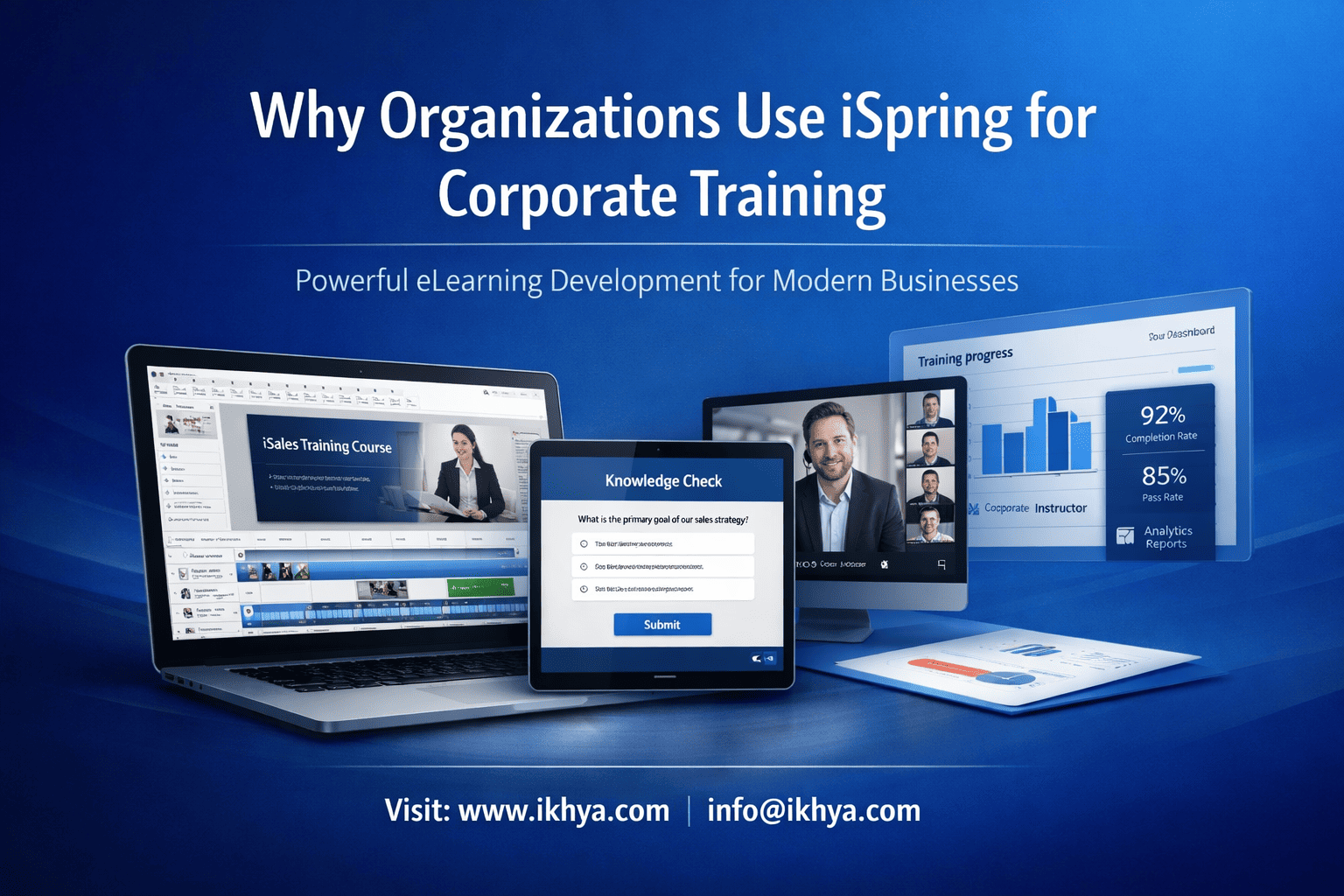
Corporate training today must be fast, scalable, and cost-effective—but many organizations struggle with slow development cycles and complex tools. This is why iSpring has become a preferred solution. It enables teams to create interactive, LMS-ready courses quickly using familiar tools like PowerPoint.
If you’re evaluating modern training solutions, you can book a free eLearning demo to see how organizations implement iSpring effectively.
What Is iSpring and How It Works in Corporate Training
iSpring is a PowerPoint-based eLearning authoring tool that allows organizations to convert training content into interactive, SCORM-compliant courses. It is widely used in corporate environments because it combines ease of use, rapid development, and LMS compatibility.
Overview of iSpring Suite
iSpring works as a PowerPoint add-in, enabling teams to create courses without learning complex software.
Key advantages:
- Familiar interface (no steep learning curve)
- Fast content development
- Easy updates and maintenance
- Suitable for both SMEs and L&D teams
Organizations looking to scale training efficiently often partner with an eLearning solutions company to maximize tool utilization.
Core Capabilities for Corporate Training
iSpring supports essential corporate training needs through a focused feature set:
- PowerPoint to eLearning conversion – Turn existing slides into interactive courses
- Quizzes and assessments – Track learning and ensure compliance
- Dialogue simulations – Practice real-world scenarios
- Screen recording – Create software and process training
- LMS compatibility – SCORM, xAPI, AICC support
For organizations modernizing legacy content, this aligns with strategies to convert PowerPoint to eLearning.
Why It Fits Corporate Training
iSpring is effective because it focuses on what businesses need most:
- Speed of development
- Ease of use for non-technical teams
- Scalable deployment across LMS platforms
- Cost-efficient training delivery
To accelerate implementation, many companies combine iSpring with rapid eLearning development services.
Top Reasons Organizations Use iSpring for Corporate Training
Organizations choose iSpring because it delivers fast, scalable, and cost-efficient training development without requiring advanced technical expertise. Its PowerPoint-based workflow and LMS compatibility make it ideal for companies that need to deploy training quickly while maintaining consistency.
1. Rapid Course Development
iSpring significantly reduces development time compared to traditional eLearning tools.
Why it matters:
- Convert existing content into courses within hours
- Launch training programs faster
- Update courses quickly as business needs change
This makes it ideal for:
- Compliance updates
- Product launches
- Employee onboarding
Many organizations accelerate timelines further using rapid eLearning development services.
2. PowerPoint-Based Workflow
iSpring’s biggest advantage is its integration with PowerPoint, making it highly accessible.
Key benefits:
- No need to learn complex tools
- Subject matter experts can create content directly
- Faster collaboration between teams
This is especially useful for organizations with large PPT-based training libraries. You can streamline this process by learning how to convert PowerPoint to eLearning.
3. Ease of Use for Non-Technical Teams
iSpring enables HR, L&D, and business teams to develop courses without relying on developers.
Advantages:
- Intuitive interface
- Pre-built templates and assets
- Minimal onboarding time
This reduces dependency on external vendors and speeds up internal training development.
4. Strong LMS Compatibility
iSpring integrates seamlessly with most enterprise LMS platforms.
Technical strengths:
- SCORM 1.2 / 2004
- xAPI support
- AICC compatibility
Business impact:
- Track learner progress
- Generate compliance reports
- Ensure audit readiness
Organizations often support this with LMS-compatible eLearning development for smoother deployment.
5. Cost-Effective Training Solution
iSpring offers strong ROI by reducing development and maintenance costs.
| Cost Factor | Impact with iSpring |
|---|---|
| Development time | Reduced significantly |
| Tool training | Minimal |
| Maintenance | Easy and low-cost |
| Scalability | High |
Companies evaluating cost efficiency often explore outsource eLearning development benefits alongside iSpring adoption.
6. Scalable for Enterprise Training
iSpring supports large-scale training across global teams.
Best suited for:
- Distributed workforce (USA, UK, UAE, AUS)
- Multi-language training
- Standardized compliance programs
For organizations scaling training rapidly, leveraging iSpring development services ensures consistent quality and faster execution.
Key Features of iSpring That Drive Adoption
iSpring is adopted by organizations because it offers essential, high-impact features without unnecessary complexity. Its capabilities are focused on rapid development, engagement, and seamless LMS delivery—making it ideal for corporate training environments.
Core Feature Overview
| Feature | What It Does | Business Value |
|---|---|---|
| PowerPoint Conversion | Converts slides into eLearning | Reuse existing content quickly |
| Quiz Builder | Creates assessments with scoring | Supports compliance & evaluation |
| Dialogue Simulations | Builds scenario-based learning | Improves real-world skills |
| Screen Recording | Records software/process demos | Ideal for IT & product training |
| Content Library | Templates and assets | Reduces design time |
| LMS Compatibility | SCORM, xAPI, AICC support | Easy deployment & tracking |
| Mobile Learning | Multi-device access | Flexible learning experience |
PowerPoint Conversion Engine
iSpring’s core strength is transforming static presentations into interactive courses.
Why it matters:
- Preserves animations and transitions
- Enables quick updates without rebuilding
- Ideal for modernizing legacy training
This is especially useful for organizations looking to convert PowerPoint to eLearning.
Built-In Assessments and Quizzes
Assessments are critical for tracking learning outcomes.
Capabilities include:
- Multiple question formats
- Instant feedback
- Scoring and reporting
Best for:
- Compliance training
- Certification programs
- Employee evaluations
Scenario-Based Learning
iSpring allows organizations to create real-life conversation simulations.
Use cases:
- Sales training
- Customer service
- HR and soft skills training
Impact:
- Improves decision-making
- Enhances learner engagement
Screen Recording for Technical Training
For IT and product-based training, iSpring includes built-in recording tools.
Key benefits:
- Step-by-step tutorials
- Software walkthroughs
- Visual learning support
This makes it highly effective for IT, SaaS, and internal system training.
LMS Integration and Tracking
iSpring ensures smooth deployment and performance tracking.
Key capabilities:
- SCORM/xAPI compatibility
- Learner progress tracking
- Reporting and analytics
Organizations often enhance deployment with LMS-compatible eLearning development.
Mobile-Friendly Learning
Modern learners expect flexibility, and iSpring supports multi-device access.
Advantages:
- Learn anytime, anywhere
- Consistent experience across devices
- Supports remote and field teams
This aligns well with strategies for mobile learning development solutions.
Why These Features Matter
These features collectively enable organizations to:
- Develop courses faster
- Improve learner engagement
- Reduce development costs
- Scale training globally
To fully leverage these capabilities, many organizations work with experts offering iSpring development services.
iSpring vs Other eLearning Authoring Tools
iSpring stands out for speed and simplicity, while tools like Articulate Storyline and Adobe Captivate offer deeper customization. Choosing the right tool depends on your training complexity, timeline, and internal expertise.
Quick Comparison
| Feature / Tool | iSpring | Storyline | Captivate | Rise |
|---|---|---|---|---|
| Ease of Use | Very Easy | Moderate | Complex | Very Easy |
| Development Speed | Very Fast | Medium | Medium | Very Fast |
| Interactivity | Moderate | Advanced | Advanced | Basic–Moderate |
| Customization | Limited | High | Very High | Limited |
| Simulations | Basic | Advanced | Excellent | Not supported |
| Best Use Case | Rapid training | Complex learning | Software simulations | Microlearning |
For a broader evaluation, see this guide on best eLearning authoring tools for corporate training.
When iSpring Is the Right Choice
Choose iSpring when your priority is speed, scalability, and ease of use.
Best-fit scenarios:
- Rapid course development
- PowerPoint-based training conversion
- Large-scale employee training
- Compliance and onboarding programs
Organizations often pair it with rapid eLearning development services to accelerate delivery.
When Other Tools Are Better
iSpring may not be ideal for highly complex requirements.
Consider alternatives if you need:
- Advanced branching and gamification → Storyline
- Software simulations → Captivate
- Fully responsive microlearning → Rise
For advanced needs, organizations often combine tools through custom eLearning development services.
Simple Decision Framework
| Requirement | Recommended Tool |
|---|---|
| Fast, simple course creation | iSpring |
| High interactivity | Storyline |
| Technical simulations | Captivate |
| Mobile-first microlearning | Rise |
Enterprise Strategy Insight
Many organizations use a blended approach:
- iSpring for rapid deployment
- Storyline/Captivate for complex modules
- Rise for mobile learning
This approach balances:
- Speed
- Engagement
- Cost efficiency
Before deciding, it’s useful to evaluate build vs outsource strategies using outsource eLearning development benefits.
When Should Organizations Choose iSpring?
Organizations should choose iSpring when they need fast, scalable, and easy-to-manage corporate training without heavy technical complexity. It is best suited for teams that rely on existing content, require quick deployment, and want consistent LMS-based delivery.
Clear Decision Checklist
Use this quick checklist to decide if iSpring fits your needs:
- You have PowerPoint-based training content
- You need rapid course development
- Your team has limited technical expertise
- You want quick LMS deployment (SCORM/xAPI)
- You require frequent content updates
If most of these apply, iSpring is a strong choice.
Best-Fit Use Cases
iSpring delivers maximum value in practical, high-volume training scenarios:
1. Employee Onboarding
- Standardize training across locations
- Reduce onboarding time
- Ensure consistent learning experience
2. Compliance Training
- Track completion and certification
- Update content quickly for regulations
- Ensure audit readiness
3. Product and Process Training
- Convert manuals into interactive modules
- Train sales and operations teams efficiently
4. Sales and Customer Training
- Use simulations for real-world scenarios
- Improve communication and decision-making
For such use cases, organizations often rely on iSpring development services to scale efficiently.
When iSpring Delivers the Highest ROI
iSpring works best when speed and scalability are more important than deep customization.
High-impact scenarios:
- Large, distributed workforce (USA, UK, UAE, AUS)
- Frequent training updates
- Tight deadlines for course rollout
- Need for cost-efficient training solutions
When You Should Not Choose iSpring
Avoid iSpring if your requirements include:
- Highly complex branching or gamified learning
- Advanced simulations or technical workflows
- Fully custom UI/UX design
In such cases, organizations often explore alternatives through custom eLearning development services.
Strategic Recommendation
For most enterprises, the best approach is not choosing one tool—but combining tools strategically:
- Use iSpring for rapid and standardized training
- Use advanced tools for complex modules
- Integrate everything within an LMS
This ensures:
- Faster delivery
- Better engagement
- Optimized cost
To make the right decision, many organizations also evaluate vendor strategies using outsource eLearning development benefits.
Before finalizing your approach, you can also request an RFP to evaluate the best solution for your organization.
Conclusion: Why iSpring Is a Smart Choice for Corporate Training
iSpring has become a preferred choice for organizations because it delivers what modern corporate training demands—speed, simplicity, and scalability. It allows teams to convert existing content into interactive courses, deploy training quickly, and manage learning efficiently through LMS platforms.
Key takeaways:
- Ideal for rapid eLearning development
- Perfect for PowerPoint-based content transformation
- Easy for non-technical teams to use
- Cost-effective with strong ROI
- Scalable across global teams and industries
While it may not replace advanced tools for complex learning, iSpring excels as a practical, business-focused training solution.
For organizations looking to implement iSpring effectively, partnering with experts like IKHYA – eLearning Solutions Company can ensure better strategy, faster execution, and higher impact.
You can contact us or reach out at info@ikhya.com to get started.
If you’re planning a broader training transformation, explore custom eLearning development services to build a scalable solution tailored to your needs.
Frequently Asked Questions (FAQs)
1. What is iSpring used for in corporate training?
iSpring is used to create interactive eLearning courses, quizzes, and simulations by converting PowerPoint content into LMS-ready training modules.
2. Why do organizations prefer iSpring over other tools?
Organizations prefer iSpring because it is easy to use, enables rapid development, and requires minimal technical expertise.
3. Is iSpring suitable for compliance training?
Yes, iSpring supports assessments, tracking, and LMS integration (SCORM, xAPI), making it ideal for compliance training.
4. Can iSpring be used by non-technical teams?
Yes, iSpring is designed for non-technical users, allowing HR and L&D teams to create courses easily within PowerPoint.
5. How does iSpring compare to Articulate Storyline?
iSpring is better for speed and simplicity, while Storyline is better for advanced interactivity and complex scenarios.
6. Is iSpring compatible with LMS platforms?
Yes, iSpring supports SCORM, xAPI, and AICC, making it compatible with most LMS platforms.
7. What industries use iSpring for training?
Industries like healthcare, manufacturing, IT, retail, and BFSI use iSpring for training and compliance programs.
8. Can iSpring handle large-scale enterprise training?
Yes, iSpring is suitable for large organizations and supports scalable training deployment across multiple locations.
9. What are the main features of iSpring Suite?
Key features include PowerPoint conversion, quizzes, simulations, screen recording, and LMS compatibility.
10. Is iSpring good for rapid eLearning development?
Yes, iSpring is one of the best tools for rapid eLearning development due to its speed and ease of use.
11. Can iSpring convert PowerPoint to interactive courses?
Yes, iSpring can convert PowerPoint presentations into fully interactive eLearning courses while preserving animations.
12. Does iSpring support mobile learning?
Yes, iSpring courses are mobile-friendly and can be accessed across devices, including smartphones and tablets.
13. What is the cost of using iSpring?
iSpring typically uses a subscription model, with pricing depending on features, licenses, and team size.
14. Is iSpring better than Adobe Captivate?
iSpring is easier to use and faster, while Captivate is better for advanced simulations and technical training.
15. Can iSpring be used for employee onboarding?
Yes, iSpring is widely used to create onboarding programs that standardize training and reduce ramp-up time.
16. Does iSpring support scenario-based learning?
Yes, iSpring includes dialogue simulations that allow learners to practice real-life decision-making scenarios.
17. How long does it take to create a course in iSpring?
Simple courses can be created in a few hours, while more interactive modules may take a few days.
18. Can iSpring integrate with existing corporate LMS systems?
Yes, iSpring integrates seamlessly with most LMS platforms using SCORM and xAPI standards.
19. Is iSpring suitable for small businesses?
Yes, iSpring is suitable for both small businesses and large enterprises due to its ease of use and scalability.
20. Should organizations outsource iSpring course development?
Outsourcing is beneficial when organizations need faster delivery, expert design, and scalable training solutions.
Related Resource
If you’re planning to implement iSpring or scale your corporate training strategy, these resources will help you make informed decisions, choose the right tools, and execute effectively.




