
Articulate Storyline Conversion Services for Legacy and PowerPoint Training

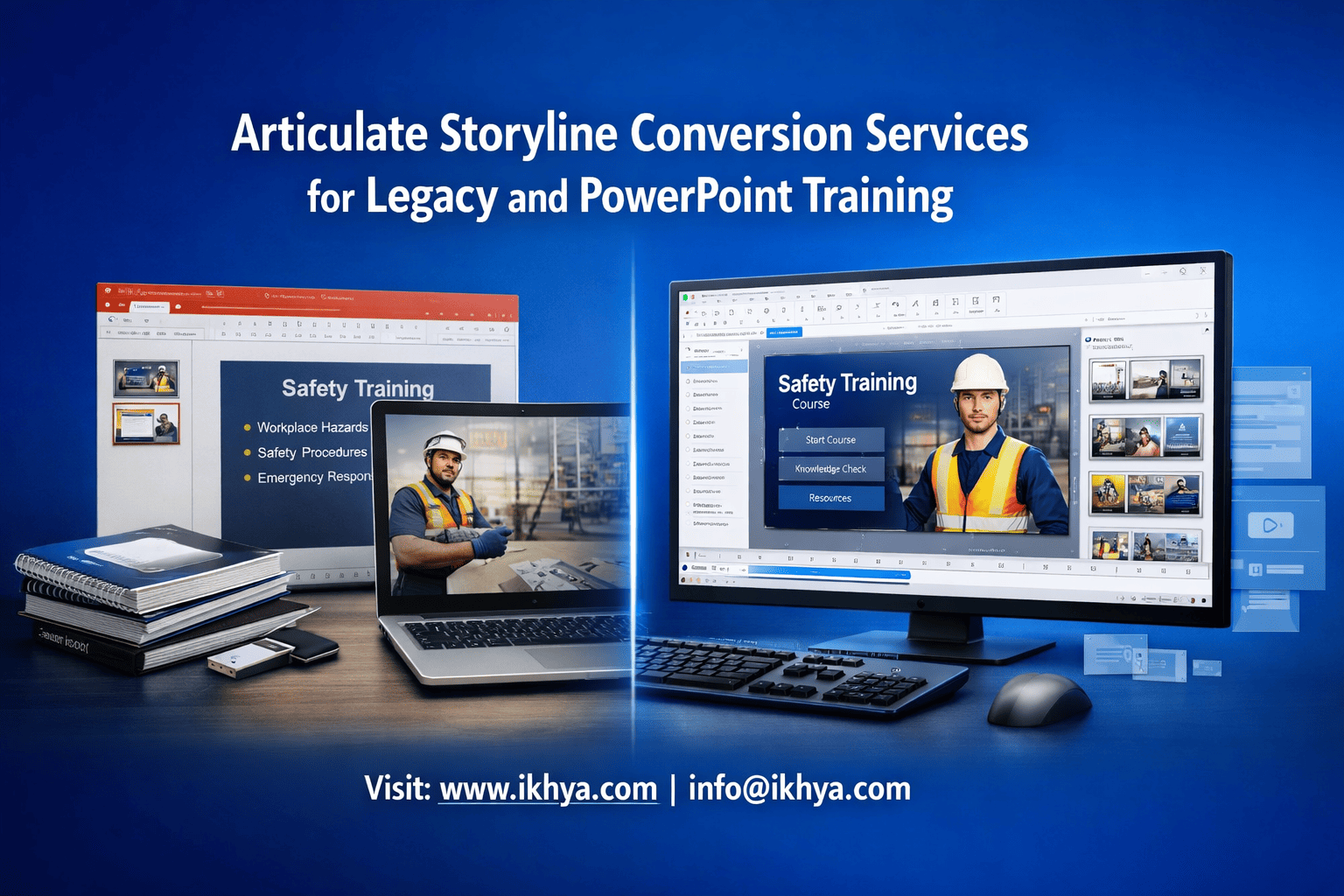
Organizations everywhere are sitting on thousands of PowerPoint slides, Flash courses, and outdated training files that employees no longer use. These legacy materials slow compliance, reduce engagement, and create audit risks. Converting them into modern Articulate Storyline courses can immediately improve completion rates and LMS compatibility.
If you want to convert legacy training into modern, SCORM-compliant Storyline courses quickly and cost-effectively, contact IKHYA – eLearning Solutions Company at info@ikhya.com for a free conversion assessment and timeline estimate.
What Are Articulate Storyline Conversion Services?
Articulate Storyline conversion services transform legacy training formats such as PowerPoint, Flash, PDF, and old LMS packages into modern, interactive Storyline courses that work on all devices and LMS platforms as part of custom eLearning development. This process improves compatibility, engagement, compliance tracking, and long-term maintainability while preserving the original learning objectives and instructional content.
Articulate Storyline conversion is not just file conversion—it is a structured instructional redevelopment process. This process is driven by strong instructional design principles to improve learning effectiveness.
It transforms static or obsolete training into fully interactive, trackable eLearning that meets modern learning standards.
Legacy Training Formats Commonly Converted
Organizations worldwide still rely on outdated formats that are incompatible with modern systems.
Most common legacy formats:
| Legacy Format | Problem | Storyline Conversion Outcome |
|---|---|---|
| PowerPoint (.ppt/.pptx) | No tracking, low engagement | Interactive SCORM/xAPI course |
| Flash (.swf) | Unsupported in modern browsers | HTML5 mobile-compatible course |
| PDF manuals | Static, no interaction | Scenario-based interactive training |
| Instructor-led training slides | No self-paced option | Fully self-paced digital course |
| Old SCORM packages | Outdated design, poor UX | Modern UI with updated tracking |
Flash-based training is especially critical because Adobe officially discontinued Flash Player support in 2020. Many organizations in the USA, UK, and Australia still have Flash-based compliance training that no longer works.
What Happens During Storyline Conversion
Conversion involves both technical rebuilding and instructional improvement.
Effective Storyline course development ensures both technical accuracy and learning impact.
Core conversion steps:
- Content extraction from legacy files
- Instructional structure redesign
- Slide-by-slide rebuild in Storyline
- Interaction and animation development
- Assessment and quiz integration
- LMS publishing (SCORM 1.2, SCORM 2004, xAPI, or AICC)
- Testing and quality assurance
Unlike automated converters, professional conversion ensures functionality, usability, and learning effectiveness.
Why Articulate Storyline Is the Industry Standard
Articulate Storyline is widely used across global enterprises because it supports advanced interactivity and LMS compatibility.
Key capabilities:
- SCORM 1.2, SCORM 2004, and xAPI support
- Mobile-responsive HTML5 output
- Advanced branching scenarios
- Software simulations
- Accessibility (WCAG-aligned design)
- LMS compatibility (Cornerstone, Docebo, SAP SuccessFactors, Moodle, etc.)
This makes it ideal for enterprise compliance, onboarding, and technical training.
This also ensures strong LMS compatibility for enterprise training environments.
Real-World Example: US Healthcare Compliance Conversion
A healthcare provider in the United States converted 120 PowerPoint HIPAA training modules into Storyline courses.
Results:
- Completion rate increased from 62% to 94%
- Training time reduced by 37%
- LMS tracking improved audit compliance
- Mobile completion increased significantly
This is critical in regulated industries where compliance reporting is mandatory.
Real-World Example: UK Financial Services Flash Conversion
A UK financial institution had 85 Flash-based compliance courses that stopped working.
After Storyline conversion:
- Courses worked on all browsers
- LMS reporting met FCA audit requirements
- Training completion time reduced
- Maintenance costs reduced by over 50%
Conversion vs Simple Import: Critical Difference
PowerPoint can be imported directly into Storyline, but professional conversion produces far better results.
Basic import limitations:
- Static slides
- No meaningful interactivity
- Poor learner engagement
- Limited assessment capability
Professional conversion includes:
- Interactive scenarios
- Knowledge checks
- Visual redesign
- Instructional improvements
- LMS optimization
This dramatically improves learning outcomes.
Why Must Organizations Convert Legacy and PowerPoint Training Now?
Organizations must convert legacy and PowerPoint training to Articulate Storyline because outdated formats no longer work reliably on modern browsers, mobile devices, or LMS platforms. Conversion ensures compliance tracking, mobile accessibility, security compatibility, and higher learner engagement while reducing maintenance risks and ensuring long-term training scalability across global teams and regulatory environments.
Legacy training is not just inefficient—it is becoming unusable. Technology, compliance regulations, and workforce expectations have changed significantly in the past decade.
Flash Is Permanently Disabled Worldwide
Adobe Flash was officially discontinued on December 31, 2020. All modern browsers—including Chrome, Edge, Firefox, and Safari—block Flash content completely.
Global impact:
- US healthcare compliance courses built in Flash no longer run
- UK banking compliance modules fail to load
- Australian mining safety courses became inaccessible
- UAE aviation training modules stopped working
Organizations that do not convert Flash courses risk compliance failures and operational disruption.
PowerPoint Training Cannot Meet Modern Compliance Requirements
PowerPoint presentations were never designed for compliance tracking.
This is especially critical in industries like oil & gas, where safety and compliance training must be fully trackable and auditable.
PowerPoint limitations:
- No completion tracking
- No learner progress tracking
- No assessment scoring
- No LMS integration
- No audit-ready reporting
In regulated industries such as healthcare, finance, aviation, and oil & gas, LMS tracking is mandatory.
Example: UAE Oil & Gas Compliance
Oil and gas companies in Abu Dhabi must track safety training under ADNOC compliance requirements. PowerPoint cannot provide the necessary completion and audit tracking.
Storyline conversion solves this by enabling:
- SCORM completion tracking
- Pass/fail recording
- LMS audit reporting
- Certification management
Mobile Learning Is Now Mandatory Globally
Modern workforces expect training to work on phones, tablets, and laptops.
Global mobile learning usage trends:
| Country | Mobile Learning Usage |
|---|---|
| USA | 67% employees use mobile learning |
| UK | 63% |
| Australia | 69% |
| UAE | 72% |
| Global average | 65% |
PowerPoint training is not optimized for mobile devices. Articulate Storyline publishes responsive HTML5 courses that work on all screen sizes.
LMS Compatibility Requirements Are Increasing
Modern LMS platforms require structured learning packages.
Common LMS platforms requiring SCORM/xAPI:
- Cornerstone OnDemand (USA, UK, Australia)
- SAP SuccessFactors (global enterprise standard)
- Docebo (used in UAE and Europe)
- Moodle (widely used worldwide)
- TalentLMS (popular in SMBs globally)
PowerPoint files cannot communicate with these systems.
Storyline conversion ensures compatibility with:
- SCORM 1.2
- SCORM 2004
- xAPI
- AICC
This enables full reporting and tracking.
Compliance and Legal Risk Is Increasing Worldwide
Compliance failures can result in severe financial penalties.
Examples:
- US OSHA violations: up to $15,625 per violation
- UK FCA compliance violations: millions in penalties
- Australian workplace safety violations: major legal risk
- UAE aviation compliance failures: operational suspension
Training must be trackable and auditable.
Storyline conversion ensures verifiable training records.
Learner Engagement Is Much Higher in Storyline Courses
PowerPoint is passive. Storyline is interactive.
Engagement improvements after conversion typically include:
- 40–60% higher completion rates
- 30–50% better knowledge retention
- Reduced training time
- Higher learner satisfaction
Why Storyline improves engagement:
- Interactive scenarios
- Click-based exploration
- Simulations
- Knowledge checks
- Real-time feedback
This leads to measurable learning improvement.
What Types of Legacy Training Should Be Converted to Articulate Storyline?
Any legacy training that lacks LMS tracking, mobile compatibility, interactivity, or modern browser support should be converted to Articulate Storyline. This includes PowerPoint training, Flash courses, instructor-led training materials, PDF manuals, outdated SCORM packages, and compliance training that must meet audit, reporting, or regulatory requirements across global industries.
Most organizations underestimate how much legacy training they have.
PowerPoint Training (Most Common Conversion Type)
PowerPoint is the most widely used legacy training format globally.
Organizations looking to convert PowerPoint to eLearning can follow a structured approach to improve training effectiveness.
Typical PowerPoint training examples:
- Employee onboarding
- Compliance training
- HR policies
- Sales training
- Product training
- Safety training
Problems with PowerPoint training:
- No LMS tracking
- No interaction
- Low engagement
- Not mobile-friendly
Storyline conversion transforms PowerPoint into:
- Interactive course
- LMS-trackable training
- Mobile-friendly learning
- Assessment-driven modules
Flash-Based Courses (Highest Priority)
Flash courses must be converted urgently because they no longer work.
Common Flash training examples:
- Healthcare compliance
- Aviation safety training
- Manufacturing training
- Software simulations
Conversion involves rebuilding the entire course in Storyline.
Instructor-Led Training (ILT) Materials
ILT materials are often converted to self-paced eLearning.
ILT materials include:
- Instructor slides
- Facilitator guides
- Student manuals
- Workshop content
Storyline conversion enables scalable global delivery.
PDF and Manual-Based Training
PDF manuals are widely used but ineffective for learning.
Problems with PDFs:
- No tracking
- No interactivity
- Poor engagement
Conversion improves usability significantly.
Legacy SCORM Courses
Older SCORM courses may have:
- Outdated design
- Broken navigation
- Poor mobile compatibility
Rebuilding in Storyline modernizes them.
What Is the Step-by-Step Process for Converting Legacy and PowerPoint Training into Articulate Storyline?
Articulate Storyline conversion follows a structured process that includes content extraction, instructional redesign, visual modernization, interaction development, LMS integration, and testing. Each step ensures the course works across devices, meets compliance standards, tracks learner progress, and improves engagement while preserving the original learning objectives and organizational training requirements.
Professional conversion is a rebuild process—not a simple import. Every element must be optimized for usability, tracking, and performance.
Step 1: Legacy Content Analysis and Extraction
The first step is identifying and extracting all training content from the source files.
Typical source materials include:
- PowerPoint slides
- Flash (.swf) files
- PDFs and manuals
- Videos
- Audio narration
- Instructor notes
- Existing SCORM packages
Technical tasks performed:
- Extract images, text, audio, and video
- Identify missing or outdated content
- Evaluate course structure and flow
- Identify interaction opportunities
Example: Australian Mining Company
A mining organization in Western Australia had 350 PowerPoint safety slides. During analysis, 18% of content was outdated due to regulatory changes. Conversion included updating safety standards aligned with Safe Work Australia.
Step 2: Instructional Design Restructuring
Legacy training often lacks instructional flow. Instructional designers restructure content to improve learning effectiveness.
Key instructional design improvements:
- Breaking long slides into smaller learning screens
- Adding knowledge checks
- Creating logical learning progression
- Improving content clarity
- Removing redundant content
Before conversion (PowerPoint):
- 120 slides
- Passive reading
- No assessments
After Storyline conversion:
- 180 interactive screens
- 12 knowledge checks
- 3 scenario exercises
- Final assessment with scoring
This improves retention and engagement significantly.
Step 3: Visual Redesign and Modern UI Development
Legacy courses often look outdated and reduce learner engagement.
Storyline conversion includes complete visual redesign.
Visual modernization includes:
- Modern layouts
- Consistent color themes
- Professional typography
- Visual hierarchy improvements
- Icon integration
- Mobile-friendly layout
Global example: UK Retail Training
A UK retail company redesigned onboarding training. After visual modernization:
- Completion rates increased by 52%
- Learner satisfaction improved significantly
Good visual design improves usability and learner focus.
Step 4: Interaction and Interactivity Development
Interactivity transforms passive content into engaging learning experiences.
Common Storyline interaction types:
- Click-to-reveal interactions
- Drag-and-drop exercises
- Scenario-based branching
- Software simulations
- Interactive timelines
- Knowledge checks and quizzes
Example: US Healthcare Scenario Training
Instead of reading HIPAA policies, learners complete patient privacy scenarios where they choose correct actions.
This improves real-world decision-making skills.
Step 5: Audio, Video, and Multimedia Integration
Multimedia improves engagement and comprehension.
Common multimedia elements added:
- Voice narration
- Explainer videos
- Software demonstrations
- Animated content
Example: UAE Aviation Training
This is similar to enterprise safety training projects delivered using Storyline conversion.
Aviation safety training includes cockpit simulation videos integrated into Storyline courses to improve procedural understanding.
Storyline supports synchronized multimedia with interactive elements.
Step 6: LMS Integration and Publishing
Once the course is developed, it is published for LMS compatibility.
Supported standards:
| Standard | Use Case |
|---|---|
| SCORM 1.2 | Most widely supported LMS standard |
| SCORM 2004 | Advanced tracking |
| xAPI | Advanced analytics |
| AICC | Legacy LMS compatibility |
Compatible LMS platforms include:
- Cornerstone
- SAP SuccessFactors
- Moodle
- Docebo
- TalentLMS
Publishing ensures proper tracking and reporting.
Step 7: Quality Assurance and Testing
Testing ensures courses function correctly across all environments.
Testing includes:
- Browser testing (Chrome, Edge, Safari, Firefox)
- Mobile testing (iOS, Android)
- LMS tracking validation
- SCORM compliance testing
- Interaction testing
This prevents deployment issues.
Step 8: Deployment and LMS Implementation
After testing, the course is deployed to the LMS.
Deployment includes:
- LMS upload
- Tracking verification
- Completion reporting setup
- Certification configuration
Organizations can then assign training globally.
What Instructional Design Strategies Are Used During Storyline Conversion?
Instructional design strategies transform legacy content into engaging, effective learning experiences by applying proven learning science principles. This includes microlearning structure, scenario-based learning, spaced repetition, assessment-driven learning, and cognitive load reduction. These strategies improve retention, completion rates, and real-world skill application across enterprise training environments worldwide.
Conversion is an opportunity to improve learning effectiveness—not just modernize technology.
Microlearning Structure
Microlearning breaks large training into smaller microlearning modules.
Benefits:
- Faster completion
- Higher retention
- Better mobile usability
Example: US Corporate Training
A 2-hour PowerPoint course was converted into 6 microlearning modules. Completion rates increased significantly.
Scenario-Based Learning
Scenario-based learning improves decision-making.
Example scenario types:
- Customer interaction scenarios
- Safety decision simulations
- Compliance decision exercises
This approach is widely used in healthcare, aviation, and finance.
Knowledge Checks and Assessments
Assessments reinforce learning and enable tracking.
Types of assessments:
- Multiple choice
- Drag-and-drop
- Scenario-based questions
Storyline automatically tracks results.
Cognitive Load Optimization
Legacy slides often overload learners with too much information.
Storyline conversion improves:
- Content clarity
- Information structure
- Visual balance
This improves comprehension.
What Does Articulate Storyline Conversion Cost Globally?
Articulate Storyline conversion typically costs between $10 and $60 per PowerPoint slide or $1,000 to $10,000 per finished hour, depending on complexity, interactivity, and location. Offshore providers reduce costs by 40–70% compared to US, UK, Australian, and UAE vendors while maintaining the same SCORM compliance, instructional design quality, and LMS compatibility.
Conversion cost depends on multiple technical and project variables—not just slide count.
Global Cost Comparison by Region
Enterprise training conversion costs vary significantly by country due to labor costs, expertise availability, and production infrastructure.
| Region | Cost per Slide | Cost per Hour of eLearning | Typical Project Cost (1-hour course) |
|---|---|---|---|
| USA | $25 – $60 | $5,000 – $10,000 | $6,000 – $12,000 |
| UK | $20 – $50 | $4,000 – $9,000 | $5,000 – $10,000 |
| Australia | $25 – $55 | $5,000 – $9,500 | $6,000 – $11,000 |
| UAE | $20 – $45 | $4,000 – $8,000 | $5,000 – $9,000 |
| India / Offshore | $10 – $30 | $1,500 – $4,000 | $2,000 – $5,000 |
This cost difference is why many global enterprises outsource Storyline conversion.
Example: US Manufacturing Company
- 80-slide PowerPoint conversion
- US vendor cost: $4,800
- Offshore vendor cost: $1,800
- Savings: 62%
Quality remained equivalent because Storyline output standards are global.
Cost Based on Conversion Complexity
Not all slides require the same level of development effort.
| Complexity Level | Description | Cost per Slide |
|---|---|---|
| Basic | Static content, minimal interaction | $10 – $20 |
| Moderate | Click interactions, basic quizzes | $20 – $40 |
| Advanced | Branching scenarios, simulations | $40 – $60 |
| Highly Interactive | Software simulations, complex logic | $50 – $80 |
Cost Based on Source Format
Different legacy formats require different levels of redevelopment.
| Source Format | Conversion Complexity | Cost Impact |
|---|---|---|
| PowerPoint | Low to moderate | Lowest cost |
| PDF manual | Moderate | Moderate cost |
| Flash course | High | Higher cost |
| Instructor-led training | Moderate to high | Moderate to high |
| Legacy SCORM rebuild | High | Higher cost |
Flash conversion is more expensive because the entire course must be rebuilt.
Real Example: UK Financial Compliance Conversion
Project details:
- 60-slide compliance training
- Moderate interaction level
- Scenario-based questions added
Cost comparison:
- UK vendor: $3,600
- Offshore conversion: $1,500
- Savings: 58%
What Factors Affect Storyline Conversion Cost?
Several technical factors influence pricing.
Primary cost factors:
1. Interactivity level
- Static slides cost less
- Scenario-based training costs more
2. Multimedia integration
- Voice narration
- Video integration
- Software simulations
3. Instructional redesign requirements
- Content restructuring
- Assessment creation
4. Volume of slides
Large projects have lower per-slide cost.
Example volume pricing:
| Slides | Cost per Slide |
|---|---|
| 1–50 | $25 |
| 50–200 | $18 |
| 200–1000 | $12 |
Hidden Costs of Not Converting Legacy Training
Organizations often overlook the cost of maintaining outdated training.
Hidden costs include:
- Compliance failure penalties
- Training inefficiency
- Employee time waste
- LMS incompatibility
Example: UAE Aviation Training
Failure to track safety training completion created compliance risk. Conversion enabled proper audit tracking.
How Long Does Articulate Storyline Conversion Take?
Organizations often look for ways to reduce Storyline development time while maintaining quality and compliance.
Articulate Storyline conversion typically takes 2 to 6 weeks per hour of training, depending on complexity, interactivity level, and review cycles. Large enterprise conversion projects with hundreds of courses use parallel development teams to accelerate timelines while maintaining quality, LMS compatibility, and compliance standards across global training deployments.
Timeline depends heavily on project scope.
Typical Timeline by Project Size
| Project Size | Timeline |
|---|---|
| 20–50 slides | 1–2 weeks |
| 50–150 slides | 2–4 weeks |
| 150–300 slides | 4–6 weeks |
| 300–1000 slides | 6–16 weeks |
Enterprise Conversion at Scale
Large organizations convert hundreds or thousands of courses.
Example: US Healthcare Enterprise
- 420 courses converted
- Parallel development teams used
- Total timeline: 6 months
Without parallel teams, this would take several years.
Conversion Speed Depends on Multiple Factors
Factors affecting timeline:
- Content complexity
- Interaction level
- Multimedia integration
- Review cycles
- SME availability
Rapid Conversion vs Full Redesign
Two conversion approaches exist:
| Approach | Timeline | Cost | Quality |
|---|---|---|---|
| Rapid conversion | Faster | Lower | Moderate |
| Full redesign | Longer | Higher | Best |
Most compliance training uses rapid conversion, while onboarding and sales training use full redesign.
Why Do Global Companies Outsource Articulate Storyline Conversion Services?
Global companies outsource Storyline conversion to reduce costs, accelerate timelines, access specialized instructional design expertise, and scale conversion across hundreds of courses efficiently. Offshore teams deliver SCORM-compliant, enterprise-grade Storyline courses at 40–70% lower cost while maintaining the same quality, LMS compatibility, and compliance standards required in regulated industries worldwide.
Outsourcing is now standard practice across Fortune 500 companies, government agencies, and multinational organizations.
Major Cost Savings Without Quality Loss
The primary driver for outsourcing is cost efficiency.
Typical savings by outsourcing offshore:
| Country | Local Cost (per hour) | Offshore Cost | Savings |
|---|---|---|---|
| USA | $6,000 – $12,000 | $2,000 – $5,000 | 50–70% |
| UK | $5,000 – $10,000 | $2,000 – $5,000 | 45–65% |
| Australia | $6,000 – $11,000 | $2,000 – $5,000 | 50–65% |
| UAE | $5,000 – $9,000 | $2,000 – $5,000 | 40–60% |
These savings are possible because Storyline development tools, SCORM standards, and LMS systems are globally standardized.
Faster Conversion Through Dedicated Teams
Outsourcing providers use dedicated teams working in parallel, which dramatically reduces timelines.
Example: Australian Energy Company
- 280 PowerPoint training modules
- Internal conversion estimate: 18 months
- Outsourced conversion timeline: 5 months
Parallel development makes enterprise-scale conversion possible.
Access to Specialized Storyline Experts
Storyline conversion requires multiple specialized roles.
Professional conversion teams include:
- Instructional designers
- Storyline developers
- Graphic designers
- QA testers
- LMS specialists
Most internal teams do not have all these specialists.
Outsourcing provides access to full teams immediately.
Scalability for Enterprise Training Conversion
Large organizations often have thousands of legacy courses.
Example: UK Banking Institution
- 1,200 legacy training modules
- Outsourced conversion in phases
- Centralized LMS deployment globally
Outsourcing enabled scalable conversion.
Focus Internal Teams on Strategic Work
Internal L&D teams should focus on strategy, not rebuilding slides.
Outsourcing allows internal teams to focus on:
- Learning strategy
- Skill gap analysis
- Training effectiveness
While conversion specialists handle technical redevelopment.
How Do You Choose the Right Articulate Storyline Conversion Provider?
Organizations must carefully choose the right Storyline conversion provider based on expertise, scalability, and quality assurance.
Choosing the right Storyline conversion provider requires evaluating technical expertise, instructional design capability, LMS standards compliance, scalability, quality assurance processes, and enterprise experience. The provider must deliver SCORM/xAPI-compliant courses, meet global accessibility standards, ensure reliable timelines, and provide scalable conversion for large legacy training libraries.
Not all vendors offer the same quality or capabilities.
Evaluate Storyline Technical Expertise
The provider must have deep Storyline expertise.
Key technical capabilities to verify:
- Advanced Storyline interaction development
- SCORM 1.2, SCORM 2004, xAPI publishing
- LMS deployment experience
- Mobile optimization
Ask for Storyline project samples.
Check Instructional Design Capability
Conversion should improve learning—not just rebuild slides.
Look for providers who offer:
- Instructional restructuring
- Assessment creation
- Scenario-based learning
Instructional design improves learning outcomes.
Verify LMS Compatibility Experience
The provider must understand enterprise LMS platforms.
Common LMS platforms include:
- Cornerstone
- SAP SuccessFactors
- Docebo
- Moodle
- TalentLMS
Improper LMS publishing can cause tracking failures.
Assess Quality Assurance Process
QA ensures reliability and compatibility.
QA should include:
- Browser testing
- Mobile testing
- LMS testing
- SCORM validation
This prevents deployment issues.
Evaluate Scalability and Team Size
Enterprise conversion requires scalable teams.
Ask providers:
- How many developers do you have?
- How many courses can you convert per month?
This ensures they can meet timelines.
Frequently Asked Questions (FAQ)
Can PowerPoint be directly converted into Articulate Storyline?
Yes, PowerPoint can be imported into Storyline, but professional conversion improves interactivity, design, LMS tracking, and engagement significantly compared to basic import.
How long does it take to convert PowerPoint to Storyline?
Typical conversion takes 1–4 weeks per course depending on slide count, interactivity, and review cycles.
Will the converted course work on mobile devices?
Yes. Storyline publishes HTML5 courses that work on mobile, tablet, and desktop devices.
Will conversion support SCORM and LMS tracking?
Yes. Storyline supports SCORM 1.2, SCORM 2004, xAPI, and AICC standards for LMS tracking.
Can Flash courses be converted to Storyline?
Yes. Flash courses must be rebuilt in Storyline to work in modern browsers.
Is it cheaper to outsource Storyline conversion?
Yes. Offshore conversion typically reduces costs by 40–70% compared to US, UK, Australia, and UAE providers.
Convert Your Legacy Training into Modern Storyline Courses
Legacy PowerPoint, Flash, and outdated training formats create compliance risks, reduce engagement, and prevent LMS tracking. Converting them into modern Articulate Storyline courses ensures mobile compatibility, SCORM compliance, and higher learner engagement while reducing long-term training costs.
IKHYA – eLearning Solutions Company specializes in enterprise-scale Articulate Storyline conversion services for global organizations.
Our services include:
- PowerPoint to Storyline conversion
- Flash to HTML5 Storyline rebuild
- SCORM and xAPI LMS integration
- Instructional design enhancement
- Rapid and large-scale enterprise conversion
Contact IKHYA today for a free consultation and conversion estimate: 📧 info@ikhya.com
Enterprises can also request RFP for large-scale Storyline conversion projects.
We help global companies modernize legacy training quickly, cost-effectively, and at enterprise scale.




