
Transform Instructor-Led Training into Articulate Storyline and Rise eLearning

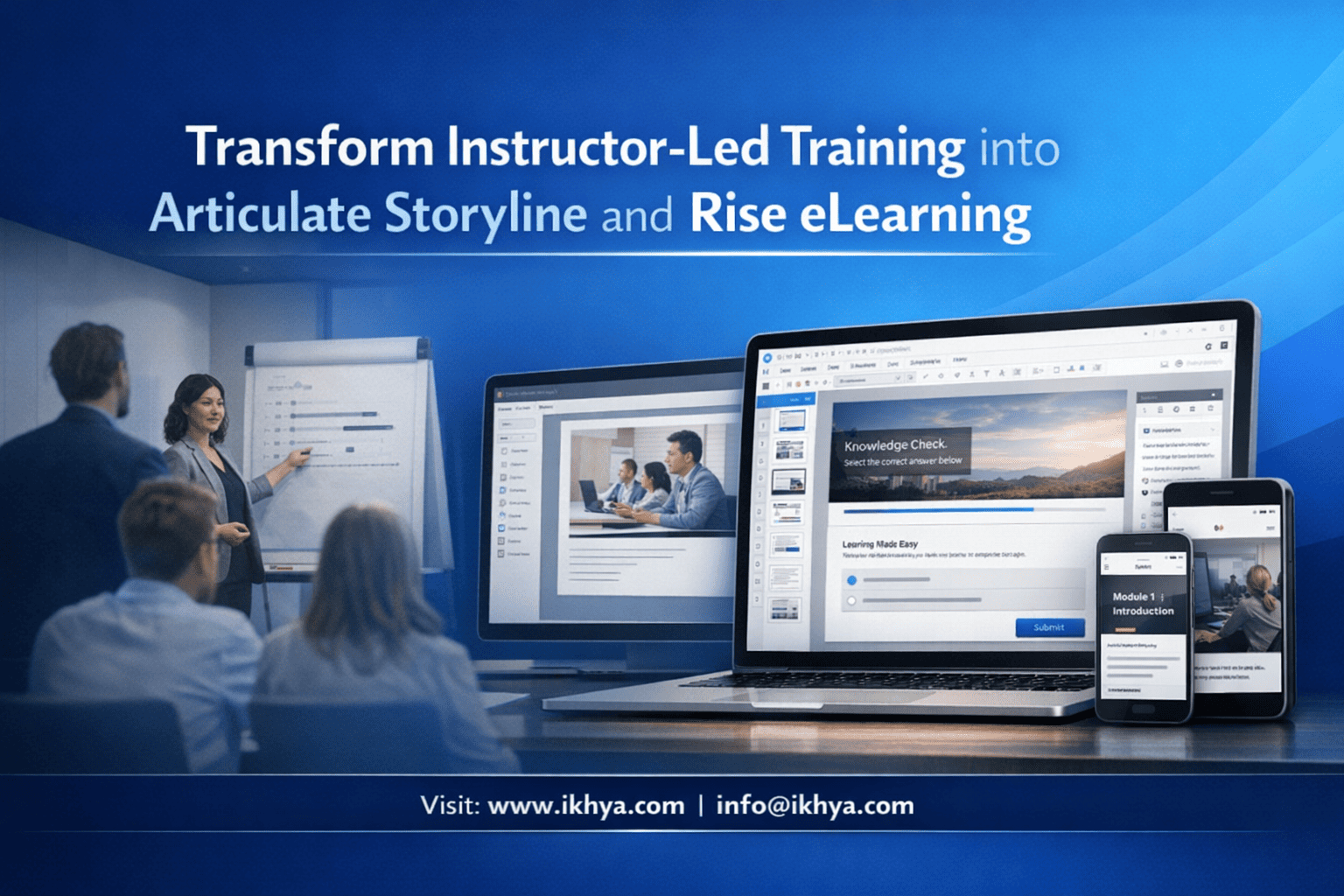
Instructor-Led Training (ILT) is expensive, slow to scale, and difficult to track globally. Converting ILT into Articulate Storyline and Rise eLearning can reduce training costs by 40–70%, improve learner engagement, and ensure consistent delivery across locations.
If your organization is planning ILT conversion, speak with IKHYA’s eLearning specialists at info@ikhya.com to evaluate your content and get a precise conversion strategy and cost estimate.
Organizations across the USA, UK, Australia, and UAE are rapidly replacing classroom training with interactive, trackable eLearning built in Articulate Storyline and Rise. However, simply copying slides into eLearning does not work. Successful conversion requires instructional redesign, interaction development, and LMS-ready publishing aligned with global standards like SCORM, xAPI, and WCAG accessibility.
This guide explains exactly how to transform ILT into modern Articulate eLearning that improves performance while reducing costs.
What Does It Mean to Convert Instructor-Led Training into Articulate Storyline and Rise?
Converting ILT into Articulate Storyline and Rise means redesigning classroom training materials into interactive, self-paced digital courses. This process includes instructional analysis, content restructuring, multimedia creation, knowledge checks, and publishing to LMS using SCORM or xAPI. The result is scalable, trackable, and consistent global training without requiring instructors.
ILT conversion is not a simple file conversion. It is a structured instructional engineering process.
Traditional ILT vs Articulate eLearning: Core Differences
| Feature | Instructor-Led Training | Articulate Storyline & Rise eLearning |
|---|---|---|
| Delivery | Instructor in classroom or virtual session | Self-paced digital course |
| Scalability | Limited by instructor availability | Unlimited global access |
| Cost per learner | High | Low after development |
| Tracking | Manual or limited | Full LMS tracking (SCORM, xAPI) |
| Consistency | Varies by instructor | Fully standardized |
| Availability | Scheduled sessions only | Available anytime, anywhere |
Organizations in regulated industries such as healthcare (HIPAA in the USA), workplace safety (OSHA), and compliance (UK Health and Safety Executive, UAE labor compliance) depend on eLearning to ensure training consistency and audit readiness.
Why Organizations Are Replacing ILT with Articulate eLearning Globally
Global enterprises are transitioning to Articulate-based eLearning due to scalability, compliance tracking, and cost efficiency. Instructor-dependent training cannot support distributed teams across regions. Articulate Storyline and Rise enable consistent delivery, LMS reporting, accessibility compliance, and multilingual support required for modern workforce training across North America, Europe, Australia, and the Middle East.
Key Global Drivers
1. Workforce Distribution
Companies operate across multiple locations:
- USA: Multi-state workforce with compliance training requirements
- UK: Hybrid workforce and regulatory training mandates
- UAE: Multinational workforce with diverse languages
- Australia: Remote workforce in mining, healthcare, and construction
ILT cannot scale efficiently across these environments.
Example:
A UAE aviation company training 4,000 employees annually reduced training delivery time by 62% after converting ILT into Storyline-based eLearning.
2. Compliance and Audit Requirements
Regulatory frameworks require proof of training completion:
| Region | Regulatory Requirement | Tracking Requirement |
|---|---|---|
| USA | OSHA, HIPAA | LMS completion tracking |
| UK | HSE, FCA | Digital training records |
| Australia | WHS compliance | Verified training completion |
| UAE | Labor and safety training | Compliance documentation |
Articulate Storyline supports SCORM and xAPI, which allows organizations to:
- Track completion
- Record quiz scores
- Store training history
- Provide audit evidence
3. Cost Reduction and Training Efficiency
ILT costs include:
- Instructor fees
- Travel expenses
- Venue costs
- Scheduling delays
- Lost productivity
Articulate eLearning eliminates most recurring delivery costs.
Example cost comparison for 1,000 learners annually:
| Cost Category | ILT | Articulate eLearning |
|---|---|---|
| Instructor | $20,000 | $0 |
| Travel | $35,000 | $0 |
| Venue | $10,000 | $0 |
| Development | $5,000 | $18,000 (one-time) |
| Total Year 1 | $70,000 | $18,000 |
| Total Year 2+ | $70,000/year | $2,000 maintenance |
4. Learning Effectiveness and Retention
Modern eLearning improves retention through:
- Interactive scenarios
- Simulations
- Branching decision-making
- Microlearning modules
- Immediate feedback
Articulate Storyline supports advanced interactions like:
- Software simulations
- Drag-and-drop exercises
- Scenario-based learning
- Conditional branching
Rise supports mobile-optimized learning with clean, modern layouts.
5. Global Standardization
ILT varies depending on instructor skill. eLearning ensures:
- Consistent messaging
- Standardized compliance training
- Controlled content updates
- Version management
This is critical for regulated industries like:
- Healthcare
- Aviation
- Finance
- Oil and Gas
- Manufacturing
Real-World Example: Global ILT Conversion
A UK financial services organization converted 120 hours of classroom training into Storyline and Rise.
Results:
- 58% reduction in training costs
- 3× faster training completion
- 100% LMS tracking compliance
- Improved learner satisfaction
When Should You Use Articulate Storyline vs Rise for ILT Conversion?
Articulate Storyline is best for complex, interactive training requiring simulations, branching, or custom logic. Rise is ideal for fast, mobile-friendly courses with simpler interactions. Most organizations use both tools together—Rise for structured content delivery and Storyline for simulations and scenario-based learning that require deeper learner engagement and performance validation.
Choosing the right tool directly impacts learner effectiveness, development cost, and long-term scalability.
Articulate Storyline: Best for Complex, Simulation-Based Training
Articulate Storyline is a powerful authoring tool designed for highly interactive and custom learning experiences.
It is widely used across regulated industries in the USA, UK, Australia, and UAE where learner decision-making and performance must be validated—not just content viewed.
When to Use Storyline
Use Storyline when your ILT includes:
- Software demonstrations
- Role-play scenarios
- Decision-based training
- Compliance simulations
- Equipment or safety procedures
- Certification assessments
Key Storyline Capabilities
1. Branching Scenarios
Storyline allows learners to make decisions and see consequences.
Example:
A healthcare compliance course in the USA can simulate patient privacy scenarios under HIPAA.
Learner chooses:
- Share patient information → Incorrect → Show violation consequence
- Protect patient data → Correct → Continue training
This improves real-world decision-making.
2. Software Simulations
Storyline can replicate software environments for hands-on learning.
Common use cases:
- ERP training (SAP, Oracle)
- Banking systems training in the UK
- CRM training for global sales teams
- Aviation systems training in UAE
Simulation modes include:
- Demonstration mode
- Practice mode
- Test mode
This ensures learners can perform tasks—not just understand them.
3. Advanced Interactions
Storyline supports:
- Drag-and-drop exercises
- Interactive timelines
- Scenario-based learning
- Layer-based content
- Variables and triggers
- Custom navigation logic
These interactions replicate instructor-led engagement.
4. Certification and Assessment Capability
Storyline enables:
- Pass/fail scoring
- Knowledge validation
- Assessment tracking via LMS
- Certification readiness
This is critical for:
- OSHA training in USA
- Workplace safety training in Australia
- Financial compliance training in UK
Articulate Rise: Best for Fast, Mobile-Friendly Training
Articulate Rise is designed for rapid development and responsive learning that works seamlessly across desktop, tablet, and mobile devices.
Rise is ideal when ILT content is mostly informational rather than simulation-heavy.
When to Use Rise
Use Rise when your ILT includes:
- Policy training
- Compliance awareness
- Product knowledge
- Onboarding programs
- Soft skills training
- Process training
Rise is widely used by global companies with distributed workforces.
Key Rise Capabilities
1. Fully Responsive Design
Rise automatically adapts to:
- Mobile phones
- Tablets
- Desktop
No separate mobile development required.
This is critical in regions like:
- UAE (mobile-first workforce)
- Australia (remote workforce)
- USA field-based employees
2. Rapid Development Speed
Rise courses can be developed 40–60% faster than Storyline.
Example:
| Course Length | Storyline | Rise |
|---|---|---|
| 30 minutes | 40–60 hours | 20–30 hours |
| 60 minutes | 80–120 hours | 40–60 hours |
3. Clean, Modern Learning Experience
Rise includes built-in components:
- Interactive tabs
- Knowledge checks
- Process interactions
- Flashcards
- Accordion interactions
These improve engagement without complex development.
4. Ideal for Microlearning
Rise supports short modules that improve retention.
Example structure:
- Module 1: Introduction (5 min)
- Module 2: Key Concepts (7 min)
- Module 3: Scenario (5 min)
- Module 4: Quiz (3 min)
This structure improves completion rates globally.
Using Storyline and Rise Together: Best Practice Approach
Most global organizations combine both tools.
Use Rise as the primary course framework and Storyline for advanced interactions.
Example structure:
| Module | Tool Used | Purpose |
|---|---|---|
| Introduction | Rise | Content delivery |
| Compliance concepts | Rise | Policy explanation |
| Scenario simulation | Storyline | Decision training |
| Software simulation | Storyline | Skill validation |
| Final assessment | Storyline | Certification |
| Summary | Rise | Reinforcement |
This hybrid approach provides the best balance of speed, cost, and effectiveness.
What Is the Step-by-Step Process to Convert ILT into Storyline and Rise?
The ILT conversion process involves analyzing source materials, redesigning content for self-paced learning, creating interactions, developing multimedia, building courses in Storyline and Rise, and publishing to LMS using SCORM or xAPI. This structured process ensures learning effectiveness, technical compatibility, and global scalability while maintaining instructional quality and compliance requirements.
Successful conversion requires instructional design—not just slide conversion.
Step 1: Analyze Existing ILT Content
Source materials include:
- PowerPoint slides
- Instructor guides
- Learner workbooks
- Videos
- Activities and exercises
- Assessments
Instructional designers identify:
- Learning objectives
- Core concepts
- Activities requiring redesign
- Content that can be simplified
Not everything from ILT should be converted directly.
Instructor explanations must be redesigned into:
- Interactions
- Scenarios
- Visual learning
Step 2: Define Instructional Strategy
ILT relies on instructor explanation. eLearning must replace this with structured instructional design.
Key strategy decisions:
- Storyline vs Rise usage
- Interaction types
- Assessment approach
- Microlearning structure
- Scenario integration
This ensures learning effectiveness.
Step 3: Create Storyboard
The storyboard is the blueprint of the course.
It defines:
- Screen content
- Visual elements
- Narration
- Interactions
- Assessments
Example storyboard structure:
| Screen | Content | Interaction |
|---|---|---|
| 1 | Introduction | None |
| 2 | Concept explanation | Tabs interaction |
| 3 | Scenario | Branching |
| 4 | Knowledge check | Quiz |
How Do You Develop and Build the Course in Storyline and Rise?
Course development in Storyline and Rise involves creating visual layouts, building interactions, recording narration, adding multimedia, configuring assessments, and testing functionality. Developers use storyboards to construct the course while ensuring compatibility with LMS standards like SCORM and xAPI. This phase transforms instructional design into a functional, interactive learning experience.
This is where ILT materials become fully functional eLearning.
Step 4: Visual Design and UI Development
Visual design improves comprehension and engagement. Unlike classroom slides, eLearning requires screen-optimized layouts.
Key UI Design Elements
Layout structure
- Title area
- Content area
- Interaction zone
- Navigation controls
Visual components
- Icons
- Illustrations
- Infographics
- Process diagrams
Global best practice example:
Financial institutions in the UK use visual process flows instead of text-heavy compliance slides to improve understanding and audit readiness.
Before vs After Example
| ILT Slide | eLearning Version |
|---|---|
| 40 words bullet text | 4 interactive tabs |
| Static diagram | Animated process interaction |
| Instructor explanation | Scenario-based learning |
This reduces cognitive overload and improves retention.
Step 5: Interaction Development in Storyline
Storyline enables custom interactivity using triggers, layers, and variables.
Common Interaction Types
1. Scenario-Based Learning
Example: UAE aviation safety training
Scenario: Fuel leak detected
Learner choices:
- Ignore → Safety failure outcome
- Report → Correct procedure
This reinforces real-world decision-making.
2. Software Simulations
Widely used in:
- ERP training (SAP, Oracle)
- Banking systems (USA, UK)
- Healthcare systems (Australia)
Simulation modes:
- Demonstration
- Guided practice
- Assessment
This ensures learners can perform tasks independently.
3. Knowledge Checks
Examples:
- Multiple choice
- Drag and drop
- Matching exercises
- True/False
These validate learning continuously.
Step 6: Course Development in Rise
Rise is used to structure the main course and provide responsive learning.
Rise block types include:
- Text and image blocks
- Interactive tabs
- Flashcards
- Process blocks
- Knowledge checks
- Embedded Storyline blocks
Rise provides fast, consistent development with modern UX.
Example Rise Course Structure
| Lesson | Content Type |
|---|---|
| Introduction | Text + image |
| Concept explanation | Tabs |
| Scenario | Storyline block |
| Knowledge check | Quiz |
| Summary | Bullet reinforcement |
This hybrid approach combines speed and interactivity.
Step 7: Audio Narration and Multimedia Integration
Narration replaces instructor explanation.
Audio types used globally:
- Professional voice-over
- AI voice narration (cost-effective option)
- Region-specific accents
Example global deployment:
- USA: American English voice
- UK: British English voice
- UAE: Neutral English voice
- Australia: Localized accent voice
This improves learner relatability.
Multimedia elements include:
- Video demonstrations
- Animated explainers
- Screen recordings
- Process animations
These enhance comprehension.
How Do You Publish Storyline and Rise Courses for LMS (SCORM, xAPI, AICC)?
Storyline and Rise courses are published in SCORM, xAPI, or AICC formats to ensure LMS compatibility and tracking. These standards allow organizations to track completion, scores, time spent, and learner activity. Publishing correctly ensures training compliance, reporting accuracy, and seamless integration with LMS platforms used worldwide.
Publishing is critical for compliance and tracking.
SCORM: Most Common LMS Standard
SCORM is used globally across LMS platforms.
SCORM tracks:
- Completion status
- Pass/fail status
- Quiz scores
- Time spent
Supported LMS platforms:
- Cornerstone
- Docebo
- SAP SuccessFactors
- Moodle
- TalentLMS
SCORM versions:
- SCORM 1.2 (most common)
- SCORM 2004 (advanced tracking)
xAPI (Tin Can API): Advanced Tracking Standard
xAPI tracks detailed learner behavior.
Example tracked data:
- Button clicks
- Scenario decisions
- Simulation performance
Widely used in:
- Healthcare training in USA
- Aviation training in UAE
- Defense training globally
AICC: Legacy Standard (Still Used in Some Industries)
Used in:
- Aviation
- Oil and gas
- Legacy LMS systems
Less common but still supported.
Publishing Workflow
Step-by-step:
- Export from Storyline or Rise
- Select SCORM/xAPI format
- Configure tracking settings
- Upload to LMS
- Test completion and reporting
LMS Testing Checklist
| Test Area | Purpose |
|---|---|
| Course launch | Verify accessibility |
| Completion tracking | Ensure LMS records completion |
| Quiz scoring | Validate assessment tracking |
| Resume functionality | Confirm learners can resume progress |
| Mobile compatibility | Ensure responsive behavior |
Proper publishing ensures compliance with regulatory training requirements in the USA, UK, Australia, and UAE.
What Global Compliance and Accessibility Standards Must Storyline and Rise Courses Meet?
Articulate Storyline and Rise courses must comply with accessibility and tracking standards such as WCAG 2.1, Section 508, SCORM, and xAPI. These standards ensure courses are accessible to learners with disabilities and provide verifiable training records. Compliance is legally required in regions like the USA, UK, Australia, and UAE for workplace training.
Meeting these standards protects organizations from legal risk and ensures equal learning access.
WCAG 2.1 Accessibility Compliance
WCAG (Web Content Accessibility Guidelines) ensures digital content is usable by people with disabilities.
WCAG requires:
- Keyboard navigation support
- Screen reader compatibility
- Alternative text for images
- Proper color contrast
- Captioned audio and video
Example: USA Accessibility Compliance
Under the Americans with Disabilities Act (ADA) and Section 508, organizations must provide accessible digital training.
Failure to comply can result in legal action and compliance violations.
Section 508 Compliance (USA Federal Requirement)
Section 508 applies to:
- Federal agencies
- Government contractors
- Organizations receiving federal funding
Storyline supports Section 508 through:
- Screen reader support
- Focus order control
- Accessible navigation
- Alternative text support
Example: US government contractors must provide accessible safety and compliance training.
UK Accessibility Regulations (Equality Act 2010)
UK organizations must ensure digital training is accessible under the Equality Act.
Required accessibility features:
- Screen reader compatibility
- Captioned videos
- Accessible navigation
UK financial services and healthcare sectors strictly enforce accessibility compliance.
Australia Accessibility Requirements (WHS and Disability Standards)
Australian organizations must provide accessible workplace training under:
- Disability Discrimination Act (DDA)
- Workplace Health and Safety (WHS) regulations
This applies heavily to:
- Mining industry
- Healthcare
- Government agencies
UAE Accessibility and Compliance Requirements
The UAE follows international accessibility standards aligned with WCAG.
Accessibility compliance is important in:
- Aviation
- Government
- Healthcare
- Oil and gas
UAE government initiatives strongly encourage digital accessibility.
Accessibility Features Supported by Storyline and Rise
| Accessibility Feature | Storyline | Rise |
|---|---|---|
| Screen reader support | Yes | Yes |
| Keyboard navigation | Yes | Yes |
| Closed captions | Yes | Yes |
| Alt text support | Yes | Yes |
| Focus order control | Yes | Limited |
| Responsive design | Limited | Full |
Storyline is preferred when strict accessibility control is required.
Rise is ideal for mobile accessibility.
How Much Does It Cost to Convert ILT into Articulate Storyline and Rise?
ILT conversion typically costs $1,000 to $5,000 per hour of finished eLearning, depending on complexity, interactions, multimedia, and compliance requirements. Storyline courses cost more due to custom development, while Rise courses cost less due to faster production. Costs vary globally based on vendor expertise and project scope.
Understanding cost factors helps organizations plan budgets accurately.
Global Cost Comparison by Region
| Region | Cost per Hour (Rise) | Cost per Hour (Storyline) |
|---|---|---|
| USA | $2,000 – $5,000 | $3,000 – $7,000 |
| UK | $1,800 – $4,500 | $2,500 – $6,000 |
| Australia | $1,800 – $4,000 | $2,500 – $6,000 |
| UAE | $1,500 – $3,500 | $2,000 – $5,000 |
| Offshore (India) | $800 – $2,500 | $1,200 – $3,500 |
This cost difference is why many global organizations outsource development.
Cost by Complexity Level
| Complexity | Description | Cost per Hour |
|---|---|---|
| Basic | Text, images, simple quizzes | $800 – $1,500 |
| Medium | Interactions, voice-over | $1,500 – $3,000 |
| Advanced | Simulations, branching | $3,000 – $6,000 |
Example Project Cost
Example: 2-hour compliance course
| Component | Cost |
|---|---|
| Instructional design | $2,000 |
| Storyline development | $5,000 |
| Voice-over | $800 |
| LMS testing | $500 |
| Total | $8,300 |
Cost Savings vs ILT
Example: 1,000 learners annually
| Training Type | 3-Year Cost |
|---|---|
| ILT | $210,000 |
| eLearning | $25,000 |
| Savings | $185,000 |
How Long Does It Take to Convert ILT into Storyline and Rise?
ILT conversion typically requires 40 to 160 development hours per 1 hour of finished eLearning, depending on complexity. Rise courses develop faster, while Storyline simulations require more time. Timelines include instructional design, development, multimedia production, and testing.
Timeline planning ensures successful implementation.
Development Timeline by Complexity
| Complexity | Development Time per 1 Hour |
|---|---|
| Basic Rise | 40–60 hours |
| Medium Rise | 60–100 hours |
| Storyline interactive | 100–160 hours |
| Advanced simulations | 140–200 hours |
Example Project Timeline
2-hour course example:
| Phase | Duration |
|---|---|
| Analysis | 1 week |
| Storyboarding | 1–2 weeks |
| Development | 3–5 weeks |
| Testing | 1 week |
| Total | 6–9 weeks |
Factors Affecting Timeline
- Content quality
- Interaction complexity
- Voice-over production
- Number of review cycles
- LMS testing requirements
Global Case Study: ILT to Storyline and Rise Conversion
A multinational healthcare organization converted 60 hours of ILT into Articulate eLearning for global deployment across the USA, UK, Australia, and UAE.
Results
| Metric | Before | After |
|---|---|---|
| Training cost | $480,000/year | $95,000/year |
| Completion rate | 62% | 94% |
| Training time | 3 days | 6 hours |
| Compliance tracking | Manual | Fully automated |
Frequently Asked Questions
Is Rise or Storyline better for ILT conversion?
Storyline is better for simulations and complex interactions, while Rise is better for rapid, mobile-friendly content. Most organizations use both tools together to balance speed and interactivity.
Can PowerPoint be directly converted into Storyline?
PowerPoint can be imported into Storyline, but instructional redesign is required to make the course interactive and effective.
Which LMS supports Storyline and Rise?
All major LMS platforms support Storyline and Rise, including:
- Cornerstone
- Moodle
- SAP SuccessFactors
- Docebo
Can ILT be converted into microlearning?
Yes. ILT content is often divided into 5–10 minute microlearning modules to improve retention and completion rates.
What is the biggest mistake in ILT conversion?
The biggest mistake is copying slides directly without instructional redesign. Effective eLearning requires interaction, assessment, and learner engagement.
Transform Your ILT into Modern Articulate eLearning with IKHYA
Organizations worldwide are replacing Instructor-Led Training with scalable, interactive eLearning built using Articulate Storyline and Rise. This transformation reduces cost, improves compliance tracking, and ensures consistent global training delivery.
IKHYA – eLearning Solutions Company specializes in converting ILT into high-impact Storyline and Rise courses aligned with SCORM, xAPI, and accessibility standards.
Contact IKHYA at info@ikhya.com to evaluate your ILT content and receive a detailed conversion strategy, timeline, and cost estimate.




