
How Lectora Inspire Enables Responsive eLearning Development: Features, Use Cases, Cost & Strategy

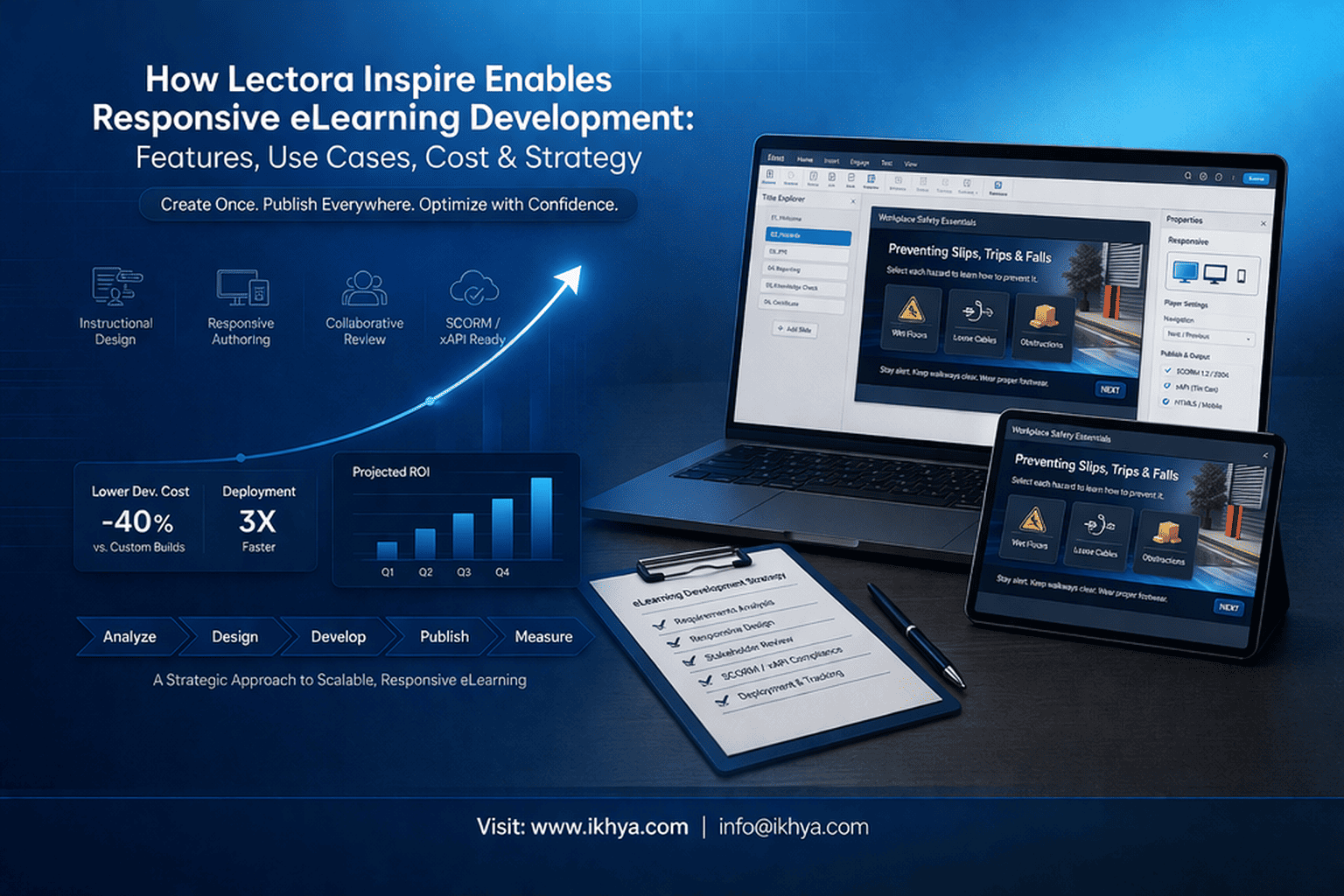
Responsive eLearning development is essential for organizations delivering training across devices. However, ensuring consistency, engagement, and fast development can be challenging without the right tools.
Lectora Inspire simplifies responsive eLearning development by enabling teams to create interactive, multi-device courses with ease. Its powerful features help reduce development time while maintaining quality and compliance.
In this guide, you’ll explore its features, use cases, and cost. If you’re planning to upgrade your training programs, book a free eLearning demo to see it in action.
Lectora Inspire for Responsive eLearning Development
Lectora Inspire is a leading solution for responsive eLearning development, designed for organizations looking to create multi-device, interactive, and compliance-ready courses using advanced responsive eLearning authoring tools. It combines responsive design capabilities, advanced interactivity, and integration with standards like SCORM and xAPI to deliver training that meets modern learning requirements.
Key highlights:
- Cross-Device Compatibility: Automatically adjusts course layout for desktops, tablets, and mobile devices.
- Rapid eLearning Development: Supports quick content creation while maintaining interactivity.
- Integration-Friendly: Works seamlessly with most Learning Management Systems (LMS).
- Versatile Content Options: Includes multimedia, quizzes, scenario-based learning, and gamification features.
Organizations across industries—from healthcare to manufacturing—rely on Lectora Inspire to modernize training, improve learner engagement, and ensure regulatory compliance. For teams looking to leverage expert development support, IKHYA’s Lectora Inspire development services offer end-to-end solutions for course design, multi-device delivery, and responsive eLearning creation.
How Lectora Inspire Supports Multi-Device eLearning
Modern learners access training across multiple devices, making multi-device compatibility a non-negotiable requirement. Lectora Inspire enables organizations to deliver consistent, responsive learning experiences across desktops, tablets, and mobile devices without extra development effort.
Mobile Learning Optimization
Lectora Inspire provides tools to ensure mobile-friendly training, including:
- Responsive Layouts: Automatically adjust text, images, and interactive elements for smaller screens.
- Touchscreen Interaction Support: Drag-and-drop, swipe, and tap activities for tablets and smartphones.
- Offline Access: Courses can be downloaded for offline consumption in LMS-supported environments.
This is particularly useful for industries with remote or field-based employees, such as manufacturing, healthcare, and oil & gas, where access to desktop training is limited.
SCORM/xAPI and LMS Compatibility
Integration with LMS platforms ensures tracking, reporting, and compliance management. Lectora Inspire supports:
- SCORM 1.2, SCORM 2004, and xAPI (Tin Can API): Enables seamless data capture and interoperability.
- LMS Integration: Works with all major platforms to track learner progress and performance.
- Analytics and Reporting: Provides actionable insights to improve course effectiveness and compliance adherence.
This makes Lectora Inspire ideal for enterprises that require robust reporting and audit trails, such as healthcare compliance programs or financial services training.
For organizations looking to leverage Lectora Inspire for multi-device deployment, mobile learning development solutions by IKHYA ensure optimized delivery and responsive design across all platforms.
Use Cases Across Industries
Lectora Inspire is widely adopted across multiple sectors for responsive eLearning development due to its flexible authoring capabilities.s and responsive design. Below are detailed examples of how organizations leverage Lectora Inspire for industry-specific training.
Healthcare Compliance Training
Healthcare organizations must adhere to strict regulatory standards, making accurate and timely training critical. Lectora Inspire supports:
- HIPAA & Compliance Modules: Courses designed to meet mandatory regulations.
- Scenario-Based Learning: Simulates patient-care decisions to enhance practical knowledge.
- Assessments and Tracking: Monitors learner progress and ensures compliance records are maintained.
Example: A hospital deploying a 4-week online compliance training program for 200 staff members saw a 35% reduction in onboarding time compared to previous instructor-led sessions.
Manufacturing Safety Training
Manufacturing environments require safety-critical training that is interactive and easily updated. Features include:
- Interactive Simulations: Allows learners to experience machinery operation virtually.
- Mobile Accessibility: Field staff can access safety training on tablets or mobile devices.
- Rapid Content Updates: Quickly adapt courses to reflect new safety standards.
Example: A manufacturing plant converted legacy ILT safety modules to Lectora Inspire over 3 weeks, improving learner retention by 25% and ensuring multi-device accessibility.
Finance and Retail Training
Finance and retail industries require training in compliance, product knowledge, and customer service. Lectora Inspire enables:
- Microlearning Modules: Short, digestible lessons that improve knowledge retention.
- Gamification: Points and rewards for completing compliance and sales training.
- Adaptive Learning: Tailored paths for different learner roles, from tellers to branch managers.
Example: A retail chain rolled out a 2-week microlearning program for 500 employees using Lectora Inspire, increasing course completion rates by 40% and enhancing customer service knowledge scores.
For organizations seeking to implement industry-specific training, custom eLearning development services can help design tailored Lectora Inspire courses that meet compliance and operational requirements.
Responsive eLearning Development Cost with Lectora Inspire
Understanding the investment required for responsive eLearning development using Lectora Inspire courses is crucial for planning budgets and evaluating ROI. Costs vary based on course complexity, interactivity, industry requirements, and whether development is in-house or outsourced.
Course Development Cost Breakdown
Typical Lectora Inspire development cost depend on several factors:
- Course Length: Short modules (15–30 mins) are less expensive than full-length courses (60+ mins).
- Interactivity Level: Basic slides cost less; scenario-based, gamified, or adaptive courses are higher.
- Multimedia Elements: Inclusion of animations, videos, and simulations increases cost.
- Compliance & Localization: Additional costs for multi-language support or regulatory compliance requirements.
Estimated Cost Ranges (per course):
| Course Type | Complexity | Estimated Cost (USD) |
|---|---|---|
| Basic eLearning | Low interactivity, 15–20 mins | $3,000 – $5,000 |
| Interactive eLearning | Scenario-based, quizzes, 30–45 mins | $6,000 – $10,000 |
| Advanced / Gamified | Adaptive paths, multimedia, 60+ mins | $12,000 – $20,000 |
Timeline Scenarios
Typical Lectora Inspire development timelines include:
- Rapid Development (2-week model): Short modules, minimal interactivity, simple quizzes.
- Standard Development (4-week model): Interactive scenarios, branching paths, multimedia elements.
- Extended Development (6–8 weeks): Advanced gamification, adaptive learning, multi-device optimization, and localization.
These timelines help L&D managers plan rollouts and align with corporate learning calendars.
For teams needing guidance on cost-effective development, how to choose a Lectora Inspire development company provides a framework to evaluate vendors, compare pricing, and ensure value delivery.
Vendor Selection and Outsourcing Strategy
Deciding whether to develop Lectora Inspire courses in-house or via an external vendor is a critical step for organizations. The right choice impacts cost, quality, timelines, and long-term maintainability of courses.
In-House vs Outsourced Development
In-House Development
- Pros:
- Full control over design and content
- Easier integration with existing LMS
- Internal expertise grows over time
- Cons:
- Higher upfront investment in licenses and training
- Limited scalability for large projects
- Longer time-to-market for new courses
Outsourced Development
- Pros:
- Access to expert instructional designers and developers
- Faster development for large-scale or complex projects
- Cost-effective for organizations without internal resources
- Cons:
- Less direct control over course design
- Requires careful vendor management
Example: A manufacturing company outsourced a 4-week Lectora Inspire course to a specialized vendor, reducing internal resource load by 50% and delivering the project on schedule with high learner engagement.
Checklist for Choosing Lectora Inspire Vendors
When evaluating vendors, consider these criteria:
- Experience with Lectora Inspire – Look for vendors with proven multi-device and responsive course projects.
- Industry Expertise – Vendors familiar with your sector (healthcare, finance, manufacturing) understand regulatory and compliance requirements.
- Project Management & Timelines – Clear schedules, milestone tracking, and timely delivery are essential.
- Portfolio & References – Review case studies and feedback from previous clients.
- Cost Transparency – Understand pricing models for course complexity, multimedia, gamification, and localization.
For organizations seeking expert support, questions to ask before hiring a Lectora Inspire vendor provides a structured guide to evaluate vendors effectively.
Comparison with Other Authoring Tools
Organizations often evaluate Lectora Inspire alongside other responsive eLearning authoring tools to determine the best fit for responsive eLearning development. Comparing features, usability, and cost helps make informed decisions.
Lectora Inspire vs Storyline
| Feature | Lectora Inspire | Articulate Storyline |
|---|---|---|
| Responsive Design | Built-in, automatic across devices | Requires separate design adjustments or Storyline 360 responsive player |
| Scenario-Based Learning | Advanced branching & adaptive paths | Strong branching, but adaptive logic more manual |
| Mobile Learning | Full touchscreen support & offline access | Supported via responsive player, but less flexible |
| LMS Compatibility | SCORM 1.2 / 2004, xAPI | SCORM 1.2 / 2004, xAPI |
| Cost | Moderate to high depending on complexity | Moderate |
Takeaway: Lectora Inspire is ideal for complex, adaptive, and multi-device learning, while Storyline excels in interactive, linear courses with simpler responsive needs.
Lectora Inspire vs Rise
| Feature | Lectora Inspire | Articulate Rise |
|---|---|---|
| Course Complexity | Handles advanced branching, variables, and adaptive learning | Best for rapid, simple, visually appealing courses |
| Responsiveness | Automatic and highly customizable | Fully responsive, but less flexible for complex scenarios |
| Gamification | Supports badges, points, and advanced interactivity | Limited native gamification features |
| Industry Use Cases | Suitable for compliance, healthcare, finance, manufacturing | Ideal for corporate onboarding or basic training |
| Learning Analytics | SCORM/xAPI, detailed reporting | SCORM/xAPI, integrated analytics but simpler |
Takeaway: Rise is faster for visually clean, simple courses, while Lectora Inspire provides robust features for complex training needs.
Lectora Inspire vs Captivate / Elucidat
- Captivate: Strong multimedia and simulation features; Lectora offers more responsive design flexibility and scenario-based adaptive learning.
- Elucidat: Cloud-based and collaborative; Lectora provides more control over variables, branching, and compliance-focused courses.
For enterprises evaluating tools, Lectora Inspire vs Articulate Storyline and Lectora Inspire vs Rise comparison guides provide detailed insights on feature differences, use cases, and decision-making factors.
Best Practices for Responsive Course Design
Creating effective responsive courses with Lectora Inspire requires strategic instructional design, usability considerations, and technical best practices. Following these ensures a seamless learner experience across devices.
Instructional Design Guidelines
- Define Clear Learning Objectives: Align every module with measurable outcomes.
- Chunk Content: Break information into short, digestible sections for easier consumption.
- Interactive Elements: Use quizzes, drag-and-drop activities, and scenario-based exercises to reinforce learning.
- Consistent Layout: Maintain uniformity in fonts, colors, and navigation across screens.
These practices improve learner engagement and knowledge retention, especially in complex or compliance-driven courses.
Microlearning Development Tips
- Short, Focused Modules: Ideal for busy employees and mobile learners.
- Single Objective per Module: Ensures learners grasp key concepts quickly.
- Reinforcement Activities: Include small quizzes or interactive exercises after each microlearning unit.
Microlearning works well in retail, finance, and healthcare, where employees benefit from just-in-time learning.
Accessibility and Compliance Considerations
- WCAG 2.1 Guidelines: Ensure courses are accessible to all learners, including those with disabilities.
- Keyboard Navigation & Screen Readers: Verify all content is navigable without a mouse.
- Compliance Alignment: Incorporate industry-specific regulatory requirements directly into the course design.
Following accessibility and compliance standards ensures broader adoption and mitigates organizational risk.
For teams needing expert guidance, best practices for responsive course design in Lectora Inspire can help create effective, compliant, and engaging multi-device eLearning experiences.
Real-World Project Examples and Timelines
Implementing Lectora Inspire effectively requires understanding practical timelines and real-world examples. These scenarios illustrate how organizations plan, develop, and deploy responsive eLearning courses.
Example 1 – Healthcare Training (Timeline & Cost)
Scenario: A hospital needs compliance training for 200 staff members, covering HIPAA regulations, patient safety protocols, and reporting procedures.
Approach:
- Course Length: 45 minutes per module
- Interactivity: Scenario-based branching with quizzes and adaptive learning paths
- Delivery: Multi-device, SCORM-compliant for LMS integration
Timeline: 4 weeks
- Week 1: Content gathering & instructional design
- Week 2–3: Course development & multimedia integration
- Week 4: QA, testing, and LMS deployment
Estimated Cost: $7,500 – $10,000 per course
Outcome: 35% reduction in onboarding time and improved compliance tracking.
Example 2 – Manufacturing Training (Timeline & Cost)
Scenario: A manufacturing plant wants safety training for 150 employees, converting legacy ILT modules into interactive eLearning.
Approach:
- Course Length: 30 minutes per module
- Interactivity: Virtual simulations, gamification, and scenario-based decision-making
- Delivery: Mobile-accessible courses for on-the-floor staff
Timeline: 3 weeks
- Week 1: Content digitization and scenario mapping
- Week 2: Interactive development and responsive design
- Week 3: Testing, QA, and LMS upload
Estimated Cost: $6,000 – $8,000 per course
Outcome: 25% improvement in knowledge retention and enhanced safety compliance.
For organizations planning similar projects, rapid eLearning development using Lectora Inspire provides frameworks and support for efficient, timely course deployment.
FAQs
1. What is Lectora Inspire?
Lectora Inspire is an eLearning authoring tool for creating responsive, interactive, and multi-device courses.
2. How does Lectora Inspire support responsive design?
It automatically adjusts course layout for desktops, tablets, and smartphones using built-in responsive templates.
3. Can Lectora Inspire handle scenario-based learning?
Yes, it supports branching scenarios and adaptive learning paths for real-world training simulations.
4. Is gamification possible in Lectora Inspire?
Yes, you can include points, badges, leaderboards, quizzes, and interactive multimedia.
5. Does Lectora Inspire work with LMS platforms?
It is fully compatible with SCORM 1.2/2004 and xAPI, making it LMS-ready.
6. Can I use Lectora Inspire for mobile learning?
Yes, courses are touchscreen-optimized and can be downloaded for offline learning.
7. What industries use Lectora Inspire?
Healthcare, manufacturing, finance, retail, IT/software, and oil & gas are common users.
8. How long does it take to develop a course?
Typical timelines range from 2 weeks (rapid modules) to 6–8 weeks (complex, gamified courses).
9. What is the cost of a Lectora Inspire course?
Costs range from $3,000 to $20,000 per course, depending on length, interactivity, and multimedia content.
10. Can Lectora Inspire create multi-language courses?
Yes, it supports localization and translation for global audiences.
11. Should I develop in-house or outsource?
In-house provides control and expertise growth; outsourcing offers speed, scalability, and specialized skills.
12. How do I choose the right vendor?
Evaluate experience, industry knowledge, portfolio, timelines, and pricing transparency.
13. Is Lectora Inspire better than Storyline or Rise?
Lectora excels in complex branching, adaptive learning, and multi-device courses, while Storyline and Rise are ideal for simpler interactive courses.
14. Can I include microlearning modules?
Yes, short, focused modules are supported and recommended for just-in-time learning.
15. How does Lectora Inspire handle accessibility?
It supports WCAG 2.1 guidelines, keyboard navigation, and screen readers.
16. Are there analytics and reporting features?
Yes, through LMS integration, it provides learner tracking, performance metrics, and compliance reporting.
17. Can I convert legacy training into Lectora Inspire?
Yes, existing PowerPoint, ILT, and PDF content can be converted into interactive courses.
18. Does it support adaptive learning?
Yes, using variables and conditional logic to deliver personalized learning paths.
19. How do I ensure quality and engagement?
Follow best practices in instructional design, responsive layouts, gamification, and scenario-based learning.
20. Where can I get professional Lectora Inspire support?
Organizations can use IKHYA’s Lectora Inspire development services for end-to-end course design, deployment, and optimization.
Related Resources
For further guidance on eLearning development with Lectora Inspire, these resources offer additional strategies, industry applications, and advanced insights:




