
Designing Multi-Device eLearning Courses Using Lectora Inspire: A Complete Guide

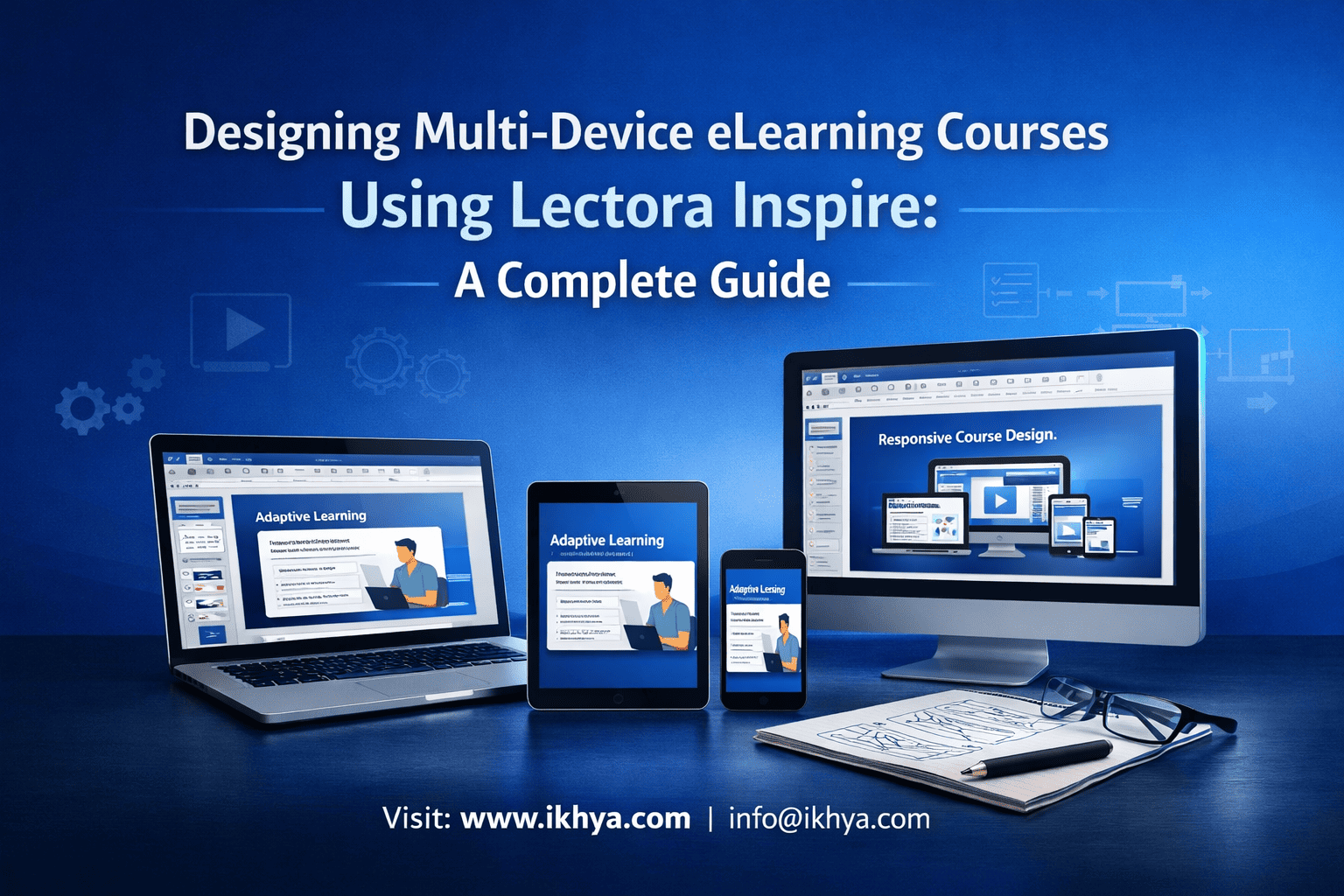
In today’s hybrid and mobile-first workplace, training is no longer confined to desktops. Employees expect seamless learning experiences across smartphones, tablets, and laptops. Designing multi-device eLearning courses using Lectora Inspire allows organizations to deliver consistent, engaging, and accessible training—anytime, anywhere.
Whether you’re building onboarding programs, compliance training, or performance-based learning, adopting a responsive approach is critical. Many organizations are already leveraging Lectora Inspire development services to accelerate multi-device course creation without compromising quality.
If your goal is to improve learner engagement, reduce development costs, and scale training globally, multi-device eLearning is the foundation.
Why Multi-Device Training Matters
Multi-device training is no longer a luxury—it is essential for modern learning. Employees increasingly access training during travel, on-the-go, or from different office locations. Ensuring courses function flawlessly across devices directly impacts learner engagement, knowledge retention, and overall business performance.
Key Benefits:
- Improved Accessibility: Learners can complete training anytime on their preferred device.
- Enhanced Engagement: Interactive content adapts to screen size, keeping learners focused.
- Cost Efficiency: Developing one responsive course reduces the need for multiple versions.
- Consistency: Ensures all employees receive the same quality training across devices.
Organizations investing in mobile learning development solutions consistently see higher completion rates and improved learner satisfaction.
Business Outcomes
Multi-device eLearning delivers measurable business impact:
- Reduced training downtime
- Faster onboarding
- Improved compliance adherence
- Higher knowledge retention
For enterprises scaling training, combining responsive design with custom eLearning development services ensures long-term sustainability.
Traditional vs Multi-Device Training
| Factor | Traditional Training | Multi-Device Training |
|---|---|---|
| Device support | Desktop-only | Desktop, tablet, mobile |
| Development approach | Multiple versions | Single responsive build |
| User experience | Static | Adaptive |
| Accessibility | Limited | High |
| Engagement | Moderate | High |
Real-World Scenario
A manufacturing company delivering safety training must support:
- Desktop users (engineers)
- Tablet users (supervisors)
- Mobile users (field staff)
Without responsive design, this requires multiple course versions. With Lectora Inspire, one course adapts to all devices—reducing cost and improving consistency.
Lectora Inspire Overview
Lectora Inspire is a robust eLearning authoring tool designed for creating responsive, multi-device courses. It enables instructional designers and corporate trainers to develop interactive training content that works seamlessly across desktops, tablets, and smartphones. With built-in SCORM, xAPI, and AICC support, Lectora Inspire ensures smooth LMS integration and learner tracking.
Organizations rely on Lectora Inspire for its flexibility, advanced features, and the ability to deliver consistent, high-quality training experiences across multiple platforms.
Key Features Supporting Multi-Device Courses
1. Responsive Course Design
- Automatically adjusts layouts for different screen sizes.
- Fluid grids, scalable text, and adaptable images ensure consistency.
- Device-specific interactions enhance learner engagement.
2. Multi-Media Integration
- Supports video, audio, animations, and interactive simulations.
- Enables microlearning modules for concise, focused learning.
- Incorporates scenario-based activities for real-world application.
3. SCORM/xAPI and LMS Compatibility
- Tracks learner progress and performance across LMS platforms.
- Generates detailed analytics for compliance and learning outcomes.
- Integrates with SCORM, xAPI, and AICC standards seamlessly.
4. Accessibility & Compliance
- Section 508 and WCAG compliant for accessibility.
- Supports keyboard navigation and screen readers.
- Ensures multi-device accessibility for all learners.
5. Reusable Assets & Templates
- Pre-built templates and master slides accelerate course creation.
- Maintains consistency across multiple modules and courses.
- Supports rapid development without compromising quality.
By leveraging these features, organizations can create multi-device training courses using Lectora Inspire that are scalable, interactive, and aligned with corporate objectives.
Best Practices for Multi-Device Course Design
Mobile-First Approach
Design courses with mobile devices in mind first to ensure content works seamlessly on smaller screens before scaling up to tablets and desktops. This approach prioritizes essential learning elements and simplifies navigation for learners on the go.
- Focus on key content and interactions
- Simplify layouts for clarity
- Ensure touch-friendly navigation and buttons
Responsive Layouts and Design Frameworks
Use responsive frameworks so your course content automatically adjusts to different screen sizes without breaking layout or functionality. Lectora Inspire’s flexible grids, dynamic text scaling, and adaptive images support smooth multi-device delivery.
- Employ fluid grids for alignment
- Test interactions on multiple devices
- Maintain readable font sizes and consistent styles
Microlearning Integration
Break content into short, focused modules ideal for multi-device consumption. Lectora Inspire supports modular content delivery, making microlearning highly effective for learners accessing training in short bursts.
- Create 3–5 minute learning modules
- Include quizzes and scenario-based activities
- Use multimedia to reinforce key points
Step-by-Step Multi-Device Development Process
Planning and Storyboarding
Before building a course, define learning objectives, target audience, and device priorities. Storyboarding ensures content flow, interactions, and media are planned for multi-device compatibility.
- Outline learning goals for each module
- Map interactions and branching scenarios
- Include device-specific considerations in the storyboard
Designing and Authoring
Using Lectora Inspire, create responsive layouts and integrate multimedia elements. Apply templates and reusable assets to maintain consistency across modules.
- Use fluid grids and adaptive images
- Incorporate videos, audio, and simulations
- Build microlearning modules where appropriate
Testing and Deployment
Test courses on multiple devices and screen sizes to ensure responsive performance. Validate SCORM/xAPI integration for LMS tracking and accessibility compliance.
- Perform device-specific testing on desktops, tablets, and smartphones
- Verify tracking and reporting via LMS
- Check accessibility features and usability
Vendor Selection and Outsourcing Strategy
In-House vs Outsourced Development
Organizations must decide whether to develop courses internally or hire external vendors. In-house teams offer control but may have resource limitations, while outsourcing provides expertise and faster delivery.
- Evaluate internal skill sets and capacity
- Compare development timelines and costs
- Consider quality and scalability of outsourced options
Key Questions to Ask Vendors
Selecting the right vendor ensures project success. Ask about experience, past projects, and multi-device development capabilities.
- Can they deliver responsive courses for multiple devices?
- Do they have industry-specific experience?
- What is their quality assurance and testing process?
Cost and Timeline Frameworks
Understanding cost structures and timelines helps set realistic expectations. Typical multi-device course development ranges from $2,500–$10,000 per module with 2–6 week timelines depending on complexity.
- Rapid development (2 weeks) for simple modules
- Comprehensive modules (4–6 weeks) with multimedia and interactivity
- Cost varies based on interactivity, industry, and compliance requirements.
Industry-Specific Use Cases
Healthcare
Lectora Inspire enables compliance and safety training for healthcare staff, accessible across devices. Multi-device courses ensure critical updates reach all employees promptly.
- Onboarding new staff with mobile-accessible modules
- Compliance training for HIPAA and safety regulations
- Microlearning for ongoing skill reinforcement
Manufacturing
Responsive courses help factory and field employees access safety protocols and equipment training anytime. Lectora’s simulations improve retention for complex processes.
- Safety and operational procedure training
- Scenario-based learning for equipment handling
- Rapid updates for regulatory compliance
Finance & Retail
Employees in finance and retail sectors benefit from multi-device access to compliance, product, and customer service training. Training can be completed on-the-go without disrupting work.
- Anti-money laundering and regulatory compliance
- Product knowledge and sales techniques
- Customer service scenario-based modules.
Comparison: Lectora Inspire vs Other Authoring Tools
Lectora Inspire vs Articulate Storyline
- Lectora offers stronger multi-device responsiveness out of the box.
- Storyline is feature-rich for interactions but requires extra effort for mobile optimization.
- Lectora supports complex branching and LMS compliance efficiently.
Lectora Inspire vs Articulate Rise
- Rise provides fast, template-based development but less flexibility for custom interactions.
- Lectora excels in highly customized courses requiring advanced scripting and media integration.
Lectora Inspire vs Adobe Captivate
- Captivate is strong in simulation-based and software training.
- Lectora is more versatile for multi-device delivery and long-form courses.
By understanding the strengths and limitations of each tool, organizations can choose the solution that aligns with their learning objectives and device requirements.
Future Trends in Multi-Device Training
AI-Driven Personalization
Artificial intelligence enables adaptive learning paths, delivering content tailored to individual learner performance and preferences. Lectora Inspire can integrate AI-powered analytics to enhance engagement and outcomes.
- Personalized learning modules based on performance
- Predictive insights for skill gaps
- Adaptive assessments and recommendations
Microlearning & Mobile Learning Evolution
Short, focused modules remain key for modern learners. Multi-device delivery ensures microlearning content is accessible anywhere, improving retention and completion rates.
- 3–5 minute learning bursts for quick knowledge reinforcement
- Push notifications for timely learning reminders
- Seamless integration into daily workflows
Analytics and Learner Engagement Tracking
Tracking learner behavior across devices provides insights into course effectiveness and ROI. Lectora Inspire supports detailed reporting via SCORM/xAPI to optimize training programs.
- Engagement metrics across devices
- Completion rates and assessment scores
- Data-driven course improvements.
Conclusion
Designing multi-device eLearning courses with Lectora Inspire ensures training is accessible, engaging, and effective across desktops, tablets, and smartphones. By leveraging responsive design, microlearning, and LMS integration, organizations can enhance learner engagement, improve retention, and reduce development costs.
To implement successful multi-device training:
- Plan courses with mobile-first design and clear storyboards
- Use Lectora Inspire’s responsive features and reusable assets
- Evaluate vendor options for outsourcing or in-house development
- Incorporate industry-specific scenarios and compliance training
- Track engagement and performance through LMS and analytics
Explore Custom eLearning Development Services to transform your training into multi-device-ready courses, or Contact Us to discuss tailored solutions for your organization.
FAQs
1. Can Lectora Inspire courses run on any device?
Yes, courses are fully responsive and work on desktops, tablets, and smartphones.
2. How long does it take to develop a multi-device course?
Typically 2–6 weeks per module depending on complexity and interactivity.
3. What is the cost of Lectora Inspire course development?
Costs range from $2,500–$10,000 per module based on complexity and media used.
4. Does Lectora Inspire support SCORM/xAPI tracking?
Yes, it supports SCORM, xAPI, and AICC for LMS integration and analytics.
5. Can Lectora Inspire handle microlearning modules?
Yes, it allows short, focused modules ideal for mobile and on-the-go learning.
6. Is accessibility compliance supported?
Yes, it meets Section 508 and WCAG standards for multi-device accessibility.
7. Can courses include simulations and interactive media?
Absolutely, Lectora Inspire supports video, audio, animations, and scenario-based learning.
8. Can I outsource Lectora Inspire development?
Yes, organizations can work with specialized vendors to reduce timelines and enhance quality.
9. How does Lectora Inspire compare to Storyline and Rise?
Lectora offers stronger multi-device responsiveness and advanced custom interactions, while Storyline and Rise have strengths in template use and simpler content creation.
10. Is LMS compatibility guaranteed?
Yes, it integrates seamlessly with most LMS platforms via SCORM/xAPI standards.
11. Can Lectora Inspire courses be updated easily?
Yes, reusable assets and templates allow efficient updates without rebuilding entire modules.
12. What industries benefit most from multi-device courses?
Healthcare, manufacturing, finance, retail, IT/software, and oil & gas.
13. Can I track learner engagement across devices?
Yes, Lectora provides detailed analytics for learner progress, assessment scores, and engagement.
14. Does Lectora Inspire support multi-language courses?
Yes, it supports translation and localization for global deployment.
15. Are microlearning courses effective for compliance training?
Yes, short modules increase retention and allow just-in-time learning for compliance updates.
16. How do I choose between in-house and outsourced development?
Consider internal skills, project timelines, budget, and quality requirements before deciding.
17. Is multi-device testing necessary?
Absolutely, testing on desktops, tablets, and smartphones ensures responsive functionality.
18. Can Lectora Inspire handle rapid development projects?
Yes, it supports accelerated timelines using templates and reusable assets.
19. Can Lectora Inspire be used for onboarding programs?
Yes, it’s effective for employee onboarding with interactive, multi-device modules.
20. Are analytics reports customizable?
Yes, detailed reports can be tailored to track completion, engagement, and assessment outcomes.
Related Resources
Explore more about multi-device eLearning and responsive course development through these resources:
- Rapid eLearning development using Lectora Inspire
- Lectora Inspire eLearning development for manufacturing training
- Outsource Lectora Inspire eLearning development
- Lectora Inspire vs Articulate Storyline
- Mobile-friendly training development using Lectora Inspire




