
Modernizing Legacy Training Using iSpring

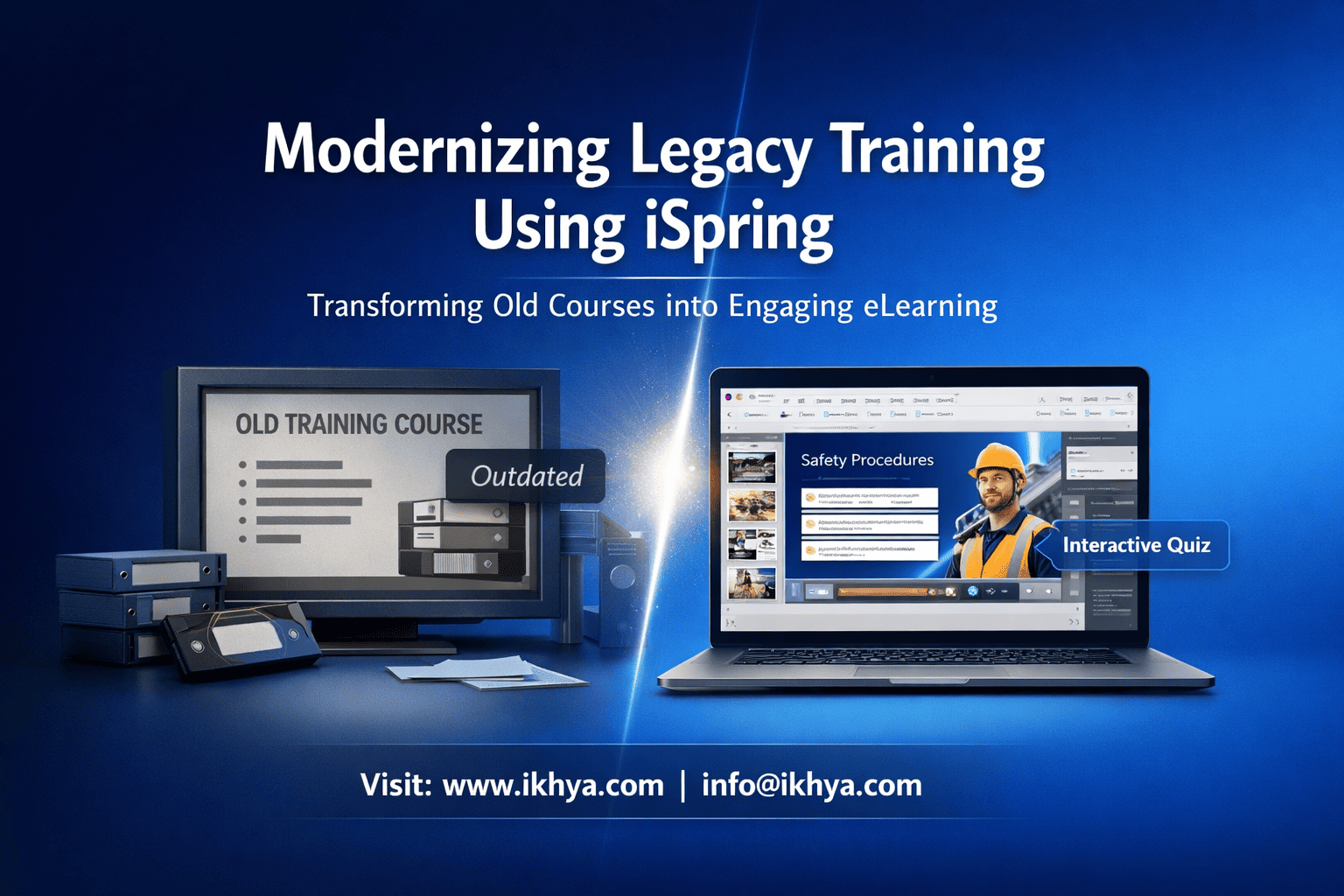
Outdated training programs are slowing down organizations more than most leaders realize. Static PowerPoint decks, classroom-heavy sessions, and non-interactive modules no longer meet the expectations of modern learners.
Modernizing legacy training using iSpring provides a fast, practical way to transform existing content into interactive, trackable, and mobile-ready eLearning—without rebuilding everything from scratch.
If your organization wants faster rollout, better engagement, and lower costs, this guide will show you exactly how to do it.
To explore how this works for your training programs, you can book a free eLearning demo.
What Is Legacy Training and Why It Needs Modernization
Legacy training refers to outdated learning formats such as PowerPoint presentations, PDFs, and instructor-led sessions that lack interactivity, scalability, and measurable outcomes.
These formats struggle to support today’s distributed, digital-first workforce.
Why legacy training no longer works
Traditional training methods focus on content delivery rather than learner experience.
Common limitations:
- Static, text-heavy content
- No interactivity or engagement
- Limited mobile accessibility
- No tracking (SCORM/xAPI)
- High dependency on instructors
As a result, learners disengage quickly, and organizations fail to measure effectiveness.
Business impact of outdated training
Legacy training creates real business risks:
- Low completion and retention rates
- Compliance gaps in regulated industries
- Inconsistent knowledge across teams
- Increased training costs over time
For example, companies in healthcare or finance may struggle with audits if training is not properly tracked.
What modernization actually means
Modernization is not just converting slides into digital format—it’s about improving how people learn.
Key elements include:
- Interactive eLearning modules
- Quizzes and scenario-based learning
- LMS integration (SCORM/xAPI)
- Mobile-friendly delivery
- Structured instructional design
Many organizations combine tools with expert instructional design services to ensure content is effective, not just digitized.
Key takeaway
Legacy training limits scalability and engagement. Modernizing it ensures training is interactive, measurable, and aligned with business goals.
What Is iSpring and How It Helps Modernize Training
iSpring is a rapid eLearning authoring tool that converts PowerPoint-based training into interactive, LMS-ready courses quickly and efficiently. It is widely used by corporate teams because it builds on PowerPoint, making it easy to modernize legacy content without starting from scratch.
How iSpring works
iSpring integrates directly with PowerPoint, allowing you to enhance existing slides instead of rebuilding them.
Core capabilities:
- Convert PPT into SCORM/xAPI-compatible courses
- Add quizzes, role-plays, and interactions
- Record voiceovers and video lectures
- Publish courses for any LMS
- Deliver mobile-friendly learning automatically
If your organization has large volumes of slides, you can efficiently convert PowerPoint to eLearning with minimal redesign effort.
Why iSpring is ideal for legacy modernization
iSpring is designed for speed and simplicity, making it one of the most practical tools for upgrading existing training.
Key advantages:
- Works within familiar PowerPoint environment
- Reduces development time significantly
- Requires minimal technical expertise
- Supports quick updates and republishing
- Cost-effective for large-scale projects
This makes it especially useful for organizations adopting rapid eLearning development services to scale training quickly.
When to use iSpring
iSpring is best suited for:
- PowerPoint-based training content
- Compliance and regulatory training
- Employee onboarding programs
- Product and process training
- Large-scale content conversion projects
However, it is less suitable for highly complex simulations or advanced gamification.
Simple modernization example
Before:
- Static compliance PowerPoint
- Delivered in classroom sessions
- No tracking or assessments
After using iSpring:
- Interactive eLearning course
- Built-in quizzes and scenarios
- LMS tracking (SCORM)
- Accessible on mobile devices
Result:
- Faster deployment
- Improved engagement
- Better compliance tracking
Key takeaway
iSpring enables organizations to modernize training quickly by transforming existing content into interactive, scalable eLearning—without heavy investment or long timelines.
Key Benefits of Using iSpring for Legacy Training Conversion
iSpring helps organizations modernize legacy training quickly by converting static content into interactive, LMS-ready eLearning. Its biggest advantage is delivering speed, cost efficiency, and scalability without requiring complex development.
1. Faster Development and Deployment
iSpring allows you to reuse existing PowerPoint content, significantly reducing development time.
Benefits:
- Convert courses in days instead of weeks
- Launch training faster across teams
- Reduce dependency on large development teams
This makes it ideal for organizations with tight timelines or large content volumes.
2. Cost-Effective Modernization
Compared to custom eLearning development, iSpring is more budget-friendly.
| Factor | Traditional Development | iSpring |
|---|---|---|
| Development time | Longer | Short |
| Cost per course | High | Moderate |
| Resource requirement | Large team | Small team |
Result: You can modernize more courses within the same budget.
3. Improved Learner Engagement
Legacy training is often passive. iSpring enables interactive learning experiences.
Features include:
- Quizzes and assessments
- Scenario-based learning
- Clickable interactions
- Dialogue simulations
These elements improve retention and completion rates.
4. LMS Compatibility and Tracking
iSpring supports SCORM, xAPI, and AICC standards.
This enables:
- Tracking learner progress
- Generating compliance reports
- Measuring performance through analytics
This is critical for industries with strict regulatory requirements.
5. Mobile-Friendly Learning
iSpring automatically creates responsive courses that work across devices.
Impact:
- Access training anytime, anywhere
- Support remote and field employees
- Improve learner convenience
6. Easy Updates and Maintenance
Updating legacy training becomes much simpler.
With iSpring:
- Edit the original PowerPoint
- Republish instantly
- Update content without rebuilding
This reduces long-term maintenance effort and cost.
7. Scalable for Enterprise Training
iSpring supports large-scale training rollouts across multiple teams and locations.
Best suited for:
- Global organizations
- Compliance training programs
- Employee onboarding at scale
For consistent quality across large projects, organizations often rely on iSpring development services.
Key takeaway
iSpring delivers a strong balance of speed, cost efficiency, and engagement, making it one of the most practical tools for modernizing legacy training at scale.
Step-by-Step Process to Modernize Training Using iSpring
Modernizing legacy training with iSpring follows a structured process that ensures content is not only converted but improved for better engagement and performance. The goal is to balance speed with instructional effectiveness.
Step 1: Audit Existing Training Content
Start by identifying what content should be updated, removed, or reused.
Key actions:
- Collect PPTs, PDFs, and ILT materials
- Identify outdated or redundant content
- Prioritize high-impact training (compliance, onboarding)
Outcome: Clear roadmap for modernization
Step 2: Define Learning Objectives
Before conversion, clarify what learners should achieve.
Focus on:
- Desired learning outcomes
- Breaking content into smaller modules
- Structuring logical learning paths
Step 3: Convert PowerPoint into iSpring Courses
This is where iSpring accelerates development.
Process:
- Import PowerPoint files
- Enhance slides with visuals and media
- Add narration or video
- Insert quizzes and knowledge checks
Step 4: Add Interactivity
Engagement is critical for effective learning.
Enhancements:
- Scenario-based learning
- Role-play simulations
- Click-based interactions
- Decision-making exercises
Step 5: Publish for LMS
Ensure your course is compatible with your learning platform.
Standards:
- SCORM
- xAPI
- AICC
Checklist:
- Test functionality
- Validate tracking
- Check mobile responsiveness
Step 6: Deploy and Track Performance
Upload courses to your LMS and monitor results.
Track:
- Completion rates
- Assessment scores
- Learner engagement
Step 7: Update and Optimize
Training should evolve over time.
Ongoing actions:
- Update content regularly
- Improve based on feedback
- Add new scenarios or modules
Process Summary
| Step | Outcome |
|---|---|
| Audit content | Identify priorities |
| Define objectives | Align training goals |
| Convert PPT | Rapid course creation |
| Add interactivity | Improve engagement |
| Publish to LMS | Enable tracking |
| Monitor performance | Measure success |
| Optimize | Keep content relevant |
Key takeaway
A structured approach ensures legacy training is transformed into engaging, scalable, and measurable eLearning, not just digitized content.
What Types of Legacy Content Can Be Converted Using iSpring
iSpring can convert most legacy training formats into interactive eLearning, making it a highly practical solution for organizations with existing content. Instead of rebuilding from scratch, you can reuse and enhance what you already have.
1. PowerPoint Presentations
PowerPoint is the most common legacy format—and iSpring is specifically built for it.
What can be converted:
- Training decks
- Compliance presentations
- Product and sales training
Enhancements:
- Add narration and videos
- Include quizzes and interactions
- Enable LMS tracking
2. Instructor-Led Training (ILT) Materials
Classroom-based training can be transformed into self-paced or blended learning.
Typical content:
- Facilitator guides
- Workshop materials
- Training manuals
Modern approach:
- Break into microlearning modules
- Add interactive elements
- Include assessments
3. PDFs and Documents
Static documents often contain valuable knowledge but lack engagement.
Examples:
- Policies and SOPs
- Compliance manuals
- Employee handbooks
Conversion approach:
- Extract key content
- Structure into modules
- Add interactivity and quizzes
4. Video-Based Content
Existing videos can be enhanced within iSpring.
Use cases:
- Recorded lectures
- Webinars
- Product demos
Enhancements:
- Add quizzes within videos
- Combine with slides
- Improve navigation
5. Legacy eLearning Courses
Older courses can be refreshed to improve usability and engagement.
Improvements include:
- Updated design and layout
- Mobile responsiveness
- Better interactivity
- Improved tracking
For deeper redesign needs, organizations often use custom eLearning development services.
Content Conversion Overview
| Content Type | Approach | Benefit |
|---|---|---|
| PowerPoint | Direct conversion | Fastest |
| ILT materials | Modular redesign | Scalable |
| PDFs/Documents | Structured conversion | Better usability |
| Videos | Interactive enhancement | Higher engagement |
| Legacy eLearning | Upgrade & refresh | Modern experience |
Limitations to consider
iSpring may not be ideal for:
- Complex simulations
- Advanced gamification
- Highly customized interactions
Key takeaway
iSpring works best when you already have structured content and want to modernize it quickly without rebuilding everything from scratch.
iSpring vs Other Authoring Tools (Storyline, Rise, Captivate)
iSpring is best for rapid conversion of legacy training, while tools like Storyline, Rise, and Captivate are better suited for advanced interactivity or specialized use cases. Choosing the right tool depends on your content complexity, timeline, and learning goals.
Quick Comparison
| Feature | iSpring | Storyline | Rise | Captivate |
|---|---|---|---|---|
| Ease of use | Very easy | Moderate | Very easy | Moderate |
| Development speed | Fast | Medium | Very fast | Medium |
| Interactivity | Basic–moderate | Advanced | Limited | Advanced |
| Mobile responsiveness | Good | Good | Excellent | Excellent |
| Best use case | PPT conversion | Custom simulations | Microlearning | Software training |
When iSpring Is the Best Choice
iSpring is ideal when speed and efficiency are the priority.
Use iSpring if:
- You have large volumes of PowerPoint training
- You need quick turnaround (1–3 weeks)
- Training is compliance or information-based
- Budget is limited
This makes it a strong fit for organizations leveraging rapid eLearning development services.
When to Choose Other Tools
Storyline:
- Advanced branching scenarios
- Gamification and simulations
Rise:
- Mobile-first microlearning
- Clean, responsive layouts
Captivate:
- Software simulations
- Technical training
Simple Decision Framework
| Requirement | Recommended Tool |
|---|---|
| Fast conversion of PPTs | iSpring |
| High interactivity | Storyline |
| Mobile-first learning | Rise |
| Software/system training | Captivate |
Hybrid Approach (Best Practice)
Many organizations combine tools for better results.
Example:
- iSpring → Bulk content conversion
- Storyline → Advanced modules
- Rise → Microlearning
Benefit: Balanced cost, speed, and quality.
Key takeaway
iSpring is the best starting point for fast, scalable modernization, while other tools complement it for more complex learning needs.
Cost of Modernizing Training Using iSpring
Modernizing legacy training using iSpring is one of the most cost-efficient approaches because it reuses existing content and reduces development time. Costs vary based on complexity, but overall, iSpring delivers strong ROI compared to custom eLearning.
Typical Cost Range
The cost depends on how much enhancement your content needs.
| Course Type | Cost per Hour | Timeline |
|---|---|---|
| Basic conversion | $500 – $1,500 | 3–5 days |
| Moderate interactivity | $1,500 – $3,000 | 1–2 weeks |
| Advanced (scenarios, media) | $3,000 – $5,000 | 2–3 weeks |
Insight:
Compared to traditional custom eLearning ($5,000–$15,000/hour), iSpring can reduce costs by up to 50–70%.
Key Cost Factors
Several elements influence the final cost:
- Content complexity – Simple slides vs scenario-based learning
- Volume – Bulk projects reduce per-course cost
- Interactivity level – Basic quizzes vs branching scenarios
- Multimedia – Voiceovers, videos, animations
- Instructional design effort – Content restructuring and optimization
To optimize investment, many organizations use elearning consultancy services before starting development.
Cost Comparison by Approach
| Approach | Cost | Speed | Best For |
|---|---|---|---|
| iSpring | Low–Medium | Fast | PPT-based training |
| Storyline | Medium–High | Medium | Custom interactivity |
| Captivate | Medium–High | Medium | Software simulations |
| Custom development | High | Slow | Complex enterprise training |
ROI Benefits
Beyond direct costs, iSpring reduces long-term expenses.
Key ROI drivers:
- Faster course development
- Reduced instructor-led training costs
- Easier updates and maintenance
- Scalable deployment across teams
Example Scenario
A company with 40 legacy courses:
- Traditional approach: High cost, long timelines
- iSpring approach: Faster rollout, significant cost savings
Outcome:
- Training deployed in weeks instead of months
- Improved learner engagement
- Better compliance tracking
When to Outsource
Outsourcing is ideal if:
- You have large-scale conversion needs
- Internal resources are limited
- You need faster delivery
You can evaluate options or request an RFP to estimate project costs and timelines.
Key takeaway
iSpring offers a practical balance of cost, speed, and scalability, making it a preferred choice for organizations modernizing large volumes of legacy training.
Real-World Use Cases Across Industries
iSpring enables organizations across industries to modernize legacy training quickly by converting static content into scalable, interactive eLearning. Its impact is most visible in sectors where compliance, safety, and continuous learning are critical.
Healthcare: Compliance and Clinical Training
Healthcare organizations require frequent training updates and strict compliance tracking.
How iSpring helps:
- Converts policy documents into interactive modules
- Adds assessments for certification tracking
- Enables LMS reporting for audits
Outcome:
- Improved compliance readiness
- Faster updates for regulatory changes
- Consistent training across departments
For structured implementation, organizations often use healthcare training elearning solutions.
Manufacturing: Safety and Operational Training
Manufacturing environments require consistent safety training across locations.
Challenges with legacy training:
- Paper-based manuals
- Instructor-dependent delivery
- Inconsistent knowledge transfer
iSpring solution:
- Convert safety presentations into eLearning
- Add scenario-based learning
- Track completion via LMS
Result:
- Standardized training across plants
- Improved safety awareness
- Reduced incidents
IT & Software: Product and Onboarding Training
IT companies need fast, scalable training for evolving products and systems.
iSpring enables:
- Quick conversion of product training slides
- Video-based learning integration
- Modular onboarding programs
Outcome:
- Faster employee onboarding
- Improved product knowledge retention
- Easy updates for new releases
Financial Services: Regulatory Training
Financial institutions must meet strict compliance requirements across regions.
Key benefits of iSpring:
- Rapid updates for regulatory changes
- Built-in assessments for compliance validation
- LMS tracking for audit readiness
Result:
- Reduced compliance risk
- 100% training visibility
- Scalable global deployment
Retail: Sales and Customer Training
Retail teams require consistent training across distributed locations and high employee turnover.
iSpring approach:
- Convert training into microlearning modules
- Add role-play scenarios for customer interactions
- Deliver mobile-friendly courses
Outcome:
- Faster onboarding
- Improved customer service performance
- Higher engagement among frontline staff
Industry Summary
| Industry | Training Focus | Key Benefit |
|---|---|---|
| Healthcare | Compliance | Audit-ready training |
| Manufacturing | Safety | Standardized delivery |
| IT/Software | Product training | Faster updates |
| Financial Services | Regulatory | Risk reduction |
| Retail | Sales & service | Improved engagement |
Key takeaway
Across industries, iSpring consistently delivers value by enabling fast, scalable, and trackable training modernization, especially where large volumes of legacy content exist.
Challenges and Risks in Legacy Training Modernization
Modernizing legacy training using iSpring is efficient, but without the right approach, organizations risk creating digital content that still fails to engage learners or deliver results. Awareness of these challenges ensures better outcomes.
1. Converting Without Improving
A common mistake is simply converting slides into eLearning without enhancing them.
Risk:
- Courses remain static and unengaging
- Learners lose interest quickly
Solution:
- Add interactivity, quizzes, and scenarios
- Improve content structure with clear learning objectives
2. Poor Instructional Design
Legacy content is often not structured for digital learning.
Challenges:
- Information overload
- No clear learning flow
- Weak knowledge retention
Solution:
- Break content into smaller modules
- Apply learning principles and storytelling
- Use expert instructional design services when needed
3. Overloading Courses
Trying to include too much information leads to long, ineffective courses.
Impact:
- Low completion rates
- Reduced learner engagement
Best practice:
- Focus on essential content
- Use microlearning (5–10 minute modules)
4. Limited Interactivity
Even with iSpring, courses can feel passive if interactivity is not used effectively.
Issues:
- Too many static slides
- Minimal learner involvement
Solution:
- Include decision-based scenarios
- Add quizzes and role-based learning
- Encourage active participation
5. LMS Integration Issues
Improper setup can lead to tracking and reporting problems.
Risks:
- Incomplete learner data
- Reporting inaccuracies
Solution:
- Test SCORM/xAPI settings
- Validate LMS compatibility before launch
6. Scaling and Consistency Challenges
Large organizations may struggle to maintain consistency across courses.
Challenges:
- Inconsistent design
- Varying quality across modules
Solution:
- Use standardized templates
- Establish design guidelines
- Consider expert support through custom eLearning development services
7. Maintenance and Updates
Training content needs regular updates, especially for compliance.
Challenges:
- Delays in updates
- Lack of ownership
Solution:
- Assign content owners
- Schedule periodic reviews
- Maintain version control
Key takeaway
Successful modernization requires more than conversion. By addressing these challenges, organizations can ensure training is engaging, scalable, and aligned with business goals.
When Should You Choose iSpring vs Other Tools
Choosing iSpring depends on your training goals, content type, and timeline. iSpring is best for fast, scalable conversion of existing content, while other tools are better suited for complex, highly interactive learning experiences.
Quick Answer
Use iSpring when you need to quickly modernize PowerPoint-based training. Choose other tools when your training requires advanced interactivity, simulations, or custom design.
When iSpring Is the Right Choice
iSpring is ideal for organizations prioritizing speed and efficiency.
Best-fit scenarios:
- Large volumes of PowerPoint training
- Tight timelines (1–3 weeks)
- Compliance or policy training
- Budget-sensitive projects
- Need for quick LMS deployment
When to Choose Other Tools
Consider alternatives if you need:
- Advanced interactivity → Use Storyline
- Mobile-first microlearning → Use Rise
- Software simulations → Use Captivate
These tools offer greater flexibility but require more time and cost.
Decision Matrix
| Requirement | Recommended Tool |
|---|---|
| Fast PPT conversion | iSpring |
| High interactivity | Storyline |
| Mobile-first courses | Rise |
| Technical simulations | Captivate |
Hybrid Strategy (Recommended)
Many organizations combine tools for better results.
Example approach:
- iSpring → Convert bulk legacy content
- Storyline → Build advanced modules
- Rise → Deliver microlearning
Benefits:
- Faster development
- Better learner experience
- Optimized cost
Key takeaway
iSpring is the best choice for speed, scalability, and cost efficiency, while other tools complement it for more advanced learning needs.
Should You Outsource iSpring Development
Outsourcing iSpring development is often the fastest and most efficient way to modernize legacy training, especially for large-scale projects. It allows organizations to access expertise, maintain consistency, and accelerate delivery without overloading internal teams.
When Outsourcing Makes Sense
Outsourcing is the right choice when internal resources or expertise are limited.
Ideal scenarios:
- Large volumes of legacy content to convert
- Tight deadlines and rapid rollout requirements
- Need for consistent design across courses
- Lack of in-house instructional design expertise
In such cases, partnering with experts ensures both speed and quality.
Benefits of Outsourcing iSpring Development
1. Faster turnaround
- Experienced teams follow proven workflows
- Parallel development reduces timelines
2. Better instructional quality
- Professional learning design improves engagement
- Content is structured for better retention
3. Scalability
- Handle multiple courses simultaneously
- Maintain consistency across modules
4. Cost efficiency
- Avoid hiring and training internal teams
- Optimize cost for large projects
Organizations often leverage specialized iSpring development services to streamline execution.
When In-House Development Works
In-house development may be suitable if:
- You have a skilled internal L&D team
- Project scope is small
- Content requires frequent minor updates
- Budget allows internal resource allocation
Outsourcing vs In-House Comparison
| Factor | In-House | Outsourcing |
|---|---|---|
| Cost (small projects) | Lower | Moderate |
| Cost (large projects) | Higher | More efficient |
| Speed | Slower | Faster |
| Expertise | Limited | Specialized |
| Scalability | Limited | High |
How to Choose the Right Approach
Ask these key questions:
- Do we have internal expertise in iSpring and instructional design?
- How quickly do we need to deploy training?
- How many courses need to be converted?
- Do we need consistent quality across modules?
If the answer points toward speed, scale, and quality, outsourcing is usually the better option.
Key takeaway
Outsourcing iSpring development helps organizations modernize training faster, maintain quality, and scale efficiently—making it the preferred approach for most enterprise-level projects.
How to Choose the Right eLearning Partner
Choosing the right eLearning partner is critical to successfully modernizing legacy training using iSpring. The right vendor ensures quality, speed, and scalability—while the wrong one can lead to delays, poor engagement, and rework.
What to Look for in an eLearning Partner
A reliable partner should combine technical expertise with instructional design capability.
Key criteria:
- Experience with iSpring and rapid eLearning
- Strong instructional design capabilities
- Proven portfolio across industries
- Understanding of LMS standards (SCORM, xAPI)
- Ability to scale for large projects
Organizations often evaluate vendors offering custom eLearning development services to ensure end-to-end support.
Questions to Ask Before Selecting a Vendor
Asking the right questions helps you avoid costly mistakes.
Important questions:
- Can you share similar project examples?
- What is your development process and timeline?
- How do you ensure instructional quality?
- Do you support updates and maintenance?
- How do you handle LMS integration and testing?
Red Flags to Avoid
Not all vendors deliver the same quality.
Watch out for:
- Only offering “slide conversion” without design improvement
- Lack of clear process or timelines
- No experience with compliance or enterprise training
- Poor communication or unclear pricing
Vendor Evaluation Checklist
| Criteria | What to Check |
|---|---|
| Expertise | iSpring + instructional design |
| Portfolio | Relevant industry experience |
| Process | Clear workflow and timelines |
| Technology | SCORM/xAPI compatibility |
| Scalability | Ability to handle large projects |
Why Expertise Matters
Modernizing training is not just about tools—it’s about strategy.
An experienced partner can:
- Improve learner engagement
- Optimize content structure
- Reduce development time
- Ensure consistent quality across courses
For organizations unsure where to start, consulting experts through elearning consultancy services can help define the right approach.
Key takeaway
The right eLearning partner ensures your modernization effort delivers real business impact—not just converted content. Focus on expertise, process, and scalability when making your decision.
Future Trends in Rapid eLearning Modernization
Rapid eLearning is evolving quickly, and tools like iSpring are adapting to meet the demands of modern learners and global organizations. Understanding these trends helps you future-proof your training strategy.
1. Microlearning as the Default Format
Short, focused learning modules are becoming the standard.
Why it matters:
- Improves retention and completion rates
- Fits into busy work schedules
- Enables just-in-time learning
Organizations are increasingly shifting from long courses to 5–10 minute modules for better engagement.
2. Mobile-First Learning Experiences
With remote and hybrid work models, mobile learning is no longer optional.
Trend highlights:
- Courses designed primarily for smartphones
- Offline access for field employees
- Responsive design across devices
iSpring already supports mobile-ready delivery, making it aligned with this shift.
3. AI-Driven Personalization
Artificial intelligence is starting to influence how training is delivered.
Emerging capabilities:
- Personalized learning paths
- Adaptive assessments
- Content recommendations based on performance
This helps organizations deliver more relevant and efficient training experiences.
4. Increased Focus on Analytics and xAPI
Organizations want deeper insights into learning performance.
Key developments:
- Advanced tracking beyond completion rates
- Behavioral insights using xAPI
- Data-driven training improvements
This is especially important for compliance-heavy industries.
5. Faster Content Updates and Continuous Learning
Training is moving from one-time delivery to continuous learning models.
What’s changing:
- Frequent content updates
- Ongoing skill development
- Integration with performance management systems
iSpring supports this by allowing quick updates and republishing.
6. Blended Learning Approaches
Organizations are combining multiple learning formats.
Examples:
- eLearning + virtual instructor-led training
- Microlearning + on-the-job training
- Video + interactive modules
This creates a more flexible and effective learning ecosystem.
Key takeaway
The future of training is fast, flexible, data-driven, and learner-centric. iSpring aligns well with these trends, making it a strong choice for organizations looking to modernize training sustainably.
Conclusion
Modernizing legacy training using iSpring is one of the most efficient ways to transform outdated content into engaging, scalable, and measurable eLearning.
By leveraging existing materials, organizations can:
- Reduce development time and cost
- Improve learner engagement
- Enable LMS tracking and compliance
- Scale training across global teams
However, success depends on combining the right tool with the right strategy—focusing on instructional design, interactivity, and continuous improvement.
If you’re planning to modernize your training programs, working with experienced partners can significantly improve outcomes.
You can get started by exploring tailored solutions or reaching out to IKHYA – eLearning Solutions Company at info@ikhya.com, or simply contact us to discuss your requirements.
FAQs
1. What is legacy training?
Legacy training refers to outdated learning formats like PowerPoint slides, PDFs, and instructor-led sessions that lack interactivity, scalability, and tracking capabilities.
2. Why should organizations modernize legacy training?
Modernizing legacy training improves engagement, enables LMS tracking, reduces costs, and ensures compliance with industry regulations.
3. What is iSpring used for in eLearning?
iSpring is used to convert PowerPoint presentations into interactive, SCORM/xAPI-compatible eLearning courses quickly and efficiently.
4. How does iSpring help modernize training?
iSpring transforms static content into interactive modules with quizzes, simulations, and mobile-friendly delivery, making training more engaging and measurable.
5. Can iSpring convert PowerPoint into eLearning?
Yes, iSpring directly converts PowerPoint presentations into interactive eLearning courses with minimal redesign effort.
6. Is iSpring suitable for corporate training?
Yes, iSpring is widely used for corporate training, especially for compliance, onboarding, and product training programs.
7. What types of content can be converted using iSpring?
iSpring can convert PowerPoint slides, PDFs, instructor-led training materials, videos, and basic legacy eLearning courses.
8. How long does it take to modernize training using iSpring?
Most courses can be converted within 1–3 weeks, depending on complexity and interactivity.
9. What is the cost of iSpring eLearning development?
Costs typically range from $500 to $5,000 per hour of content, depending on complexity and design requirements.
10. Is iSpring better than Storyline?
iSpring is better for fast, cost-effective conversion, while Storyline is better for advanced interactivity and custom simulations.
11. Does iSpring support LMS integration?
Yes, iSpring supports SCORM, xAPI, and AICC, making it compatible with most LMS platforms.
12. Can iSpring courses be accessed on mobile devices?
Yes, iSpring automatically creates mobile-friendly courses that work across smartphones, tablets, and desktops.
13. What are the benefits of using iSpring for legacy training?
Key benefits include faster development, lower cost, improved engagement, LMS tracking, and easy updates.
14. What are the limitations of iSpring?
iSpring is not ideal for complex simulations, advanced gamification, or highly customized learning experiences.
15. How does iSpring improve learner engagement?
It adds quizzes, interactions, scenarios, and multimedia elements that make learning more interactive and effective.
16. Can legacy instructor-led training be converted using iSpring?
Yes, instructor-led training can be converted into self-paced or blended eLearning modules using iSpring.
17. Should organizations outsource iSpring development?
Outsourcing is recommended for large-scale projects, tight deadlines, or when internal expertise is limited.
18. What industries benefit most from iSpring?
Industries like healthcare, manufacturing, finance, IT, and retail benefit most due to compliance and scalability needs.
19. How often should eLearning courses be updated?
Courses should be reviewed and updated regularly, especially for compliance training or rapidly changing content.
20. What is the ROI of modernizing training using iSpring?
Organizations typically see reduced development costs, faster deployment, improved engagement, and better compliance tracking.
Related Resources
To deepen your understanding and move toward implementation, explore these additional resources. They are structured to support your journey from tool awareness to strategic decision-making and execution.
- What is iSpring Suite
- Top features of iSpring for eLearning development
- Why organizations use iSpring for corporate training
- Rapid eLearning development using iSpring
- Contact us




