
Convert PowerPoint to eLearning: A Simple, Complete Guide for Global Teams

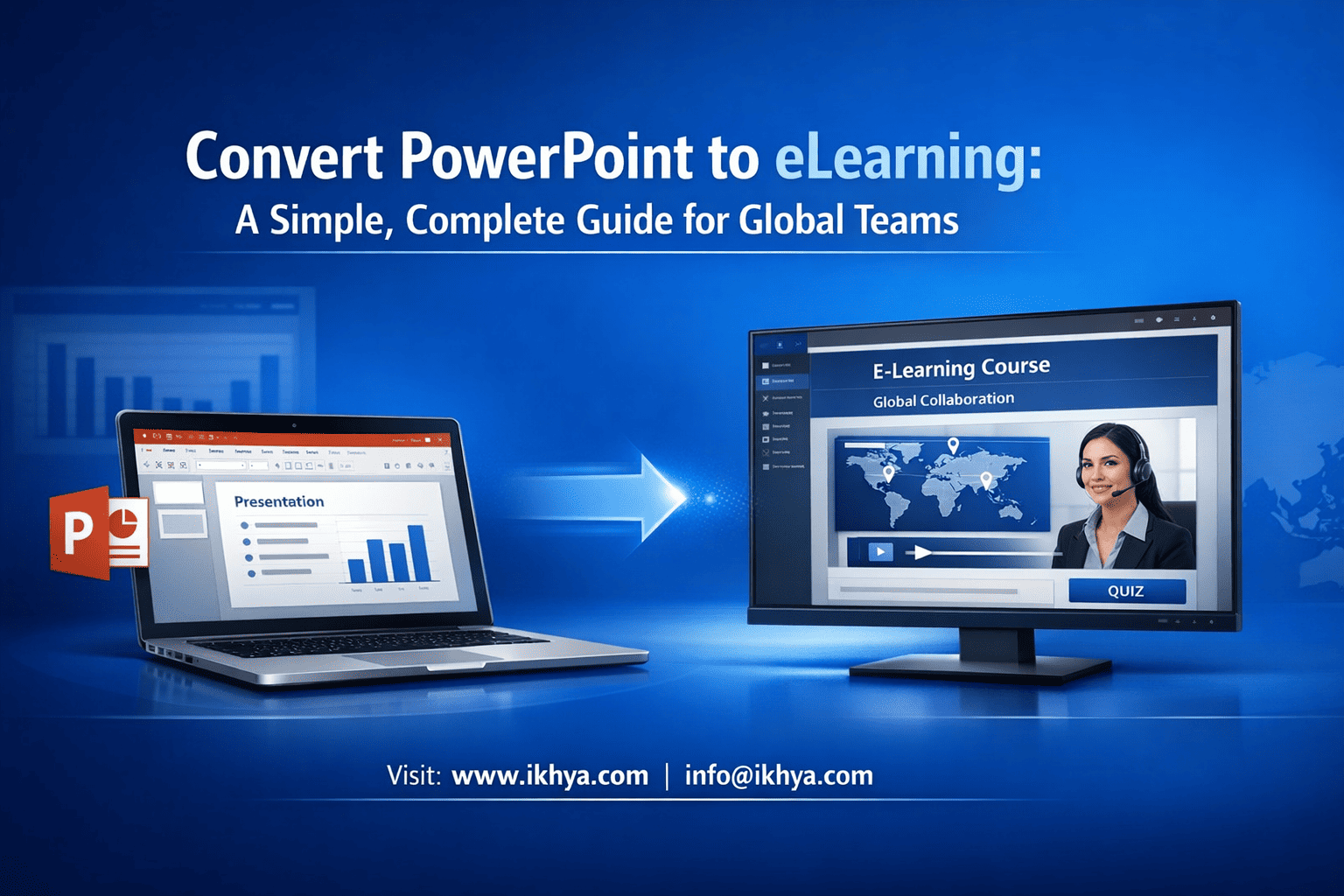
Most organizations already have hundreds of PowerPoint training files—but PowerPoint alone cannot track learning, measure performance, or ensure compliance. Converting PowerPoint into proper eLearning transforms static slides into measurable, interactive, and globally deployable training. If your organization wants scalable, trackable, and modern training, the time to convert your PowerPoint into eLearning is now. Contact IKHYA today to start your conversion project and deploy globally compliant training faster.
What Does It Mean to Convert PowerPoint to eLearning?
Converting PowerPoint to eLearning means transforming static presentation slides into interactive, trackable, and LMS-compatible training modules using authoring tools like Articulate Storyline or Adobe Captivate. The output supports SCORM, xAPI, or HTML5 standards, enabling progress tracking, assessments, reporting, and global accessibility across devices and enterprise learning systems.
PowerPoint is one of the most widely used training formats in the world. However, traditional PowerPoint files have major limitations:
- No learner tracking
- No progress reporting
- No assessment scoring integration
- No LMS compatibility
- Limited interactivity
- Poor mobile learning experience
When converted properly, PowerPoint becomes a fully functional eLearning course that works inside enterprise Learning Management Systems (LMS).
PowerPoint vs eLearning: Understanding the Core Difference
| Feature | PowerPoint | eLearning Course |
|---|---|---|
| Learner tracking | Not available | Full tracking via SCORM/xAPI |
| LMS compatibility | No | Yes |
| Interactive quizzes | Limited or none | Full assessments with scoring |
| Reporting | Not available | Detailed analytics and reports |
| Mobile compatibility | Poor | Fully responsive |
| Compliance validation | Not possible | Fully compliant |
| Global deployment | Limited | Enterprise ready |
What Actually Changes During Conversion?
Conversion is not just exporting slides into another format. It involves redesigning the training to function as a digital learning system.
Key transformation elements include:
1. Interactive Learning Layer
- Click interactions
- Scenario-based learning
- Knowledge checks
- Decision simulations
2. LMS Tracking Integration
- SCORM 1.2
- SCORM 2004
- xAPI (Tin Can API)
- cmi5 compatibility
3. Multimedia Enhancement
- Voice narration
- Video integration
- Animations
- Interactive graphics
4. Mobile Optimization
- HTML5 output
- Responsive layouts
- Cross-device compatibility
Example: Corporate Compliance Training Conversion (USA)
See how healthcare compliance training can be transformed into interactive, trackable eLearning for regulated environments.
A healthcare organization in the United States had PowerPoint training for HIPAA compliance. After conversion:
- Training was published in SCORM 2004 format
- Deployed in Cornerstone LMS
- Completion tracking improved from 0% visibility to 100% reporting
- Compliance audit readiness improved significantly
This is essential because US healthcare organizations must comply with HIPAA training documentation requirements.
Example: Workplace Safety Training (Australia)
An Australian mining company converted PowerPoint safety training to SCORM modules aligned with Safe Work Australia guidelines.
Results:
- LMS tracked learner completion
- Certification was automated
- Refresher training reminders were automated
- Compliance audit preparation time reduced by 60%
What Formats Are Used After Conversion?
Most converted eLearning courses are published in standard formats:
| Standard | Purpose | Where Used |
|---|---|---|
| SCORM 1.2 | Basic tracking | Most LMS systems globally |
| SCORM 2004 | Advanced tracking | USA, UK, Australia enterprise LMS |
| xAPI | Advanced analytics | Modern learning ecosystems |
| HTML5 | Browser delivery | Mobile and web learning |
| cmi5 | Next-gen LMS tracking | Enterprise environments |
Why Global Organizations Require eLearning Instead of PowerPoint
PowerPoint cannot meet enterprise compliance, reporting, and scalability requirements.
Global organizations need:
- Proof of training completion
- Assessment scoring records
- Audit-ready reporting
- Multi-country deployment capability
- Mobile workforce access
This is especially important in regulated industries such as:
- Healthcare (HIPAA – USA)
- Construction (HSE – UK)
- Mining (Safe Work Australia)
- Oil & Gas (UAE ADNOC compliance)
How Learners Experience Converted eLearning
Instead of passive slides, learners experience:
- Interactive navigation
- Knowledge checks
- Real-world scenarios
- Progress tracking
- Certification upon completion
This improves knowledge retention and compliance.
When Should You Convert PowerPoint to eLearning?
You should convert PowerPoint to eLearning when:
- Training must be tracked
- Training is delivered through LMS
- Compliance documentation is required
- Training must scale globally
- Training must work on mobile devices
- Training requires assessments
Why Should Organizations Convert PowerPoint to eLearning Instead of Using Slides Directly?
Organizations convert PowerPoint to eLearning because PowerPoint cannot track learner progress, measure completion, or integrate with LMS platforms. eLearning enables compliance tracking, reporting, assessments, and scalable global deployment. It transforms passive slides into interactive training systems that improve learning effectiveness, audit readiness, and enterprise training management across distributed teams.
PowerPoint was designed as a presentation tool—not a learning system. While it works well for instructor-led training, it fails in modern digital learning environments where tracking, reporting, and scalability are critical.
eLearning conversion solves these limitations by creating structured, LMS-compatible courses that organizations can monitor and improve.
Key Business Benefits of Converting PowerPoint to eLearning
1. Full Learner Tracking and Reporting
Once converted, training can be tracked inside an LMS using SCORM or xAPI standards.
Organizations can track:
- Course start and completion
- Assessment scores
- Pass or fail status
- Time spent on training
- Certification status
Example (UK – Health & Safety Training):
UK organizations regulated by the Health and Safety Executive (HSE) must prove employee safety training completion. eLearning conversion allows automatic tracking and reporting, ensuring audit readiness.
2. Global Scalability Across Teams and Locations
Organizations deploying training globally often require elearning translation and localization to deliver multilingual courses across international teams.
PowerPoint requires manual delivery. eLearning enables automated global deployment.
A single converted course can be deployed to:
- USA office teams
- UK compliance teams
- UAE operational staff
- Australia field workers
All using the same centralized LMS.
This ensures training consistency across regions.
3. Compliance and Audit Readiness
Many industries require documented proof of training completion.
eLearning systems provide:
- Completion certificates
- Training records
- Assessment scores
- Audit-ready reports
Example (UAE – Oil and Gas Sector):
Oil and gas companies operating under ADNOC regulations must maintain documented safety training records. LMS-based eLearning ensures full compliance documentation.
4. Improved Learning Effectiveness and Retention
Traditional slides create passive learners. eLearning creates active learners.
eLearning includes:
- Interactive questions
- Scenario-based learning
- Decision simulations
- Immediate feedback
This improves retention significantly compared to passive presentations.
5. Reduced Training Delivery Costs
Many global companies outsource elearning development to reduce production time, improve instructional quality, and accelerate deployment.
Instructor-led PowerPoint training requires:
- Trainers
- Physical sessions
- Scheduling coordination
- Repeated delivery
eLearning removes these costs by enabling self-paced training.
Example (Australia – Corporate Compliance Training)
An Australian financial organization reduced training delivery costs by over 45% after converting PowerPoint training into LMS-based eLearning modules.
Technical Advantages Over Traditional PowerPoint
| Capability | PowerPoint | eLearning |
|---|---|---|
| LMS integration | No | Yes |
| SCORM/xAPI support | No | Yes |
| Assessment tracking | No | Yes |
| Certification | No | Yes |
| Mobile learning | Limited | Fully supported |
| Automated reporting | No | Yes |
| Global deployment | Manual | Automated |
Operational Benefits for Enterprise Training Teams
A real custom elearning development case study illustrates how organizations transform legacy PowerPoint training into scalable LMS-based learning systems.
Conversion helps Learning & Development teams:
- Standardize training globally
- Track employee compliance automatically
- Reduce manual administrative work
- Improve training consistency
- Support remote and hybrid workforces
This is essential for global companies with distributed teams.
Real-World Enterprise Example (USA – Manufacturing)
A manufacturing company in Texas had over 200 PowerPoint safety trainings.
Organizations modernizing manufacturing safety training often require scalable LMS-ready learning solutions across plants and teams.
manufacturing safety training case study to understand how LMS-based safety training improves completion tracking and compliance reporting.
Problems:
- No completion tracking
- No compliance proof
- No LMS integration
After conversion to SCORM-based eLearning:
- 100% training visibility
- Automated compliance reporting
- Reduced training administration by 65%
When PowerPoint Alone Is Still Acceptable
PowerPoint may still be suitable for:
- Instructor-led classroom training
- Internal presentations
- Quick knowledge sharing
- Non-compliance training
However, for scalable, trackable, and compliance-critical training, eLearning is required.
What Are the Different Methods to Convert PowerPoint to eLearning?
Many organizations need to convert existing training content into fully interactive courses using modern authoring tools and LMS-compatible formats.
Converting PowerPoint to eLearning can be done using three primary methods: rapid conversion using authoring tools, enhanced conversion with interactivity and assessments, or full redesign into scenario-based learning. The best method depends on training goals, compliance requirements, learner audience, and technical complexity needed for global LMS deployment.
Method 1: Rapid Conversion (Basic Level)
This method converts PowerPoint into eLearning quickly with minimal changes.
Process:
- Import PowerPoint into authoring tools
- Add narration
- Add basic navigation
- Export to SCORM or HTML5
Tools used:
- Articulate Storyline
- Articulate Rise
- Adobe Captivate
- iSpring Suite
Best for:
- Informational training
- Internal training
- Non-compliance training
Method 2: Enhanced Conversion (Recommended for Most Organizations)
This method improves training effectiveness with interactivity.
Enhancements include:
- Knowledge check questions
- Interactive navigation
- Multimedia elements
- Voice narration
- Visual redesign
Best for:
- Corporate training
- Compliance training
- Global workforce training
Method 3: Full eLearning Redesign (Advanced Level)
This method rebuilds the course into a modern learning experience.
Includes:
- Scenario-based learning
- Simulations
- Decision-based learning
- Gamification
- Role-based learning paths
Best for:
- Healthcare compliance (USA)
- Safety training (Australia)
- Construction compliance (UK)
- Oil & gas training (UAE)
How Do You Convert PowerPoint to eLearning Step-by-Step?
To convert PowerPoint into eLearning, you must analyze content, redesign slides for digital learning, add interactivity and assessments, record narration, publish to SCORM or xAPI format, and deploy into an LMS. This structured process ensures compatibility, tracking, compliance, and effective learner engagement across global enterprise training environments.
Conversion is both a technical and instructional process. Simply importing slides is not enough. Proper conversion ensures usability, tracking accuracy, and compliance readiness.
Step 1: Content Audit and Training Analysis
This step evaluates whether the PowerPoint is suitable for eLearning and identifies gaps.
Key objectives:
- Remove redundant slides
- Identify learning objectives
- Define assessment requirements
- Identify compliance needs
- Review regional regulatory requirements
Example (USA – Healthcare Compliance)
HIPAA training must include knowledge validation. During audit, quiz questions and assessment scoring must be defined.
Checklist:
- What is the training goal?
- Who is the target audience?
- Is certification required?
- Is compliance tracking required?
- Will this be used globally?
Step 2: Instructional Design and Storyboarding
Storyboarding transforms slides into structured learning experiences.
This includes:
- Defining screen flow
- Adding interaction points
- Writing narration scripts
- Designing assessments
- Structuring modules logically
Before (PowerPoint):
Slide → Bullet points → Next slide
After (eLearning):
Screen → Interaction → Question → Feedback → Next screen
Example (UK – Workplace Safety Training)
Instead of showing safety rules, learners interact with hazard identification scenarios aligned with HSE standards.
Step 3: Visual and UX Redesign
PowerPoint slides are designed for presentations, not self-paced learning. They must be redesigned for clarity and engagement.
Key improvements:
- Larger readable fonts
- Cleaner layouts
- Interactive buttons
- Visual hierarchy
- Mobile-friendly structure
Problems with raw PowerPoint slides:
- Too much text
- Poor readability on mobile
- No interaction cues
After redesign:
- Clear navigation
- Interactive elements
- Improved learner focus
Step 4: Add Interactivity and Knowledge Checks
Interactivity improves learning retention and enables tracking.
Common interaction types:
- Multiple choice questions
- Drag and drop interactions
- Scenario-based decisions
- Click-to-reveal interactions
- Knowledge checks
Example (Australia – Mining Safety Training)
Instead of showing safety instructions, learners select correct PPE in simulated scenarios aligned with Safe Work Australia requirements.
Step 5: Record Voice Narration and Multimedia
Narration improves understanding and engagement.
Narration options:
- Professional voiceover recording
- AI voice narration (enterprise approved)
- Internal SME narration
Best practices:
- Clear pronunciation
- Neutral global accent
- Short audio segments (20–40 seconds)
Multimedia additions:
- Videos
- Animations
- Infographics
Step 6: Develop Course Using Authoring Tools
Slides are imported into authoring tools and converted into interactive courses.
Common tools used globally:
- Articulate Storyline 360
- Adobe Captivate
- iSpring Suite
- Articulate Rise 360
These tools enable:
- SCORM publishing
- Interactive development
- LMS integration
Step 7: Publish to SCORM, xAPI, or HTML5
Publishing converts the course into LMS-compatible format.
Most common formats:
| Format | Purpose | Global Usage |
|---|---|---|
| SCORM 1.2 | Basic tracking | Most LMS systems |
| SCORM 2004 | Advanced tracking | Enterprise LMS |
| xAPI | Detailed analytics | Modern LMS |
| HTML5 | Browser delivery | Mobile learning |
Example (UAE – Oil & Gas Training)
SCORM-based safety courses are deployed in LMS platforms to track certification for ADNOC regulatory compliance.
Step 8: LMS Deployment and Testing
Final courses are uploaded into LMS and tested.
Testing includes:
- Completion tracking
- Score reporting
- Mobile compatibility
- Browser compatibility
LMS platforms used globally:
- Cornerstone
- Moodle
- Docebo
- SAP SuccessFactors
Step 9: Quality Assurance and Compliance Validation
This ensures the course works correctly and meets training requirements.
QA checklist:
- Navigation works properly
- All quizzes function correctly
- LMS tracking works
- Course completion triggers properly
- Audio and visuals work correctly
What Tools Are Used to Convert PowerPoint to eLearning?
Modern elearning authoring tools allow organizations to transform static PowerPoint slides into fully interactive, trackable digital learning experiences.
The most widely used tools for PowerPoint conversion are Articulate Storyline, Articulate Rise, Adobe Captivate, and iSpring Suite. These tools support SCORM and xAPI standards, enable interactive development, and integrate with LMS platforms. Tool selection depends on course complexity, interactivity level, global deployment requirements, and enterprise LMS compatibility.
Each tool has specific strengths depending on use case.
Tool Comparison Table
Organizations often evaluate tool capabilities before conversion projects, especially when comparing Articulate Rise vs Storyline for corporate training.
| Tool | Best For | Strength | Used in Regions |
|---|---|---|---|
| Articulate Storyline 360 | Advanced interactive courses | Most powerful interactivity | USA, UK, UAE, Australia |
| Articulate Rise 360 | Responsive mobile courses | Fast development | Global |
| Adobe Captivate | Software simulations | Advanced simulation capability | USA, Australia |
| iSpring Suite | Fast PowerPoint conversion | Easy PowerPoint integration | UK, UAE |
Articulate Storyline 360 (Most Widely Used)
Best for:
- Compliance training
- Safety training
- Healthcare training
- Enterprise training
Supports:
- SCORM 1.2 and 2004
- xAPI
- HTML5
- Advanced interactions
Used by:
- US healthcare companies
- UK compliance training providers
- UAE oil and gas companies
Articulate Rise 360 (Best for Mobile Learning)
Best for:
- Mobile-first learning
- Fast deployment
- Microlearning courses
Fully responsive across devices.
Adobe Captivate (Best for Software Training)
Best for:
- Software simulations
- System training
- Technical workflows
Common in IT and software training environments.
iSpring Suite (Best for Fast Conversion)
Best for:
- Rapid PowerPoint conversion
- Basic interactive courses
- Fast deployment
Used when quick turnaround is needed.
What Are SCORM, xAPI, and cmi5 — and Which Standard Should You Use?
SCORM, xAPI, and cmi5 are eLearning standards that allow courses to communicate with Learning Management Systems and track learner progress, scores, and completion. SCORM is the most widely supported standard globally, xAPI provides deeper analytics and offline tracking, and cmi5 combines LMS structure with advanced xAPI tracking for modern enterprise learning systems.
These standards ensure your converted PowerPoint courses work properly inside LMS platforms and provide audit-ready reporting.
What Is SCORM and Why Is It Still Widely Used?
SCORM (Sharable Content Object Reference Model) is a global eLearning standard that allows courses to send completion status, scores, and progress data to LMS platforms. It ensures interoperability across LMS systems and is used by most organizations in the USA, UK, Australia, and UAE for compliance and enterprise training deployment.
SCORM works as a communication bridge between your course and LMS.
SCORM tracks:
- Course completion
- Pass or fail status
- Quiz scores
- Time spent
- Progress status
SCORM Versions Explained
| Version | Capability | Global Usage |
|---|---|---|
| SCORM 1.2 | Basic tracking | Most widely used worldwide |
| SCORM 2004 | Advanced sequencing and tracking | Enterprise and compliance-heavy industries |
SCORM 1.2 is recommended when:
- LMS compatibility is uncertain
- Basic completion tracking is sufficient
- Fast deployment is required
SCORM 2004 is recommended when:
- Advanced compliance tracking is needed
- Detailed learning paths are required
- Enterprise LMS supports it
Example: SCORM Usage in the United States (Healthcare)
US healthcare organizations use SCORM-based training for HIPAA compliance.
SCORM enables:
- Tracking course completion
- Recording assessment scores
- Providing audit documentation
This ensures regulatory compliance and audit readiness.
What Is xAPI (Tin Can API)?
xAPI is a modern learning standard that tracks detailed learner activities beyond LMS environments, including mobile, offline, and simulation-based learning. It records learning experiences as activity statements and stores them in a Learning Record Store (LRS), enabling advanced analytics and enterprise-wide learning tracking across systems and platforms.
Unlike SCORM, xAPI tracks more than course completion.
It tracks real learning activity.
What xAPI Can Track That SCORM Cannot
xAPI tracks:
- Video watching progress
- Simulation performance
- Mobile learning
- Offline learning
- Real-world learning activities
Example:
- Learner completed safety simulation
- Learner watched compliance video
- Learner practiced equipment training
This data is stored in a Learning Record Store (LRS).
Example: xAPI Usage in Australia (Mining Industry)
Mining companies use simulation-based safety training.
xAPI tracks:
- Simulation decisions
- Learner responses
- Performance improvement
This helps improve safety outcomes.
What Is cmi5?
cmi5 is a modern eLearning standard that combines the structure and LMS compatibility of SCORM with the advanced tracking capabilities of xAPI. It ensures secure communication between courses and LMS platforms while enabling detailed analytics, mobile learning support, and enterprise-level compliance tracking across distributed global learning environments.
cmi5 solves limitations of both SCORM and xAPI.
Why cmi5 Is Becoming Popular
cmi5 provides:
- LMS structure like SCORM
- Advanced tracking like xAPI
- Mobile compatibility
- Cloud learning compatibility
It is ideal for future-ready enterprise training.
Standards Comparison Table
| Feature | SCORM | xAPI | cmi5 |
|---|---|---|---|
| LMS compatibility | Excellent | Requires LRS | Excellent |
| Completion tracking | Yes | Yes | Yes |
| Offline tracking | No | Yes | Yes |
| Mobile tracking | Limited | Excellent | Excellent |
| Simulation tracking | Limited | Excellent | Excellent |
| Compliance reporting | Excellent | Excellent | Excellent |
| Global adoption | Very high | Growing | Growing |
Which Standard Should Global Organizations Use?
Use SCORM if:
- Your LMS requires it
- Compliance tracking is primary goal
- You want maximum compatibility
Use xAPI if:
- You need advanced analytics
- You use simulations
- You want deeper learning insights
Use cmi5 if:
- You want future-ready deployment
- Your LMS supports it
- You want best of SCORM and xAPI
How Do Global Compliance Requirements Affect PowerPoint to eLearning Conversion?
Compliance requirements in the USA, UK, Australia, and UAE require organizations to track training completion, assessment scores, and certification records. Converting PowerPoint to SCORM or xAPI-based eLearning enables LMS tracking, audit reporting, and regulatory compliance validation, which is essential for industries such as healthcare, construction, oil and gas, and manufacturing.
Compliance is one of the main reasons organizations convert PowerPoint into eLearning.
United States Compliance Requirements
Key regulatory areas:
- Healthcare (HIPAA)
- Workplace safety (OSHA)
- Manufacturing safety
- Financial compliance
Organizations must maintain:
- Training completion records
- Certification records
- Audit documentation
SCORM-based LMS training ensures compliance.
United Kingdom Compliance Requirements
UK organizations must follow Health and Safety Executive (HSE) regulations.
Training must include:
- Documented completion
- Assessment validation
- Certification tracking
eLearning ensures full documentation.
Australia Compliance Requirements
Australian industries must comply with Safe Work Australia standards.
Training must be:
- Trackable
- Documented
- Verifiable
SCORM and xAPI provide audit-ready records.
UAE Compliance Requirements
UAE industries such as oil, gas, aviation, and construction require training documentation aligned with regulatory authorities.
Organizations must maintain:
- Certification records
- Training completion proof
- Compliance audit reports
LMS-based eLearning ensures regulatory readiness.
Why Compliance Fails With PowerPoint Alone
PowerPoint cannot:
- Track completion
- Provide certification records
- Generate audit reports
- Verify learner understanding
eLearning solves these problems.
Compliance Checklist for eLearning Conversion
Ensure your converted course includes:
- Assessment quizzes
- Completion tracking
- LMS compatibility
- Certification generation
- Reporting capability
How Do You Deploy Converted eLearning Courses in an LMS Successfully?
Deploying converted eLearning requires uploading SCORM, xAPI, or cmi5 packages into an LMS, configuring completion criteria, testing tracking functionality, and assigning learners. Proper deployment ensures accurate reporting, compliance validation, and seamless learner access across devices and global locations.
LMS deployment is where your converted PowerPoint becomes a fully functional, trackable training course.
Step 1: Export the Course in LMS-Compatible Format
After conversion, the authoring tool exports the course as a compressed package.
Common export formats:
- SCORM 1.2 (most compatible)
- SCORM 2004 (advanced tracking)
- xAPI package
- cmi5 package
- HTML5 (non-tracking use cases)
This package contains all course files and tracking configuration.
Step 2: Upload Course Package into LMS
Upload the exported ZIP file into your LMS.
Common LMS platforms used globally:
| LMS Platform | Common Regions |
|---|---|
| Cornerstone OnDemand | USA, UK |
| Moodle | Global |
| Docebo | USA, UAE |
| SAP SuccessFactors | Australia, UAE |
| Totara Learn | UK, Australia |
After upload, the LMS automatically recognizes tracking parameters.
Step 3: Configure Completion and Tracking Settings
This is critical for compliance.
Configure:
- Completion criteria (viewed, passed, or completed)
- Passing score (example: 80%)
- Time tracking
- Certification rules
Incorrect configuration can cause tracking failure.
Step 4: Assign Course to Learners
Courses can be assigned based on:
- Department
- Role
- Location
- Compliance requirement
Example (UAE – Oil & Gas):
Safety training assigned only to field engineers.
Step 5: Test Course Tracking Before Launch
Always test with pilot users.
Verify:
- Completion tracking works
- Scores are recorded
- Course opens correctly
- Mobile compatibility works
Testing prevents compliance failures.
Step 6: Monitor Learner Progress Using LMS Reports
After deployment, LMS provides reports.
Track:
- Completion rates
- Pass/fail rates
- Certification status
- Training gaps
This helps organizations stay compliant globally.
What Are the Most Common Mistakes When Converting PowerPoint to eLearning?
The most common mistakes include converting slides without instructional redesign, failing to add assessments, ignoring LMS tracking requirements, publishing in incorrect formats, and not testing courses before deployment. These mistakes cause poor learner engagement, tracking failures, and compliance risks in global enterprise training environments.
Avoiding these mistakes ensures successful conversion.
Mistake 1: Converting Slides Without Instructional Design
Simply importing slides creates poor learning experiences.
Problem:
- Passive learning
- Low retention
- Poor engagement
Solution:
- Add interactivity
- Add knowledge checks
- Redesign content flow
Mistake 2: Publishing in the Wrong Format
Publishing incorrectly causes LMS tracking failure.
Example:
- LMS supports SCORM 1.2
- Course published in unsupported format
Result:
- Completion not tracked
Solution:
- Confirm LMS compatibility before publishing
Mistake 3: No Assessment or Knowledge Validation
Without assessments, compliance validation is weak.
Solution:
- Add quizzes
- Define passing scores
- Track performance
Mistake 4: Ignoring Mobile Optimization
Many global learners use mobile devices.
Unoptimized courses cause:
- Poor usability
- Learner frustration
Solution:
- Publish in HTML5
- Use responsive design
Mistake 5: No LMS Testing Before Deployment
Testing ensures tracking works properly.
Always test:
- Completion tracking
- Score reporting
- Navigation
Global Comparison: PowerPoint vs eLearning for Enterprise Training
| Capability | PowerPoint | eLearning |
|---|---|---|
| LMS integration | No | Yes |
| Completion tracking | No | Yes |
| Compliance reporting | No | Yes |
| Certification | No | Yes |
| Mobile learning | Limited | Excellent |
| Global deployment | Manual | Automated |
| Assessment validation | No | Yes |
| Audit readiness | No | Yes |
Global Implementation Strategy for Organizations
Organizations planning large-scale training modernization often start with elearning consulting to audit existing PowerPoint training libraries and define a scalable digital learning strategy.
Organizations should follow a structured approach: audit existing PowerPoint training, prioritize compliance-critical courses, convert using professional authoring tools, publish in SCORM or xAPI format, deploy into LMS, and monitor performance through reporting dashboards. This ensures scalable, compliant, and effective global training deployment.
Recommended Implementation Roadmap
Phase 1: Audit
- Identify all PowerPoint training
- Prioritize compliance courses
Phase 2: Conversion
- Convert using Storyline or Captivate
- Add assessments
- Add narration
Phase 3: Deployment
- Publish in SCORM format
- Upload to LMS
- Assign learners
Phase 4: Monitoring
- Track completion
- Monitor compliance
Frequently Asked Questions (FAQ)
1. Can PowerPoint be directly used in LMS?
No. PowerPoint must be converted into SCORM, xAPI, or HTML5 format for LMS compatibility and tracking.
2. What is the best format for LMS deployment?
SCORM 1.2 is the most widely supported format globally.
3. How long does conversion take?
Basic conversion takes 1–3 days. Advanced conversion may take 1–3 weeks depending on complexity.
4. Which tools are best for conversion?
Articulate Storyline, Rise, Adobe Captivate, and iSpring Suite are most widely used.
5. Is SCORM still relevant?
Yes. SCORM remains the global standard for LMS-based training.
6. Can converted courses work on mobile devices?
Yes. Modern eLearning courses published in HTML5 work on mobile devices.
7. Can quizzes be added during conversion?
Yes. Assessments are commonly added during conversion.
8. Can narration be added?
Yes. Professional voiceover can be added.
9. What industries require conversion?
Healthcare, oil and gas, construction, manufacturing, finance, and aviation.
10. Can conversion improve compliance?
Yes. It enables completion tracking and reporting.
11. What is xAPI?
xAPI is an advanced tracking standard.
12. Can old PowerPoint files be converted?
Yes. Most PowerPoint files can be converted.
13. Do converted courses require internet?
Usually yes, unless offline support is enabled.
14. Can branding be added?
Yes. Courses can match company branding.
15. Is conversion expensive?
Cost depends on complexity.
16. Can animations be preserved?
Yes. Most animations can be recreated or improved.
17. What is LMS?
Learning Management System used to manage training.
18. Can certification be generated?
Yes. LMS can generate certificates.
19. Is conversion required for compliance?
Yes, in most regulated industries.
20. Can conversion improve learner engagement?
Yes. Interactivity improves engagement.
Convert Your PowerPoint Training into Global, LMS-Ready eLearning
PowerPoint alone cannot deliver modern enterprise training. Converting PowerPoint into SCORM or xAPI-based eLearning enables global deployment, compliance tracking, certification, and measurable learning outcomes.
IKHYA helps organizations in the USA, UK, Australia, and UAE convert PowerPoint into fully interactive, LMS-ready eLearning courses aligned with global compliance and enterprise standards.
Contact IKHYA – eLearning Solutions Company
Email: info@ikhya.com
Transform your existing PowerPoint training into scalable, compliant, and future-ready eLearning for your global workforce.




