
Multi-Language eLearning Development Using Articulate Storyline and Rise

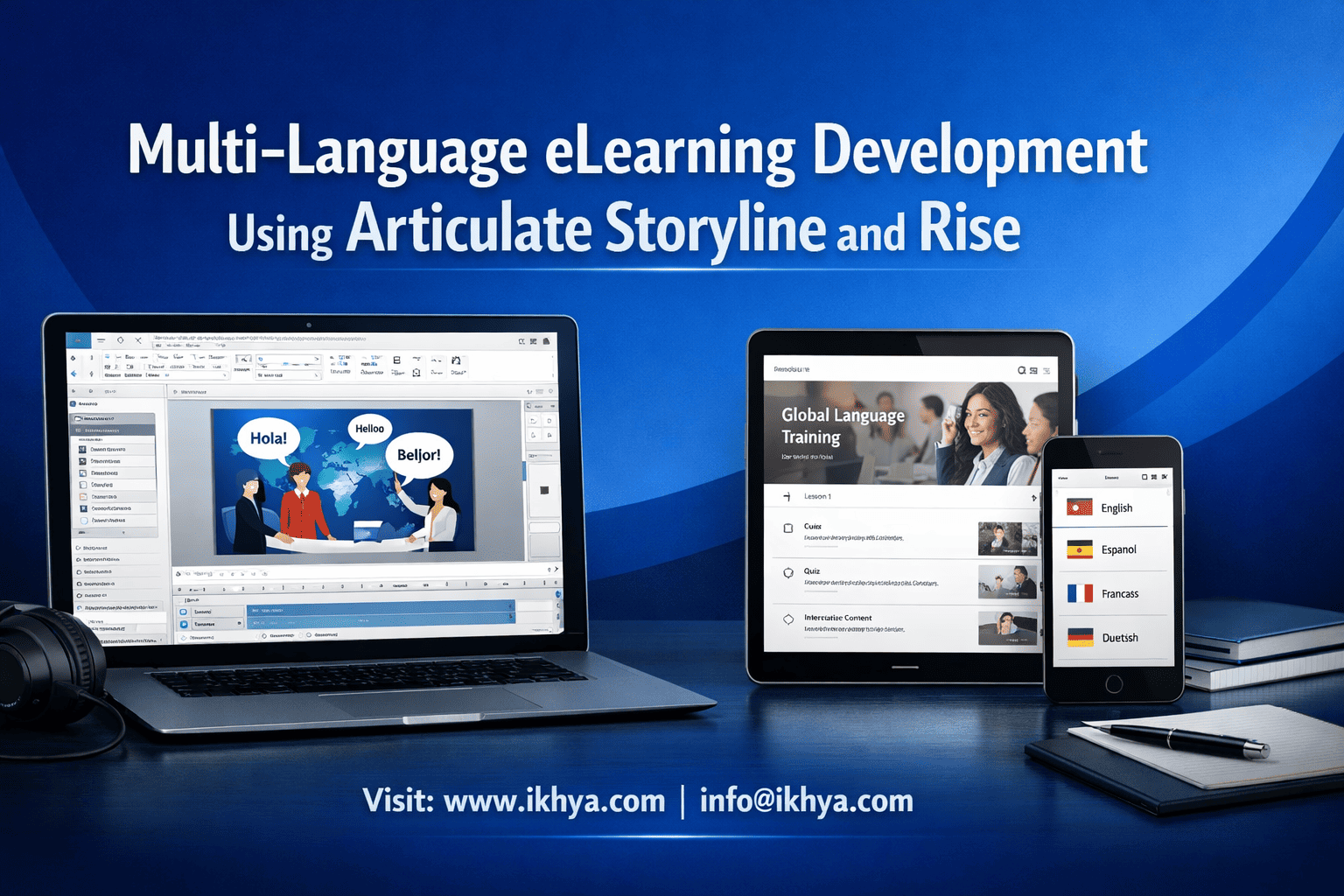
Multi-language eLearning development using Articulate Storyline and Rise helps organizations train global teams more effectively by delivering content in learners’ native languages. This improves understanding, reduces errors, and ensures better training outcomes across regions.
However, multilingual eLearning is not just about translation. It requires structured workflows, proper localization, and tools that can handle layout, audio, and LMS compatibility without creating rework or inconsistencies. Many organizations use eLearning translation and localization services to streamline this process.
If you are planning a global training rollout, having the right strategy is critical to avoid delays and cost overruns. You can request a consultation to evaluate the best approach for your multilingual eLearning development.
Why Is Multi-Language eLearning Critical for Global Workforce Training?
Multi-language eLearning development ensures employees understand training regardless of their native language, improving compliance, safety, and performance. Companies operating in multiple countries must localize training using elearning localization services to meet regulatory requirements, reduce errors, and ensure consistent knowledge transfer. Tools like Articulate Storyline and Rise simplify articulate storyline translation and articulate rise translation workflow processes, enabling scalable multilingual course deployment across global LMS platforms.
Global companies today operate across dozens of countries, each with different languages, regulations, and cultural expectations. English-only training creates gaps in understanding, especially in technical, safety, and compliance-critical industries such as manufacturing, healthcare, aviation, energy, and finance.
The Business Impact of Native-Language Training
Research across global training programs shows clear measurable benefits:
| Training Language Approach | Completion Rate | Knowledge Retention | Compliance Error Reduction |
|---|---|---|---|
| English-only training | 55–70% | Low | Minimal |
| Subtitled translation only | 70–80% | Medium | Moderate |
| Fully localized training | 85–95% | High | Significant |
Employees trained in their native language:
- Understand instructions faster
- Retain knowledge longer
- Make fewer safety mistakes
- Complete courses more quickly
- Show higher engagement and confidence
This is particularly critical in regulated markets such as:
- United States (OSHA, HIPAA, FDA compliance)
- United Kingdom (HSE, FCA regulatory training)
- Australia (WHS compliance training)
- UAE and Middle East (construction, oil & gas safety training)
- European Union (GDPR, workplace safety directives)
For example, OSHA safety training in the United States must be understandable to workers. Providing English-only training to Spanish-speaking workers increases accident risk and legal liability.
Why English-Only Training Fails in Global Organizations
Many companies assume English is sufficient because it is the business language. However, operational staff, frontline workers, and technical employees often learn more effectively in their native language.
Common problems with English-only courses:
- Misinterpretation of safety instructions
- Lower course completion rates
- Increased compliance risk
- Reduced employee confidence
- Higher retraining costs
Example:
A UAE construction company deploying safety training in English saw only 62% completion. After translating into Arabic, Hindi, and Urdu, completion increased to 94%.
Industries Where Multi-Language eLearning Is Mandatory
Some industries cannot operate safely or legally without multilingual training.
High-priority industries include:
Manufacturing
- Equipment safety training
- Lockout-tagout procedures
- Hazard communication
Healthcare
- Patient safety protocols
- Clinical procedures
- Regulatory compliance
Oil and Gas
- Hazard safety training
- Emergency response training
- Equipment operation
Aviation
- Safety procedures
- Technical maintenance training
- Compliance training
Logistics and Warehousing
- Equipment operation
- Safety procedures
- Hazard awareness
Global Workforce Language Distribution Example
A typical multinational workforce may require training in:
| Region | Primary Languages |
|---|---|
| USA | English, Spanish |
| Canada | English, French |
| UK | English, Polish |
| UAE | Arabic, English, Hindi, Urdu |
| Australia | English, Mandarin |
| India | Hindi, English, Tamil, Telugu |
| Europe | German, French, Spanish, Italian |
This means one course often needs 5–15 language versions.
Why Articulate Storyline and Rise Are the Industry Standard
Articulate tools are widely used because they support professional multilingual workflows:
Articulate Storyline strengths:
- Export/import translation files (XLIFF)
- Full layout control
- Audio per language
- Right-to-left language support (Arabic)
- SCORM/xAPI compatibility
Articulate Rise strengths:
- Faster development
- Easier translation workflows
- Responsive mobile design
- Cloud-based collaboration
These tools are used by Fortune 500 companies, government agencies, and global training providers.
Financial Impact: ROI of Multi-Language eLearning
Companies often see major financial benefits from localization.
Example case:
- English-only training: $120,000 annual compliance incidents
- Multilingual training cost: $40,000
- Compliance incident reduction: 60%
- Annual savings: $72,000
Net gain: $32,000 in the first year alone.
When Companies Should Translate eLearning Courses
Translation is recommended when:
- Workforce spans multiple countries
- Compliance training is required
- Safety risks exist
- Workforce English proficiency varies
- Training completion rates are low
If your organization needs multilingual eLearning using Articulate Storyline or Rise, IKHYA can design and translate courses for global deployment. Contact info@ikhya.com to discuss your languages, LMS, and technical requirements.
How Articulate Storyline Supports Multi-language eLearning Development
Articulate Storyline supports multi-language development through XLIFF export/import, language-specific audio, variable-based text management, and layout flexibility. It allows developers to translate content efficiently while preserving interactivity, animations, and LMS compatibility. Storyline also supports right-to-left languages like Arabic and Hebrew, making it suitable for global compliance and enterprise training programs.
Articulate Storyline is considered the most powerful tool for multilingual eLearning because it gives developers full control over content, layout, and language switching.
The Core Translation Workflow in Articulate Storyline
The translation process in Storyline is structured and scalable.
Step-by-step workflow:
Step 1: Develop the source course
- Create course in English (or source language)
- Use consistent text styles and layouts
- Avoid embedding text inside images where possible
Step 2: Export translation file
- Export text using Storyline’s translation export feature
- Output format: XLIFF (.xlf)
Step 3: Translate using professional tools
- Translation performed in CAT tools such as:
- SDL Trados
- MemoQ
- Smartcat
- Phrase
- Lokalise
Step 4: Import translated file
- Import translated XLIFF back into Storyline
- Automatically populates translated text
Step 5: Replace audio and validate layout
- Add translated narration
- Adjust layout if text expands
Step 6: Publish language version
- Export SCORM/xAPI package
- Upload to LMS
Understanding XLIFF: The Industry Standard for eLearning Translation
XLIFF (XML Localization Interchange File Format) is the global standard used by professional translation vendors.
Benefits of XLIFF:
- Preserves formatting
- Supports translation memory
- Reduces translation costs
- Improves consistency across courses
- Enables automation
Example:
A company translating 50 courses into Spanish and French can reuse 60–80% of previous translations using translation memory.
Language Expansion and Layout Considerations
Different languages expand or shrink compared to English.
| Language | Typical Expansion |
|---|---|
| German | +30% |
| French | +20% |
| Spanish | +25% |
| Arabic | +25% |
| Chinese | -15% |
Storyline handles expansion better than most tools due to flexible layout control.
Best practices:
- Use larger text containers
- Avoid fixed-width buttons
- Use flexible layouts
- Test each language version visually
Supporting Right-to-Left Languages (Arabic, Hebrew)
Many global organizations require Arabic training, especially in UAE, Saudi Arabia, and Middle East operations.
Storyline supports RTL languages through:
- RTL text rendering
- Right-aligned layouts
- Arabic font support
- Proper text flow
Example use case:
An oil and gas company in UAE delivering safety training in Arabic, English, and Hindi using Storyline.
Multi-Language Audio Integration
Audio is critical for engagement and accessibility.
Storyline supports:
- Language-specific narration per slide
- Closed captions per language
- Audio synchronization with animations
Typical workflow:
- Export narration script
- Translate script
- Record native voice actors
- Replace audio in each language version
This is standard in:
- Healthcare training (USA, UK)
- Aviation training (global airlines)
- Safety training (construction, oil & gas)
Multi-Language Course Architecture Options
There are two main approaches.
Option 1: Separate course per language
Example:
- safety_training_en.zip
- safety_training_es.zip
- safety_training_ar.zip
Advantages:
- Simplest LMS deployment
- Best performance
- Easier reporting
Disadvantages:
- Multiple files to manage
Option 2: Single course with language selector
Example:
User selects:
- English
- Spanish
- Arabic
Advantages:
- Single LMS course
- Easier management
Disadvantages:
- Larger file size
- More complex development
LMS Compatibility and Standards Support
Storyline supports global LMS standards:
- SCORM 1.2
- SCORM 2004
- xAPI (Tin Can)
- AICC
- cmi5
Compatible LMS platforms include:
- Cornerstone
- SAP SuccessFactors
- Docebo
- Moodle
- TalentLMS
- Absorb LMS
These platforms are widely used across:
- USA corporate sector
- UK financial services
- Australian healthcare
- UAE oil and gas
Managing Updates Across Multiple Languages
When source content changes, Storyline allows efficient updates.
Workflow:
- Update source course
- Export updated XLIFF
- Translate only new text
- Import updated translation
This reduces cost significantly.
Example:
Updating 5% of content results in only 5% translation cost.
Real-World Example: Global Manufacturing Training Deployment
A US-based manufacturing company deployed equipment training in:
- English
- Spanish
- German
- Arabic
- Mandarin
Results:
- 92% completion rate
- 47% reduction in safety incidents
- Faster onboarding
Storyline enabled:
- XLIFF translation workflow
- Native audio integration
- LMS compatibility
How Does Articulate Rise Support Multi-Language eLearning?
Articulate Rise supports multi-language eLearning through its built-in translation export/import feature, responsive design, and browser-based editing. It enables fast translation workflows using XLIFF files and allows organizations to deploy translated courses quickly across devices. Rise is ideal for compliance, onboarding, and mobile-first global training programs requiring scalable multilingual elearning development.
Rise is widely used when speed and responsiveness are more important than complex interactivity.
Rise Translation Workflow
Rise uses a process similar to Storyline but optimized for speed.
Steps:
Step 1: Export translation file
- Export XLIFF file from Rise
Step 2: Translate in CAT tools
- Professional translators translate content
Step 3: Import translation
- Import translated XLIFF
Step 4: Publish translated course
- Export SCORM/xAPI
Major Advantage: Fully Responsive Multi-Language Courses
Rise automatically adapts courses to:
- Desktop
- Tablet
- Mobile phones
This is critical for global workforces such as:
- Field technicians
- Construction workers
- Healthcare staff
- Logistics workers
Especially in countries like India, UAE, and Southeast Asia where mobile learning dominates.
Faster Multi-Language Deployment Compared to Storyline
Rise development speed is significantly faster.
| Feature | Storyline | Rise |
|---|---|---|
| Development speed | Medium | Fast |
| Translation workflow | Advanced | Fast |
| Layout control | Full | Limited |
| Mobile responsiveness | Manual | Automatic |
Rise is ideal when deploying courses in 10+ languages quickly.
Cloud-Based Collaboration for Global Teams
Rise enables:
- Remote collaboration
- Instant updates
- Version control
Example:
A UK compliance team can update a course, and translation teams in India and UAE can immediately access the latest version.
Limitations of Rise for Multi-Language Courses
Rise has less layout control than Storyline.
Limitations include:
- Limited animation control
- Less flexibility for complex interactions
- Limited custom navigation
However, it is perfect for:
- Compliance training
- Policy training
- Onboarding training
Articulate Storyline vs Rise: Which Tool Is Better for Multi-Language eLearning?
Articulate Storyline is best for complex, highly interactive multilingual courses requiring full layout control, simulations, and custom navigation. Articulate Rise is better for fast deployment of responsive, mobile-friendly multilingual training. Most global organizations use Storyline for technical training and Rise for compliance, onboarding, and policy courses.
Choosing the right tool directly affects translation cost, development speed, and global scalability.
Core Technical Comparison: Storyline vs Rise for Localization
| Feature | Articulate Storyline | Articulate Rise |
|---|---|---|
| Translation support | Full XLIFF export/import | Full XLIFF export/import |
| Layout flexibility | Complete control | Limited control |
| Responsive design | Manual setup | Fully automatic |
| Audio support | Advanced multi-language audio | Basic audio support |
| Interactive simulations | Excellent | Limited |
| Software simulations | Fully supported | Not supported |
| RTL language support | Strong | Supported |
| Development speed | Medium | Fast |
| Best use case | Technical, simulation-heavy training | Compliance and policy training |
When to Use Articulate Storyline for Multi-Language Projects
Articulate Storyline is ideal when your course requires advanced interactivity, simulations, or precise layout control across languages.
Best use cases:
Software training
- ERP systems (SAP, Oracle)
- Healthcare systems (Epic, Cerner)
- Banking systems
Technical equipment training
- Manufacturing equipment
- Aviation maintenance systems
- Medical devices
Safety training with scenarios
- Oil and gas safety
- Emergency response simulations
- Industrial safety training
Global example: USA manufacturing company
A US automotive manufacturer deployed equipment training in:
- English
- Spanish
- German
- Japanese
Storyline enabled:
- Software simulations
- Multi-language narration
- Interactive assessments
Rise could not support required simulation complexity.
When to Use Articulate Rise for Multi-Language Projects
Rise is ideal for fast deployment of multilingual courses that must work perfectly on mobile devices.
Best use cases:
Compliance training
- GDPR training (Europe)
- HIPAA training (USA)
- Workplace safety training (Australia)
Corporate onboarding
- HR policies
- Code of conduct
- Diversity training
Global example: UK financial institution
A UK bank deployed compliance training in:
- English
- French
- Spanish
- Arabic
Rise allowed deployment in 6 weeks instead of 14 weeks.
Mobile Learning Performance Comparison
Mobile access is critical in global industries.
| Tool | Mobile Performance |
|---|---|
| Storyline | Good (requires careful design) |
| Rise | Excellent (fully responsive automatically) |
Rise is preferred in regions where mobile learning dominates:
- India
- UAE
- Southeast Asia
- Africa
Translation Cost Comparison
Translation cost depends on complexity and volume.
| Factor | Storyline | Rise |
|---|---|---|
| Translation cost | Similar | Similar |
| Development cost | Higher | Lower |
| Maintenance cost | Higher | Lower |
| Speed | Slower | Faster |
Enterprise Strategy: When Organizations Use Both
Most global organizations use both tools strategically.
Example deployment model:
| Training Type | Tool |
|---|---|
| Software simulations | Storyline |
| Safety training | Storyline |
| Compliance training | Rise |
| HR onboarding | Rise |
| Policy training | Rise |
This hybrid approach optimizes cost and performance.
Global Localization Best Practices for Multi-language eLearning Development
Effective localization goes beyond translation. It includes cultural adaptation, regulatory compliance, audio localization, and layout optimization. Global organizations must adapt training for regional languages, regulations, and cultural expectations. Proper localization improves training effectiveness, reduces compliance risk, and ensures learners fully understand critical safety and operational information.
Localization failures can cause compliance violations, safety incidents, and operational errors.
Translation vs Localization: Critical Difference
Translation converts text from one language to another.
Localization adapts content for culture, regulations, and usability.
Example:
US English:
“Call 911 in emergency”
UK localized version:
“Call 999 in emergency”
UAE localized version:
“Call 998 for ambulance”
This is localization, not translation.
Cultural Adaptation Requirements by Region
Global companies must adapt content based on region.
United States and Canada
Requirements:
- OSHA safety terminology
- HIPAA compliance terminology
- English and Spanish support
Common languages:
- English
- Spanish
- French (Canada)
United Kingdom and Europe
Requirements:
- GDPR compliance references
- EU safety directives
- Local terminology differences
Languages:
- English
- German
- French
- Spanish
- Italian
UAE and Middle East
Requirements:
- Arabic primary language
- Right-to-left layout support
- Cultural adaptation of visuals
Languages:
- Arabic
- English
- Hindi
- Urdu
Australia and Asia-Pacific
Requirements:
- Mobile-friendly learning
- Multilingual workforce support
Languages:
- English
- Mandarin
- Hindi
- Vietnamese
Audio Localization Best Practices
Professional voiceover improves engagement significantly.
Best practices:
- Use native speakers
- Match regional accent
- Use professional recording quality
- Synchronize with on-screen content
Avoid machine-generated audio for compliance training.
Visual Localization Requirements
Images must reflect local workforce reality.
Examples:
- PPE equipment varies by country
- Safety signage differs
- Cultural clothing differs
Example:
Construction training in UAE should show:
- Hard hats used locally
- Regional construction environments
- Multinational workforce visuals
Text Expansion Management
Languages expand differently.
Best practices:
- Leave 30% extra space in text containers
- Avoid text inside images
- Test every language version
Regulatory Localization Requirements
Compliance training must reflect local laws.
Examples:
| Country | Regulation |
|---|---|
| USA | OSHA, HIPAA |
| UK | HSE |
| Australia | WHS |
| UAE | OSHAD |
| EU | GDPR |
Incorrect localization can create legal risk.
Enterprise Translation Workflow Used by Global Organizations
Large organizations use structured localization workflows.
Typical workflow:
Step 1: Create source course
Step 2: Export XLIFF
Step 3: Translate using CAT tools
Step 4: Record voiceover
Step 5: Import translations
Step 6: QA testing
Step 7: LMS deployment
QA Testing Requirements
Testing must include:
- Language accuracy
- Layout validation
- Audio sync validation
- LMS tracking validation
Testing ensures correct learner experience.
How Do Organizations Manage 10–30 Language Versions of a Single eLearning Course?
Global organizations manage multi-language eLearning using a structured architecture that separates source content, translation files, audio assets, and LMS deployment packages. Tools like Articulate Storyline and Rise use XLIFF translation files, standardized naming conventions, and translation memory systems to efficiently maintain and update dozens of language versions without rebuilding courses.
Managing multilingual courses at scale requires careful planning. Without proper structure, updates become expensive, error-prone, and slow.
Standard Enterprise Architecture for Multi-Language Courses
Large organizations use a centralized source-to-translation workflow.
Core components:
1. Source course (master version)
- Usually English
- Contains original content
- Stored as master file (.story or Rise course)
2. Translation files (XLIFF format)
- One file per language
- Contains all text content
- Used by translation vendors
3. Audio files per language
- Stored separately
- Linked to course version
4. Published LMS packages
- SCORM/xAPI files
- One package per language or single multi-language package
Example Folder Structure Used by Enterprise Teams
Global Safety Training/
│
├── Source/
│   └── safety_training_master.story
│
├── Translation Files/
│   ├── safety_training_es.xlf
│   ├── safety_training_ar.xlf
│   ├── safety_training_fr.xlf
│
├── Audio/
│   ├── English/
│   ├── Spanish/
│   ├── Arabic/
│
├── Published/
│   ├── safety_training_en.zip
│   ├── safety_training_es.zip
│   ├── safety_training_ar.zip
This structure allows efficient updates and version control.
Translation Memory: The Key to Cost and Time Reduction
Translation memory (TM) stores previously translated content for reuse.
Benefits:
- Reduces translation cost by 30–70%
- Ensures consistency across courses
- Speeds up future translation projects
Example:
If a company translates:
- 100 courses initially
- Later updates 10 courses
Only new text requires translation.
Tools used:
- SDL Trados
- MemoQ
- Phrase
- Smartcat
Used widely in:
- US healthcare companies
- European compliance training providers
- UAE oil and gas organizations
Language Version Control Strategy
Each language version must be tracked carefully.
Best practice naming convention:
| Language | File Name Example |
|---|---|
| English | safety_training_en.story |
| Spanish | safety_training_es.story |
| Arabic | safety_training_ar.story |
| German | safety_training_de.story |
This prevents confusion across global teams.
Single LMS Course vs Multiple LMS Courses Architecture
Organizations must choose between two deployment approaches.
Approach 1: Separate LMS course per language
Example:
- Safety Training (English)
- Safety Training (Spanish)
- Safety Training (Arabic)
Advantages:
- Easier reporting
- Better LMS performance
- Simpler maintenance
Used by:
- US healthcare organizations
- UK compliance training providers
Approach 2: Single course with language selector
User selects language at course start.
Advantages:
- Easier course management
- Better learner experience
Disadvantages:
- Larger file size
- More development complexity
Used by:
- Global product training programs
- Software companies
LMS Configuration Best Practices
Most global LMS platforms support multilingual deployment.
Common LMS platforms:
- Cornerstone
- SAP SuccessFactors
- Docebo
- Moodle
- Absorb LMS
Best practices:
- Assign courses based on learner location
- Use language-specific course titles
- Track completion per language
What Is the Cost of Multi-language eLearning Development Using Articulate Storyline and Rise?
Multi-language eLearning costs include translation, voiceover, development, QA testing, and LMS deployment. Translation typically costs $0.08–$0.25 per word depending on language and technical complexity. Total multilingual course costs range from $3,000 to $25,000 per language depending on course length, interactivity, and audio requirements.
Costs vary significantly by region and complexity.
Translation Cost by Language (Global Average)
| Language | Cost per Word (USD) |
|---|---|
| Spanish | $0.08–0.15 |
| French | $0.10–0.18 |
| German | $0.12–0.20 |
| Arabic | $0.12–0.22 |
| Chinese | $0.15–0.25 |
Technical content costs more than general content.
Voiceover Cost by Language
Voiceover cost depends on duration and quality.
| Duration | Average Cost per Language |
|---|---|
| 10 minutes | $200–500 |
| 30 minutes | $500–1,200 |
| 60 minutes | $1,200–2,500 |
Professional voiceover is standard in:
- US compliance training
- UK healthcare training
- UAE safety training
Development and Engineering Cost
Costs vary by complexity.
| Course Type | Cost per Language |
|---|---|
| Rise course | $1,000–3,000 |
| Storyline basic | $2,000–5,000 |
| Storyline advanced | $5,000–12,000 |
QA and Testing Cost
Testing typically costs:
- $300–1,000 per language
Includes:
- Language review
- Layout testing
- LMS testing
Total Cost Example: 30-Minute Course in 5 Languages
| Cost Component | Total Cost |
|---|---|
| Translation | $2,000 |
| Voiceover | $4,000 |
| Development | $8,000 |
| QA testing | $2,000 |
| Total | $16,000 |
Cost Reduction Strategies Used by Global Organizations
Best strategies:
- Use translation memory
- Design localization-friendly layouts
- Avoid text inside images
- Use Rise when possible
- Batch translate multiple courses
These strategies reduce cost by 30–50%.
Global Case Study: Multi-Language Deployment in USA, UK, Australia, and UAE
A global oil and gas company deployed safety training using Articulate Storyline in:
- English
- Arabic
- Spanish
- French
- Hindi
Challenges:
- Right-to-left Arabic support
- Voiceover in multiple languages
- LMS compatibility across regions
Solution:
- Used XLIFF translation workflow
- Recorded native voiceover
- Deployed SCORM packages per language
Results:
- 96% completion rate
- 52% reduction in safety incidents
- Global compliance achieved
Ready to Deploy Multi-language eLearning Development Using Articulate Storyline and Rise?
Multi-language eLearning development using Articulate Storyline and Rise requires structured translation workflows, proper audio localization, and LMS-ready deployment packages to ensure accuracy and compliance. Working with experienced Storyline and Rise specialists prevents costly translation errors, layout issues, and compatibility problems while accelerating global rollout across multiple languages and regions.
Global organizations trust specialized development partners to manage multilingual training because even small mistakes—such as text overflow, incorrect audio sync, or improper RTL formatting—can break the learner experience and delay deployment.
What IKHYA Delivers for Global Multi-Language eLearning Projects
IKHYA provides end-to-end multilingual eLearning development using Articulate Storyline and Rise, designed for global compliance, scalability, and LMS compatibility.
Core services include:
Multi-language course development
- Articulate Storyline multi-language courses
- Articulate Rise multi-language courses
- Language selector integration
- Separate or single-course deployment architecture
Professional translation and localization
- Translation in 50+ languages
- XLIFF-based translation workflow
- Cultural and regulatory localization
- Translation memory integration
Professional voiceover and audio localization
- Native voice actors
- Studio-quality recording
- Audio synchronization
- Closed captions and accessibility compliance
LMS deployment and testing
- SCORM 1.2, SCORM 2004, xAPI, cmi5 publishing
- LMS upload and configuration
- Multi-language testing and validation
- Global deployment support
Supported Global Regions and Languages
IKHYA supports global organizations across major regions:
North America
- English
- Spanish
- French
Europe
- German
- French
- Spanish
- Italian
- Dutch
Middle East
- Arabic
- English
- Hindi
- Urdu
Asia-Pacific
- Hindi
- Mandarin
- Japanese
- Korean
- Telugu
- Tamil
Australia and Global
- English
- Mandarin
- Vietnamese
Typical Enterprise Use Cases
IKHYA develops multilingual eLearning for:
- Corporate compliance training
- Workplace safety training
- Healthcare and medical training
- Manufacturing and technical training
- Oil and gas safety training
- Software and systems training
- Employee onboarding programs
Why Global Companies Choose IKHYA
Organizations choose IKHYA because multilingual eLearning requires both technical expertise and structured translation workflows.
Key advantages:
- Expertise in Articulate Storyline and Rise
- Proven multilingual deployment experience
- Translation-friendly course architecture
- LMS compatibility across global platforms
- Faster delivery with lower translation cost
- Scalable solutions for 5–30+ languages
Contact IKHYA for Multi-Language eLearning Development
If you are planning multi-language eLearning using Articulate Storyline or Rise, IKHYA can design, translate, and deploy your courses for global learners.
Contact: info@ikhya.com
Company: IKHYA – eLearning Solutions Company
Get expert guidance on translation workflow, cost estimation, and deployment strategy to ensure your multilingual training is delivered efficiently, accurately, and globally.
Frequently Asked Questions About Multi-language eLearning Development Using Articulate Storyline and Rise
1. What is multi-language eLearning development using Articulate Storyline and Rise?
Multi-language eLearning development using Articulate Storyline and Rise involves creating courses that can be translated and localized into multiple languages while maintaining interactivity, design consistency, and LMS compatibility.
2. Why is multilingual eLearning development important for global organizations?
Multilingual eLearning development ensures employees understand training in their native language, improving compliance, safety, and knowledge retention across global teams.
3. How does Articulate Storyline support multi-language eLearning development?
Articulate Storyline supports multi-language eLearning development through XLIFF export/import, language-specific audio, and flexible layouts that adapt to different languages.
4. What is an articulate storyline translation workflow?
An articulate storyline translation workflow involves exporting text in XLIFF format, translating it using CAT tools, and re-importing it into Storyline while preserving course structure.
5. How does articulate rise translation workflow differ from Storyline?
The articulate rise translation workflow is faster and simpler, with built-in export/import features, but offers less layout control compared to Storyline.
6. What are eLearning localization services?
eLearning localization services go beyond translation by adapting content for cultural, regulatory, and regional requirements to ensure effective learning outcomes.
7. Which is better for multilingual eLearning development: Storyline or Rise?
Storyline is better for complex, interactive courses, while Rise is ideal for fast, responsive multilingual eLearning development.
8. How many languages can be supported in multi-language eLearning development?
Multi-language eLearning development can support unlimited languages, depending on translation workflow and LMS deployment strategy.
9. What is the cost of multilingual eLearning development?
Costs vary from $3,000 to $25,000 per language depending on translation, voiceover, development complexity, and QA requirements.
10. How long does multi-language eLearning development take?
It typically takes 2–12 weeks depending on the number of languages, course complexity, and audio requirements.
11. What industries require multilingual eLearning development?
Industries like healthcare, manufacturing, aviation, oil & gas, and finance require multilingual eLearning for compliance and safety training.
12. What is XLIFF in eLearning translation?
XLIFF is a standard file format used in multilingual eLearning development to manage translation efficiently and reduce costs.
13. Can Articulate Storyline handle right-to-left languages?
Yes, Articulate Storyline supports right-to-left languages like Arabic and Hebrew with proper layout adjustments.
14. Does Articulate Rise support multi-language courses?
Yes, Rise supports multilingual eLearning development through translation export/import and responsive design.
15. What are common challenges in multilingual eLearning development?
Common challenges include text expansion, audio localization, layout issues, and LMS compatibility.
16. How can organizations reduce multilingual eLearning costs?
Using translation memory, structured workflows, and localization-friendly design reduces multilingual eLearning development costs.
17. What is the difference between translation and localization in eLearning?
Translation converts text, while localization adapts content for culture, compliance, and usability.
18. How is audio handled in multi-language eLearning development?
Audio is translated, recorded with native speakers, and synced with course content for each language.
19. What LMS standards support multilingual eLearning?
SCORM, xAPI, and cmi5 support multi-language eLearning deployment across global LMS platforms.
20. How can IKHYA help with multilingual eLearning development?
IKHYA provides end-to-end multi-language eLearning development using Articulate Storyline and Rise, including translation, localization, voiceover, and LMS deploment.
RELATED RESOURCES
Multi-language eLearning development requires the right combination of tools, workflows, and strategy. Explore these resources to deepen your understanding and plan your next training project effectively.




