
What is Adobe Captivate? Complete Guide for Corporate Training

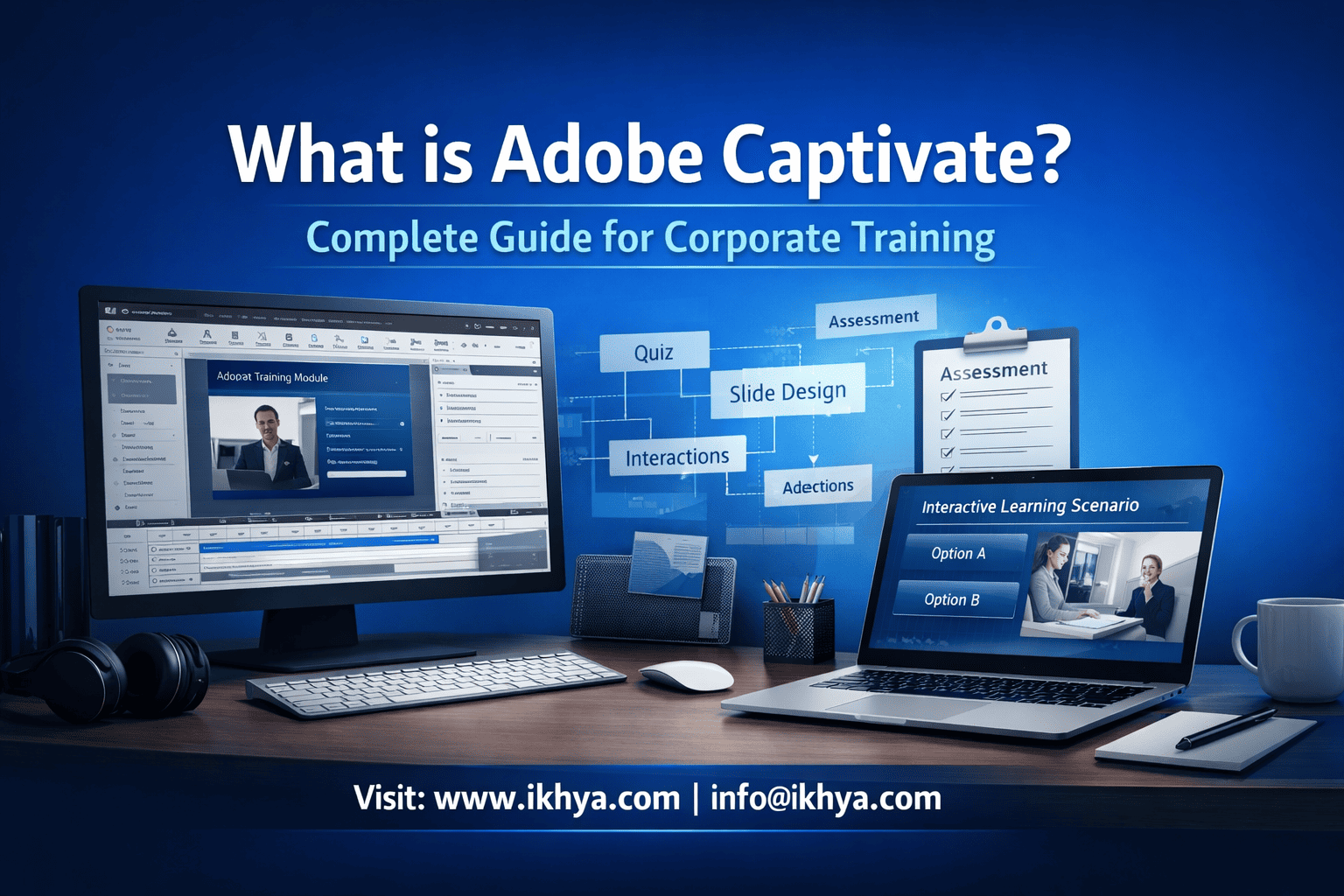
Corporate training is rapidly evolving as organizations adopt digital learning technologies to train employees at scale. Modern companies need interactive, engaging, and trackable training experiences that work across devices and locations. Tools like Adobe Captivate help organizations build advanced eLearning courses with simulations, assessments, and interactive scenarios.
Companies like IKHYA – eLearning Solutions Company help enterprises design and deploy scalable digital learning using modern authoring tools and instructional design strategies. Through specialized Adobe Captivate development services, organizations can transform traditional training into interactive learning experiences that improve knowledge retention and employee performance.
Adobe Captivate has become one of the most widely used tools in corporate learning because it supports software simulations, responsive courses, quizzes, and scenario-based training. This guide explains what Adobe Captivate is, how it works, and why organizations use it to deliver enterprise training programs.
What is Adobe Captivate?
Adobe Captivate is an advanced eLearning authoring tool used to create interactive training content such as simulations, quizzes, scenario-based courses, and responsive learning modules. It enables organizations to convert traditional training materials into engaging digital learning experiences that can be delivered through a learning management system.
Adobe Captivate is widely used by corporate training teams, instructional designers, and eLearning development companies to produce professional training courses that work across desktops, tablets, and mobile devices.
Organizations that require scalable enterprise training often partner with experts offering Adobe Captivate development services to design high-quality courses aligned with learning objectives, compliance standards, and business outcomes.
Key Features of Adobe Captivate
Adobe Captivate includes a wide range of features that make it suitable for corporate training environments.
1. Software Simulation Creation
Captivate allows developers to record software demonstrations and convert them into:
- Interactive practice simulations
- Step-by-step tutorials
- System training modules
This makes it ideal for IT training, ERP training, CRM onboarding, and software adoption programs.
2. Responsive eLearning Design
Courses built in Captivate can automatically adapt to different screen sizes.
Benefits include:
- Mobile-friendly learning
- Tablet-based training
- Device-agnostic course delivery
Organizations implementing enterprise LMS platforms often combine Captivate with LMS compatible eLearning course development services to ensure seamless integration with learning management systems.
3. Interactive Learning Elements
Captivate enables developers to add rich interactivity such as:
- Clickable hotspots
- Drag-and-drop activities
- Scenario-based branching
- Knowledge checks
- Assessments and quizzes
These elements improve learner engagement and increase knowledge retention.
4. SCORM and xAPI Compliance
Adobe Captivate supports industry-standard learning formats including:
- SCORM
- xAPI (Tin Can)
- AICC
This ensures compatibility with enterprise LMS platforms used by global organizations.
Types of Training You Can Create Using Adobe Captivate
Corporate training teams use Captivate to build many different types of learning programs.
Common training formats include:
| Training Type | Description |
|---|---|
| Software Training | System walkthroughs and simulations |
| Compliance Training | Regulatory and policy training |
| Product Training | Training for internal teams and customers |
| Onboarding Programs | New employee orientation |
| Process Training | Standard operating procedure training |
| Safety Training | Workplace safety simulations |
Many organizations combine Captivate with custom-built eLearning solutions tailored to business workflows and compliance needs.
Why Companies Use Adobe Captivate for Corporate Training
Adobe Captivate is widely adopted in enterprise learning environments because it supports advanced learning experiences that traditional presentation tools cannot deliver.
Key reasons organizations use Captivate include:
- Ability to create complex simulations
- High level of interactivity
- Responsive course design
- LMS compatibility
- Support for multimedia learning
Training teams often integrate Captivate courses with instructional design frameworks through instructional design services to ensure learning outcomes are aligned with business goals.
Captivate is especially effective when organizations convert classroom training into digital learning experiences using ILT to eLearning course conversion services
How Adobe Captivate Works for Corporate Training Development
Adobe Captivate works by allowing instructional designers and eLearning developers to convert training content into interactive digital learning experiences that can be deployed through a learning management system. The tool supports multimedia content, simulations, quizzes, and responsive course layouts designed for modern corporate training environments.
Organizations typically use Captivate to transform traditional materials such as PowerPoint slides, instructor-led training sessions, and process manuals into interactive learning modules. Many companies start by converting existing presentation content through PPT to eLearning conversion services to accelerate course development while maintaining consistency across training programs.
Step-by-Step Corporate eLearning Development Using Captivate
Developing a corporate training course with Adobe Captivate usually follows a structured workflow used by enterprise learning teams.
| Step | Development Phase | Description |
|---|---|---|
| 1 | Training Needs Analysis | Identify business goals, audience needs, and learning objectives |
| 2 | Instructional Design | Define learning structure, assessments, and interaction models |
| 3 | Content Development | Convert training materials into interactive modules |
| 4 | Multimedia Integration | Add narration, animations, and video demonstrations |
| 5 | Assessment Creation | Build quizzes, knowledge checks, and scenario exercises |
| 6 | LMS Integration | Publish courses using SCORM or xAPI |
| 7 | Deployment & Analytics | Launch training and track learner progress |
Enterprises often collaborate with specialists offering eLearning consultancy services to plan large-scale learning programs before development begins.
Transforming Traditional Training into Captivate Courses
One of the most common uses of Adobe Captivate is converting existing training materials into interactive learning modules.
Traditional formats that organizations convert include:
- Instructor-led classroom training
- PowerPoint presentations
- PDF manuals
- Recorded webinars
- Legacy eLearning courses
For example, companies frequently transform classroom workshops into digital learning experiences through ILT to eLearning course conversion services, enabling employees to access training anytime and anywhere.
Similarly, legacy presentation materials can be upgraded into modern interactive courses using guides such as Convert PowerPoint to eLearning: A Complete Guide.
Integrating Adobe Captivate with Enterprise LMS Platforms
Adobe Captivate courses are typically delivered through learning management systems used by large organizations to manage employee training.
An LMS enables organizations to:
- Track course completion
- Monitor learner progress
- Assign mandatory compliance training
- Generate training reports
- Deliver certifications
Captivate supports standard learning protocols such as SCORM and xAPI, allowing organizations to integrate courses seamlessly using LMS compatible eLearning course development services.
This integration ensures that training programs remain scalable across global workforces.
Global Enterprise Training Examples
Adobe Captivate is widely used by multinational companies to deliver consistent training programs across regions.
United States – Corporate Compliance Training
Large organizations in the United States use Captivate to deliver mandatory compliance programs such as workplace safety, data protection, and ethics training. Interactive modules allow employees to complete certification programs while enabling companies to track compliance metrics.
United Kingdom – Learning & Development Frameworks
In the UK, many enterprises align their training programs with structured learning and development frameworks. Captivate enables companies to build modular learning programs that support continuous professional development.
Australia – Workplace Safety Training
Australian organizations frequently use simulation-based training to teach safety procedures. Interactive courses allow employees to practice real-world scenarios before performing tasks in the workplace.
UAE – Enterprise Workforce Training
Companies in the UAE often deploy large-scale digital learning programs across multilingual teams. Captivate courses can be localized using eLearning translation and localization services to deliver training in multiple languages.
Key Benefits of Using Adobe Captivate for Corporate Training
Adobe Captivate provides several advantages that make it a preferred authoring tool for enterprise learning teams.
Organizations working with providers such as IKHYA – eLearning Solutions Company often adopt Captivate when they need highly interactive, scalable training solutions for global workforces.
1. Advanced Simulation Capabilities
One of the strongest capabilities of Captivate is software simulation development.
Companies can create:
- System walkthroughs
- Interactive practice environments
- Troubleshooting simulations
These features are particularly useful for industries that require hands-on system training, such as healthcare, finance, and aviation.
Simulation-based learning programs can also be developed through eLearning simulation based training services to replicate real-world job scenarios.
2. Highly Interactive Learning Experiences
Captivate allows developers to build dynamic learning experiences using interactive elements.
Examples include:
- Drag-and-drop exercises
- Clickable hotspots
- Branching scenarios
- Gamified learning interactions
These features increase learner engagement and improve retention rates compared with traditional slide-based training.
3. Mobile-Friendly Learning
Modern employees expect to access training from any device.
Captivate enables responsive course development that works across:
- Desktop computers
- Tablets
- Smartphones
Organizations delivering flexible training experiences often combine Captivate with mobile learning development solutions to support learning anytime and anywhere.
4. Faster Development for Large Training Programs
Corporate training teams frequently need to develop large numbers of courses quickly.
Captivate supports reusable templates, shared assets, and rapid development workflows that allow teams to scale training production efficiently. Many enterprises accelerate development timelines by combining Captivate with rapid eLearning development strategies.
5. Scalability for Global Organizations
Enterprise organizations often need to deliver training across multiple departments and countries.
Adobe Captivate supports:
- Multi-language training programs
- Large course libraries
- Continuous learning initiatives
This scalability makes it suitable for industries such as finance, healthcare, manufacturing, and aviation.
Adobe Captivate Use Cases Across Industries
Adobe Captivate is widely used across industries because it allows organizations to build interactive, scalable, and trackable digital training programs. The tool supports simulations, responsive learning, assessments, and multimedia learning experiences that meet the training needs of global enterprises.
Companies working with IKHYA – eLearning Solutions Company often adopt Captivate when they need scalable enterprise training programs that can support large workforces across multiple locations and languages.
Healthcare Training
Healthcare organizations require precise, compliance-driven training to ensure staff follow strict clinical and operational procedures. Adobe Captivate enables the creation of interactive medical training modules, equipment simulations, and compliance programs that healthcare professionals can access on demand.
For example, healthcare organizations often deploy digital learning programs through healthcare training eLearning solutions to train medical staff on regulatory standards, patient safety procedures, and clinical protocols.
Common healthcare training programs include:
- Clinical compliance training
- Medical device training
- Patient safety training
- Electronic health record (EHR) system training
Interactive simulations built with Captivate allow healthcare professionals to practice procedures safely in a virtual environment.
Manufacturing and Safety Training
Manufacturing companies often use simulation-based learning to train employees on equipment operation, safety procedures, and production workflows.
Interactive safety training modules help reduce workplace accidents by allowing workers to experience real-world scenarios before entering hazardous environments.
Organizations frequently develop these programs through manufacturing training eLearning solutions that combine Captivate simulations with instructional design strategies.
Typical manufacturing training programs include:
- Equipment operation training
- Workplace hazard identification
- Emergency response training
- Quality control procedures
In safety-critical industries, digital simulations provide a safe environment for workers to practice high-risk procedures.
Financial Services Compliance Training
Financial institutions must train employees on regulatory requirements, risk management, and anti-money laundering policies.
Adobe Captivate allows organizations to build compliance training programs with scenario-based learning, knowledge checks, and certification assessments.
Financial institutions frequently implement structured compliance learning programs using financial services training eLearning solutions.
Examples of financial compliance training include:
- Anti-money laundering (AML) training
- Data protection and privacy regulations
- Fraud detection and prevention
- Ethical banking practices
Captivate’s assessment and reporting features make it easier for financial organizations to track employee certification and compliance.
Retail Employee Training
Retail companies use digital learning platforms to train large numbers of employees across multiple store locations.
Interactive retail training programs help employees learn customer service skills, product knowledge, and sales processes.
Many organizations deploy scalable retail learning initiatives using retail training eLearning solutions.
Retail training programs often include:
- Customer service training
- Sales techniques
- Product training
- Point-of-sale system training
Mobile-friendly courses built with Captivate allow retail employees to access training directly from store devices or smartphones.
Aviation and High-Risk Industry Training
Industries such as aviation require highly structured training programs that simulate complex operational scenarios.
Adobe Captivate enables organizations to create immersive scenario-based training modules that help employees understand procedures and decision-making processes.
Companies in these sectors often deploy specialized learning programs using aviation training eLearning solutions.
Training modules commonly include:
- Aircraft maintenance procedures
- Aviation safety training
- Emergency response simulations
- Operational compliance training
Interactive scenario-based learning helps aviation professionals practice decision-making in controlled training environments.
Adobe Captivate vs Other eLearning Authoring Tools
Adobe Captivate is one of several tools used to develop interactive corporate training. Organizations often compare Captivate with other authoring tools before selecting the best platform for their learning strategy.
The choice usually depends on training complexity, development speed, and desired interactivity.
Popular eLearning Authoring Tools Used by Enterprises
| Tool | Key Strengths | Best Use Case |
|---|---|---|
| Adobe Captivate | Advanced simulations and responsive design | Software training and complex scenarios |
| Articulate Storyline | Interactive scenario-based learning | Corporate training modules |
| Articulate Rise | Rapid responsive course creation | Mobile-first training |
| Lectora | Highly customizable development | Enterprise-level complex courses |
| iSpring | PowerPoint-based course creation | Fast training development |
Organizations evaluating these tools often compare platforms through guides such as Articulate Storyline vs Adobe Captivate: Which Tool Is Better.
Each authoring tool has unique strengths depending on the type of training being developed.
When to Choose Adobe Captivate
Adobe Captivate is particularly effective when organizations require:
- Software simulation training
- Complex branching scenarios
- System walkthroughs
- Highly interactive training modules
- Responsive learning environments
Companies planning large-scale training programs often consult specialists providing eLearning consultancy services to determine the best technology stack for their learning ecosystem.
When Other Tools May Be Better
In some situations, organizations may choose alternative authoring tools depending on project requirements.
For example:
- Rapid course development may favor Rise-based workflows
- Story-driven training may benefit from Storyline development
- Template-based learning may prioritize simpler tools
Many companies adopt a multi-tool eLearning strategy that combines several platforms through eLearning authoring tool development services to support diverse training needs.
How to Implement Adobe Captivate for Enterprise Training Programs
Implementing Adobe Captivate in an enterprise training environment involves planning, instructional design, technology integration, and scalable course development. Organizations typically adopt a structured approach to ensure training programs align with business goals, employee skill requirements, and regulatory compliance standards.
Many companies partner with specialists such as IKHYA – eLearning Solutions Company to design enterprise learning ecosystems that combine authoring tools, instructional design frameworks, and LMS integration for large-scale workforce training.
Step 1: Define Training Objectives
The first step in any corporate training initiative is identifying the learning outcomes the organization wants to achieve.
Training objectives may include:
- Improving employee performance
- Ensuring regulatory compliance
- Supporting new employee onboarding
- Training employees on enterprise software systems
- Developing leadership or management skills
Organizations frequently conduct structured learning strategy planning through eLearning consultancy services before developing large training programs.
Step 2: Develop Instructional Design Framework
Once learning objectives are defined, instructional designers create the structure of the training program.
Instructional design focuses on:
- Learning flow and course structure
- Interaction and engagement strategies
- Assessment and evaluation models
- Knowledge reinforcement techniques
Companies implementing enterprise learning initiatives often rely on professional instructional design services to design effective training programs that improve knowledge retention.
Step 3: Convert Existing Training Materials
Many organizations already have training materials in formats such as PowerPoint presentations, PDF manuals, or instructor-led training sessions.
These materials can be converted into interactive courses using Adobe Captivate.
Common conversion approaches include:
- PowerPoint to interactive courses
- Classroom training to digital learning
- Legacy eLearning modernization
For example, organizations can modernize presentation-based training through PPT to eLearning conversion services.
Similarly, companies transitioning from classroom training to digital learning often adopt ILT to eLearning course conversion services to scale training across distributed teams.
Step 4: Design Interactive Learning Experiences
Once training content is converted, developers enhance courses using interactive learning elements.
Common interactivity techniques include:
- Scenario-based learning
- Simulations and practice environments
- Gamified learning modules
- Knowledge-check assessments
- Decision-making exercises
Interactive learning experiences improve engagement and help employees apply knowledge in real-world workplace scenarios.
Organizations developing highly interactive programs often implement eLearning simulation based training services to create immersive learning experiences.
Step 5: Integrate Training with Learning Management Systems
After course development is completed, organizations deploy courses through their LMS platforms.
An LMS enables companies to:
- Assign courses to employees
- Monitor training progress
- Track certifications and compliance
- Generate learning analytics reports
Many enterprises ensure compatibility between training courses and LMS platforms through LMS compatible eLearning course development services.
This integration allows organizations to manage global training programs efficiently.
Step 6: Scale Training Across Global Workforces
Large organizations often deploy training programs across multiple regions and languages.
Adobe Captivate supports localization and translation, allowing companies to deliver training to international teams.
Global enterprises frequently adapt courses for multilingual audiences through translation and localization strategies to ensure training is accessible across different countries and cultures.
Best Practices for Developing Corporate Training with Adobe Captivate
Developing effective corporate training courses requires more than just technical knowledge of authoring tools. Successful programs combine instructional design, learner engagement strategies, and scalable technology frameworks.
Organizations adopting Adobe Captivate should follow several best practices.
1. Focus on Learning Objectives
Every course should begin with clearly defined learning outcomes.
Effective training programs focus on:
- measurable skill improvements
- job-specific knowledge
- practical workplace applications
Aligning learning objectives with business goals ensures training programs deliver measurable impact.
2. Use Scenario-Based Learning
Scenario-based training helps employees understand how knowledge applies to real-world situations.
Examples include:
- customer service decision-making scenarios
- workplace safety simulations
- compliance violation case studies
Scenario-based learning improves critical thinking and helps learners practice problem-solving in realistic contexts.
3. Keep Content Short and Focused
Modern employees often prefer shorter learning modules that fit into busy work schedules.
Many organizations implement microlearning strategies to deliver short, targeted lessons.
Companies developing these types of programs frequently use microlearning development services to create bite-sized training modules that improve retention and learner engagement.
4. Design Mobile-Friendly Learning
Remote work and distributed teams have increased the demand for mobile learning.
Corporate training programs should allow employees to access learning content from smartphones and tablets.
Organizations delivering flexible training experiences often combine Captivate with mobile learning development solutions to support learning anytime and anywhere.
5. Continuously Update Training Programs
Corporate training content must evolve as business processes, regulations, and technologies change.
Organizations frequently update existing courses through eLearning course redesigning services to keep learning materials relevant and effective.
Regular updates ensure training programs remain aligned with industry standards and organizational goals.
Conclusion
Adobe Captivate is a powerful eLearning authoring tool that enables organizations to create interactive, scalable, and engaging corporate training programs. Its capabilities for simulations, responsive learning, multimedia integration, and LMS compatibility make it a strong choice for enterprise learning environments.
Companies across industries—including healthcare, manufacturing, finance, retail, and aviation—use Captivate to transform traditional training into digital learning experiences that improve employee performance and ensure compliance.
Organizations seeking to implement enterprise training strategies often collaborate with IKHYA – eLearning Solutions Company to design custom learning programs, integrate learning technologies, and develop scalable training solutions using tools like Adobe Captivate.
FAQs: Adobe Captivate for Corporate Training
1. What is Adobe Captivate used for?
Adobe Captivate is an eLearning authoring tool used to create interactive training courses, simulations, quizzes, and responsive learning modules. Organizations use it to build digital corporate training programs that can be delivered through learning management systems (LMS) to train employees at scale.
2. Is Adobe Captivate good for corporate training?
Yes, Adobe Captivate is widely used for corporate training because it supports software simulations, scenario-based learning, interactive assessments, and responsive design. It allows organizations to create engaging training experiences that improve employee learning outcomes and can be deployed globally through LMS platforms.
3. What types of training can be created with Adobe Captivate?
Adobe Captivate can be used to create many types of training programs, including:
- Compliance training
- Software simulations
- Employee onboarding
- Safety training
- Product training
- Customer service training
Its interactive features make it suitable for both technical and behavioral training.
4. How does Adobe Captivate work?
Adobe Captivate works by allowing instructional designers and developers to convert training materials into interactive digital courses. Developers add multimedia elements, interactions, quizzes, and simulations, then publish the course in formats like SCORM or xAPI for deployment through a learning management system.
5. What are the main features of Adobe Captivate?
Key features of Adobe Captivate include:
- Software simulation recording
- Interactive quizzes and assessments
- Responsive course design
- Scenario-based learning
- Multimedia integration
- SCORM and xAPI publishing
These features allow organizations to create engaging and scalable corporate training programs.
6. What is the difference between Adobe Captivate and Articulate Storyline?
Adobe Captivate is known for advanced software simulations and responsive design capabilities, while Articulate Storyline is often preferred for scenario-based learning and easier interface design. Organizations choose between the two depending on training complexity, development speed, and required interactivity.
7. Is Adobe Captivate better than PowerPoint for training?
Yes, Adobe Captivate is significantly more powerful than PowerPoint for training development. While PowerPoint is primarily a presentation tool, Captivate enables interactive learning experiences with quizzes, branching scenarios, simulations, and LMS tracking capabilities.
8. Can Adobe Captivate courses work on mobile devices?
Yes, Adobe Captivate supports responsive design, allowing courses to adapt automatically to desktops, tablets, and smartphones. This enables organizations to deliver mobile learning programs so employees can access training anytime and from any device.
9. Does Adobe Captivate support LMS integration?
Adobe Captivate supports LMS integration through industry standards such as SCORM, xAPI, and AICC. This allows organizations to upload courses to learning management systems and track learner progress, completion rates, assessment scores, and certifications.
10. Is Adobe Captivate suitable for software training?
Yes, Adobe Captivate is one of the best tools for software training because it allows developers to record screen activities and convert them into interactive simulations. Employees can watch demonstrations, practice tasks, and complete guided exercises to learn software applications effectively.
11. What industries use Adobe Captivate for training?
Adobe Captivate is used across many industries, including:
- Healthcare
- Manufacturing
- Financial services
- Retail
- Aviation
- IT and software
These industries use Captivate to develop compliance training, technical training, and operational training programs.
12. What skills are needed to develop courses using Adobe Captivate?
Developing courses with Adobe Captivate typically requires:
- Instructional design knowledge
- Multimedia development skills
- Understanding of learning theories
- Experience with LMS standards like SCORM
- Graphic design and interaction design skills
Many organizations outsource development to specialized eLearning companies.
13. Can Adobe Captivate convert PowerPoint presentations into eLearning?
Yes, Adobe Captivate can import PowerPoint presentations and convert them into interactive eLearning courses. Developers can enhance the slides by adding quizzes, multimedia elements, animations, and interactive learning components to improve learner engagement.
14. Is Adobe Captivate suitable for compliance training?
Yes, Adobe Captivate is widely used for compliance training because it supports interactive assessments, scenario-based learning, and certification tracking. Organizations can deliver regulatory training programs and track employee completion through LMS reporting systems.
15. What are the advantages of using Adobe Captivate?
Advantages of Adobe Captivate include:
- Advanced simulation capabilities
- Interactive learning experiences
- Mobile-responsive courses
- LMS compatibility
- Multimedia support
- Scalable training deployment
These features make it a powerful tool for enterprise learning programs.
16. How long does it take to develop an Adobe Captivate course?
Development time depends on course complexity. A simple training module may take 2–3 weeks, while advanced courses with simulations, branching scenarios, and multimedia elements may take several weeks or months to complete.
17. Can Adobe Captivate support multilingual training?
Yes, Adobe Captivate supports localization and translation, allowing organizations to create training programs in multiple languages. This feature is essential for global companies that need to train employees across different regions.
18. What is SCORM in Adobe Captivate?
SCORM (Sharable Content Object Reference Model) is a standard used to package and deliver eLearning courses through an LMS. Adobe Captivate supports SCORM publishing so organizations can track learner progress, completion status, and assessment results.
19. Is Adobe Captivate difficult to learn?
Adobe Captivate has a learning curve compared to simpler tools, but it provides powerful capabilities for building interactive training courses. With proper training and instructional design knowledge, developers can create advanced learning experiences.
20. When should companies use Adobe Captivate for training?
Companies should use Adobe Captivate when they need:
- Interactive simulations
- Software training modules
- Compliance training programs
- Scenario-based learning
- Mobile-friendly training
It is particularly useful for organizations that require scalable, enterprise-level digital learning programs.
Related Resources
If you are exploring corporate training technologies or planning an enterprise eLearning initiative, the following resources can help you deepen your understanding of digital learning development strategies.
Explore additional resources from IKHYA:
- Adobe Captivate Development Services
- Custom eLearning Development Services
- Rapid eLearning Development Services
- Convert PowerPoint to eLearning: A Complete Guide
- How to Choose the eLearning Vendor
These resources provide deeper insights into selecting the right technologies, vendors, and development approaches for modern corporate training programs.




