
Outsource PowerPoint to SCORM Conversion: Cost, Process & Turnaround Guide

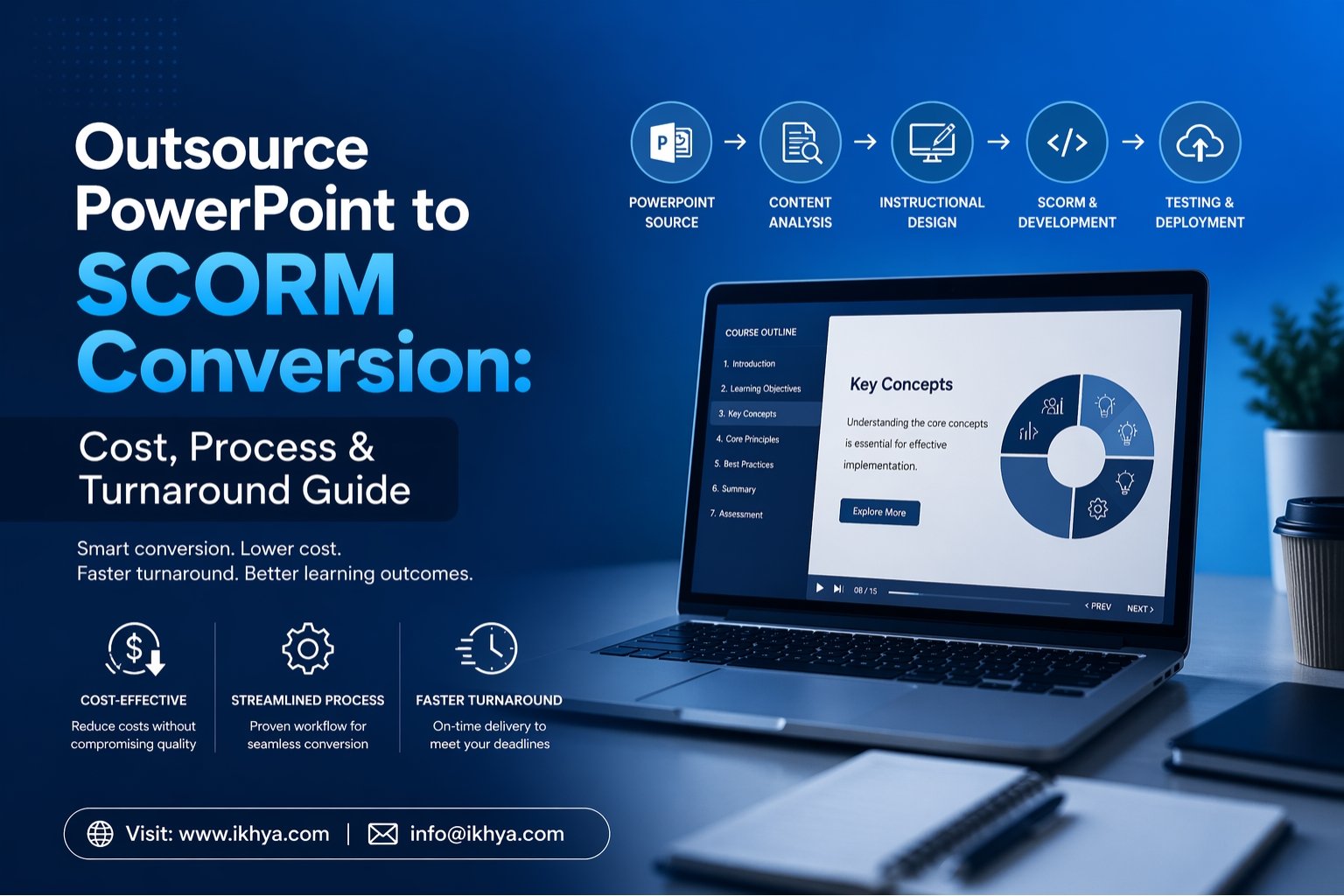
Outsource PowerPoint to SCORM Conversion when you need old training slides turned into modern LMS-ready courses without wasting internal time. Many companies have useful PowerPoint decks, but they do not track learner progress or work well inside an LMS. A specialist partner can convert them into SCORM packages faster, with better design and smoother delivery. In this guide, you will learn expected costs, realistic timelines, the full process, and how to choose the right vendor. If you need a quick estimate for your project, contact us or request an RFP today.
Table of Contents
- Why outsource conversion
- What happens during conversion
- Cost of PowerPoint to SCORM projects
- Turnaround time
- In-house vs outsource comparison
- How to choose the right vendor
- Common mistakes to avoid
- Why work with us
Why Outsource PowerPoint to SCORM Conversion?
Many teams already have training content in PowerPoint. The problem is that slides alone are limited. They are hard to track, often look outdated, and may not work well on mobile devices.
When you outsource PowerPoint to SCORM conversion, you get a faster path to launch while your internal team stays focused on daily work.
Main benefits include:
- SCORM tracking for completion, scores, and progress
- Better visual design and learner engagement
- Mobile-friendly learning experience
- Faster production timelines
- Expert testing across LMS platforms
- Easier updates in the future
A skilled vendor can also improve weak slides by adding better flow, cleaner layouts, quizzes, and voice-over support.
What Happens When You Outsource PowerPoint to SCORM Conversion?
A strong process reduces delays and avoids rework. Good vendors usually follow these stages.
1. Content Review and Scope Check
The vendor reviews your PowerPoint files, brand assets, media, notes, and learning goals. They also check slide count, complexity, and whether interactions are needed.
Typical questions include:
- Do you need simple click-next learning?
- Do you need quizzes?
- Do you need narration?
- Do you need multiple languages?
- Which LMS will host the course?
2. Instructional Design Planning
Raw slides are not always great learning content. An instructional designer can improve flow, shorten text, and make the course easier to understand.
This may include:
- Better lesson sequence
- Knowledge checks
- Scenario questions
- Clear learning outcomes
- Stronger learner engagement
3. Visual Redesign
Many old slide decks look busy or dated. A redesign gives a modern learning experience with better readability.
Tools often used include Articulate Storyline and Articulate Rise 360.
4. SCORM Packaging
The final course is published as a SCORM package. Common versions are:
| SCORM Version | Best For | Notes |
|---|---|---|
| SCORM 1.2 | Most LMS platforms | Most common option |
| SCORM 2004 | Advanced tracking | Better sequencing rules |
5. LMS Testing and QA
Before delivery, the course should be tested inside your LMS. Common LMS platforms include Moodle, Cornerstone OnDemand, and SAP SuccessFactors.
6. Final Delivery
You receive the SCORM zip file, source files, and review notes. Some vendors also provide update support after launch.
Outsource PowerPoint to SCORM Conversion Cost (2026 Guide)
Pricing depends on slide count, quality of source content, media needs, and interaction level. Below are realistic ranges.
| Project Type | Best For | Typical Cost (USD) |
|---|---|---|
| Basic Conversion | Clean slides, simple navigation | $300–$800 |
| Standard Interactive | Quizzes, design polish, media | $800–$2,000 |
| Advanced Conversion | Branching, simulations, voice-over | $2,000–$7,000+ |
What Impacts Price?
The biggest cost factors are:
- Number of slides
- Poor source quality requiring rewrite
- Custom graphics or animation
- Voice-over recording
- Multiple languages
- Rush timeline
- LMS testing needs
Cost Saving Tip
If your PowerPoint deck is well organized, branded, and clear, the project usually moves faster and costs less.
PowerPoint to SCORM Turnaround Time
Many buyers ask how fast they can launch. Delivery time depends on scope and review speed.
| Project Size | Typical Timeline |
|---|---|
| 15–20 slides basic | 2–4 business days |
| 30–50 slides standard | 1–2 weeks |
| 75+ slides advanced | 2–4 weeks |
| Multi-language rollout | Add 1–3 weeks |
How to Speed Up Delivery
You can reduce delays by sending:
- Final approved PPT files
- Brand guidelines
- Existing audio files
- LMS access for testing
- One reviewer for fast feedback
In-House vs Outsource PowerPoint to SCORM Conversion
Some teams consider doing the work internally. That can work if you already have skilled designers and authoring tools.
| Factor | In-House | Outsource |
|---|---|---|
| Speed | Slower if team is busy | Faster dedicated team |
| Tools | Need licenses | Usually included |
| Expertise | Depends on staff | Specialist skills |
| Cost Predictability | Variable | Clear quote |
| QA Testing | Internal burden | Managed by vendor |
| Scale | Limited | Easy to expand |
If your team has urgent deadlines, outsourcing is often the better option.
How to Choose the Right Vendor
Not all providers deliver the same quality. Look for these points before you outsource PowerPoint to SCORM conversion.
Proven Experience: Choose a company with real examples of training conversions, not only generic design work.
LMS Compatibility Knowledge: They should understand LMS testing and tracking behavior.
Strong Communication: A project manager should give clear updates, timelines, and review rounds.
Instructional Design Support: This matters when slides are text-heavy or weakly structured.
Security and NDA Readiness: Important for internal training, compliance, or confidential material.
Fast Revision Support: Small changes after review should be easy and quick.
Common Mistakes to Avoid: Many projects fail because buyers choose based on price alone.
Avoid these mistakes:
- Choosing a vendor with no SCORM testing process
- Sending outdated or incomplete slides
- Asking for rush delivery without clear scope
- Ignoring mobile responsiveness
- Skipping review rounds
- Not asking for source files
A low quote can become expensive later if the course needs rework.
Why Companies Choose Us for PowerPoint to SCORM Conversion
We help teams turn static slides into engaging LMS-ready learning quickly and smoothly.
What clients value most:
- Fast production timelines
- Dedicated project manager
- Clean modern design
- SCORM 1.2 and 2004 delivery
- LMS testing support
- Responsive mobile learning
- Easy revision process
- Secure handling of files
Whether you need one course or a large rollout, we can scale with your needs.
Best Use Cases for Outsourcing
Companies often outsource when they need to:
- Convert compliance training quickly
- Modernize onboarding content
- Launch sales enablement programs
- Replace old classroom materials
- Update product training
- Move legacy PPT libraries into LMS format
Ready to Convert Your PowerPoint Training?
If you need to outsource PowerPoint to SCORM conversion, the right partner can save time, improve learner experience, and reduce launch risk. Good vendors bring design skill, technical knowledge, and clear delivery processes.
Send us your slide deck, project scope, or deadline and we can recommend the best path forward.
Contact us today, request an RFP, or book a meeting for a custom estimate with IKHYA – eLearning Solutions Company.
FAQ About Outsource PowerPoint to SCORM Conversion
What does outsource PowerPoint to SCORM conversion mean?
It means hiring a professional vendor to turn your PowerPoint slides into a SCORM-compliant eLearning course that works inside an LMS. The final course can track progress, completion, and quiz scores.
Why should I outsource PowerPoint to SCORM conversion instead of doing it in-house?
Outsourcing saves time, gives access to experts, and usually leads to better design quality. It also reduces pressure on your internal team and speeds up course launch.
How much does outsource PowerPoint to SCORM conversion cost?
Basic projects often start around $300 to $800. Interactive or advanced SCORM conversion projects can range from $800 to $7,000+ depending on complexity.
How long does PowerPoint to SCORM conversion take?
A small project may take 2 to 4 business days. Larger or more interactive courses can take 1 to 4 weeks depending on review cycles and content scope.
Can any PowerPoint presentation be converted into SCORM?
Most PowerPoint files can be converted into SCORM courses. However, poor slide design or outdated content may need cleanup or redesign first.
What is included in PowerPoint to SCORM conversion services?
Services often include slide redesign, content formatting, quizzes, narration, SCORM packaging, LMS testing, and final delivery files.
What is the benefit of SCORM compared to PowerPoint?
SCORM allows tracking of learner progress, completion status, scores, and time spent. A normal PowerPoint file does not provide these LMS features.
Which LMS platforms support SCORM courses?
Many LMS platforms support SCORM, including Moodle, Cornerstone OnDemand, and SAP SuccessFactors.
What SCORM version should I choose: 1.2 or 2004?
SCORM 1.2 is the most common and works with many LMS platforms. SCORM 2004 is better when you need advanced sequencing or detailed tracking.
Can you add quizzes during PowerPoint to SCORM conversion?
Yes, most vendors can add quizzes, assessments, knowledge checks, and final tests during conversion.
Can outsourced vendors improve the design of my old slides?
Yes, many providers redesign old PowerPoint decks into modern, clean, and engaging eLearning courses with better visuals and learner flow.
Is narration or voice-over included in SCORM conversion?
It can be included as an optional service. Pricing depends on script length, language, and voice talent requirements.
Can PowerPoint to SCORM courses work on mobile devices?
Yes, modern SCORM courses are usually built to be responsive or mobile-friendly, depending on the authoring tool used.
What files do I need to send for PowerPoint to SCORM conversion?
Usually you should send the PowerPoint file, brand guidelines, logos, media assets, scripts, and any learning objectives or notes.
How do I choose the best PowerPoint to SCORM conversion company?
Look for experience, SCORM expertise, LMS testing ability, fast communication, design quality, and clear pricing.
Can confidential training materials be outsourced safely?
Yes, trusted vendors often use NDAs, secure file sharing, and protected workflows for confidential content.
Can multiple PowerPoint courses be converted in bulk?
Yes, many vendors support bulk conversion projects for onboarding, compliance, or enterprise training libraries.
What affects the price of outsource PowerPoint to SCORM conversion the most?
Main factors include slide count, level of interactivity, voice-over, design changes, translations, and deadline urgency.
Is outsource PowerPoint to SCORM conversion good for compliance training?
Yes, it is a common option for compliance training because SCORM makes completion tracking and reporting easier.
How do I get started with PowerPoint to SCORM conversion services?
Send your PowerPoint deck, timeline, learner count, and LMS details to a vendor. They can review the files and provide a quote or project plan.




