eLearning Content Development: How a Course Gets Built
IKHYA's specialists design and build custom courses for L&D, HR and compliance teams.
eLearning content development in short
eLearning content development is the process of turning a training need into an online course that people can take, and that your LMS can track. It runs in seven steps: analyze the need, set objectives, design, storyboard, build, review and test, then launch and measure. Most delays come from slow reviews and late content changes.

What is eLearning content development?
eLearning content development (also written e-learning content development) covers everything between "we need training on this" and a working course in your learning management system (LMS). That includes the analysis, the instructional design, the scripts and screens, the media, the build in an authoring tool, testing and the published package.
It is different from the LMS itself. The LMS hosts courses, assigns them and keeps records. Content development produces what goes inside it: usually a SCORM or xAPI package. SCORM is the set of technical standards that lets a course run in most LMSs and report completion, pass or fail, score and time. xAPI (also called Tin Can) can also track activity outside a browser course, such as mobile use or simulations, and stores it in a learning record store (LRS).
Who does the work
Instructional designer: turns expert knowledge into objectives, structure and activities.
Subject matter expert (SME): supplies the content and checks it is correct.
Developer and media team: builds the course, graphics, animation, video and voiceover in an authoring tool.
In a small team one person may wear all three hats. In training content development at scale, they are separate roles, plus a project manager and a QA tester.
The eLearning development process in 7 steps
Every good eLearning development process follows the same logic: find out what people must do differently, design for that, prove the design early on a small sample, then build and test. The names vary between teams, but these seven steps cover the work.
- 01
Analyze the need
Start with the problem, not the course. What are people doing now, what should they do instead, and why is there a gap? If the cause is a broken process, missing tools or unclear expectations, a course will not fix it. If you are planning a wider program rather than one course, see our guide on how to develop a training program.
Output: a short needs analysis with the audience, the performance gap and the business measure you want to move.
- 02
Set objectives and decide how you will measure success
Write objectives as observable actions: "process a refund in the CRM without help", not "understand refunds". Then decide what you will measure. The Kirkpatrick model gives four levels: reaction (did learners find it relevant), learning (did they gain the knowledge and skills), behavior (do they apply it on the job) and results (did the business outcome move).
Output: 3 to 6 measurable objectives and the data you will collect after launch.
- 03
Design the learning experience
Decide the structure, the activities and the level of interactivity. For example: short modules, scenario questions where learners make realistic decisions, and a final assessment. Pick the right format too: a single course, microlearning, a software simulation or a blended package. This is where experienced instructional design services make the biggest difference.
Output: a design document that the business signs off before any script is written.
- 04
Write the storyboard and build a prototype
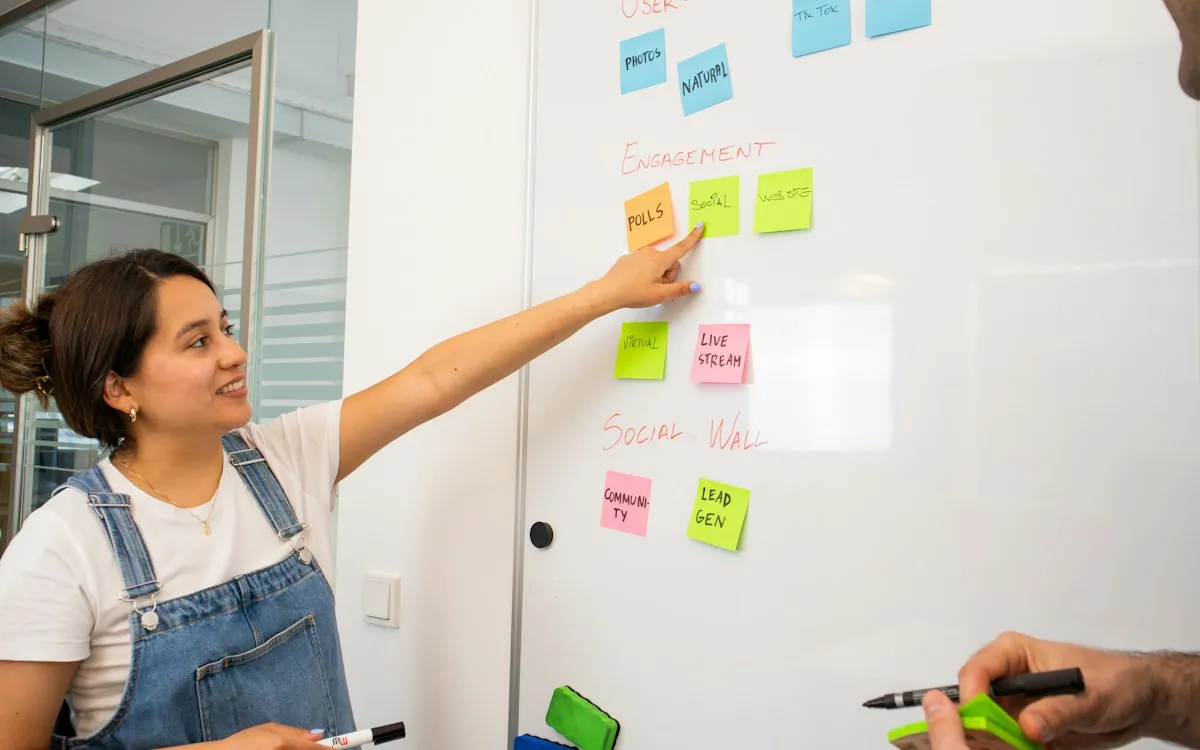
The storyboard is the script of the course: on-screen text, narration, visuals and interactions, screen by screen. Getting it right is cheaper than fixing a finished course, so this is where most review effort should go. If you need a starting point, use our eLearning storyboard template. Build a short prototype of one module so stakeholders see the look and the interactions before full production.
Output: an approved storyboard and a clickable prototype.
- 05
Develop the course and media
Now the course is built in an authoring tool such as Articulate Storyline 360, Articulate Rise 360 or Adobe Captivate. Graphics, animation, video and voiceover are produced in parallel. Build accessibility in from the start (alt text, captions, keyboard access, color contrast), because adding it at the end is slow and costly.
Output: an alpha version, then a beta version of the full course.
- 06
Review and test
Test four things, not one:
- Content: SMEs confirm accuracy, and the business confirms tone and policy.
- Function: every button, branch, quiz and variable works on the browsers and devices your people use.
- LMS: the package launches, resumes, and reports completion and score correctly in your own LMS, not only in a test tool.
- Accessibility and language: the course meets your accessibility target, and every translated version is checked by a native speaker.
Output: a final ("gold") package in SCORM 1.2, SCORM 2004, xAPI or HTML5.
- 07
Launch, measure and update
Pilot with a small group first, fix what they trip over, then roll out. Collect the data you planned in step 2: completion and scores from the LMS, then on-the-job behavior and the business measure. Plan who owns updates, because policies, products and software screens change.
Output: launch report and a short list of improvements.
| Step | Main output | Who leads | Common mistake |
|---|---|---|---|
| 1. Analyze | Needs analysis | L&D with the business | Building a course for a non-training problem |
| 2. Objectives | Measurable objectives, success data | Instructional designer, you approve | Objectives like "understand" that cannot be measured |
| 3. Design | Design document | Instructional designer | Skipping sign-off, so the design changes during the build |
| 4. Storyboard | Storyboard and prototype | Designer drafts, SMEs review | Reviewing slides as text only, without seeing interactions |
| 5. Develop | Alpha and beta course | Developers and media team | Adding accessibility at the end |
| 6. Review and test | Final package | QA, SMEs, your LMS admin | Testing in a preview tool but not in your own LMS |
| 7. Launch | Launch report | L&D | Measuring completions only |
ADDIE or SAM: which process model should you follow?
Most teams follow one of two models. ADDIE runs through Analysis, Design, Development, Implementation and Evaluation in sequence. SAM (the Successive Approximation Model) is an agile approach: a short preparation phase, then repeated cycles of design, prototype and review, and then development through alpha, beta and gold versions.
| Aspect | ADDIE | SAM |
|---|---|---|
| How it runs | Phases in order, each signed off | Short repeated cycles with early prototypes |
| Strength | Clear approvals and documentation | Problems surface early, less rework late |
| Watch out for | Late surprises if no one sees a prototype | Needs stakeholders who can review often |
| Pick it if | Content is stable and approvals are formal, e.g. regulated compliance training | Requirements are unclear or the course is highly interactive |
In practice, many teams blend them: an ADDIE-style sign-off on the design document, plus SAM-style prototypes in steps 4 and 5.
Which eLearning content development tools should you use?
The right tool depends on what you build, who builds it and how often content changes. Quick, responsive courses suit web-based tools. Complex branching, software simulations and custom interactions suit desktop tools. Here is what the vendors' own pages say (checked October 2026).
| Tool | How it works (vendor's own description) | Typically suited to |
|---|---|---|
| Articulate Storyline 360 | Desktop authoring; Windows 11 is the listed system, Macs run it through Parallels Desktop (Intel Macs also through VMware Fusion) | Custom interactions, branching scenarios, software simulations |
| Articulate Rise 360 | Web-based authoring; courses adapt to every device and orientation | Fast, responsive, mostly text-and-media courses and microlearning |
| Adobe Captivate | Installed application, "responsive by default", includes software simulations | Software training, responsive interactive courses |
| iSpring Suite | Courses are built inside PowerPoint; publishes SCORM 1.2, SCORM 2004, xAPI and cmi5 | Teams with a lot of PowerPoint content |
| Lectora (ELB Learning) | Desktop and web versions; publishes to HTML, AICC, SCORM, cmi5 and xAPI | Accessibility-focused and complex courses |
| dominKnow ONE | Cloud-based, real-time collaboration, reuse ("update once, update everywhere") | Large teams reusing content across many courses |
| Elucidat (now sold by Confirm as "Create") | Cloud-based, in-app review, built-in translation into 75+ languages | Global teams producing many versions |
How to choose your eLearning content development software
- Output you need: SCORM 1.2, SCORM 2004, xAPI or cmi5, matched to what your LMS supports.
- Interactivity: simple page-based courses or complex branching and simulations.
- Who authors: full-time developers, or SMEs and trainers who author occasionally.
- Collaboration and review: desktop files sent around, or cloud review in one place.
- Languages: how translation and voiceover are handled for each version.
- Source files: if a provider builds the course, make sure you receive editable source files you can open in your own license.
How long does eLearning content development take?
It depends mostly on interactivity. The most cited benchmark, a 2010 survey of 249 organizations by Chapman Alliance, found these average development hours per finished hour of learning:
Read these as a guide to the relative effort, not a quote. The data is from 2010, before many of today's web-based tools, and it counts the hours of the whole team. Calendar time is a different question: a course often waits longer for reviews and content than it spends in production.
What changes the timeline most
Content readiness: finished, approved source content versus content still being written.
SME availability: how fast experts answer questions and review drafts.
Review rounds: how many rounds are agreed per deliverable, and whether feedback is consolidated.
Media: custom animation, filmed video and professional voiceover add production time.
Languages: each language version needs translation, voiceover, rebuild and testing.
LMS testing: time to get access to a test environment in your LMS.
What drives the cost of eLearning content development?
Cost follows the same factors as time. Ask any provider to price these separately so you can compare quotes like for like.
How to choose an eLearning content development company
Portfolios all look good. These questions show how a provider actually works. Ask them on your first call.
- Can we see a sample or demo course similar to ours, built in the tool we want?
- Who is on the team, and who is our day-to-day contact?
- What is your process, and what do we approve at each step?
- How many review rounds are included per deliverable, and what does an extra round cost?
- How do you test in our LMS, and which standard (SCORM 1.2, SCORM 2004, xAPI) do you recommend for it?
- How do you build for accessibility, and to which standard?
- Do we receive the editable source files?
- How do you handle translation, voiceover and testing for other languages?
- What happens when our content changes after launch?
- Which time zones do you work in, and how do you report progress?
For larger programs, a written request for proposal makes quotes easier to compare. Submit an RFP →
7 common eLearning content development mistakes
- 01
Turning slides into click-next pages.
Reading slides on screen is not learning. Rewrite for the screen and add practice.
- 02
No measurable objective.
If you cannot say what people will do differently, you cannot measure success.
- 03
Too much content.
Cut "nice to know" material. Link to reference documents instead of putting them in the course.
- 04
Quizzes that test memory of trivia.
Ask learners to make the decisions they make at work. A 2006 study in Psychological Science found that students who practiced recalling material remembered more after two days and after a week than students who restudied it, so practice questions do more than measure.
- 05
Content changes after the build starts.
Lock the content at storyboard sign-off.
- 06
Accessibility as an afterthought.
WCAG 2.1, published by W3C in 2018, sets success criteria at levels A, AA and AAA, so decide your target level before design starts. Section 508 requires US federal agencies to make their electronic and information technology accessible, and its revised standards incorporate WCAG 2.0 Level A and AA.
- 07
Testing only in a preview tool.
Always test the final package in your own LMS before launch.
How IKHYA can help
IKHYA is a custom eLearning development company. We have delivered eLearning since 2010, with 120+ specialists, 500+ projects and clients in 40+ countries. Our eLearning content developers work in Articulate Storyline 360, Articulate Rise 360, Adobe Captivate, Lectora, iSpring Suite, dominKnow ONE and Elucidat, and publish in SCORM 1.2, SCORM 2004, xAPI and HTML5.
- 61% → 82%
Compliance training
A compliance overhaul that raised completion/pass rates from 61% to 82% across 1,200 employees.
- 12 languages
Our 500th project
A global onboarding program for a FTSE 100 financial services company, localized into 12 languages.
We can take on the whole process or one part of it: instructional design services, the build, conversion of PowerPoint or classroom training, translation and localization into 40+ languages with human or AI voiceover, or accessible courses built to WCAG 2.1 AA and Section 508. LMS platforms we have delivered courses to include Moodle, TalentLMS, Docebo and Cornerstone, and we test every course in your LMS before launch.
Need this built for your team?
Get a Free Quote →Frequently asked questions
It is the process of turning a training need into an online course: analysis, instructional design, storyboard, media, build in an authoring tool, testing and a published SCORM or xAPI package for your LMS.
Seven steps: analyze the need, set objectives, design, storyboard and prototype, develop, review and test, then launch and measure.
They turn expert knowledge into working courses. Instructional designers plan objectives and activities, SMEs check accuracy, and developers build the course and media in an authoring tool such as Storyline 360 or Rise 360.
An LMS hosts courses, assigns them and keeps records. eLearning content providers create the courses, either ready-made (off-the-shelf) or custom, that run inside the LMS.
Common authoring tools are Articulate Storyline 360, Articulate Rise 360, Adobe Captivate, iSpring Suite, Lectora, dominKnow ONE and Elucidat. The choice depends on interactivity, who authors and how you collaborate.
Buy off-the-shelf for general topics where your own examples do not matter. Build custom when training covers your own products, processes, systems or policies.
A 2010 Chapman Alliance survey averaged 79 development hours per finished hour for basic eLearning, 184 for interactive and 490 for advanced. Calendar time depends most on content readiness and reviews.
Agree a fixed number of rounds per deliverable (design document, storyboard, alpha, beta) before work starts, and send one consolidated set of comments per round. Most effort belongs at the storyboard stage.
It will if it is published in a standard your LMS supports, usually SCORM 1.2, SCORM 2004 or xAPI, and tested in your own LMS before launch. Check which standard and edition your LMS supports first.
Planning a course or a full program?
Tell us what your people need to do differently, and we will suggest the right format, tool and timeline.