eLearning Course Redesign and Flash to HTML5 Conversion
For L&D, HR and compliance teams with courses that look dated, break on phones or no longer launch.
We turn your old eLearning into modern, mobile-ready HTML5 courses in Storyline 360, Rise 360 or another tool you choose, and we keep the knowledge, objectives and assessments your learners still need.
Need a formal tender? Submit an RFP →
- Since 2010Delivering eLearning
- 500+Projects
- 40+Countries with clients
- 120+Specialists
What is eLearning course redesign?
eLearning course redesign is rebuilding an existing course so it works and teaches better today: a modern look, real interaction, phone-friendly layouts and current technology. IKHYA redesigns old courses and converts legacy Flash and older SCORM courses to HTML5, Storyline 360 or Rise 360, published to SCORM or xAPI and tested in your LMS.

Course redesign is one of IKHYA's eLearning services. It starts from what you already own, so you don't pay to write the content again.
Why L&D Teams Choose IKHYA to Modernize Old Courses
The right fix for each course, not one price for all
Some courses only need republishing; others need a full redesign. We sort your courses first, so you spend the budget where it changes learning.
Any of 7 authoring tools
We build in Articulate Storyline 360, Articulate Rise 360, Adobe Captivate, Lectora, iSpring Suite, dominKnow ONE and Elucidat, so the tool fits your team, not ours.
Built for your LMS
We publish to SCORM 1.2, SCORM 2004 or xAPI and test every course in your LMS. LMS platforms we have delivered courses to include Moodle, TalentLMS, Docebo and Cornerstone.
You keep the source files
You receive the editable source files (for example Storyline or Captivate files), so your team can update the course later.
Not sure which option is right for your courses?
Send us a list or a sample course and we'll tell you which level each one needs.
Signs Your eLearning Course Needs a Redesign
| What you see | What usually fixes it |
|---|---|
| The course shows a blank box or a "plugin" message | Rebuild in HTML5 (it was probably made in Flash) |
| The course works on a laptop but not on a phone | Rebuild or redesign in a responsive tool such as Rise 360 |
| Learners click "Next" to reach the quiz and remember little | Instructional redesign with scenarios and practice |
| Old logos, colors or screenshots | Re-skin, plus content updates where needed |
| Policies, products or procedures in the course have changed | Content update with your SMEs, often with a redesign |
| Nobody can edit the course because the source file is lost | Rebuild, with source files handed over this time |
Flash to HTML5 Conversion for eLearning Courses
Can Flash courses be converted to HTML5? Yes, but in practice they are rebuilt, not run through a one-click converter. Adobe stopped supporting Flash Player on December 31, 2020 and blocked Flash content from running in Flash Player from January 12, 2021, so a Flash course will not play in a current browser. Adobe itself points to open standards such as HTML5 as the way forward.
What survives depends on whether you still have the editable Flash project files (FLA) or only the published course (SWF files or a SCORM package). Here is what happens to each part of a typical Flash course.
| Part of the course | If you still have the FLA source | If you only have the SWF or the published course | What we do |
|---|---|---|---|
| On-screen text | Copied from the project | Recovered from the running course (screens or extraction) | Edit for clarity, then rebuild |
| Images and graphics | Reused from the project library | Recovered where quality allows, otherwise recreated | Refresh to your current brand |
| Audio narration | Reused from the project | Recovered from the published files where possible | Reuse, or record new human or AI voiceover |
| Animations | Adobe Animate can convert the file to an HTML5 Canvas document | Recreated from the running course | Rebuild key animations; simplify decorative ones |
| Interactions and branching (ActionScript) | Animate's conversion comments ActionScript out, so it must be rewritten | Rebuilt from how the course behaves | Map each interaction, agree on its behavior, rebuild it |
| Quizzes, scoring and LMS tracking | Rebuilt | Rebuilt | Rebuild in the new tool; publish to SCORM or xAPI and test in your LMS |
Is there an online Flash to HTML5 converter for courses?
Not one you can rely on for a training course. Google's Swiffy tool, which converted SWF files to HTML5, stopped converting files on July 1, 2016. Adobe Animate can convert a Flash project (FLA) to an HTML5 Canvas document, but Adobe's documentation says ActionScript code is commented out, videos are removed and 3D transformations are removed, and Animate is now in maintenance mode with no new features planned. Any quiz scoring or LMS tracking written in ActionScript has to be rebuilt as well. For a course that has to teach, score and track, a planned rebuild is safer than an automatic conversion.
What if we have no source files?
That is common with courses built 10 or more years ago. We recover the text, images and audio from the published course, rebuild the screens in a current tool and check the new version against the old one. If parts of the old course can't be opened at all, we work from any storyboards, scripts or PDFs you still have.
Old Storyline, Captivate and SCORM Courses
Flash isn't the only legacy problem. Articulate says Storyline 1, Storyline 2, Studio '09, Studio '13 and Replay 1 rely on Flash to operate, and that Flash-published courses need to be republished to HTML5 to keep working. The good news: projects from Storyline 1, Storyline 2 and Studio '09 and '13 open in newer versions of Storyline and Studio, so if you still have those project files, a republish is often enough. Storyline 360 removed Flash publishing on March 23, 2021.
Adobe's support for older Captivate releases has also ended: Adobe's support table lists the end of extended support for Captivate 9 on August 20, 2022 and for Captivate 2017 on April 13, 2023. If your courses were built in those versions, plan their move to a current tool now.
Old SCORM packages are a separate check. Not every LMS supports every SCORM version: Moodle, for example, supports SCORM 1.2 but not SCORM 2004, while Docebo supports SCORM 1.2 and SCORM 2004 3rd Edition. We publish the new version in the standard your LMS supports.
What We Deliver
Deliverables
- A redesigned or rebuilt course for each module in scope.
- Updated visuals in your current brand.
- Rebuilt interactions, knowledge checks and assessments.
- Mobile-ready layouts (Rise 360 adapts to every screen; Storyline 360 scales the slide in a responsive player).
- New or reused voiceover, human or AI, if the course has narration.
- Translated versions in any of 40+ languages, if you need them.
- Accessible versions built to WCAG 2.1 AA and Section 508, when you need them.
- Editable source files for every course.
Outputs and tools
- Outputs: SCORM 1.2, SCORM 2004, xAPI, HTML5.
- Tools: Articulate Storyline 360, Articulate Rise 360, Adobe Captivate, Lectora, iSpring Suite, dominKnow ONE, Elucidat.
- Short, mobile-first redesigns: Rise 360 courses, with custom Storyline interactions placed inside Rise using Storyline blocks.
- LMS platforms we have delivered courses to include: Moodle, TalentLMS, Docebo and Cornerstone. We test every course in your LMS before handover.
How a Course Redesign Project Works
- 01
Course inventory
You share, IKHYA reviewsYou share the course files, LMS details and any learner data; we list every course, its tool, source files and condition.
- 02
Triage and plan
IKHYA drafts, you approveWe recommend republish, re-skin, rebuild or redesign for each course, with the tool and output format.
- 03
Content recovery
IKHYA, with your SMEsWe extract text, images and audio from the old courses and flag outdated content for your SMEs.
- 04
Prototype
IKHYA drafts, you reviewWe build sample screens in the new design so you sign off on the look and interactions before the full build.
- 05
Build in batches
IKHYAWe build the courses in agreed batches so you can review the first ones early.
- 06
Review rounds
You review, IKHYA updatesYou review each batch and send one consolidated list of changes per round.
- 07
LMS testing and handover
IKHYA, with your LMS adminWe test launch, completion, scoring and resume in your LMS, then hand over the published packages and editable source files.
What Drives the Cost of a Course Redesign?
Every course redesign is quoted on its own scope, so there is no standard price. These are the factors that move the quote:
What You Send Us and What We Prepare
You send You
- Course files: source files if you have them, otherwise the published course or SCORM package.
- A course list: titles, length, tool and year built.
- Storyboards, scripts or PDFs, if they exist.
- Your current brand guide.
- Access to an SME for content questions.
- LMS name and version, and a test login or test upload.
- Target languages, if any.
We prepare IKHYA
- A course-by-course plan with the redesign level for each course.
- A design prototype for your sign-off.
- A content recovery file for SME review.
- The rebuilt courses, in batches.
- An LMS test checklist and results.
- Published packages plus editable source files.
Course Redesign Results
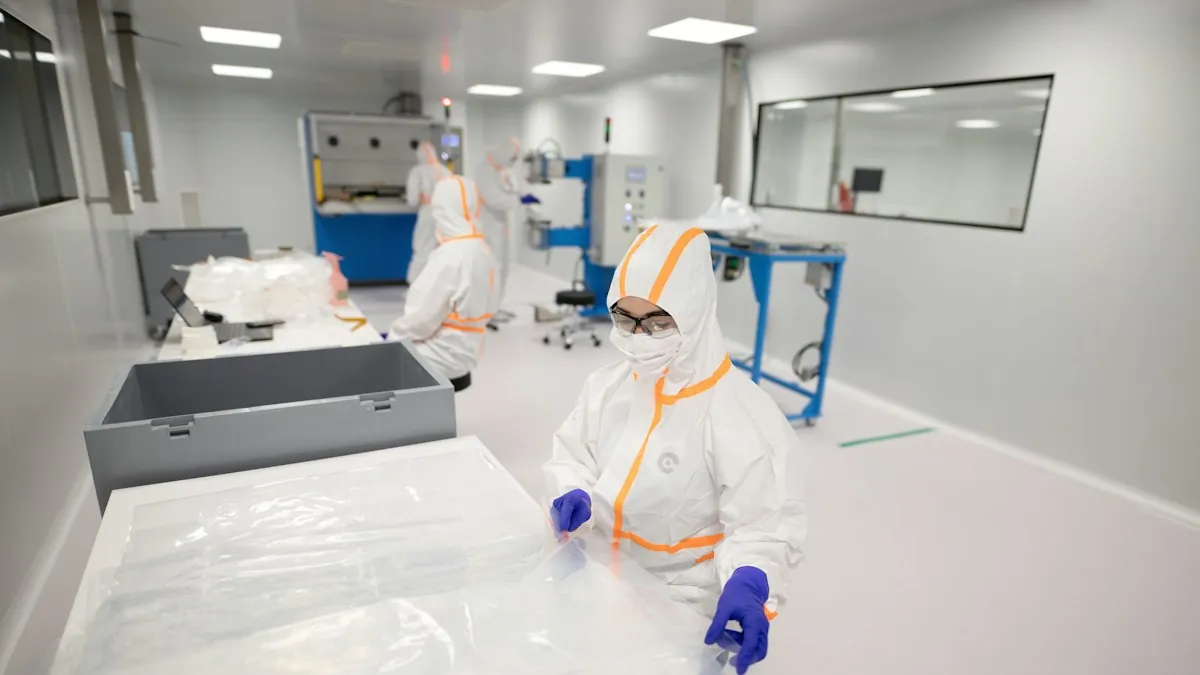 Pharmaceutical
48 Legacy Flash and Storyline 2 Courses Rebuilt as Mobile-Ready HTML5 in 16 Weeks
- Client
- A pharmaceutical manufacturer.
- Challenge
- 48 GMP, safety and SOP courses built between 2009 and 2015 stopped launching once browsers blocked Flash. 29 of them existed only as SWF files or published SCORM packages, and the sales and plant teams needed the courses on phones.
- What we did
- Sorted every course into three levels with the client's L&D team.
- Upgraded 12 courses with Storyline 2 source files in Storyline 360 and republished them to HTML5.
- Recovered the content of 24 courses from the published files and rebuilt them in Storyline 360 with the same objectives and assessments.
- Redesigned 12 courses in Rise 360 as shorter modules with scenarios, after the client's SMEs updated outdated SOP references.
- Published to SCORM 2004, tested in the client's LMS and handed over the editable source files.
- Results
- All 48 courses launch in current browsers and on phones.
- Delivered in 16 weeks, in 4 batches.
- Cost about 45% below the client's estimate for building the courses new.
- The client's own team now makes routine content updates.
"More than half our catalog only existed as SWF files. IKHYA sorted every course into republish, rebuild or redesign, and our people can finally take them on their phones."
35 PowerPoint Training Decks Turned Into Interactive SCORM Courses in 10 Weeks
For a logistics company, we rewrote slide text for self-paced learning, added knowledge checks and scenarios, built in iSpring Suite for speed and kept the client's brand. Classroom hours were cut by 60%, and the client's own team now updates the courses.
"They turned thirty-five slide decks into real courses without losing our brand, in ten weeks. Our trainers spend far less time on the road, and because it is built in iSpring, our own team makes the updates now."
eLearning Course Redesign FAQs
eLearning course redesign is rebuilding an existing course so it looks current, works on phones and teaches better, while keeping the content and objectives that are still valid. It can be a visual refresh, a rebuild in a new tool or a full instructional redesign with scenarios and new assessments.
Yes. We rebuild Flash courses in HTML5 with a current authoring tool such as Storyline 360 or Rise 360, keeping the objectives, content and assessments, then publish to SCORM or xAPI and test the course in your LMS.
Not one that works for training courses. Google's Swiffy stopped converting SWF files on July 1, 2016. Adobe Animate can convert a FLA project to HTML5 Canvas, but its ActionScript (including any scoring or tracking) is commented out and must be rewritten.
Jump to: Is there an online Flash to HTML5 converter for courses?
Yes. We recover the text, images and audio from the published course and rebuild it in a current tool. Storyboards, scripts or PDFs help if you still have them.
Yes. We publish to SCORM 1.2, SCORM 2004 or xAPI, whichever your LMS supports, and test launch, completion and scoring in your LMS before handover. LMS platforms we have delivered courses to include Moodle, TalentLMS, Docebo and Cornerstone.
Yes. You receive the editable source files, for example Storyline or Captivate files, so your team can make future updates.
Redesign when the course's objectives and most of its content are still right but the format, technology or design is failing learners. Build new when the job, process or audience has changed so much that little of the old content is still useful.
Each project is quoted on its scope. The main cost drivers are the redesign level, whether you have source files, course length, interactivity, media, content changes, languages and LMS testing.
It depends on the number of courses, the redesign level, whether source files exist and how fast reviews come back. Large catalogs are usually built and reviewed in batches, so the first courses are ready before the last ones are built.
Yes. We can build the redesigned course and its translated versions in one project, in any of 40+ languages, with human or AI voiceover.
Give Your Old Courses a Second Life
Send us your course list or one sample course, and we'll recommend the right level of redesign for each one.