
iSpring eLearning Development for Manufacturing Training: Complete Guide

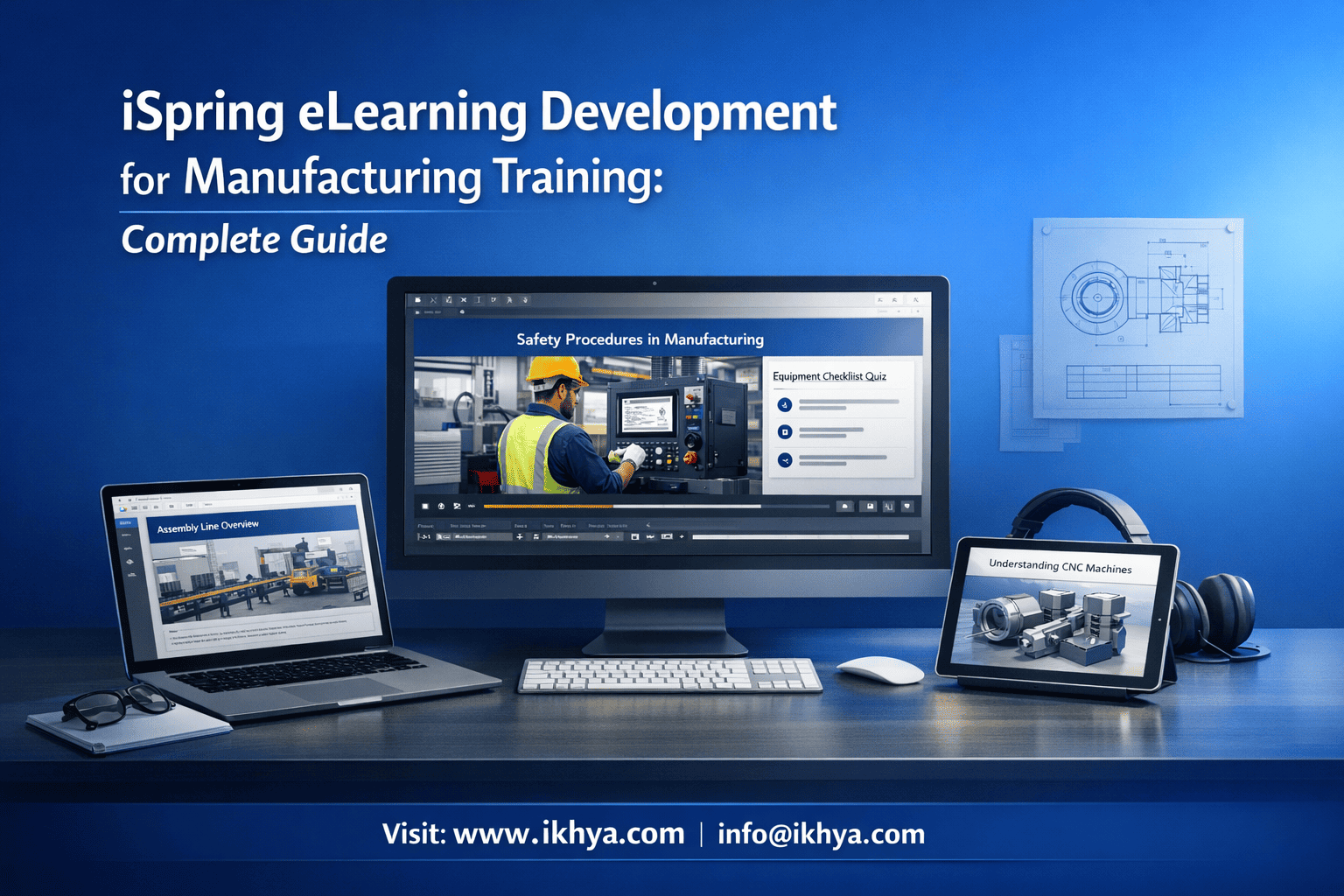
Manufacturing companies are under constant pressure to improve safety, reduce errors, and scale workforce training. Traditional training methods often fail to keep up. iSpring eLearning development for manufacturing training offers a faster, cost-effective way to create interactive, scalable, and LMS-ready manufacturing eLearning development programs.
If you’re looking to modernize training quickly, you can explore iSpring eLearning services or even book a free eLearning demo to see how it works in real-world scenarios.
What is iSpring eLearning Development?
iSpring eLearning development is a rapid content creation approach that converts PowerPoint-based training into interactive, SCORM/xAPI-compliant courses. It is widely used in corporate environments for fast deployment, especially in industries like manufacturing where rapid eLearning for manufacturing is essential due to frequent and evolving training needs.
At its core, iSpring simplifies eLearning by allowing teams to build courses directly within PowerPoint, then enhance them with quizzes, simulations, and voiceovers.
Key Features of iSpring Development
- PowerPoint-based authoring
- No steep learning curve for SMEs or trainers
- SCORM, xAPI, and LMS compatibility
- Seamless integration with enterprise LMS platforms
- Interactive quizzes and assessments
- Built-in templates for compliance and safety checks
- Video-based learning
- Screen recordings, roleplays, and demonstrations
- Mobile-friendly output
- Responsive learning for shop-floor workers
Why iSpring is Popular in Manufacturing eLearning Training
iSpring stands out because it combines speed with usability. Unlike complex tools, it enables rapid development without sacrificing quality.
Here’s why organizations prefer it:
- Fast turnaround time
- Convert existing PPTs into eLearning in days, not weeks
- Lower development cost
- Reduced dependency on advanced developers
- Ease of updates
- Quick edits for changing SOPs or compliance rules
- Ideal for SMEs
- Subject matter experts can directly contribute
How iSpring Manufacturing Training Fits into Modern Workflows
Manufacturing environments require consistent, repeatable, and compliant training. iSpring aligns perfectly with these needs.
It supports:
- Safety training modules (OSHA, machine handling)
- Standard operating procedures (SOPs)
- Equipment usage training
- Compliance certifications
For organizations looking to scale structured programs, combining iSpring with manufacturing training eLearning solutions ensures both speed and strategic alignment.
When Should You Use iSpring?
iSpring is not always the best tool—but it excels in specific scenarios.
Use iSpring when:
- You have existing PowerPoint training content
- You need rapid deployment
- Your training is process-driven or compliance-heavy
- Budget and timelines are constrained
Avoid iSpring when:
- You need highly complex simulations
- Advanced branching scenarios are required
- Game-based learning is the priority
Real-World Example
A manufacturing company in the UAE needed to train 500+ workers on updated safety protocols within 2 weeks.
Solution:
- Converted existing PPTs into iSpring modules
- Added quizzes and video demonstrations
- Deployed via LMS with SCORM tracking
Result:
- Training rollout completed in 10 days
- 35% improvement in assessment scores
- Reduced safety incidents within 3 months
Where iSpring Fits in Your eLearning Ecosystem
iSpring works best as part of a broader eLearning strategy that includes:
- Instructional design planning
- Content conversion workflows
- LMS integration
- Ongoing updates
If your organization relies heavily on presentations, leveraging PPT to eLearning conversion services can significantly accelerate implementation.
Why Manufacturing Training Needs Modern eLearning Solutions
Manufacturing training requires speed, consistency, and compliance, which traditional methods struggle to deliver. Modern eLearning solves this by enabling standardized, scalable, and trackable training across locations, shifts, and roles—while reducing downtime and errors.
The Limitations of Traditional Manufacturing Training
Many manufacturing organizations still rely on classroom sessions, manuals, or on-the-job shadowing. While familiar, these approaches create serious gaps.
Key challenges include:
- Inconsistent training delivery
- Different trainers, different interpretations
- High downtime costs
- Pulling workers off the floor impacts productivity
- Limited tracking
- No clear visibility into who completed what training
- Safety risks
- Delayed or ineffective safety training leads to incidents
- Difficult updates
- SOP changes are slow to implement across teams
What Modern eLearning Solves
Modern eLearning transforms training into a repeatable, measurable, and scalable system.
Core advantages:
- Standardization
- Every worker receives the same quality of training
- Scalability
- Train 10 or 10,000 employees across multiple locations
- Real-time tracking
- LMS dashboards provide completion, scores, and compliance data
- Faster updates
- Update once, deploy instantly
- Reduced training time
- Microlearning and on-demand modules improve efficiency
Why This Matters in Manufacturing Environments
Manufacturing is not just another industry—it operates under strict operational and safety constraints.
Critical training areas include:
- Safety compliance (OSHA, ISO standards)
- Machine operation training
- Quality control processes
- Regulatory compliance
- Equipment maintenance procedures
Without modern training systems, organizations risk:
- Increased workplace accidents
- Regulatory penalties
- Production errors
- Skill gaps across teams
To address these challenges effectively, many organizations adopt manufacturing training eLearning solutions that combine instructional design with scalable technology.
Shift Toward Digital Learning in Global Manufacturing
Across regions like the USA, UK, UAE, and Australia, manufacturers are rapidly transitioning to eLearning.
Key trends driving this shift:
- Workforce mobility
- Training must be accessible anytime, anywhere
- Compliance pressure
- Digital records are essential for audits
- Technology adoption
- LMS, SCORM, and xAPI enable data-driven training
- Remote and hybrid work
- Especially for global manufacturing teams
Traditional vs Modern Training: Quick Comparison
| Factor | Traditional Training | Modern eLearning |
|---|---|---|
| Delivery | Classroom/manual | Digital, LMS-based |
| Scalability | Limited | High |
| Tracking | Manual | Automated (SCORM/xAPI) |
| Update speed | Slow | Instant |
| Cost over time | High | Optimized |
Where iSpring Fits Into This Transformation
iSpring plays a critical role in bridging the gap between legacy training content and modern eLearning systems.
It enables:
- Rapid conversion of existing materials
- Quick deployment without heavy technical expertise
- Easy updates for evolving manufacturing processes
Organizations that want speed without complexity often combine iSpring with rapid eLearning development services to accelerate rollout timelines.
Practical Scenario
A UK-based manufacturing firm needed to standardize SOP training across 5 plants.
Challenge:
- Different training formats across locations
- No centralized tracking
Approach:
- Converted SOP manuals into iSpring modules
- Deployed via LMS with tracking
Outcome:
- 100% training standardization
- 40% reduction in onboarding time
- Improved audit readiness
Modern eLearning is no longer optional—it’s a strategic requirement for manufacturing organizations aiming for safety, efficiency, and scalability.
Why Use iSpring for Manufacturing Training?
iSpring is ideal for manufacturing training because it enables fast, cost-effective, and scalable course development using existing PowerPoint content—while ensuring compliance, consistency, and LMS compatibility. It is especially effective for safety, SOP, and process-driven training where speed and accuracy are critical.
1. Rapid Development for Time-Sensitive Training
Manufacturing environments often require urgent training rollouts—whether due to safety updates, new machinery, or regulatory changes.
How iSpring helps:
- Converts PowerPoint into eLearning within days
- Reduces dependency on complex development tools
- Enables quick updates when SOPs change
This makes it a strong choice for organizations prioritizing speed, especially when supported by rapid eLearning development services.
2. Leverages Existing Training Content
Most manufacturing companies already have extensive PowerPoint-based training materials.
Instead of rebuilding from scratch, iSpring allows you to:
- Reuse existing PPTs
- Enhance them with interactivity
- Add quizzes and assessments
This significantly reduces development time and cost. Many organizations combine this with PPT to eLearning conversion services to streamline the process.
3. Built for Compliance and Safety Training
Manufacturing training is heavily focused on compliance, safety, and certifications.
iSpring supports this through:
- Quiz-based assessments for compliance validation
- Scenario-based learning for safety situations
- LMS tracking for audit readiness
Key compliance benefits:
- SCORM/xAPI tracking
- Completion reports for audits
- Certification management
4. Easy for SMEs and Trainers to Use
Unlike complex authoring tools, iSpring has a low learning curve, making it accessible for internal teams.
Why this matters:
- Subject matter experts (SMEs) can contribute directly
- Faster content updates without external dependency
- Reduced training bottlenecks
For organizations that want structured design support alongside SME input, instructional design services can enhance content quality.
5. Mobile-Friendly for Shop-Floor Accessibility
Manufacturing workers are often on the move. Training must be accessible across devices.
iSpring ensures:
- Responsive course output
- Mobile and tablet compatibility
- On-demand learning access
This is critical for:
- Just-in-time training
- On-the-job learning
- Remote workforce training
6. Cost-Effective Compared to Advanced Tools
iSpring is significantly more affordable than tools like Storyline or Captivate for many use cases.
Cost advantages include:
- Lower development complexity
- Faster turnaround time
- Reduced need for specialized developers
This makes it ideal for:
- Large-scale rollouts
- Budget-conscious training programs
- Continuous training updates
iSpring vs Traditional eLearning Tools
| Feature | iSpring | Advanced Tools (Storyline/Captivate) |
|---|---|---|
| Learning curve | Low | High |
| Development speed | Fast | Moderate–Slow |
| Cost | Lower | Higher |
| Interactivity level | Moderate | High |
| Best use case | Compliance, SOP training | Simulations, complex scenarios |
When iSpring Delivers Maximum Value
iSpring works best in manufacturing when:
- Training is process-driven
- Content is frequently updated
- Speed is more important than complexity
- Large teams need consistent training
Real-World Example
An Australian manufacturing company needed to train workers on new machinery operations across multiple plants.
Approach:
- Converted technical manuals into PowerPoint
- Built iSpring modules with quizzes
- Deployed via LMS
Results:
- Training time reduced by 50%
- Faster onboarding for new hires
- Improved operational accuracy
iSpring is not just a tool—it’s a strategic enabler for rapid, scalable manufacturing training.
When combined with structured solutions like manufacturing training eLearning solutions, it helps organizations achieve both speed and long-term training efficiency.
Key Use Cases of iSpring in Manufacturing
iSpring is widely used in manufacturing to deliver safety training, compliance programs, equipment training, and SOP-based learning. Its ability to convert static content into interactive modules makes it ideal for real-world industrial training scenarios where clarity, consistency, and speed are essential.
1. Safety Training
Safety training is the most critical use case for iSpring in manufacturing. It helps organizations reduce workplace incidents by delivering consistent, engaging, and trackable training.
How iSpring supports safety training:
- Scenario-based learning for hazard identification
- Interactive quizzes for compliance validation
- Video demonstrations of safe practices
- LMS tracking for audit readiness
Typical safety training topics:
- PPE usage
- Fire safety procedures
- Machine safety protocols
- Emergency response
Many organizations build these programs using custom eLearning development services to ensure alignment with internal safety standards.
2. Compliance Training
Manufacturing companies must comply with strict regulations, making compliance training non-negotiable. iSpring simplifies compliance training delivery and tracking.
Key capabilities:
- Certification-based learning paths
- Automated assessment and scoring
- SCORM/xAPI reporting for audits
Common compliance areas:
- OSHA regulations
- ISO standards
- Environmental compliance
- Quality assurance processes
3. Equipment and Machine Operation Training
Training workers on equipment is often complex and risky if done incorrectly.
iSpring enables:
- Step-by-step equipment walkthroughs
- Video-based demonstrations
- Knowledge checks before hands-on practice
Benefits:
- Reduced training risks
- Faster skill acquisition
- Standardized machine handling procedures
4. Standard Operating Procedure (SOP) Training
SOPs are the backbone of manufacturing operations. However, traditional SOP training is often text-heavy and ineffective.
With iSpring:
- SOPs become interactive modules
- Visual walkthroughs improve understanding
- Quizzes ensure retention
This is particularly useful when combined with instructional design services to transform complex processes into clear learning experiences.
5. Onboarding and Workforce Upskilling
Manufacturing organizations frequently onboard new workers and upskill existing teams.
iSpring supports:
- Structured onboarding programs
- Role-based training paths
- Microlearning modules for continuous learning
Outcomes:
- Faster onboarding
- Reduced dependency on trainers
- Improved workforce productivity
6. Refresher Training and Microlearning
Training is not a one-time activity. Workers need regular refreshers to stay compliant and efficient.
iSpring enables:
- Short, focused microlearning modules
- Quick updates for changing processes
- On-demand access via mobile devices
This approach is often implemented through microlearning development services to ensure continuous learning.
Use Case Summary Table
| Use Case | Key Benefit | Business Impact |
|---|---|---|
| Safety training | Risk reduction | Fewer incidents |
| Compliance training | Audit readiness | Regulatory compliance |
| Equipment training | Skill standardization | Reduced errors |
| SOP training | Process clarity | Operational efficiency |
| Onboarding | Faster ramp-up | Productivity gains |
| Refresher training | Continuous learning | Long-term retention |
Real-World Scenario
A US-based manufacturing company needed to improve safety compliance across multiple facilities.
Solution:
- Developed iSpring-based safety modules
- Included scenario-based assessments
- Deployed via LMS with tracking
Results:
- 100% compliance training completion
- 30% reduction in safety violations
- Improved audit scores
The true strength of iSpring lies in its versatility across multiple training needs. Whether it’s safety, compliance, or operational training, it provides a scalable and efficient solution.
When integrated with broader programs like manufacturing training eLearning solutions, organizations can build a comprehensive training ecosystem.
iSpring vs Other Authoring Tools (Comparison)
iSpring stands out for speed and simplicity, while tools like Storyline, Captivate, and Lectora offer deeper interactivity and customization. The right choice depends on your training complexity, timeline, and budget—especially in manufacturing environments where both speed and accuracy matter.
Quick Comparison of Popular eLearning Tools
| Feature | iSpring | Articulate Storyline | Adobe Captivate | Lectora Inspire |
|---|---|---|---|---|
| Ease of use | Very easy (PowerPoint-based) | Moderate | Moderate–High | Moderate |
| Development speed | Very fast | Moderate | Moderate | Moderate |
| Interactivity | Moderate | High | High | High |
| Best for | Compliance, SOP training | Simulations, branching | Software training | Complex enterprise training |
| Cost | Lower | Higher | Higher | Higher |
| Learning curve | Low | Medium | High | Medium |
| Mobile responsiveness | Good | Good | Advanced | Advanced |
When to Choose iSpring
iSpring is the best choice when speed, simplicity, and scalability are priorities.
Use iSpring if:
- You need rapid training deployment
- You already have PowerPoint-based content
- Training is compliance or process-driven
- Budget and timelines are tight
It is particularly effective when supported by rapid eLearning development services to accelerate delivery.
When to Choose Other Tools
More advanced tools may be better suited for complex training needs.
Choose Storyline, Captivate, or Lectora when:
- You need complex simulations
- Advanced branching scenarios are required
- High-level gamification is needed
- Custom UI/UX design is a priority
For example:
- Storyline → Ideal for interactive scenarios
- Captivate → Best for software simulations
- Lectora → Strong for enterprise-level compliance with advanced customization
Practical Decision Framework
Use this quick framework to decide:
| Requirement | Best Tool |
|---|---|
| Fast rollout (days–weeks) | iSpring |
| Complex simulations | Storyline |
| Software/system training | Captivate |
| Enterprise-scale customization | Lectora |
Real-World Decision Scenario
A UAE-based manufacturing company needed to train workers on updated compliance procedures within 3 weeks.
Options considered:
- Storyline (high interactivity, slower development)
- iSpring (faster deployment)
Decision:
- Chose iSpring due to tight deadlines
Outcome:
- Training deployed 40% faster
- Achieved full compliance before audit
Key Takeaway
There is no “one-size-fits-all” tool. However:
- iSpring dominates in speed and cost-efficiency
- Other tools dominate in advanced interactivity
For many manufacturing organizations, the optimal strategy is:
- Use iSpring for core training (SOP, safety, compliance)
- Use advanced tools for specialized modules
If you’re unsure which tool fits your needs, aligning your requirements with experts can prevent costly mistakes. Many organizations evaluate options alongside eLearning consultancy services before committing to a tool.
How to Develop Manufacturing Training Using iSpring (Step-by-Step)
Developing manufacturing training with iSpring involves converting existing content into interactive modules, applying instructional design principles, and deploying via an LMS for tracking and scalability. The process is fast, structured, and ideal for compliance-heavy environments.
Step-by-Step Development Process
Step 1: Analyze Training Requirements
Start by identifying what needs to be trained and why.
Key actions:
- Define training goals (safety, compliance, SOPs)
- Identify target audience (operators, supervisors, technicians)
- Assess current content (PPTs, manuals, videos)
Output: Clear training objectives and content inventory
Step 2: Gather and Structure Content
Manufacturing training often exists in scattered formats.
Organize content into:
- Modules (e.g., machine operation, safety protocols)
- Topics (step-by-step processes)
- Visual elements (diagrams, videos, images)
This stage is crucial for clarity and effectiveness.
Step 3: Convert PowerPoint into iSpring Modules
This is where iSpring delivers its biggest advantage, especially for rapid eLearning for manufacturing initiatives.
Process:
- Import PowerPoint into iSpring
- Enhance slides with narration and animations
- Add interactive elements
Step 4: Add Interactivity and Assessments
Static content is not enough—engagement drives retention.
Enhancements include:
- Quizzes for knowledge checks
- Scenario-based learning (e.g., safety incidents)
- Drag-and-drop interactions
- Video demonstrations
Goal: Ensure learners not only consume content but understand it
Step 5: Ensure Compliance and Tracking
Manufacturing training must be auditable and trackable.
iSpring enables:
- SCORM/xAPI packaging
- LMS integration
- Completion tracking and reporting
This ensures readiness for audits and regulatory checks.
Step 6: Test and Validate the Course
Before deployment, validate the training experience.
Checklist:
- Content accuracy
- Technical functionality
- Mobile responsiveness
- LMS compatibility
Tip: Pilot test with a small group of employees
Step 7: Deploy via LMS
Once validated, deploy training organization-wide.
Deployment options:
- Enterprise LMS
- Cloud-based platforms
- Mobile access for field workers
For scalable rollout, organizations often combine this with LMS-compatible eLearning course development services.
Step 8: Monitor and Optimize
Training doesn’t end after deployment.
Track and improve:
- Completion rates
- Assessment scores
- Learner feedback
Continuous improvement ensures long-term effectiveness.
Development Timeline Overview
| Phase | Timeline |
|---|---|
| Analysis & planning | 2–5 days |
| Content structuring | 3–7 days |
| Development (iSpring) | 5–15 days |
| Testing & deployment | 3–5 days |
Total estimated timeline: 2–4 weeks (depending on complexity)
Real-World Example
A manufacturing company in the USA needed to digitize SOP training for multiple production lines.
Approach:
- Converted manuals into structured PowerPoint content
- Developed iSpring modules with assessments
- Deployed via LMS with tracking
Results:
- 60% faster training rollout
- Improved SOP adherence
- Reduced operational errors
Common Mistakes to Avoid
- Overloading slides with text
- Ignoring interactivity
- Skipping LMS testing
- Not updating content regularly
The success of iSpring development depends not just on the tool—but on how well the process is executed.
Organizations that combine iSpring with custom eLearning development services often achieve better outcomes in terms of engagement, compliance, and scalability.
Cost of iSpring eLearning Development
The cost of iSpring eLearning development for manufacturing training typically ranges from $1,000 to $8,000 per hour of content, depending on complexity, interactivity, and scale. It is one of the most cost-effective solutions compared to advanced authoring tools, especially for compliance and SOP-based training.
Key Factors That Influence Cost
Several variables impact the final development cost.
1. Content Complexity
- Basic (slides + narration) → Lower cost
- Interactive (quizzes, branching) → Moderate cost
- Advanced (scenarios, simulations) → Higher cost
2. Source Material Availability
- Existing PowerPoint → Lower cost
- Raw manuals/documents → Higher cost (requires structuring)
3. Level of Interactivity
- Minimal → Faster and cheaper
- Moderate (quizzes, interactions) → Balanced cost
- High (scenario-based learning) → Increased cost
4. Multimedia Requirements
- Voiceovers
- Animations
- Video production
These elements can significantly increase cost.
5. Volume of Training
- Bulk development reduces per-module cost
- Single courses tend to be more expensive per unit
Cost Breakdown by Development Level
| Development Type | Cost per Hour | Best For |
|---|---|---|
| Basic | $1,000–$2,500 | SOPs, simple compliance |
| Moderate | $2,500–$5,000 | Safety training, onboarding |
| Advanced | $5,000–$8,000 | Scenario-based training |
iSpring vs Other Tools: Cost Comparison
| Tool | Cost Range (Per Hour) | Development Speed | Overall ROI |
|---|---|---|---|
| iSpring | $1,000–$8,000 | Fast | High |
| Storyline | $5,000–$15,000 | Moderate | Medium–High |
| Captivate | $4,000–$12,000 | Moderate | Medium |
| Lectora | $6,000–$18,000 | Moderate | Medium |
Insight: iSpring delivers the best ROI when speed and scale are priorities.
In-House vs Outsourcing Cost Comparison
| Approach | Cost Impact | Pros | Cons |
|---|---|---|---|
| In-house | Lower long-term | Control, internal expertise | Slower setup, resource dependency |
| Outsourcing | Higher upfront | Faster delivery, expert quality | Vendor cost |
Organizations often reduce long-term costs by choosing to outsource eLearning development for faster and more efficient execution.
Hidden Costs to Consider
Many organizations underestimate these:
- LMS integration and setup
- Content updates and maintenance
- Translation/localization for global teams
- Compliance updates
Real-World Cost Scenario
A UK-based manufacturing company needed 10 hours of safety training content.
Approach:
- Moderate interactivity level
- Existing PowerPoint content
Estimated cost:
- $30,000–$45,000 total
Outcome:
- Training deployed across 3 locations
- Reduced compliance risks
- Long-term cost savings through reuse
How to Optimize Your Budget
Practical cost-saving strategies:
- Reuse existing PPT content
- Focus on essential interactivity
- Use microlearning for large topics
- Standardize templates across courses
iSpring is not just affordable—it’s strategically efficient. It allows manufacturing companies to:
- Scale training quickly
- Maintain compliance
- Optimize long-term training costs
For organizations planning structured investments, submitting a detailed requirement through a training RFP helps in getting accurate cost estimates and vendor alignment.
Challenges and Limitations of iSpring
iSpring is powerful for rapid eLearning, but it has limitations in advanced interactivity, customization, and complex simulations. Understanding these constraints helps manufacturing organizations choose the right tool or combine iSpring with other solutions for optimal results.
1. Limited Advanced Interactivity
iSpring is designed for simplicity and speed, which means it does not support highly complex interactions.
Limitations include:
- Basic branching scenarios
- Limited gamification capabilities
- Restricted custom animations
Impact on manufacturing training:
- Not ideal for highly technical simulations
- May not fully replicate real-world machine operations
2. Dependency on PowerPoint Structure
Since iSpring is built around PowerPoint, the quality of output heavily depends on the source content.
Challenges:
- Poorly designed PPTs lead to ineffective courses
- Overloaded slides reduce engagement
- Requires redesign for optimal learning experience
3. Limited Custom UI/UX Flexibility
Compared to tools like Storyline or Lectora, iSpring offers less flexibility in design.
Constraints include:
- Standard templates and layouts
- Limited customization of user interface
- Less control over learner navigation
4. Not Ideal for Complex Simulations
Manufacturing training sometimes requires high-fidelity simulations, especially for:
- Advanced machinery
- Technical troubleshooting
- Real-time decision-making scenarios
iSpring cannot fully replicate these experiences.
Alternative approach:
- Use iSpring for core training
- Combine with simulation-based tools or eLearning simulation-based training services for advanced needs
5. Scalability Challenges for Highly Customized Projects
While iSpring scales well for standard training, it may struggle with:
- Highly customized enterprise solutions
- Complex learning ecosystems
- Multi-layered interactive programs
6. Limited Offline and Advanced Analytics Capabilities
Although iSpring supports LMS tracking, it may not offer:
- Deep analytics compared to advanced platforms
- Offline learning capabilities in some setups
For organizations requiring deeper insights, integrating with LMS systems or analytics tools becomes essential.
Challenges Summary Table
| Limitation | Impact | Solution |
|---|---|---|
| Limited interactivity | Reduced engagement in complex training | Use advanced tools for simulations |
| PowerPoint dependency | Content quality issues | Redesign content |
| UI/UX limitations | Less customization | Use templates strategically |
| Simulation limitations | Not suitable for advanced training | Combine with simulation tools |
| Analytics limitations | Limited insights | Integrate with LMS |
Real-World Scenario
A manufacturing company in Australia attempted to build advanced machine simulations using iSpring.
Challenge:
- Tool limitations restricted realistic simulation
Solution:
- Used iSpring for foundational training
- Added simulation modules using specialized tools
Outcome:
- Balanced cost and complexity
- Achieved both scalability and depth
Strategic Takeaway
iSpring is highly effective—but only when used for the right type of training.
Best approach:
- Use iSpring for:
- Compliance
- Safety
- SOP training
- Use advanced tools for:
- Simulations
- Complex scenarios
Smart Implementation Strategy
Many organizations adopt a hybrid approach:
- iSpring for rapid deployment
- Advanced tools for specialized training
- Unified delivery through LMS
This ensures both speed and depth without overspending.
When to Choose iSpring vs Other Tools
You should choose iSpring when speed, simplicity, and cost-efficiency are priorities, and opt for advanced tools when your training requires high interactivity, simulations, or custom experiences. The decision depends on your training goals, complexity, and timelines—especially in manufacturing environments.
When iSpring is the Right Choice
iSpring delivers maximum value in structured, compliance-driven training scenarios.
Choose iSpring if:
- You need rapid deployment (within weeks)
- Training is SOP-based or compliance-focused
- You already have PowerPoint content
- Budget constraints are a concern
- You need frequent content updates
Ideal manufacturing use cases:
- Safety training
- Compliance certification programs
- Equipment handling basics
- Onboarding programs
Organizations aiming for fast rollout often pair iSpring with rapid eLearning development services for efficiency.
When Other Tools Are a Better Fit
Advanced authoring tools are better suited for complex and immersive learning experiences.
Choose other tools if:
- You need realistic simulations of machinery
- Training involves complex decision-making scenarios
- High-end gamification is required
- You need fully customized UI/UX
Examples:
- Storyline → Scenario-based learning
- Captivate → Software/system simulations
- Lectora → Enterprise-level customization
Decision Comparison Table
| Requirement | Best Choice |
|---|---|
| Fast training rollout | iSpring |
| Budget-friendly development | iSpring |
| Compliance-heavy training | iSpring |
| Advanced simulations | Storyline/Captivate |
| High customization | Lectora |
| Gamified learning | Storyline |
Hybrid Strategy: Best of Both Worlds
Many manufacturing organizations don’t rely on a single tool.
A hybrid approach works best:
- Use iSpring for:
- Core training modules
- Compliance and safety programs
- Use advanced tools for:
- High-risk simulations
- Technical skill training
This ensures:
- Faster deployment
- Controlled costs
- High-quality learning experiences
Real-World Decision Scenario
A US-based manufacturing company needed to train workers on both safety compliance and advanced machine operations.
Approach:
- Used iSpring for safety and SOP training
- Used Storyline for machine simulations
Outcome:
- 50% faster rollout of core training
- Improved skill accuracy in technical tasks
- Balanced cost and quality
Key Questions to Guide Your Decision
Before choosing a tool, ask:
- How fast do we need to deploy training?
- What level of interactivity is required?
- Do we already have existing content?
- What is our budget?
- Do we need simulations or just knowledge transfer?
Choosing the wrong tool can lead to:
- Increased costs
- Delayed deployment
- Poor learning outcomes
Outsourcing vs In-house Development
Choosing between outsourcing and in-house iSpring development depends on your timeline, internal expertise, and scalability needs. In manufacturing, where training demands are continuous and time-sensitive, many organizations adopt a hybrid or outsourced approach to ensure speed and quality.
In-house Development: When It Makes Sense
In-house development involves building training using your internal L&D or training team.
Best suited for:
- Organizations with a dedicated L&D team
- Ongoing training needs with frequent updates
- Long-term investment in internal capabilities
Advantages:
- Full control over content and updates
- Better alignment with internal processes
- No dependency on external vendors
Challenges:
- Slower initial setup
- Requires skilled instructional designers and developers
- Limited scalability during peak training demands
Outsourcing Development: When It Works Better
Outsourcing involves partnering with an experienced eLearning vendor to design and develop training.
Best suited for:
- Fast training rollout requirements
- Lack of internal expertise
- Large-scale or complex projects
Advantages:
- Faster development timelines
- Access to expert instructional designers
- Scalable for large or multi-location training programs
Challenges:
- Higher upfront costs
- Requires clear communication and alignment
In-house vs Outsourcing: Comparison Table
| Factor | In-house Development | Outsourcing |
|---|---|---|
| Speed | Slower initially | Faster |
| Cost | Lower long-term | Higher upfront |
| Expertise | Limited to internal team | Access to specialists |
| Scalability | Limited | High |
| Control | Full control | Shared control |
Hybrid Model: The Most Practical Approach
Many manufacturing organizations adopt a hybrid strategy to balance cost, speed, and control.
Typical hybrid setup:
- Internal team:
- Handles minor updates
- Maintains LMS
- Manages ongoing training
- External vendor:
- Develops new courses
- Designs complex modules
- Provides instructional design expertise
Real-World Scenario
A UAE-based manufacturing company needed to digitize safety and compliance training across 4 plants.
Approach:
- Outsourced initial course development
- Trained internal team for ongoing updates
Outcome:
- 60% faster rollout
- Reduced long-term dependency on vendors
- Improved training consistency
Key Decision Factors
To choose the right approach, evaluate:
- Do you have internal instructional design expertise?
- How quickly do you need training deployed?
- What is your long-term training strategy?
- Do you need scalability across multiple locations?
Strategic Insight
For most manufacturing organizations:
- Outsourcing accelerates initial transformation
- In-house teams sustain long-term training
Combining both ensures efficiency, scalability, and cost control.
Moving Toward the Right Vendor
If you decide to outsource, selecting the right partner is critical. Many organizations follow structured evaluation frameworks or use guides like how to choose the right eLearning vendor to make informed decisions.
Best Practices for Manufacturing eLearning
Effective manufacturing eLearning requires clear structure, high engagement, real-world relevance, and continuous optimization. Using iSpring successfully is not just about speed—it’s about designing training that improves safety, performance, and compliance outcomes.
1. Keep Training Simple and Task-Focused
Manufacturing workers need clear, actionable instructions, not lengthy theoretical content.
Best practices:
- Break content into short modules (5–10 minutes)
- Focus on one task or process per module
- Use step-by-step instructions
Why it works:
- Improves retention
- Reduces cognitive overload
- Enables quick on-the-job reference
2. Use Visual and Video-Based Learning
Manufacturing training is highly visual. Workers learn better by seeing processes.
Include:
- Equipment demonstration videos
- Process walkthroughs
- Visual SOP diagrams
iSpring supports video integration, making it ideal for practical training scenarios.
3. Incorporate Scenario-Based Learning
Real-world scenarios improve decision-making and safety awareness.
Examples:
- Identifying safety hazards
- Responding to machine malfunctions
- Handling emergency situations
For more advanced scenarios, organizations often combine iSpring with eLearning simulation-based training services.
4. Ensure Compliance and Trackability
Manufacturing training must be auditable and measurable.
Key practices:
- Use quizzes for validation
- Track completion via LMS (SCORM/xAPI)
- Maintain certification records
This ensures readiness for audits and regulatory checks.
5. Design for Mobile and On-the-Job Learning
Workers may not always have access to desktops.
Optimize training for:
- Mobile devices
- Tablets
- On-demand access
This enables just-in-time learning, which is critical in manufacturing environments.
6. Standardize Training Across Locations
Consistency is crucial, especially for global operations.
Approach:
- Use templates for all courses
- Maintain centralized content control
- Ensure uniform training delivery
Organizations often scale effectively using manufacturing training eLearning solutions.
7. Continuously Update and Improve Content
Manufacturing processes evolve frequently.
Best practices:
- Update courses regularly
- Incorporate learner feedback
- Track performance metrics
iSpring’s ease of editing makes updates faster compared to complex tools.
Best Practices Summary Table
| Practice | Benefit | Impact |
|---|---|---|
| Microlearning modules | Faster learning | Higher retention |
| Visual/video content | Better understanding | Reduced errors |
| Scenario-based learning | Real-world application | Improved safety |
| LMS tracking | Compliance visibility | Audit readiness |
| Mobile learning | Accessibility | On-the-job learning |
| Standardization | Consistency | Scalable training |
Real-World Example
A manufacturing company in the USA improved safety training effectiveness by redesigning courses using best practices.
Changes implemented:
- Converted long modules into microlearning
- Added video demonstrations
- Included scenario-based quizzes
Results:
- 45% increase in learner engagement
- Reduced safety incidents
- Faster training completion rates
Common Mistakes to Avoid
- Overloading slides with text
- Ignoring visual learning elements
- Skipping assessments
- Not updating outdated content
Strategic Insight
The difference between average and high-impact training lies in execution, not just tools.
Even with iSpring, applying strong instructional design principles—often supported by instructional design services—can significantly improve outcomes.
How to Choose the Right eLearning Vendor
Choosing the right eLearning vendor is critical to ensuring your manufacturing training is effective, scalable, and aligned with business goals. The right partner not only develops content but also helps you design a long-term training strategy.
What Makes a Good eLearning Vendor?
A reliable vendor should offer more than just development—they should bring strategy, experience, and execution capability.
Key qualities to look for:
- Industry experience in manufacturing training
- Strong instructional design expertise
- Experience with tools like iSpring and LMS integration
- Ability to scale across locations and teams
- Proven track record with case studies
Key Evaluation Criteria
Use the following framework to evaluate vendors effectively:
| Criteria | What to Look For |
|---|---|
| Industry expertise | Experience in manufacturing, safety, compliance |
| Technical capability | iSpring, SCORM, xAPI, LMS integration |
| Instructional design | Ability to simplify complex processes |
| Portfolio | Relevant case studies |
| Scalability | Ability to handle large training volumes |
| Communication | Clear processes and timelines |
Questions to Ask Before Hiring
Before finalizing a vendor, ask:
- Have you worked on manufacturing or safety training projects?
- Can you share relevant case studies?
- What is your development process and timeline?
- How do you ensure compliance and audit readiness?
- Do you provide post-deployment support?
For a structured evaluation approach, many organizations follow guides like how to choose the right eLearning vendor.
Red Flags to Watch Out For
Avoid vendors who:
- Lack manufacturing domain experience
- Offer generic, non-customized solutions
- Cannot explain their instructional design approach
- Provide unclear timelines or pricing
In-house vs Vendor: Final Decision Factors
Even after evaluation, the decision often comes down to:
- Speed requirements
- Internal capability
- Budget constraints
- Project complexity
For many organizations, the best approach is:
- Start with a vendor for initial development
- Build internal capabilities over time
Real-World Scenario
A UK-based manufacturing company needed a vendor for compliance training across multiple sites.
Approach:
- Evaluated vendors based on industry experience
- Selected a partner with iSpring expertise
Outcome:
- Faster rollout
- Consistent training across locations
- Improved compliance tracking
When to Engage a Vendor
You should strongly consider a vendor when:
- You need fast deployment
- Your internal team lacks expertise
- Training complexity is high
- You are scaling across multiple locations
To streamline vendor communication and get accurate proposals, organizations often submit detailed requirements using an eLearning RFP template guide.
Strategic Insight
The right vendor acts as a long-term training partner, not just a service provider.
They help you:
- Optimize training strategy
- Improve learning outcomes
- Scale efficiently across the organization
Take the Next Step
If you’re planning to implement iSpring for manufacturing training, working with an experienced partner can significantly reduce risks and timelines.
You can:
- Request an RFP to get tailored proposals
- Or directly contact the team to discuss your requirements
Conclusion
Manufacturing training is evolving rapidly, and organizations can no longer rely on traditional methods. iSpring eLearning development for manufacturing training provides a fast, scalable, and cost-effective way to modernize training programs.
From safety and compliance to SOP and onboarding, iSpring enables:
- Rapid course development
- Consistent training delivery
- Measurable learning outcomes
However, success depends on:
- Choosing the right use cases
- Applying best practices
- Selecting the right development approach
For organizations looking to accelerate transformation, combining iSpring with expert-led solutions from IKHYA – eLearning Solutions Company can deliver both speed and long-term value.
For inquiries, reach out at info@ikhya.com.
FAQs
1. What is iSpring used for in manufacturing training?
iSpring is used to create interactive eLearning modules for safety, compliance, SOPs, onboarding, and equipment training using PowerPoint-based content.
2. Is iSpring suitable for safety training?
Yes, iSpring is ideal for safety training because it supports quizzes, scenario-based learning, and LMS tracking for compliance and audit readiness.
3. How long does it take to develop iSpring courses?
Typically, it takes 2–4 weeks to develop iSpring courses, depending on content complexity, interactivity level, and available source material.
4. What is the cost of iSpring eLearning development?
The cost usually ranges between $1,000 and $8,000 per hour of content, depending on complexity and design requirements.
5. Can iSpring integrate with LMS platforms?
Yes, iSpring supports SCORM and xAPI standards, making it compatible with most LMS platforms for tracking and reporting.
6. Is iSpring better than Storyline?
iSpring is better for rapid development and cost efficiency, while Storyline is better for advanced interactivity and simulations.
7. Can existing PowerPoint training be converted into iSpring courses?
Yes, iSpring is specifically designed to convert PowerPoint presentations into interactive eLearning modules quickly.
8. What types of manufacturing training can be created using iSpring?
You can create safety training, compliance programs, SOP training, onboarding modules, and equipment operation courses.
9. Does iSpring support mobile learning?
Yes, iSpring produces mobile-friendly courses that can be accessed on smartphones and tablets.
10. Is iSpring suitable for large manufacturing organizations?
Yes, iSpring is scalable and works well for large organizations, especially when integrated with an LMS.
11. Can iSpring be used for compliance training?
Yes, iSpring is widely used for compliance training due to its assessment features and tracking capabilities.
12. What are the limitations of iSpring?
iSpring has limited advanced interactivity, customization, and simulation capabilities compared to tools like Storyline or Captivate.
13. How does iSpring support microlearning?
iSpring allows the creation of short, focused modules that can be accessed anytime, making it ideal for microlearning.
14. Can iSpring handle multilingual training?
Yes, iSpring supports multilingual content, and courses can be localized for global manufacturing teams.
15. Is coding required to use iSpring?
No, iSpring is a no-code tool that works within PowerPoint, making it easy for non-technical users.
16. What industries benefit from iSpring besides manufacturing?
Industries like healthcare, aviation, retail, and finance also use iSpring for training and compliance programs.
17. How can iSpring improve training ROI?
It reduces development time, lowers costs, and improves learning outcomes through interactive and trackable training.
18. Should I outsource iSpring development?
Outsourcing is beneficial if you need faster development, expert design, and scalable training solutions.
19. What is the difference between iSpring and traditional training?
iSpring provides digital, scalable, and trackable training, while traditional training is manual, inconsistent, and harder to scale.
20. How do I get started with iSpring for manufacturing training?
You can start by evaluating your training needs, organizing existing content, and working with experts or vendors to develop and deploy courses effectively.ing programs.
Related Resources
If you’re planning to scale manufacturing training with the right tools, strategy, and vendor support, these resources will help you make informed decisions and accelerate implementation:
- Custom eLearning development services
- LMS-compatible eLearning course development services
- Microlearning development services
- eLearning consultancy services
- Corporate eLearning development: the complete enterprise guide




