
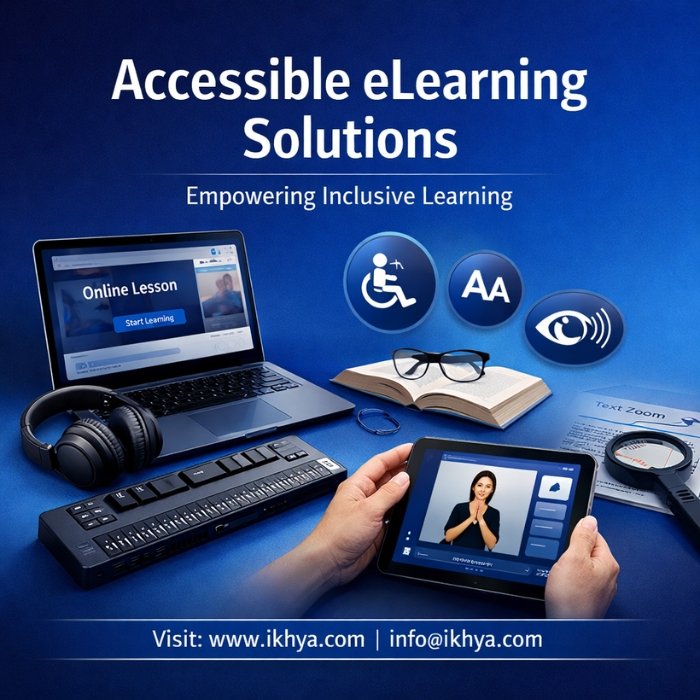


Accessible eLearning Solutions
Many organizations struggle to ensure that their digital training is accessible to all employees, including those with visual, hearing, cognitive, or motor impairments. Accessible eLearning ensures that corporate training programs comply with WCAG accessibility standards while providing inclusive learning experiences for every employee and seamless delivery across enterprise LMS platforms.
IKHYA – eLearning Solutions Company helps organizations design and develop WCAG-compliant digital training that works seamlessly across LMS platforms and devices.
Schedule a consultation or request a proposal at info@ikhya.com
Get a Free eLearning Consultation / Proposal
Organizations often need expert guidance to determine whether their existing eLearning courses meet accessibility standards. Many legacy courses were created without considering screen reader compatibility, keyboard navigation, captions, or alternative text, which can create barriers for learners.
IKHYA provides accessible eLearning consulting and development services to help organizations modernize their training programs.
What We Can Help You With
- Accessibility audit of existing eLearning courses
- WCAG 2.1 compliance evaluation
- ADA compliance for corporate training
- Remediation of non-accessible courses
- Development of fully accessible new eLearning programs
- LMS accessibility compatibility testing
Who Typically Requests Accessibility Consultation
Our accessibility projects typically involve:
- Global enterprises updating compliance training
- Government agencies requiring WCAG compliance
- Healthcare organizations implementing inclusive training
- Financial institutions meeting accessibility regulations
- Universities and education providers
What Happens During the Consultation
During the initial consultation, IKHYA experts typically review:
- Your existing training content
- LMS platform compatibility
- Accessibility compliance requirements
- Course formats and interaction design
- Scope of accessibility remediation or development
This allows us to estimate project scope, timelines, and cost for accessible course development.
Example Accessibility Audit Scenario
Client: US Healthcare Organization
Training Type: Compliance and safety training
Existing Courses: 25 modules
Problem: Courses not compatible with screen readers and lacked captions
Accessibility Actions
- Screen reader compatibility improvements
- Closed captions added to all videos
- Keyboard navigation implemented
- Color contrast adjustments
- Alternative text added for images
Project Timeline: 5–7 weeks
Estimated Cost: $18,000 – $40,000
When Organizations Should Consider Accessible eLearning
Organizations should prioritize accessible training when:
- expanding global workforce training
- updating compliance programs
- implementing DEI initiatives
- modernizing LMS platforms
- meeting government accessibility requirements
Accessible training not only ensures compliance but also improves learning effectiveness for all employees.
If your organization needs guidance on implementing accessible eLearning solutions, you can request a consultation.
Contact IKHYA – eLearning Solutions Company
Email: info@ikhya.com
What is Accessible eLearning
Accessible eLearning refers to the design and development of digital training programs that can be used by all learners, including individuals with visual, hearing, cognitive, or motor impairments as part of modern custom eLearning development initiatives.
Accessible courses follow international accessibility standards such as WCAG (Web Content Accessibility Guidelines) and ensure that training content works with assistive technologies like screen readers, keyboard navigation, and voice control tools.
In corporate environments, accessible eLearning ensures that every employee can complete mandatory training programs regardless of their abilities.
Accessible learning design focuses on removing barriers that may prevent learners from interacting with digital training content.
Understanding WCAG and ADA Compliance
The Web Content Accessibility Guidelines (WCAG) provide internationally recognized standards for making digital content accessible. Many organizations follow WCAG 2.1 Level AA as the minimum accessibility requirement.
In the United States, accessibility compliance is also linked to ADA (Americans with Disabilities Act) regulations. Similar digital accessibility regulations exist in many countries.
Organizations operating globally must often comply with accessibility requirements in multiple regions.
Common accessibility regulations include:
- United States: ADA and Section 508 compliance
- United Kingdom: Equality Act accessibility requirements
- Australia: Disability Discrimination Act accessibility standards
- UAE: Government digital accessibility guidelines
Accessible eLearning helps organizations reduce legal risk while ensuring equal access to training.
Accessibility Features in Digital Learning
Accessible eLearning courses include design features that support diverse learner needs.
Common accessibility features include:
Screen Reader Compatibility
Course content is structured so that screen readers can read text, labels, and navigation elements correctly.
Keyboard Navigation
Learners can navigate the entire course using only a keyboard without requiring a mouse.
Closed Captions
Videos include captions so learners with hearing impairments can understand spoken content.
Alternative Text for Images
Images include descriptive text that screen readers can interpret.
Color Contrast Optimization
Color combinations ensure that learners with visual impairments can clearly read text and see interface elements.
Audio Descriptions
Visual information presented in videos is also explained through audio narration.
Accessible Interactions
Buttons, navigation controls, and quizzes are designed to work with assistive technologies.
Assistive Technologies Used by Learners
Accessible eLearning must support common assistive technologies used by employees with disabilities.
Examples include:
- Screen readers such as JAWS and NVDA
- Voice recognition software
- Screen magnifiers
- Alternative input devices
- Text-to-speech tools
When training programs are designed correctly, these technologies allow learners to complete courses independently.
Accessible eLearning in Corporate Training
Many organizations now integrate accessibility into their digital learning strategy.
Accessible training programs are commonly used for:
- compliance training
- workplace safety training
- HR policy training
- leadership development
- software application training
Accessible course design also supports mobile learning environments and LMS platforms, ensuring that training remains inclusive across devices.
Many organizations also adopt microlearning strategies to deliver accessible training in shorter modules that improve accessibility and knowledge retention.
Relationship Between Accessibility and Instructional Design
Accessibility is not only a technical requirement. It is also an instructional design principle.
Modern accessible eLearning programs apply frameworks such as:
- ADDIE model for structured course development
- Bloom’s Taxonomy to design measurable learning objectives
- Kirkpatrick Model to evaluate learning effectiveness
These frameworks ensure that accessible training remains engaging, measurable, and effective.
Why Organizations Need Accessible eLearning Solutions
Organizations around the world are recognizing that digital training must be accessible to all employees. As workplaces become more diverse and global, companies must ensure that their training programs are inclusive and compliant with accessibility regulations.
Accessible eLearning helps organizations remove barriers in training, improve workforce participation, and meet legal accessibility requirements.
Many enterprises also view accessibility as part of their diversity, equity, and inclusion (DEI) strategy, ensuring equal opportunities for learning and professional development.
Many organizations also outsource eLearning development to specialists who can ensure accessibility compliance and scalable digital training delivery.
Regulatory Requirements in the United States
In the United States, accessibility requirements for digital learning are influenced by regulations such as Section 508 and the Americans with Disabilities Act (ADA).
Organizations providing employee training, government services, or public education must ensure that digital content can be used by individuals with disabilities.
Common accessibility requirements include:
- screen reader compatibility
- keyboard navigation support
- captions for video content
- proper color contrast for readability
- alternative text for visual content
Large enterprises often update their training programs to ensure WCAG 2.1 Level AA compliance.
Accessibility Compliance in the United Kingdom
In the United Kingdom, organizations must consider accessibility under the Equality Act 2010 and digital accessibility regulations that apply to public services and education platforms.
Many UK organizations adopt accessibility practices across:
- corporate training platforms
- compliance training programs
- employee onboarding modules
- safety training programs
Accessible eLearning helps companies ensure that training programs do not exclude employees with disabilities.
Accessibility Requirements in Australia
Australia has strong accessibility regulations under the Disability Discrimination Act (DDA). Government agencies, universities, and many corporations follow WCAG standards to ensure their digital services remain accessible.
Training departments often implement accessibility initiatives when:
- converting classroom training into digital learning
- launching LMS-based training programs
- delivering mandatory compliance training
Accessible learning design ensures that all employees can participate equally in professional development.
Accessibility Initiatives in the UAE
In the United Arab Emirates, digital accessibility has become a priority as part of national initiatives promoting inclusive digital transformation.
Government organizations and large enterprises increasingly require accessibility compliance for:
- employee training platforms
- government education programs
- digital services
- workplace safety training
Accessible eLearning allows organizations to deliver training programs that align with modern digital accessibility expectations.
Supporting a Diverse Global Workforce
Modern organizations operate with employees from diverse backgrounds, abilities, and locations. Accessible eLearning solutions help ensure that training remains inclusive for everyone.
Accessible training supports employees who may experience:
- visual impairments
- hearing impairments
- mobility limitations
- learning disabilities
- cognitive challenges
When training is designed with accessibility in mind, employees can interact with content using the tools and technologies that work best for them.
Improving Learning Outcomes for All Employees
Accessible design principles often improve the learning experience for everyone, not only employees with disabilities.
Features such as:
- clear navigation
- readable fonts
- structured content
- captions for videos
- simplified user interfaces
make training easier to follow and improve knowledge retention.
As a result, accessible training programs often achieve higher completion rates and better learning outcomes.
Enabling Scalable Global Training Programs
Enterprises that deploy training across multiple regions need digital learning solutions that are scalable and compliant with international standards.
Accessible eLearning solutions help organizations:
- deliver training across global offices
- support multilingual learning programs
- maintain consistent compliance standards
- ensure LMS compatibility
- improve workforce engagement
For organizations planning large-scale digital training initiatives, accessibility should be integrated into the learning design process from the beginning.
Companies working with IKHYA – eLearning Solutions Company receive support in designing and implementing accessible training programs that meet global accessibility standards.
Organizations looking to modernize their training programs can schedule a consultation with accessibility experts.
Schedule a consultation or submit your project requirements
Email: info@ikhya.com
Benefits of Accessible eLearning for Global Workforces
Accessible eLearning provides more than regulatory compliance. It helps organizations create training programs that are usable, scalable, and effective for a diverse workforce.
When accessibility is integrated into digital learning design, organizations improve training reach, employee engagement, and learning outcomes.
Below are the key benefits organizations gain by implementing accessible eLearning solutions.
Inclusive Learning for All Employees
Accessible eLearning ensures that training programs can be used by employees with different abilities and learning needs.
Inclusive design allows learners to access content using:
- screen readers
- keyboard navigation
- captions and transcripts
- voice commands
- alternative input devices
This approach ensures that every employee can participate in workplace training programs.
Inclusive learning environments support employees with:
- visual impairments
- hearing impairments
- mobility limitations
- cognitive disabilities
Organizations that prioritize accessibility demonstrate commitment to diversity, equity, and inclusion (DEI).
Compliance With Global Accessibility Standards
Many countries have introduced regulations requiring digital accessibility in corporate and public services.
Accessible eLearning helps organizations comply with:
- WCAG 2.1 accessibility standards
- ADA requirements in the United States
- Section 508 compliance
- Equality Act regulations in the UK
- Disability Discrimination Act in Australia
Compliance reduces legal risk and ensures training programs meet international digital accessibility requirements.
Improved Learning Experience for All Learners
Accessibility improvements often enhance usability for all employees, not only those with disabilities.
For example:
- captions help learners understand content in noisy environments
- structured layouts improve course navigation
- readable fonts reduce cognitive load
- clear audio narration supports knowledge retention
These design improvements create more effective learning experiences across the organization.
Higher Training Completion Rates
Training programs that are easier to navigate and understand tend to achieve higher completion rates.
Accessible eLearning improves:
- course accessibility across devices
- learner confidence in navigating courses
- engagement with interactive content
- knowledge retention
As a result, organizations often see better outcomes in compliance training and professional development programs.
Better LMS Compatibility
Accessible eLearning courses are designed with structured content that integrates well with modern learning platforms.
These courses typically support standards such as:
- SCORM
- xAPI
This allows organizations to track:
- learner progress
- assessment scores
- course completion rates
- training effectiveness
Accessible course structures also improve compatibility with LMS and LXP platforms.
Support for Mobile and Remote Learning
Modern workplaces rely on remote and hybrid work environments. Accessible eLearning ensures that training remains usable across devices and platforms.
Accessible courses are designed to work effectively on:
- desktops
- tablets
- mobile devices
- cloud-based learning platforms
Mobile-friendly accessibility features help organizations deliver training programs to distributed workforces.
Scalability for Enterprise Training Programs
Large organizations often deploy training programs to thousands of employees across multiple regions.
Many enterprises adopt outsourced eLearning development strategies to scale accessible training programs across global workforces.
Accessible eLearning allows organizations to scale training programs efficiently.
Scalable accessibility practices include:
- standardized accessible templates
- consistent navigation structures
- reusable course components
- multilingual support
These practices allow organizations to deliver training programs across departments and global offices.
Stronger Corporate Reputation
Organizations that invest in accessibility demonstrate social responsibility and commitment to equal opportunities.
Accessible training programs strengthen employer branding and show that organizations care about employee well-being.
Many enterprises now integrate accessibility into broader initiatives such as:
- workplace inclusion programs
- employee development strategies
- corporate social responsibility initiatives
Accessible digital training is an important component of these initiatives.
Organizations implementing accessible training programs often partner with specialists such as IKHYA – eLearning Solutions Company to ensure compliance with accessibility standards while maintaining engaging learning experiences.
Organizations planning large-scale accessible training initiatives can request guidance from experienced accessibility specialists.
Request a consultation or project estimate at info@ikhya.com
Real Enterprise Accessible eLearning Project Examples
Large organizations often need to either remediate existing training courses or develop fully accessible eLearning programs from scratch.
Many enterprises upgrade existing eLearning courses to ensure they meet WCAG accessibility standards and modern learning platform requirements.
The scope, timeline, and cost of accessibility projects vary depending on the number of courses, interaction complexity, and compliance requirements.
Below are realistic examples of enterprise accessibility projects delivered for global organizations.
Example: Compliance Training Accessibility Remediation
Client: US Financial Services Company
Industry: Banking and Finance
Training Type: Regulatory compliance training
Project Scope
- Existing modules: 18 eLearning courses
- Duration per module: 8–10 minutes
- LMS standard: SCORM
Accessibility Issues Identified
- No screen reader compatibility
- Missing captions for videos
- Inaccessible quiz interactions
- Low color contrast
Accessibility Improvements Implemented
- Screen reader optimized navigation
- Closed captions for all videos
- Accessible quiz interactions
- Alternative text for images
- Keyboard navigation support
Timeline: 6–8 weeks
Estimated Cost: $22,000 – $48,000
Example: Healthcare Training Accessible eLearning Program
Client: Global Healthcare Organization
Industry: Healthcare and Medical Services
Training Type: Patient safety training
Project Scope
- 12 accessible eLearning modules
- Scenario-based training
- Interactive case simulations
Accessible simulation-based training can also be designed to support screen readers, captions, and keyboard navigation for inclusive learning experiences.
Accessibility Features Implemented
- WCAG 2.1 Level AA compliant design
- Screen reader support
- Accessible simulations
- Audio narration with captions
- Accessible assessment interactions
Timeline: 8–10 weeks
Estimated Cost: $30,000 – $65,000
Example: Accessible Software Training Program
Client: US Technology Company
Industry: Software and IT Services
Training Type: Internal software adoption training
Project Scope
- 20 guided software simulations
- Step-by-step application walkthroughs
- Mobile-compatible training modules
Accessibility Enhancements
- Keyboard-accessible software simulations
- Screen reader compatible interface
- Alternative text for UI elements
- Structured navigation
Timeline: 7–9 weeks
Estimated Cost: $28,000 – $55,000
Example: Manufacturing Safety Accessible Training
This project demonstrates how accessible digital training can improve workforce safety outcomes in large industrial environments.
Client: International Manufacturing Company
Industry: Industrial Manufacturing
Training Type: Workplace safety training
Project Scope
- 15 safety training modules
- Microlearning format (5–7 minutes per module)
Accessibility Features
- Captions and transcripts for all videos
- High contrast visual design
- Screen reader optimized content
- Accessible safety scenario interactions
Timeline: 6–8 weeks
Estimated Cost: $25,000 – $50,000
Typical Accessible eLearning Development Pricing
Accessibility projects can vary depending on course complexity and the level of interaction.
| Project Type | Estimated Cost per Module |
|---|---|
| Basic Accessible eLearning | $1,000 – $2,500 |
| Interactive Accessible Course | $2,500 – $6,000 |
| Scenario-Based Accessible Training | $6,000 – $15,000 |
Typical Development Timelines
| Project Scope | Estimated Timeline |
|---|---|
| 1 accessible module | 2–3 weeks |
| 10 modules | 6–8 weeks |
| 30 modules | 12–16 weeks |
Organizations planning large-scale accessibility initiatives often require both course remediation and new course development and may submit your RFP to begin the evaluation process.
IKHYA – eLearning Solutions Company helps organizations audit existing training programs, design WCAG-compliant learning experiences, and deploy accessible courses across enterprise LMS platforms.
Organizations can request a project estimate or accessibility consultation.
Email: info@ikhya.com
IKHYA Process for Accessible eLearning Development
Developing accessible eLearning requires a structured approach that combines instructional design expertise, accessibility compliance, and enterprise learning technology integration.
IKHYA follows a proven development framework based on the ADDIE model, ensuring that accessible courses are effective, scalable, and compliant with international accessibility standards.
Our process focuses on delivering training programs that work seamlessly with LMS platforms, assistive technologies, and enterprise learning environments.
Analysis
The first step is to evaluate the existing training environment and accessibility requirements.
During the analysis phase, IKHYA specialists review:
- existing eLearning courses and training materials
- accessibility compliance requirements
- LMS compatibility and technical standards
- learner demographics and accessibility needs
- training objectives and performance outcomes
For organizations with existing courses, we conduct an accessibility audit to identify issues such as:
- missing alternative text
- inaccessible navigation
- lack of captions
- screen reader incompatibility
This phase defines the project scope, timeline, and accessibility requirements.
Instructional Design
Once requirements are defined, the instructional design team creates a learning strategy that ensures both learning effectiveness and accessibility compliance.
The design process incorporates well-established learning frameworks.
ADDIE Model
The ADDIE framework guides the course development lifecycle:
- Analysis
- Design
- Development
- Implementation
- Evaluation
This approach ensures structured course design and measurable learning outcomes.
Bloom’s Taxonomy
Bloom’s Taxonomy helps define learning objectives and design assessments that measure knowledge and skill development.
Training activities are designed to support:
- knowledge retention
- application of skills
- decision-making in real-world scenarios
Instructional designers also apply inclusive learning principles to ensure that content is usable for all learners.
Development
During development, accessible eLearning modules are created using modern authoring tools and accessibility design practices.
Key development activities include:
- accessible layout and navigation design
- screen reader compatible course structure
- keyboard navigation implementation
- captioning and transcript creation
- alternative text for images and diagrams
- accessible interactions and assessments
Courses are built to support enterprise learning environments and are optimized for:
- desktop learning
- mobile learning
- cloud-based LMS platforms
Development also includes support for microlearning modules, scenario-based training, and simulation learning.
Quality Assurance
Accessibility compliance requires thorough testing to ensure that courses function correctly with assistive technologies.
The quality assurance phase includes:
Accessibility Testing
Courses are tested for compliance with WCAG 2.1 guidelines.
Assistive Technology Testing
Testing may include compatibility checks with:
- screen readers
- keyboard navigation
- screen magnifiers
User Experience Testing
The learning experience is evaluated to ensure that navigation and interactions remain intuitive and accessible.
Quality assurance ensures that accessible courses meet both technical and instructional design standards.
Deployment
Once courses pass accessibility testing, they are prepared for deployment within the organization’s learning ecosystem.
Courses are packaged according to industry standards such as:
- SCORM
- xAPI
Deployment activities include:
- LMS integration and configuration
- testing within the LMS environment
- analytics and tracking setup
- course launch support
After deployment, organizations can track training performance through LMS analytics and reporting tools.
Organizations that partner with IKHYA – eLearning Solutions Company benefit from a structured development process that ensures accessible training programs are effective, compliant, and scalable.
If your organization is planning accessible training initiatives, IKHYA can provide development support or accessibility remediation services.
Request a consultation or project estimate at info@ikhya.com
Technologies and Tools Used for Accessible eLearning
Developing accessible eLearning requires the right combination of authoring tools, accessibility standards, and learning technologies. These technologies help ensure that digital training programs are compatible with assistive tools and enterprise learning platforms.
IKHYA uses industry-leading tools and standards to build WCAG-compliant eLearning courses that work across modern learning environments.
Authoring Tools for Accessible eLearning Development
Modern authoring tools support accessibility features such as screen reader compatibility, keyboard navigation, captions, and structured content.
Articulate Storyline
Articulate Storyline is widely used for developing interactive eLearning courses. It supports accessibility features including:
- screen reader compatibility
- keyboard navigation
- accessible player controls
- captioning support
It is commonly used for interactive compliance training, simulations, and scenario-based learning.
Adobe Captivate
Adobe Captivate is often used for developing software simulations and technical training modules.
Accessibility capabilities include:
- screen reader support
- accessible navigation elements
- captioning for video content
- keyboard-accessible interactions
Captivate is commonly used for software training and system adoption programs.
Lectora Inspire
Lectora Inspire is known for its strong accessibility support and is frequently used for WCAG-compliant course development.
Features include:
- built-in accessibility checks
- structured content support
- screen reader compatibility
- flexible course navigation
Lectora is often used for government and enterprise accessibility projects.
iSpring Suite
iSpring Suite allows organizations to convert PowerPoint presentations into accessible eLearning courses.
Accessibility features include:
- caption support
- accessible navigation
- compatibility with screen readers
- responsive course design
This tool is commonly used for rapid eLearning development and training conversion projects.
Accessibility Standards Followed in Course Development
Accessible eLearning courses must follow established accessibility standards to ensure compatibility with assistive technologies.
WCAG (Web Content Accessibility Guidelines)
WCAG provides internationally recognized guidelines for digital accessibility.
Courses are typically designed to meet:
- WCAG 2.1 Level AA compliance
Key WCAG principles include:
- content must be perceivable
- interfaces must be operable
- information must be understandable
- technology must be robust
eLearning Standards for LMS Compatibility
Accessible courses must also function properly within enterprise learning platforms.
IKHYA develops courses using widely supported standards.
SCORM
SCORM allows learning management systems to track:
- course completion
- learner progress
- assessment scores
- time spent on training
SCORM remains one of the most widely used standards in corporate training.
xAPI (Experience API)
xAPI enables advanced learning analytics by tracking learner interactions across multiple platforms.
This allows organizations to collect insights about:
- learner engagement
- learning behaviors
- knowledge retention
- training effectiveness
xAPI is commonly used in modern LMS and LXP environments.
Learning Platforms and Technology Ecosystems
Accessible eLearning courses must work across modern enterprise learning environments.
These environments often include:
- Learning Management Systems (LMS)
- Learning Experience Platforms (LXP)
- Digital adoption platforms
- mobile learning applications
Courses developed by IKHYA are tested to ensure compatibility across these learning technologies.
By combining the right tools, accessibility standards, and development practices, organizations can deploy training programs that remain inclusive, scalable, and compliant with international accessibility requirements.
Organizations seeking to implement accessible learning technologies can request technical guidance from IKHYA – eLearning Solutions Company.
Request a consultation or technical assessment at info@ikhya.com
Industries We Serve
Accessible eLearning is essential across many industries where organizations must ensure that all employees can participate in training programs regardless of physical or cognitive limitations.
IKHYA develops accessible training programs that support compliance, safety, workforce development, and digital transformation initiatives across multiple industries.
Healthcare
Healthcare organizations often deliver training to large and diverse workforces including clinicians, nurses, technicians, and administrative staff.
Accessible training ensures that medical professionals can complete required programs without barriers.
Common healthcare training programs include:
- patient safety training
- HIPAA compliance training
- medical equipment training
- infection control training
- hospital onboarding programs
Accessible eLearning allows healthcare organizations to provide training that is usable across hospitals, clinics, and remote care environments.
Manufacturing
Manufacturing companies must deliver workplace training that supports employees across factories, warehouses, and operational facilities.
Accessible safety training helps ensure that employees with different abilities can complete critical learning programs.
Typical manufacturing training programs include:
- workplace safety training
- equipment operation training
- hazard awareness programs
- operational procedures training
- compliance and regulatory training
Accessible design improves comprehension and reduces workplace training barriers.
Finance and Banking
Financial institutions operate in highly regulated environments where compliance training is mandatory for employees.
Accessible eLearning helps banks and financial organizations ensure that training programs meet regulatory requirements while remaining inclusive.
Common finance training topics include:
- anti-money laundering (AML) training
- data security training
- financial compliance programs
- ethical conduct training
- risk management training
Accessible courses allow organizations to deliver training consistently across global offices.
Construction
Construction companies must provide safety and operational training to employees working in physically demanding environments.
Accessible digital training helps organizations deliver learning programs that can be accessed across devices and locations.
Typical construction training programs include:
- site safety training
- equipment handling training
- hazard identification programs
- workplace compliance training
Accessible course design ensures that employees can easily navigate training modules and understand critical safety information.
Oil and Gas
Oil and gas organizations operate in high-risk environments where safety training is essential.
Accessible training ensures that employees working in operational roles can complete required training programs without barriers.
Typical training programs include:
- operational safety training
- environmental compliance training
- equipment maintenance training
- emergency response programs
Accessible eLearning allows companies to deliver consistent training across global facilities.
Aviation
Aviation organizations require training programs that support pilots, ground staff, engineers, and operational teams.
Accessible digital training helps aviation companies ensure that all employees can participate in critical learning programs.
Common aviation training programs include:
- aviation safety training
- aircraft maintenance training
- operational procedures training
- regulatory compliance programs
Accessible learning design ensures that training remains usable across different roles and technical environments.
Organizations across these industries often partner with IKHYA – eLearning Solutions Company to design training programs that are inclusive, compliant, and scalable across global operations.
Organizations planning accessible training initiatives can request guidance from accessibility specialists.
Schedule a consultation at info@ikhya.com
Psychology of Inclusive Learning
Accessible eLearning is not only about meeting accessibility regulations. It is also about understanding how people learn and interact with information. Inclusive learning design improves the learning experience for everyone by reducing cognitive barriers and making training easier to understand.
When learning environments are designed to support different abilities, employees can focus on the training content rather than struggling with navigation or accessibility limitations.
Accessible learning design often leads to better engagement, higher knowledge retention, and improved training outcomes.
Reduced Cognitive Load
Complex course interfaces can make learning difficult. When learners struggle to find navigation controls or understand instructions, cognitive load increases and learning effectiveness decreases.
Accessible eLearning simplifies course design by focusing on:
- clear navigation structures
- readable typography
- consistent layouts
- well-organized content
These design improvements allow learners to concentrate on understanding the subject rather than navigating the course.
Multi-Sensory Learning Improves Retention
Accessible courses often use multiple ways to present information. This approach supports learners with different preferences and abilities.
Examples include:
- audio narration for visual content
- captions for video content
- transcripts for audio materials
- visual diagrams with descriptive text
When learners receive information through multiple formats, they are more likely to remember and apply the knowledge.
This approach supports learning methodologies such as:
- experiential learning
- scenario-based learning
- microlearning
These techniques help learners connect training content with real-world situations.
Better Engagement Through Inclusive Design
Inclusive learning design encourages active participation in training programs.
Accessible courses typically include:
- clear interaction controls
- structured learning paths
- interactive assessments
- guided learning scenarios
These features improve learner engagement and reduce frustration during training.
As a result, organizations often see improvements in:
- course completion rates
- learner satisfaction
- training effectiveness
Supporting Different Learning Styles
Employees process information in different ways. Some prefer visual content, while others benefit from audio explanations or written materials.
Accessible eLearning supports diverse learning preferences by providing flexible content formats.
For example:
- captions support both hearing-impaired learners and employees learning in noisy environments
- transcripts help learners review complex information
- clear visuals assist employees who prefer visual learning
This flexibility helps organizations create training programs that work for a wide range of employees.
Improving Workplace Training Equity
Inclusive learning environments support equal access to professional development opportunities.
When employees can access training without barriers, organizations create a more equitable workplace.
Accessible eLearning allows employees to:
- complete training independently
- develop professional skills
- participate in career development programs
- stay compliant with mandatory training requirements
Accessible learning programs demonstrate an organization’s commitment to inclusion and equal opportunity.
Accessible Design Improves Digital Adoption
When training platforms and courses are easy to navigate, employees adopt digital learning more quickly.
Accessible design principles improve usability across all learners by ensuring that training systems are:
- easy to navigate
- intuitive to use
- compatible with assistive technologies
- accessible across devices
This improves adoption of LMS platforms, learning experience platforms, and digital training systems.
Organizations implementing inclusive learning strategies often partner with specialists such as IKHYA – eLearning Solutions Company to design accessible digital training programs that support both compliance and learning effectiveness.
Organizations planning accessible learning initiatives can request expert guidance.
Request a consultation or project estimate at info@ikhya.com
Why Choose IKHYA – eLearning Solutions Company
Selecting the right partner for accessible eLearning development is critical for organizations that must meet accessibility compliance requirements while delivering engaging training programs.
Organizations evaluating development partners should understand how to choose the eLearning vendor that aligns with accessibility, instructional design, and enterprise training goals.
IKHYA – eLearning Solutions Company helps organizations design and deploy accessible digital learning solutions that are scalable, compliant, and aligned with enterprise training goals.
Our team combines instructional design expertise, accessibility compliance knowledge, and enterprise learning technology experience to deliver high-quality accessible training programs.
Global Experience in Corporate Training
IKHYA has supported organizations across multiple industries in developing digital training programs for global workforces.
Our experience includes:
- 300+ global clients
- 1000+ eLearning courses delivered
- 25+ years of industry experience
- 20+ industries served
This experience allows us to understand the unique training requirements of large enterprises.
Expertise in Accessibility Compliance
Accessible eLearning requires specialized knowledge of accessibility standards and assistive technologies.
IKHYA develops courses that align with recognized accessibility frameworks such as:
- WCAG 2.1 guidelines
- ADA accessibility requirements
- Section 508 compliance
Our team ensures that digital training programs remain compatible with:
- screen readers
- keyboard navigation
- captioning systems
- assistive learning technologies
This helps organizations deliver inclusive learning experiences across their workforce.
Enterprise-Ready Learning Solutions
Large organizations require learning solutions that integrate with their existing technology infrastructure.
IKHYA develops accessible eLearning courses that work with:
- Learning Management Systems (LMS)
- Learning Experience Platforms (LXP)
- mobile learning platforms
- digital adoption platforms
Courses are delivered using industry standards such as SCORM and xAPI, enabling organizations to track learning progress and training effectiveness.
Structured Development Process
IKHYA follows a structured development framework based on the ADDIE model, ensuring that projects are delivered efficiently and meet learning objectives.
Our development process includes:
- accessibility analysis and content audit
- instructional design and learning strategy
- course development and interaction design
- accessibility testing and quality assurance
- LMS deployment and launch support
This structured process ensures consistent quality across large training initiatives.
Scalable Solutions for Enterprise Training Programs
Many organizations need to deploy training across multiple regions, departments, and employee roles.
IKHYA helps organizations scale accessible learning programs through:
- reusable course templates
- standardized accessibility practices
- multilingual training support
- LMS-compatible course formats
These practices allow organizations to deploy training programs across global workforces.
End-to-End eLearning Services
In addition to accessible course development, IKHYA provides a full range of digital learning services.
These services include:
- custom eLearning development
- rapid eLearning development
- instructional design services
- microlearning development
- LMS integration services
- legacy course modernization
Organizations benefit from working with a single partner capable of supporting the entire digital learning lifecycle.
Organizations seeking a reliable partner for accessible eLearning development can collaborate with IKHYA – eLearning Solutions Company to design inclusive training programs that support compliance, workforce development, and digital transformation.
Request a proposal or schedule a consultation at info@ikhya.com
Related eLearning Services
Organizations implementing accessible eLearning often require additional services such as course development, instructional design, learning platform integration, and legacy course conversion. These services help ensure that digital training programs remain scalable, modern, and compatible with enterprise learning environments.
IKHYA – eLearning Solutions Company provides a comprehensive range of eLearning services that support the full corporate training lifecycle.
Custom eLearning Development
Many organizations require fully customized digital training programs that address specific learning objectives, operational processes, and compliance requirements.
Custom eLearning development allows organizations to create training programs that include:
- interactive learning modules
- scenario-based training
- simulation-based learning
- role-based training programs
These programs are designed using structured instructional design frameworks and can be delivered across enterprise learning platforms.
Recommended internal link anchor text:
Custom eLearning Development services
Rapid eLearning Development
Organizations often need to convert existing training materials into digital learning programs quickly. Rapid eLearning development enables faster course creation while maintaining instructional quality.
Rapid development projects typically involve:
- converting instructor-led training materials into eLearning courses
- transforming PowerPoint presentations into digital training modules
- updating legacy courses with modern learning formats
This approach allows organizations to deploy training programs quickly.
Recommended internal link anchor text:
Rapid eLearning development solutions
Instructional Design Services
Instructional design plays a critical role in creating training programs that achieve measurable learning outcomes.
Professional instructional design services include:
- learning needs analysis
- course architecture planning
- learning objective development
- assessment and evaluation design
Frameworks such as ADDIE and Bloom’s Taxonomy are commonly used to structure training programs.
Recommended internal link anchor text:
Instructional Design services
Microlearning Development
Microlearning delivers training content in short, focused modules that employees can complete quickly.
Microlearning programs are commonly used for:
- compliance training updates
- software adoption training
- workplace safety reminders
- performance support resources
These short learning modules improve engagement and retention.
Recommended internal link anchor text:
Microlearning development
LMS Integration Services
Organizations deploying digital training programs often need to integrate courses into enterprise learning platforms.
LMS integration services include:
- course packaging using SCORM or xAPI standards
- LMS configuration and testing
- learner tracking setup
- reporting and analytics implementation
Proper integration ensures that training programs function correctly within learning platforms.
Recommended internal link anchor text:
LMS integration services
PPT to eLearning Conversion
Many organizations have large libraries of training content stored in PowerPoint presentations.
Organizations often convert PowerPoint to eLearning courses to make existing training content accessible and compatible with modern learning platforms.
PPT to eLearning conversion transforms static presentations into interactive digital learning programs.
Converted courses often include:
- interactive quizzes
- audio narration
- visual learning elements
- learner progress tracking
Recommended internal link anchor text:
PPT to eLearning conversion
ILT to eLearning Conversion
Instructor-led training programs can be transformed into scalable digital learning experiences.
ILT to eLearning conversion helps organizations deliver training programs online without losing instructional effectiveness.
Typical conversions include:
- classroom training programs
- workshops and seminars
- compliance training sessions
- onboarding programs
Recommended internal link anchor text:
ILT to eLearning conversion
Organizations that implement accessible training programs often combine these services to build a comprehensive digital learning strategy.
IKHYA helps enterprises design, develop, and deploy digital training solutions that align with accessibility standards and enterprise learning goals.
Frequently Asked Questions
Accessible eLearning solutions refer to digital training programs designed so that all learners, including individuals with disabilities, can access and interact with the content effectively. These solutions follow accessibility standards such as WCAG (Web Content Accessibility Guidelines) to ensure compatibility with assistive technologies like screen readers, keyboard navigation tools, and voice recognition software.
Accessible eLearning typically includes features such as captions for videos, alternative text for images, keyboard-friendly navigation, readable fonts, and high-contrast color schemes. These features ensure that training programs remain inclusive and usable across diverse learner groups.
Organizations often implement accessible eLearning to meet legal accessibility requirements, improve workforce inclusion, and deliver equitable training opportunities.
The most widely adopted accessibility standard for digital learning is the Web Content Accessibility Guidelines (WCAG). Most organizations aim to meet WCAG 2.1 Level AA compliance, which provides guidelines for creating accessible digital content.
Other accessibility regulations that may apply include:
- ADA (Americans with Disabilities Act)in the United States
- Section 508 accessibility requirementsfor federal organizations
- Equality Act accessibility requirementsin the United Kingdom
- Disability Discrimination Actin Australia
These regulations ensure that digital services, including training programs, are accessible to individuals with disabilities.
Accessible eLearning ensures that training programs can be used by employees with different abilities. It supports inclusive workplaces while also helping organizations meet legal and regulatory accessibility requirements.
Accessible training programs improve workforce participation and remove barriers that may prevent employees from completing mandatory training.
Organizations also benefit from:
- improved training completion rates
- better learner engagement
- stronger corporate reputation
- compliance with accessibility regulations
Accessible learning environments support broader diversity, equity, and inclusion (DEI) initiatives.
Accessible eLearning courses typically include a variety of features designed to support learners with different needs.
Common accessibility features include:
- screen reader compatibility
- keyboard-only navigation
- captions and transcripts for video content
- alternative text descriptions for images
- high color contrast for readability
- accessible buttons and navigation controls
- structured headings for easy navigation
These features allow learners to interact with digital training using assistive technologies.
Screen readers are assistive technologies used by individuals with visual impairments. These tools convert digital text into speech or braille output.
Accessible eLearning courses are designed so that screen readers can interpret the course structure correctly. This requires proper use of:
- heading structures
- descriptive labels
- alternative text for images
- logical navigation order
When these elements are implemented correctly, screen readers allow learners to navigate and complete training independently.
Yes, many existing courses can be remediated or upgraded to meet accessibility standards. This process is commonly known as accessibility remediation.
Remediation typically involves:
- adding captions to video content
- inserting alternative text for images
- improving navigation structure
- enabling keyboard navigation
- ensuring compatibility with screen readers
Organizations often perform an accessibility audit before remediation to identify the required improvements.
The cost of accessible eLearning development depends on several factors, including course complexity, interaction design, and the number of modules.
Typical pricing ranges include:
Course Type | Estimated Cost |
Basic accessible eLearning module | $1,000 – $2,500 |
Interactive accessible course | $2,500 – $6,000 |
Advanced scenario-based accessible training | $6,000 – $15,000 |
Projects involving remediation of existing courses may have different pricing depending on the number of changes required.
Development timelines depend on the number of modules and the complexity of the training content.
Typical timelines include:
Project Scope | Estimated Timeline |
1 module | 2–3 weeks |
10 modules | 6–8 weeks |
30 modules | 12–16 weeks |
Large enterprise training initiatives may involve phased development and deployment.
Several modern authoring tools support accessibility features and WCAG compliance.
Commonly used tools include:
- Articulate Storyline
- Adobe Captivate
- Lectora Inspire
- iSpring Suite
These tools support accessibility capabilities such as screen reader compatibility, captioning, keyboard navigation, and structured content.
Accessible eLearning courses are typically developed using industry standards such as SCORM or xAPI, which allow courses to integrate with learning management systems.
When deployed within an LMS, organizations can track:
- course completion
- learner progress
- assessment results
- training participation
Accessible courses must be tested within the LMS environment to ensure compatibility with assistive technologies.
Accessible eLearning focuses primarily on technical accessibility requirements, ensuring that digital content can be used by individuals with disabilities.
Inclusive learning design goes further by considering diverse learning preferences and abilities during course design.
Inclusive design strategies may include:
- multi-format content delivery
- flexible navigation options
- simplified interfaces
- varied learning activities
Combining accessibility and inclusive design creates more effective learning experiences.
Accessible eLearning is important across many industries, particularly those with regulatory compliance requirements or large workforces.
Industries that commonly implement accessible training include:
- healthcare
- finance and banking
- manufacturing
- construction
- oil and gas
- aviation
Government agencies and public organizations also require accessibility compliance in digital training programs.
No. Accessible eLearning can still include interactive learning elements such as simulations, quizzes, and scenario-based training.
However, interactions must be designed so they remain compatible with assistive technologies.
Accessible interactive design ensures that:
- buttons are keyboard accessible
- navigation is clearly labeled
- screen readers can interpret interactive elements
This allows learners to interact with training content without accessibility barriers.
Captions display spoken dialogue and audio content as text on the screen. They are essential for learners with hearing impairments.
Captions also help other learners, such as those:
- working in noisy environments
- learning in a second language
- reviewing complex training content
Captions improve comprehension and make learning more flexible.
Instructional design ensures that accessible training programs remain effective and engaging.
Instructional designers apply frameworks such as:
- ADDIE modelfor structured development
- Bloom’s Taxonomyto define learning objectives
- Kirkpatrick Modelto evaluate training effectiveness
These frameworks help ensure that accessible courses deliver measurable learning outcomes.
Yes. Accessible eLearning courses are typically designed to work across multiple devices, including desktops, tablets, and smartphones.
Mobile-compatible accessible courses include:
- responsive layouts
- readable text sizes
- simplified navigation
- caption-enabled video content
Mobile accessibility ensures that employees can complete training programs regardless of device.
Accessibility testing ensures that courses meet WCAG compliance standards.
Testing typically includes:
- screen reader testing
- keyboard navigation testing
- color contrast evaluation
- caption accuracy verification
- LMS compatibility testing
Organizations often conduct both automated accessibility testing and manual usability testing.
Some common accessibility issues found in eLearning courses include:
- missing alternative text for images
- poor color contrast
- inaccessible navigation controls
- videos without captions
- complex interaction designs
These issues can prevent learners from fully interacting with the training content.
Accessibility audits help organizations identify and correct these problems.
Accessible learning design often improves training outcomes for all learners.
Benefits include:
- improved course usability
- better learner engagement
- higher training completion rates
- stronger knowledge retention
When learners can focus on the training content without accessibility barriers, learning becomes more effective.
Organizations typically begin by conducting an accessibility audit of existing training programs. This audit identifies areas where courses do not meet accessibility standards.
After the audit, organizations may:
- remediate existing courses
- redesign training programs
- implement accessibility guidelines for future courses
Partnering with experienced providers such as IKHYA – eLearning Solutions Company helps organizations implement accessible training programs efficiently.
Organizations interested in developing accessible training solutions can request a proposal or consultation.
IKHYA – eLearning Solutions Company
Email: info@ikhya.com
Request Your Accessible eLearning Proposal
Organizations today must ensure that their digital training programs are inclusive, compliant, and accessible to all employees. Accessible eLearning not only helps organizations meet WCAG and global accessibility regulations, but also improves training effectiveness, learner engagement, and workforce inclusion.
IKHYA – eLearning Solutions Company helps enterprises design and develop accessible eLearning programs that integrate seamlessly with modern LMS platforms while supporting assistive technologies and global accessibility standards.
Whether you need to audit existing courses, remediate legacy training, or develop fully accessible eLearning programs, our team can help you implement scalable solutions for your organization.
Start Your Accessible eLearning Project
You can contact our team to:
- Request an accessible eLearning project estimate
- Conduct an accessibility audit of existing courses
- Submit your RFP for accessible training development
- Schedule a consultation with our eLearning experts
IKHYA – eLearning Solutions Company
Email: info@ikhya.com
Partner with IKHYA to build inclusive digital learning experiences that support every learner.
At IKHYA – eLearning Solutions Company, we design impactful, compliance-driven, and performance-focused digital learning solutions tailored to your business goals.
🎯 Custom eLearning Course Development
⚡ Rapid eLearning & PPT Conversion
📊 Workplace Compliance Training
🌍 Localization & LMS-Ready Modules





Reviews
There are no reviews yet.