
Best eLearning Authoring Tools for Corporate Training

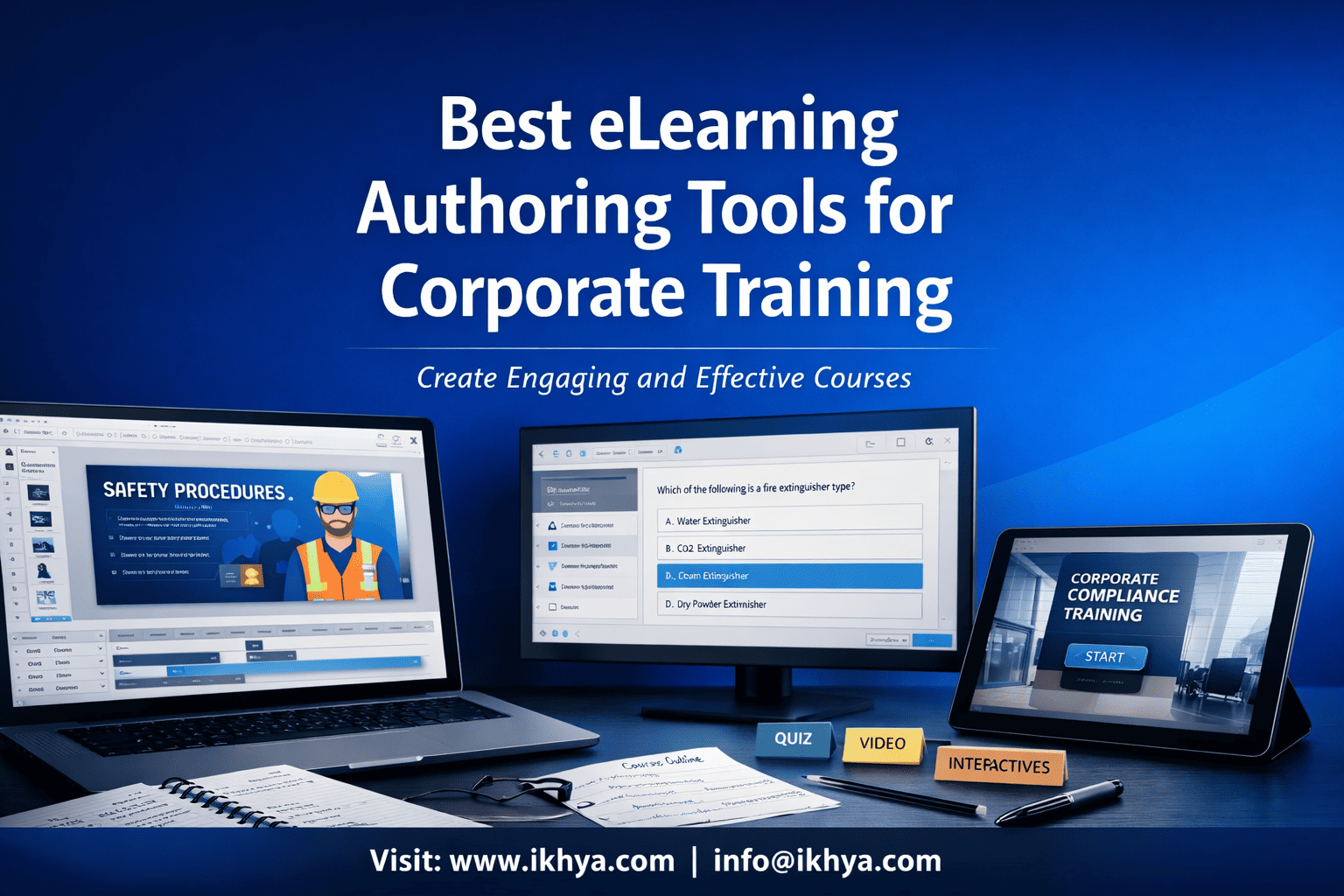
Modern organizations need scalable digital training to educate employees, maintain compliance, and develop skills across distributed teams. Traditional classroom training often fails to scale across global teams, remote employees, and multiple locations. This is why many companies are shifting toward digital learning solutions built using powerful eLearning authoring tools.
eLearning authoring tools allow training teams to create interactive courses, simulations, assessments, and multimedia learning modules that can be delivered through Learning Management Systems (LMS). These tools help organizations transform static content such as presentations, PDFs, and instructor-led training materials into engaging digital learning experiences.
At IKHYA – eLearning Solutions Company, organizations partner with experienced instructional designers and developers to create enterprise-level training using industry-leading authoring tools like Articulate Storyline, Articulate Rise, Adobe Captivate, and Lectora.
Many organizations combine these tools with custom eLearning development services and LMS compatible eLearning course development services to ensure training programs are scalable, interactive, and compatible with corporate LMS platforms.
As digital learning continues to evolve, choosing the right authoring tool has become a critical decision for training leaders, L&D managers, and corporate learning teams.
What Are eLearning Authoring Tools?
eLearning authoring tools are software platforms used to design, develop, and publish digital learning content. These tools allow instructional designers and training professionals to create structured learning experiences without extensive programming knowledge.
Using these tools, organizations can create:
- Interactive training modules
- Scenario-based simulations
- Knowledge assessments and quizzes
- Microlearning lessons
- Compliance training programs
- Mobile learning courses
Most modern authoring tools allow developers to combine text, images, videos, animations, and assessments to create engaging learning environments. Courses built with these tools are usually exported in formats compatible with Learning Management Systems, enabling organizations to track learner progress and completion.
Organizations often combine authoring tools with instructional design services to ensure that training programs follow proven learning frameworks and improve knowledge retention.
Key Features of eLearning Authoring Tools
Corporate training teams rely on authoring tools because they provide advanced capabilities that make training interactive and scalable.
Common features include:
- Drag-and-drop course development
- Interactive quizzes and knowledge checks
- Branching scenarios and decision-based learning
- Video and multimedia integration
- Mobile-responsive course design
- SCORM and xAPI compliance
- Integration with Learning Management Systems
These features allow organizations to deliver consistent learning experiences across multiple departments and geographic locations.
SCORM and LMS Compatibility
For corporate training programs, interoperability between courses and Learning Management Systems is critical. This is typically achieved using standards such as SCORM and xAPI.
SCORM enables courses to communicate with an LMS so organizations can track learner progress, completion status, and assessment results. xAPI provides even more advanced tracking by capturing learning activities across devices and learning environments.
Many companies convert legacy content into LMS-compatible training through PPT to eLearning conversion services or detailed resources like convert PowerPoint to eLearning – a complete guide.
Why Organizations Use eLearning Authoring Tools
Companies invest in eLearning authoring tools because they enable scalable training delivery across global teams.
Key benefits include:
| Benefit | Description |
|---|---|
| Scalability | Train employees across multiple locations |
| Interactivity | Simulations and scenarios improve engagement |
| Faster development | Rapid authoring tools reduce development time |
| LMS compatibility | Track training completion and compliance |
| Content reuse | Update courses without rebuilding them |
Large organizations often accelerate course creation using rapid eLearning development services, especially when converting large volumes of legacy training materials.
Why Corporate Training Teams Use eLearning Authoring Tools
Corporate training teams use eLearning authoring tools to create scalable, interactive, and measurable learning programs that can be delivered across departments, locations, and devices. These tools help organizations transform traditional training into digital learning experiences that improve knowledge retention, engagement, and performance outcomes.
As companies expand globally, they must train employees efficiently while maintaining consistent training standards. Authoring tools make it possible to create standardized courses that can be deployed across Learning Management Systems and accessed by employees anytime.
Many organizations also combine authoring tools with ILT to eLearning course conversion services to transform classroom-based training into scalable digital programs.
Key Advantages for Corporate Learning Programs
eLearning authoring tools provide multiple benefits that help organizations modernize training programs.
1. Faster Training Development
Training teams can develop courses more quickly using templates, pre-built interactions, and reusable learning components. This enables organizations to respond rapidly to new training requirements such as compliance updates or product launches.
Companies often accelerate course creation through rapid eLearning development services when they need to convert large training libraries into digital learning modules.
2. Interactive Learning Experiences
Unlike traditional training materials, authoring tools support highly interactive learning formats including:
- Branching scenarios
- Software simulations
- Knowledge checks
- Gamified learning elements
For example, organizations frequently implement realistic learning experiences through eLearning simulation-based training services to help employees practice decision-making in real-world scenarios.
3. Mobile Learning Accessibility
Modern workplaces require training that works across laptops, tablets, and smartphones. Many authoring tools automatically create responsive learning experiences that adapt to different screen sizes.
Companies increasingly invest in mobile learning development solutions to ensure employees can complete training anytime and anywhere.
4. Global Training Deployment
Multinational organizations often need to deliver training programs in multiple languages. Authoring tools support localization features that allow course developers to translate and adapt training content for global teams.
Businesses operating across international markets frequently use eLearning translation localization services to deploy training programs globally.
Business Impact of Authoring Tools
When implemented effectively, eLearning authoring tools help organizations achieve measurable improvements in training performance.
| Business Outcome | Impact |
|---|---|
| Faster employee onboarding | New hires learn processes quickly |
| Improved compliance training | Employees understand policies better |
| Reduced training costs | Less reliance on classroom training |
| Consistent training delivery | Standardized learning across teams |
| Higher knowledge retention | Interactive learning improves engagement |
Many organizations also modernize outdated training libraries using eLearning course redesigning services to update legacy courses created with older tools or formats.
Global Examples of Corporate Training Using eLearning Tools
Large enterprises worldwide rely on eLearning authoring tools to train employees at scale.
United States
Organizations across the U.S. corporate learning sector use authoring tools to create compliance, cybersecurity, and leadership training programs for distributed workforces.
United Kingdom
Companies in the UK frequently implement digital learning aligned with workplace competency frameworks and professional development standards.
Australia
Many Australian organizations deploy online compliance and workplace safety training to ensure employees meet regulatory requirements.
UAE
Enterprises across the UAE often use interactive eLearning modules to train multinational teams working across industries such as aviation, oil and gas, and hospitality.
Because of these global training demands, organizations increasingly rely on expert partners like eLearning consultancy services to design scalable learning strategies and select the right authoring tools.
Best eLearning Authoring Tools for Corporate Training
Selecting the right eLearning authoring tool is critical for creating engaging, scalable, and effective corporate training programs. Different tools offer different strengths—some are designed for complex simulations, while others focus on rapid development or mobile-first learning.
Corporate training teams typically evaluate authoring tools based on factors such as interactivity, ease of development, LMS compatibility, scalability, and support for multimedia learning experiences.
Many organizations rely on expert partners like eLearning authoring tool development services to help select the right tool and develop high-quality training content efficiently.
Below are some of the most widely used authoring tools for enterprise learning.
Articulate Storyline
Articulate Storyline is one of the most powerful and widely used eLearning authoring tools for corporate training. It enables developers to create highly interactive learning experiences including simulations, branching scenarios, quizzes, and complex decision-based training modules.
Storyline is particularly popular among enterprises that require customized learning experiences and realistic software simulations.
Organizations frequently use Articulate Storyline development services to build advanced training programs for compliance training, onboarding programs, and technical skill development.
Key Features of Articulate Storyline
- Drag-and-drop development interface
- Advanced triggers and variables
- Branching learning scenarios
- Software simulations
- Custom assessments and quizzes
- SCORM and xAPI compatibility
Because of its flexibility, Storyline is often used for highly interactive training programs such as safety training, leadership training, and product training.
Companies building advanced learning modules often follow best practices outlined in Articulate Storyline course development services – complete guide.
Articulate Rise 360
Articulate Rise 360 is a cloud-based authoring tool designed for rapid eLearning development. It allows training teams to quickly create responsive courses that work across desktops, tablets, and smartphones.
Rise is ideal for organizations that need to produce training content quickly without building complex interactions.
Many companies use Articulate Rise development services to develop mobile-friendly courses that can be deployed quickly across large organizations.
Key Features of Articulate Rise
- Fully responsive course design
- Cloud-based development
- Block-based content creation
- Rapid course production
- Built-in knowledge checks
- Easy LMS publishing
Rise is commonly used for:
- Compliance training
- onboarding programs
- policy training
- product knowledge training
Organizations with fast-changing training requirements often rely on rapid eLearning development using Storyline and Rise 360 to accelerate course development.
Adobe Captivate
Adobe Captivate is another powerful authoring tool widely used in corporate learning environments. It is especially well known for creating software simulations, scenario-based learning, and immersive training experiences.
Captivate is frequently used by organizations that require highly interactive training or technical simulations.
Many companies partner with providers offering Adobe Captivate development services to develop advanced training modules for industries such as healthcare, manufacturing, and aviation.
Key Features of Adobe Captivate
- Software simulation creation
- Virtual reality learning support
- Advanced interactions and triggers
- Responsive course design
- Scenario-based training
- SCORM and xAPI publishing
Captivate is commonly used for:
- technical training
- software onboarding
- compliance training
- certification programs
Organizations evaluating this tool often consult detailed resources like Adobe Captivate eLearning development benefits, cost, and use cases to determine whether it fits their learning strategy.
Lectora Inspire
Lectora Inspire is an enterprise-level authoring tool designed for large-scale corporate learning programs. It provides advanced accessibility features and flexible course development capabilities.
Many organizations choose Lectora when they require strict compliance with accessibility standards and advanced customization options.
Companies implementing this platform often rely on Lectora eLearning development services to build large enterprise training programs.
Key Features of Lectora
- Advanced accessibility compliance
- Responsive course design
- HTML5 course publishing
- SCORM and xAPI support
- Flexible scripting capabilities
Lectora is particularly useful for organizations that require accessible digital learning programs aligned with standards such as accessible learning compliance, often supported by accessible eLearning solutions.
iSpring Suite
iSpring Suite is a PowerPoint-based authoring tool widely used by organizations that want to convert presentations into interactive eLearning courses.
Because it integrates directly with PowerPoint, many corporate training teams adopt iSpring for rapid course development.
Organizations frequently leverage iSpring eLearning development services to transform existing training materials into engaging online courses.
Key Features of iSpring Suite
- PowerPoint-based course development
- Quiz and assessment creation
- Dialogue simulations
- Video lecture creation
- LMS publishing support
iSpring is commonly used for:
- onboarding training
- product training
- corporate compliance training
- sales training programs
Many organizations converting legacy presentations into digital learning use solutions like converting PowerPoint training into Articulate Storyline and Rise services guide to modernize existing training materials.
How to Choose the Right eLearning Authoring Tool for Corporate Training
Selecting the right eLearning authoring tool depends on training goals, content complexity, development timelines, and organizational scale. Corporate learning teams must evaluate whether they need rapid development, advanced interactivity, mobile-first courses, or large-scale enterprise training solutions.
In many cases, organizations consult experts through eLearning consultancy services to identify the most suitable authoring tools and development strategies for their training programs.
Key Factors to Consider When Selecting an Authoring Tool
Choosing the right tool requires careful evaluation of several important factors.
1. Training Complexity
If training requires advanced simulations, branching scenarios, and complex interactions, tools like Articulate Storyline or Adobe Captivate are often the best options.
For simpler training such as compliance modules or policy training, rapid tools like Rise or iSpring may be sufficient.
Organizations developing complex learning programs often rely on custom eLearning development services to ensure the course structure aligns with training objectives.
2. Development Speed
Some training programs must be developed quickly, especially when organizations need to launch compliance training, product training, or onboarding programs.
Rapid authoring tools allow training teams to create courses much faster than traditional development approaches.
Companies that need to convert large volumes of training content frequently rely on rapid eLearning development services to accelerate course creation.
3. Mobile Learning Support
Modern employees expect training to work across multiple devices. Responsive course design ensures learners can complete training from desktops, tablets, or smartphones.
Organizations that prioritize mobile-first training often implement mobile learning development solutions to ensure seamless learning experiences across devices.
4. LMS Compatibility
Training content must work smoothly with Learning Management Systems to track learner progress and completion.
Many organizations implement LMS compatible eLearning course development services to ensure courses integrate seamlessly with existing LMS platforms.
5. Accessibility and Compliance
Some industries must meet strict accessibility standards to ensure training is available to all learners, including those with disabilities.
Companies addressing accessibility requirements frequently use accessible eLearning solutions to ensure compliance with global accessibility standards.
In-House Development vs Outsourcing
Another important decision for corporate training teams is whether to build courses internally or outsource development to specialized vendors.
While in-house teams provide direct control, outsourcing often offers advantages such as specialized expertise, faster development, and lower production costs.
Many organizations evaluate this decision through resources such as in-house vs outsourced eLearning development cost comparison before choosing a development strategy.
When Outsourcing eLearning Development Makes Sense
Organizations often outsource development when:
- Internal teams lack specialized authoring tool expertise
- Large training libraries must be converted quickly
- Interactive simulations or complex scenarios are required
- Global training programs require localization
Companies exploring outsourcing strategies often review guidance such as outsource eLearning development benefits, costs and best practices to determine the most efficient approach.
Corporate Training Use Cases for eLearning Authoring Tools
eLearning authoring tools are used across multiple industries to deliver scalable corporate training programs. These tools allow organizations to build customized learning experiences tailored to specific operational requirements.
Many companies implement training programs designed for their industry through solutions such as compliance training eLearning solutions and other sector-specific learning programs.
Healthcare Training
Healthcare organizations use eLearning authoring tools to train medical staff on regulatory compliance, patient safety procedures, and new healthcare technologies.
Hospitals and healthcare organizations often implement specialized solutions like healthcare training eLearning solutions to ensure staff maintain clinical and regulatory compliance.
Manufacturing Training
Manufacturing companies frequently use interactive simulations to train employees on machinery operation, workplace safety, and operational procedures.
Many organizations implement digital training through manufacturing training eLearning solutions to improve safety awareness and operational efficiency.
Financial Services Training
Financial institutions must regularly train employees on regulatory compliance, fraud prevention, and anti-money laundering policies.
Organizations in the banking and financial sector often deploy programs through financial services training eLearning solutions to ensure employees remain compliant with regulatory frameworks.
Retail Training
Retail companies use eLearning authoring tools to train employees on product knowledge, customer service, and sales techniques.
Many retail organizations implement scalable learning programs using retail training eLearning solutions to ensure consistent customer service across multiple locations.
The Future of eLearning Authoring Tools in Corporate Training
The future of corporate training is increasingly digital, personalized, and data-driven. eLearning authoring tools continue to evolve with new capabilities that enable organizations to create more immersive and adaptive learning experiences.
Modern tools are now incorporating technologies such as artificial intelligence, adaptive learning pathways, and immersive simulations to improve learner engagement and training outcomes. Organizations are moving beyond static courses and building dynamic learning ecosystems that combine microlearning, simulations, and scenario-based learning.
Companies investing in long-term learning strategies often upgrade legacy courses through eLearning course redesigning services to align training with modern learning technologies.
Key Trends Shaping the Future of Authoring Tools
Several major trends are shaping the next generation of eLearning development tools.
1. AI-Assisted Content Development
Artificial intelligence is helping instructional designers generate course structures, quiz questions, and personalized learning pathways faster than traditional development processes.
2. Microlearning and Mobile-First Training
Short learning modules designed for mobile devices are becoming increasingly popular. Employees prefer short training sessions that fit into their daily workflow.
Organizations implementing this strategy often rely on microlearning development services to design focused learning experiences that improve retention.
3. Interactive Simulations and Scenario-Based Learning
Modern authoring tools support advanced simulations that replicate real-world work environments. These experiences help employees practice skills and decision-making before applying them in real situations.
Many organizations implement scenario-driven training through eLearning simulation-based training services.
4. Global Learning Deployment
As companies expand internationally, training programs must support multilingual learning and cultural adaptation.
Businesses with global workforces frequently implement eLearning translation localization services to deliver training programs across different regions and languages.
Conclusion
eLearning authoring tools have become essential for modern corporate training programs. They enable organizations to create scalable, engaging, and interactive learning experiences that can be delivered across global teams.
Tools such as Articulate Storyline, Articulate Rise, Adobe Captivate, Lectora, and iSpring provide powerful capabilities for developing interactive courses, simulations, and mobile learning programs. Each tool offers unique advantages depending on training complexity, development speed, and organizational requirements.
However, selecting the right tool is only part of building effective training programs. Successful corporate learning initiatives also require strong instructional design, scalable development strategies, and LMS integration.
This is why many organizations partner with experienced providers like IKHYA – eLearning Solutions Company, combining authoring tool expertise with custom eLearning development services to build high-impact corporate learning solutions.
With the right strategy, tools, and development expertise, organizations can transform traditional training into engaging digital learning experiences that improve employee performance and business outcomes.
Frequently Asked Questions (FAQs)
What are eLearning authoring tools used for?
eLearning authoring tools are software platforms used to create digital learning content such as interactive training modules, quizzes, simulations, and multimedia learning experiences. These tools allow instructional designers and corporate training teams to build structured online courses without needing extensive programming knowledge.
Organizations use authoring tools to convert traditional training materials such as presentations, PDFs, and classroom training into engaging digital courses. These courses can be delivered through Learning Management Systems (LMS), allowing companies to track learner progress, course completion, and assessment performance.
Authoring tools are widely used for compliance training, employee onboarding, product training, safety training, and leadership development programs.
What is the best eLearning authoring tool for corporate training?
The best eLearning authoring tool depends on the organization’s training goals, course complexity, and development requirements.
Articulate Storyline is widely used for interactive training and simulations. Articulate Rise is ideal for rapid course development and mobile-friendly learning. Adobe Captivate is commonly used for software simulations and advanced interactive learning experiences.
Other tools such as Lectora and iSpring are also widely used for enterprise training programs. Many organizations evaluate multiple tools before selecting the one that aligns with their training strategy.
What is the difference between Articulate Storyline and Articulate Rise?
Articulate Storyline and Articulate Rise are both popular eLearning authoring tools but serve different purposes.
Storyline is designed for highly interactive training that includes branching scenarios, simulations, and complex learning interactions. It provides developers with greater control over course design and learner interactions.
Rise, on the other hand, is a cloud-based tool focused on rapid development. It uses a block-based design system that allows developers to quickly create responsive courses that work across multiple devices.
Organizations often use both tools together to create comprehensive corporate training programs.
Is Adobe Captivate good for corporate training?
Yes, Adobe Captivate is widely used for corporate training programs, especially when organizations need advanced interactions or software simulations.
Captivate allows developers to create scenario-based learning experiences, responsive courses, and immersive simulations. It also supports virtual reality training and advanced interaction design.
Because of these capabilities, Captivate is commonly used for technical training, software onboarding, compliance training, and certification programs.
Can eLearning authoring tools integrate with LMS platforms?
Yes, most modern eLearning authoring tools are designed to integrate with Learning Management Systems.
Courses created using authoring tools are typically exported in formats such as SCORM, xAPI, or AICC. These standards allow the LMS to track learner progress, assessment scores, course completion, and training analytics.
LMS integration ensures that organizations can manage training programs efficiently and maintain compliance with regulatory requirements.
What industries use eLearning authoring tools?
eLearning authoring tools are used across a wide range of industries.
Healthcare organizations use them for clinical training and regulatory compliance. Manufacturing companies use them for safety training and equipment operation. Financial institutions rely on digital learning for regulatory compliance and fraud prevention training.
Retail companies often use authoring tools to train employees on customer service, product knowledge, and sales techniques.
What is rapid eLearning development?
Rapid eLearning development is a course development approach that focuses on creating training content quickly using authoring tools, templates, and reusable learning assets.
This approach is commonly used when organizations need to convert large volumes of training materials into digital courses within tight deadlines.
Rapid development methods allow companies to deploy training programs faster while maintaining instructional quality.
Can PowerPoint presentations be converted into eLearning courses?
Yes, PowerPoint presentations are frequently converted into interactive eLearning courses.
Authoring tools such as iSpring, Articulate Storyline, and Rise allow developers to transform presentations into structured learning modules with quizzes, multimedia content, and assessments.
This process enables organizations to modernize existing training materials without rebuilding content from scratch.
What is microlearning in corporate training?
Microlearning is a training approach that delivers learning content in short, focused modules that typically take five to ten minutes to complete.
These modules are designed to improve knowledge retention and allow employees to learn at their own pace. Microlearning is particularly effective for mobile learning environments where employees access training on smartphones or tablets.
Organizations often use microlearning for compliance training, product knowledge training, and skill development programs.
How do companies choose an eLearning vendor?
Companies typically evaluate eLearning vendors based on their expertise, portfolio, development capabilities, and understanding of instructional design.
Important factors include experience with authoring tools, ability to develop interactive courses, scalability of development teams, and the ability to support global training programs.
Organizations often request proposals and evaluate development processes before selecting a vendor.
What is SCORM in eLearning?
SCORM stands for Shareable Content Object Reference Model. It is a technical standard used to ensure that eLearning courses can communicate with Learning Management Systems.
SCORM allows organizations to track learner progress, course completion, assessment scores, and training analytics.
Most corporate training programs rely on SCORM-compatible courses to ensure compatibility across LMS platforms.
What is xAPI in eLearning?
xAPI, also known as Experience API, is a modern eLearning standard that tracks learning activities across multiple platforms and devices.
Unlike SCORM, which primarily tracks LMS-based learning, xAPI can capture learning activities that occur outside traditional learning environments, such as simulations, mobile learning, and real-world training scenarios.
This provides organizations with deeper insights into employee learning behavior.
Why is interactive training important?
Interactive training improves learner engagement and knowledge retention. When employees actively participate in training through simulations, quizzes, and scenario-based learning, they are more likely to remember and apply what they learn.
Interactive training also allows employees to practice real-world decision-making in a safe environment before applying skills in their jobs.
This leads to better training outcomes and improved workplace performance.
What is scenario-based learning?
Scenario-based learning uses real-world situations to teach employees how to make decisions in workplace environments.
Learners are presented with realistic situations and must choose actions that influence the outcome of the scenario. This approach helps employees understand the consequences of their decisions and improves critical thinking skills.
Scenario-based learning is widely used in safety training, leadership training, and compliance programs.
What are the benefits of outsourcing eLearning development?
Outsourcing eLearning development allows organizations to access specialized expertise, reduce development timelines, and improve training quality.
External development teams often have extensive experience with authoring tools, instructional design frameworks, and multimedia learning development.
This allows companies to focus on strategic training goals while experienced developers handle course production.
What is mobile learning?
Mobile learning refers to training programs that can be accessed on smartphones, tablets, and other mobile devices.
Modern authoring tools support responsive design, allowing courses to automatically adjust to different screen sizes.
Mobile learning enables employees to complete training anytime and anywhere, making it especially useful for distributed workforces.
How long does it take to develop an eLearning course?
Development time varies depending on course complexity, length, and interaction requirements.
Simple courses may take a few weeks to develop, while complex simulations or multi-module training programs may require several months.
Organizations often accelerate development through rapid eLearning approaches or outsourcing.
What is accessibility in eLearning?
Accessibility ensures that digital learning content can be used by learners with disabilities.
Accessible courses include features such as screen reader compatibility, keyboard navigation, captions for videos, and alternative text for images.
Accessibility standards help ensure training programs are inclusive and compliant with international guidelines.
Can eLearning support global training programs?
Yes, eLearning is widely used for global training programs.
Organizations can deliver training to employees across multiple locations through LMS platforms. Courses can also be translated into multiple languages to support international teams.
This allows companies to maintain consistent training standards worldwide.
What skills are required to develop eLearning courses?
Developing effective eLearning courses typically requires a combination of instructional design expertise, multimedia development skills, and experience with authoring tools.
Instructional designers structure the learning experience, while developers create interactive elements, multimedia content, and assessments.
Many organizations partner with specialized development teams to build high-quality training programs.
Related Resources
If you are exploring enterprise training development strategies, these resources can help you understand vendor selection, development models, and course conversion strategies.
- Learn how to evaluate development partners in this guide on how to choose the eLearning vendor.
- You can also explore the decision framework between internal teams and vendors in eLearning freelancer vs eLearning development company.
- For organizations modernizing legacy training, read converting legacy courses to Articulate Storyline and Rise services guide
- or explore best practices for transform instructor-led training into Articulate Storyline and Rise eLearning.
- You can also learn how companies scale training programs through convert existing training content into Articulate Storyline and Rise – complete service guide.




