
How Articulate Rise Creates Responsive eLearning Courses

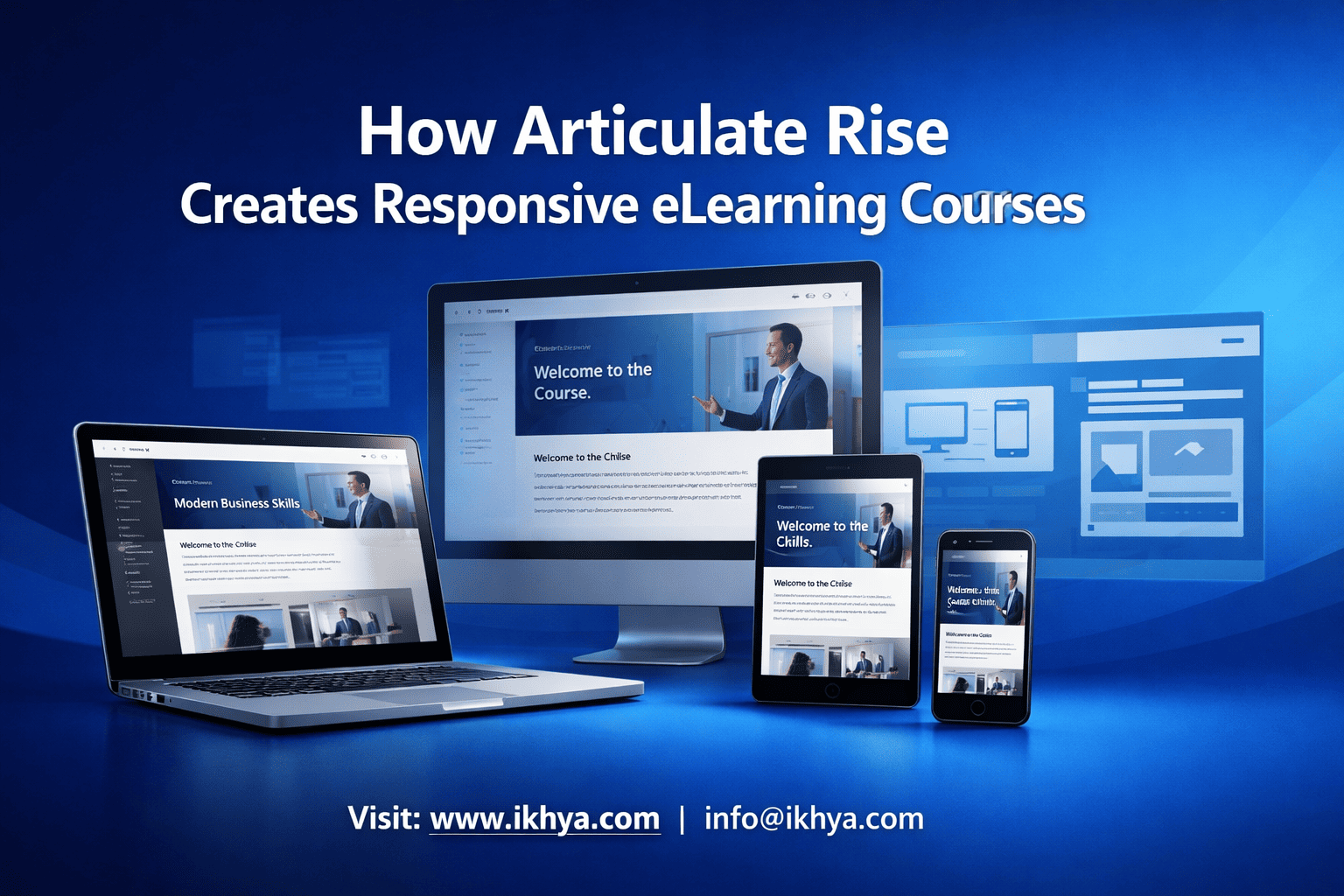
Modern learners don’t sit at desks all day—they learn on phones, tablets, and laptops. That’s why understanding how Articulate Rise creates responsive eLearning courses is critical for any organization building scalable training. Unlike traditional tools, Rise ensures your content automatically adapts to every screen without extra development effort.
If you’re planning mobile-first training or want to modernize legacy courses, exploring how IKHYA – eLearning solutions company approaches responsive design can help you avoid common pitfalls and accelerate deployment.
What Is Responsive eLearning and Why It Matters
Responsive eLearning means courses automatically adjust layout, content, and interactions to fit different screen sizes—mobile, tablet, and desktop—without manual redesign.
In simple terms:
- One course works on all devices
- Content rearranges automatically
- Learners get a consistent experience everywhere
Why Responsive eLearning Is Critical Today
Organizations across the USA, UK, UAE, and Australia are prioritizing mobile-first training due to distributed workforces and on-the-go learning needs.
Key reasons it matters:
- Device diversity: Employees use multiple devices during the day
- Higher engagement: Mobile-friendly courses increase completion rates
- Faster deployment: No need to build separate versions
- LMS compatibility: Works seamlessly with SCORM and xAPI systems
What Happens Without Responsive Design
Without responsiveness, organizations face:
- Poor mobile experience
- Zooming and scrolling issues
- Higher dropout rates
- Increased redevelopment costs
This is why many companies shift toward tools like Rise when investing in mobile learning development solutions—to ensure seamless learning across devices.
How Articulate Rise Creates Responsive eLearning Courses
Articulate Rise uses a fully responsive, browser-based architecture that eliminates the need for manual adjustments. Instead of designing for each screen size, you design once—and Rise handles the rest.
Core Mechanism Behind Rise Responsiveness
Rise achieves responsiveness through three key systems:
1. Block-Based Design System
Rise uses a modular “block” structure where each content element is pre-optimized for responsiveness.
Examples of blocks:
- Text blocks
- Image + text combinations
- Interactive tabs
- Knowledge checks
- Multimedia embeds
Why this matters:
- Each block is automatically responsive
- No need to resize manually
- Layout adjusts based on screen width
This is fundamentally different from tools like Storyline, where responsiveness requires additional design effort.
2. Fluid Layouts and Automatic Scaling
Rise uses fluid grids instead of fixed layouts.
What happens behind the scenes:
- Content reflows dynamically
- Images resize proportionally
- Text wraps based on screen size
- Navigation adapts to device
Result:
A course that looks clean whether viewed on a smartphone or a desktop.
3. Mobile-First Architecture
Rise is built with a mobile-first philosophy, meaning:
- Design is optimized for small screens first
- Larger screens enhance—not redefine—the experience
Key benefits:
- Faster load times
- Touch-friendly interactions
- Smooth scrolling experience
This is especially valuable when building courses using rapid eLearning development services where speed and scalability are critical.
4. Browser-Based HTML5 Output
Rise publishes courses in HTML5 format, ensuring compatibility across:
- iOS and Android devices
- Modern browsers (Chrome, Safari, Edge)
- LMS platforms (SCORM, xAPI, AICC)
This eliminates dependency on plugins or device-specific versions.
5. Automatic Navigation Adaptation
Navigation in Rise changes based on device:
- Desktop → sidebar navigation
- Mobile → collapsible menu
This ensures usability without additional design effort.
Step-by-Step: How Rise Builds a Responsive Course
Step 1: Add content using pre-built blocks
Step 2: Arrange blocks in logical flow
Step 3: Preview across devices instantly
Step 4: Publish to LMS or web
No separate mobile version is required.
Real-World Example
Scenario: Retail Onboarding Program
- Device usage: 70% mobile
- Development time: 2 weeks
- Tool: Articulate Rise
Outcome:
- 40% increase in course completion
- 60% faster development vs traditional tools
- Zero mobile usability complaints
This is why many organizations rely on Articulate Rise development services to scale training globally.
Key Features That Enable Responsive Design in Articulate Rise
Articulate Rise enables responsive eLearning through built-in features that automatically adapt content across devices without requiring manual intervention. These features simplify development while ensuring consistent user experience across mobile, tablet, and desktop.
1. Pre-Built Responsive Blocks
Rise offers a wide range of content blocks that are inherently responsive.
Examples include:
- Text and image blocks
- Interactive tabs and accordions
- Timeline and process blocks
- Knowledge checks and quizzes
Each block is designed to automatically adjust layout and spacing depending on the screen size.
This makes it easier for teams using instructional design services to focus on learning experience rather than technical constraints.
2. Fully Responsive Player Interface
The Rise player (course interface) adapts automatically:
- Navigation changes based on device
- Menus collapse on smaller screens
- Content spacing adjusts dynamically
Result:
Learners get a seamless experience whether they are using a smartphone or desktop.
3. Media Optimization Across Devices
Rise automatically handles media responsiveness:
- Images scale proportionally
- Videos resize without distortion
- Embedded content adjusts to screen width
This eliminates the need for separate media versions, which is a major advantage when working on PPT to eLearning conversion services.
4. Touch-Friendly Interactions
Rise is optimized for touch-based learning environments.
Key capabilities:
- Swipe navigation
- Tap-based interactions
- Mobile-friendly quizzes
This is critical for industries where learners rely heavily on mobile devices, such as retail and field operations.
5. Built-In LMS Compatibility (SCORM & xAPI)
Rise courses are fully compatible with:
- SCORM 1.2 / SCORM 2004
- xAPI (Tin Can API)
- AICC
This ensures seamless deployment into enterprise LMS platforms across global regions.
Organizations working with LMS-compatible eLearning course development services benefit from faster integration and tracking.
6. Real-Time Preview Across Devices
Rise allows instant preview in multiple formats:
- Desktop view
- Tablet view
- Mobile view
This eliminates guesswork and reduces QA cycles significantly.
Design Once Deliver Everywhere: How Rise Simplifies Multi-Device Learning
Articulate Rise follows a “design once, deliver everywhere” approach, meaning a single course automatically adapts to all devices without requiring multiple versions.
What This Approach Means
Instead of building:
- A desktop version
- A tablet version
- A mobile version
You build one unified course.
Benefits of This Model
1. Faster Development
- Reduces production time by 40–60%
- Ideal for rapid deployments
2. Lower Costs
- No need for multiple design versions
- Reduced QA and testing efforts
3. Consistent Learning Experience
- Same content across all devices
- No version mismatch issues
This approach is widely used in rapid eLearning development using Storyline and Rise 360 projects where speed and consistency are critical.
Real-World Example: Manufacturing Safety Training
Scenario:
A manufacturing company needed to train 2,000 workers across multiple locations.
Challenge:
- Workers used mobile devices on-site
- Limited desktop access
Solution:
- Converted ILT content into Rise-based responsive modules using ILT to eLearning course conversion services
Timeline:
- 3 weeks total development
Outcome:
- 55% increase in course completion
- 35% reduction in training time
- Seamless mobile access across devices
Example Timeline Comparison
| Approach | Development Time | Device Compatibility | Cost Efficiency |
|---|---|---|---|
| Traditional eLearning | 6–8 weeks | Limited | High cost |
| Articulate Rise | 2–4 weeks | Fully responsive | Cost-effective |
Where This Model Works Best
- Compliance training
- Onboarding programs
- Product training
- Microlearning modules
Especially when combined with microlearning development services, Rise becomes extremely powerful for mobile-first learning strategies.
Why Articulate Rise Simplifies Multi-Device Learning
Articulate Rise simplifies one of the most complex aspects of eLearning—multi-device compatibility—by eliminating the need for separate designs and ensuring consistent performance across all platforms.
Real-World Use Cases of Responsive eLearning Using Articulate Rise
Articulate Rise is widely used across industries to deliver responsive, mobile-first training that works seamlessly across devices. Its flexibility makes it ideal for organizations with distributed teams, compliance needs, and rapid deployment requirements.
Healthcare: Compliance and Patient Safety Training
Healthcare organizations require training that is accessible anytime, especially for shift-based staff.
Use case:
- Infection control training
- HIPAA compliance modules
- Patient safety protocols
Challenges:
- Staff accessing training on mobile devices
- Frequent updates in compliance regulations
Solution:
Responsive courses built using Rise and supported by healthcare training eLearning solutions
Outcome:
- 45% faster course completion
- Improved compliance tracking via LMS
- Better knowledge retention through mobile access
Manufacturing: Safety and Operational Training
Manufacturing environments demand training that can be accessed on-site.
Use case:
- Equipment handling
- Safety procedures
- SOP training
Challenges:
- Limited desktop access
- High-risk environments
Solution:
Mobile-friendly modules created through manufacturing training eLearning solutions
Outcome:
- 50% reduction in safety incidents (reported in internal audits)
- Increased accessibility for field workers
Finance: Regulatory and Compliance Training
Financial institutions must ensure strict adherence to regulations.
Use case:
- AML (Anti-Money Laundering) training
- Risk management modules
- Data protection training
Solution:
Responsive compliance courses using financial services training eLearning solutions
Outcome:
- Faster certification cycles
- Improved audit readiness
Retail: Onboarding and Customer Service Training
Retail teams require quick, mobile-accessible onboarding.
Use case:
- New employee onboarding
- Product knowledge
- Customer interaction training
Solution:
Mobile-first courses delivered via retail training eLearning solutions
Outcome:
- 60% faster onboarding
- Increased employee engagement
IT & Software: Product and Technical Training
IT teams need scalable, updatable training modules.
Use case:
- Software onboarding
- System training
- Feature updates
Solution:
Responsive modules through IT and software training eLearning solutions
Outcome:
- Faster rollout of updates
- Reduced dependency on instructor-led sessions
Articulate Rise vs Storyline vs Captivate for Responsive Learning
Articulate Rise is not the only eLearning tool available. Understanding how it compares to others helps organizations make informed decisions.
Quick Comparison Overview
| Feature | Articulate Rise | Storyline | Adobe Captivate |
|---|---|---|---|
| Responsiveness | Fully automatic | Requires manual setup | Semi-responsive |
| Development Speed | Fast | Moderate | Moderate |
| Customization | Limited | High | High |
| Mobile Optimization | Built-in | Requires effort | Partial |
| Best Use Case | Rapid, responsive training | Complex interactions | Advanced simulations |
When to Choose Articulate Rise
Choose Rise when:
- You need fast deployment (2–4 weeks)
- Mobile-first learning is a priority
- Content is informational or semi-interactive
- Budget constraints exist
Organizations comparing tools often refer to Articulate Rise vs Storyline for corporate training to make the right decision.
When Storyline Is Better
- Complex branching scenarios
- Gamification-heavy courses
- Custom interactions
This is where Articulate Storyline development services become more suitable.
When Captivate Is Preferred
- Software simulations
- Screen recordings
- Advanced technical training
Supported by Adobe Captivate development services
Decision Framework
Choose Rise if:
- Speed + responsiveness > customization
Choose Storyline if:
- Custom interactivity > speed
Choose Captivate if:
- Simulation-heavy training
Benefits of Using Articulate Rise for Responsive Courses
Articulate Rise offers several advantages that make it a preferred choice for modern eLearning development.
1. Rapid Development Speed
- Courses can be built in 2–4 weeks
- Ideal for time-sensitive training
This aligns with strategies used in rapid eLearning development services.
2. True Mobile Responsiveness
- Works seamlessly across devices
- No additional development required
3. Cost Efficiency
Typical Cost Comparison:
| Tool | Cost per Module |
|---|---|
| Rise | $1,000 – $5,000 |
| Storyline | $3,000 – $15,000 |
4. Easy Updates and Maintenance
- Cloud-based editing
- Instant updates across all devices
5. Consistent User Experience
- Uniform design
- Reduced usability issues
6. Scalability for Global Training
Rise supports:
- Multi-language training
- Global LMS deployment
Organizations expanding globally often combine Rise with eLearning translation and localization services.
Key Benefits of Articulate Rise for Responsive eLearning
Articulate Rise provides the perfect balance between speed, responsiveness, and cost—making it ideal for organizations scaling training across multiple locations and devices.
Limitations of Articulate Rise in Responsive eLearning Design
While Articulate Rise is highly effective for responsive eLearning, it is not suitable for every training requirement. Understanding its limitations helps organizations make informed decisions and avoid costly rework.
Key Limitations to Consider
1. Limited Customization
- Restricted control over layout and design
- Pre-built blocks limit creative flexibility
2. Basic Interactivity
- Suitable for simple interactions (quizzes, tabs)
- Not ideal for complex simulations or branching scenarios
3. No Advanced Animations
- Lacks timeline-based animations
- Limited control over motion design
4. Dependency on Internet for Authoring
- Fully cloud-based
- Requires stable internet connection
When Rise May Not Be the Right Choice
Avoid using Rise when:
- You need highly interactive simulations
- Training involves complex decision-making scenarios
- You require custom UI/UX design
- Gamification is a primary requirement
In such cases, organizations often shift toward Articulate Storyline course development services complete guide for better flexibility.
Practical Scenario
Scenario: Aviation Safety Simulation
- Requirement: Real-time decision-making scenarios
- Needed: Branching logic + simulations
Outcome:
Rise was not suitable → switched to Storyline-based development
Supported by aviation training eLearning solutions
Limitations of Articulate Rise for Complex eLearning Development
Rise is powerful—but only when used for the right type of content. Misusing it for complex training can lead to reduced effectiveness.
Development Timeline and Cost Breakdown for Responsive Rise Courses
Articulate Rise significantly reduces development time and cost compared to traditional eLearning tools. However, timelines and budgets vary depending on complexity, content readiness, and instructional design requirements.
Typical Development Timelines
Rapid Development Model (2 Weeks)
Best for:
- Compliance training
- Microlearning modules
- Quick onboarding
Process:
- Week 1: Content structuring + design
- Week 2: Development + QA + LMS deployment
Often executed using rapid eLearning development using Storyline and Rise 360
Standard Development Model (4–6 Weeks)
Best for:
- Multi-module programs
- Interactive learning paths
- Custom branding requirements
Process:
- Week 1–2: Instructional design
- Week 3–4: Development
- Week 5–6: QA + deployment
Supported by structured custom eLearning development services
Cost Breakdown
Cost Factors
- Content complexity
- Number of modules
- Multimedia elements
- Localization requirements
- LMS integration
Estimated Cost Ranges
| Project Type | Cost Range |
|---|---|
| Basic module | $1,000 – $2,500 |
| Medium complexity | $2,500 – $4,000 |
| Advanced (multi-module) | $4,000 – $8,000 |
Cost Comparison: Rise vs Traditional Tools
| Tool | Development Time | Cost | Responsiveness |
|---|---|---|---|
| Rise | 2–4 weeks | Low | Fully responsive |
| Storyline | 4–8 weeks | Medium–High | Manual |
| Captivate | 4–6 weeks | Medium | Semi-responsive |
Real-World Cost Scenario
Scenario: Finance Compliance Training
- 5 modules
- 30 minutes each
- Multi-device requirement
Using Rise:
- Cost: ~$15,000
- Timeline: 4 weeks
Using Storyline:
- Cost: ~$35,000
- Timeline: 7 weeks
Solution implemented using compliance training eLearning solutions
Cost Optimization Strategy
Organizations reduce costs by:
- Converting legacy content using converting PowerPoint to eLearning complete guide
- Reusing templates and blocks
- Leveraging rapid development models
How to Convert Existing Training into Responsive Rise Courses
One of the biggest advantages of Articulate Rise is its ability to transform existing training into fully responsive eLearning courses quickly.
Common Source Formats
- PowerPoint presentations
- Instructor-led training (ILT) materials
- PDFs and documents
- Legacy eLearning courses
Step-by-Step Conversion Process
Step 1: Content Analysis
- Identify key learning objectives
- Remove redundant information
Step 2: Instructional Design Structuring
- Break content into microlearning units
- Define flow and interactions
Often guided by instructional design services
Step 3: Content Transformation
- Convert slides into Rise blocks
- Add visuals and interactions
Step 4: Interactivity Enhancement
- Add quizzes, scenarios, knowledge checks
- Improve engagement
Step 5: LMS Deployment
- Export as SCORM/xAPI
- Upload to LMS
Real-World Example
Scenario: Manufacturing SOP Training
- Source: 200-slide PowerPoint
- Challenge: Not mobile-friendly
Solution:
Converted into responsive modules using converting PowerPoint training into Articulate Storyline and Rise services guide
Outcome:
- 70% reduction in content length
- Mobile accessibility achieved
- 50% faster learning completion
Rise makes it possible to modernize legacy training quickly while ensuring full responsiveness across devices.
Best Practices for Designing Responsive eLearning Courses in Articulate Rise
Designing responsive courses in Articulate Rise requires more than just using the tool—it involves applying the right instructional and visual strategies to ensure optimal learning across devices.
Core Principle: Design for Mobile First
Always start with mobile in mind since it has the most constraints.
Why this works:
- Forces clarity and simplicity
- Improves usability across all devices
- Ensures better learner engagement
This aligns with approaches used in how to create responsive eLearning.
1. Use Microlearning Structure
Break content into short, focused modules.
Best practice:
- 5–7 minute learning units
- One concept per lesson
This improves retention and works perfectly with microlearning-based design strategies.
2. Choose the Right Blocks Strategically
Not all blocks are equally effective on mobile.
Recommended:
- Accordion blocks (for compact content)
- Tabs (for structured information)
- Image + text combinations
Avoid overusing:
- Long scrolling text
- Heavy media blocks
3. Optimize Content for Small Screens
Mobile screens demand clarity.
Guidelines:
- Use short paragraphs (2–3 lines)
- Add white space
- Avoid dense content
4. Use Visual Hierarchy Effectively
Structure content so learners can scan easily.
Techniques:
- Headings and subheadings
- Bullet points
- Highlight key insights
5. Limit Media for Performance
Heavy media slows down mobile learning.
Best practice:
- Compress images
- Use short videos (under 2 minutes)
- Avoid unnecessary animations
6. Test Across Devices
Even though Rise is responsive, testing is still critical.
Test on:
- Mobile (Android/iOS)
- Tablets
- Desktop browsers
Teams offering accessible eLearning solutions often include device testing as part of QA.
7. Ensure Accessibility Compliance
Responsive design must also be inclusive.
Include:
- Alt text for images
- Keyboard navigation
- Screen reader compatibility
Good responsive design is not automatic—it requires intentional structuring, content optimization, and user-focused design.
When Should You Choose Articulate Rise for eLearning Development
Articulate Rise is not a one-size-fits-all solution. Choosing it at the right time ensures maximum ROI and effectiveness.
Choose Rise When You Need:
1. Rapid Development
- Tight deadlines (2–4 weeks)
- Quick deployment requirements
Supported by rapid eLearning development services
2. Mobile-First Learning
- Field workforce training
- Remote or distributed teams
3. Standardized Training Content
- Compliance training
- Onboarding programs
- Product knowledge
4. Cost Efficiency
- Limited budget
- Need for scalable solutions
Avoid Rise When You Need:
- Complex branching scenarios
- High-end gamification
- Custom UI/UX design
In such cases, consider custom Articulate Storyline development for compliance and safety training.
Decision Framework
| Requirement | Best Tool |
|---|---|
| Fast + responsive | Rise |
| Interactive + complex | Storyline |
| Simulation-heavy | Captivate |
Real-World Decision Scenario
Scenario: IT Product Training
- Requirement: Quick rollout across global teams
- Devices: Mobile + desktop
- Deadline: 3 weeks
Decision:
Used Rise → Delivered responsive modules quickly
Supported by IT and software training eLearning solutions
Outsourcing vs In-House Development for Responsive eLearning
Organizations often struggle with whether to build courses internally or outsource development.
In-House Development
Advantages:
- Full control
- Immediate feedback loops
Challenges:
- Requires skilled team
- Higher long-term cost
- Tool expertise needed
Outsourcing Development
Advantages:
- Faster delivery
- Access to experts
- Scalable resources
Organizations often partner with providers offering eLearning consultancy services to streamline development.
Cost Comparison
| Model | Cost | Speed | Expertise |
|---|---|---|---|
| In-house | High | Medium | Limited |
| Outsourced | Optimized | Fast | High |
When Outsourcing Makes Sense
- Large-scale training programs
- Tight timelines
- Lack of internal expertise
Many organizations evaluate this using outsource eLearning development benefits, costs, and best practices.
Outsourcing is often the fastest and most cost-effective way to implement responsive eLearning at scale.
How to Choose the Right eLearning Vendor for Articulate Rise Projects
Choosing the right vendor directly impacts the success of your responsive eLearning initiative.
Key Evaluation Criteria
1. Experience with Rise Projects
- Portfolio of responsive courses
- Industry-specific expertise
2. Instructional Design Capability
- Ability to structure content effectively
- Focus on learner engagement
Supported by instructional design services
3. Technical Expertise
- SCORM/xAPI deployment
- LMS integration
4. Scalability
- Ability to handle large projects
- Global deployment capability
5. Communication and Support
- Clear timelines
- Transparent process
Vendor Selection Framework
Step 1: Define project requirements
Step 2: Evaluate vendor portfolio
Step 3: Request proposal (RFP)
Step 4: Conduct pilot project
Step 5: Finalize long-term partner
You can streamline this process using eLearning RFP template guide.
If you’re planning a responsive eLearning project and want clarity on approach, timeline, or cost, you can explore options or discuss requirements through request an eLearning RFP.
The right vendor ensures not just development—but strategic alignment with business goals and learner needs.
Future Trends in Responsive eLearning Using Articulate Rise
Responsive eLearning is evolving rapidly, driven by mobile usage, AI, and global training demands. Articulate Rise is already aligned with many of these trends, making it a future-ready solution for organizations.
1. AI-Powered Content Creation
AI is transforming how courses are designed and developed.
What’s changing:
- Automated content generation
- AI-assisted quizzes and summaries
- Personalized learning paths
When combined with custom eLearning development services, AI can significantly reduce development time while improving content quality.
2. Microlearning and Just-in-Time Training
Modern learners prefer short, focused learning experiences.
Trend highlights:
- Bite-sized modules (3–7 minutes)
- On-demand access
- Mobile-first consumption
This aligns perfectly with microlearning development services and Rise’s block-based design.
3. Global Training with Localization
Organizations are expanding globally, requiring multi-language training.
Key requirements:
- Localization
- Cultural adaptation
- Multi-region deployment
Rise supports this effectively when paired with eLearning translation and localization services.
4. Data-Driven Learning (xAPI & Analytics)
Tracking learner behavior is becoming essential.
Capabilities:
- Advanced analytics
- Learning behavior tracking
- Performance insights
Supported through LMS integrations and LMS-compatible eLearning course development services.
5. Mobile-First Workforce Training
With remote and hybrid work models, mobile learning is no longer optional.
Impact:
- Increased reliance on smartphones
- Need for seamless responsive design
- Demand for faster course delivery
This is why many organizations invest in mobile learning development solutions powered by tools like Rise.
Future of Responsive eLearning with Articulate Rise
Articulate Rise is well-positioned to support future eLearning trends, especially those focused on speed, scalability, and mobile-first learning.
Conclusion: Why Articulate Rise Is Ideal for Responsive eLearning
Articulate Rise has fundamentally changed how organizations approach responsive eLearning. By eliminating the need for multi-device design, it enables faster development, lower costs, and consistent learner experiences.
Key insights:
- Design once, deliver everywhere
- Fully responsive without extra effort
- Ideal for rapid, scalable training
- Best suited for mobile-first learning environments
Whether you’re building compliance training, onboarding programs, or global learning initiatives, Rise provides a practical and efficient solution.
If you’re evaluating how to implement responsive eLearning in your organization or want to accelerate development timelines, connecting with experts can help you make the right decision. You can explore tailored solutions or discuss your requirements through contact IKHYA eLearning experts.
IKHYA – eLearning Solutions Company
Email: info@ikhya.com
FAQs
1. What is responsive eLearning in Articulate Rise?
It refers to courses that automatically adapt to different screen sizes without requiring separate designs.
2. Is Articulate Rise fully responsive?
Yes, Rise uses a fluid layout system that ensures compatibility across devices.
3. How is Rise different from Storyline in responsiveness?
Rise is fully responsive by default, while Storyline requires manual adjustments.
4. Can Rise courses work on mobile devices?
Yes, they are optimized for mobile, tablet, and desktop.
5. Does Rise support LMS integration?
Yes, it supports SCORM, xAPI, and AICC standards.
6. How long does it take to develop a Rise course?
Typically 2–4 weeks depending on complexity.
7. Is Rise suitable for compliance training?
Yes, it is widely used for compliance and regulatory training.
8. Can I convert PowerPoint into Rise courses?
Yes, using structured conversion approaches.
9. Is Rise good for microlearning?
Yes, it is ideal for short, focused learning modules.
10. Does Rise support multimedia content?
Yes, including images, videos, and interactive elements.
11. What industries use Articulate Rise?
Healthcare, manufacturing, finance, retail, IT, and more.
12. Is Rise cost-effective?
Yes, compared to traditional tools like Storyline.
13. Can Rise handle complex simulations?
No, it is better suited for simple to moderate interactivity.
14. Is Rise cloud-based?
Yes, it is a browser-based authoring tool.
15. Can courses be updated easily?
Yes, updates can be made instantly in the cloud.
16. Does Rise support localization?
Yes, it supports multi-language training.
17. What is the output format of Rise courses?
HTML5, compatible with modern browsers and LMS platforms.
18. Is coding required to use Rise?
No, it is a no-code authoring tool.
19. Can Rise courses be accessed offline?
Limited offline access depending on LMS/mobile app setup.
20. Who should use Articulate Rise?
Organizations looking for fast, responsive, and scalable eLearning solutions.
Related Resources
Explore these resources to deepen your understanding of Articulate Rise and responsive eLearning strategies:




