Simulation Training and Scenario-Based eLearning
For L&D, training, HR and compliance teams that need employees to practice real tasks and decisions before they do them live.
IKHYA builds software simulations, branching scenarios and 360-degree scenarios as eLearning, so people practice, get feedback and show you where they struggle.
- Since 2010Delivering eLearning
- 500+Projects
- 40+Countries with clients
- 120+Specialists
What is simulation training?
Simulation training lets employees practice a real task or decision in a safe, controlled copy of the real situation, such as a software screen, a customer conversation or a plant floor, and get feedback on what they do. As eLearning, it runs in your LMS and records how each learner performed. This page is about simulation training built as corporate eLearning, not medical or flight simulators.
Why teams choose IKHYA for simulation training
Three kinds of simulation, one team
We build software simulations, branching scenarios and 360-degree scenarios, so the format follows the skill you need to teach, not the other way round.
Built in the tool that fits
We work in Articulate Storyline 360, Articulate Rise 360, Adobe Captivate, Lectora, iSpring Suite, dominKnow ONE and Elucidat, and publish to SCORM 1.2, SCORM 2004, xAPI or HTML5.
Industry range
Our industry work covers healthcare and life sciences, manufacturing and safety, financial services, oil and gas, aviation, retail, and IT and software.
Scale and languages
Since 2010 we have delivered 500+ projects for clients in 40+ countries, in 40+ languages, with 120+ specialists behind them.
Which type of simulation training do you need?
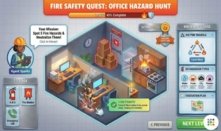
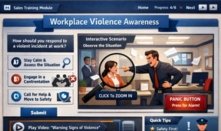
Simulation training is not one format. The right one depends on what the learner must do afterwards: follow a procedure, make a judgment call, or notice a hazard. Here are the three we build most.

Not sure which type fits your training goal?
Tell us the skill and the audience and we will recommend a format.
What is the difference between simulation and scenario-based learning?
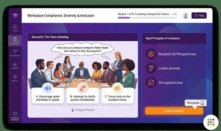
The two overlap, and many courses combine them. A simulation recreates a real environment or tool so learners can practice a task in it. A scenario presents a narrative problem so learners practice a decision.
| Question | Simulation | Scenario-based learning |
|---|---|---|
| Main question | Can the learner do the task? | Can the learner choose well? |
| Setting | A recreation of the real tool or place | A story built around a situation |
| Typical formats | Software simulation, 360-degree scene | Branching scenario, case with choices |
| Usually needs | Screens, footage or process detail | Realistic dilemmas and consequences |
| Often best for | Procedures, systems, hands-on checks | Compliance, leadership, customer talk |
Example of scenario-based learning
A new supervisor hears an employee raise a safety concern just before a deadline. The learner chooses: ask them to raise it after the shift, stop the line and check, or note it for a colleague to look at later. Each choice plays out. Waiting leads to a near-miss report the next day, stopping costs ten minutes and finds a loose guard, and passing it on leaves the issue open. Feedback then explains which choice matches the company procedure and why, and the learner can replay the scene.
A common pattern is a scenario that sets the decision, followed by a short software simulation of the steps that follow. We design that blend when the job needs both.
Examples of simulation training by industry
These are typical uses, not a promise of what every project contains. Your content decides the final design.
Manufacturing
Hazard spotting and lockout/tagout sequences. See our manufacturing training solutions.
Aviation
Ramp and ground safety walk-throughs and procedure practice. See our aviation eLearning.
Oil and gas
Hazard identification and permit-to-work decisions. See our oil and gas eLearning.
Financial services
Customer conversations and compliance decisions in branching scenarios.
IT and software
System rollouts and product training as software simulations.
Retail
Customer service role-plays and point-of-sale practice.
Proof: simulation training in practice
 Manufacturing safety
360-degree hazard simulation cut near-miss incidents by 40%
A US manufacturing client. We built 4 hazard-perception scenes from photos of the client's own plant, plus a gamified lockout/tagout sequence.
- Client and before
- The client has 3 plants and 2,100 floor employees. Before the project, staff watched annual safety videos in groups.
- What we built
- Built in Adobe Captivate as 360-degree scenarios, 18 minutes of seat time
- SCORM 2004 in the client's LMS, English and Spanish
- 9 weeks, 3 review rounds with the EHS manager
- How measured
- Near-miss reports were compared for 6 months after launch against 6 months before.
Read the manufacturing safety training case study.
 Aviation ground handling
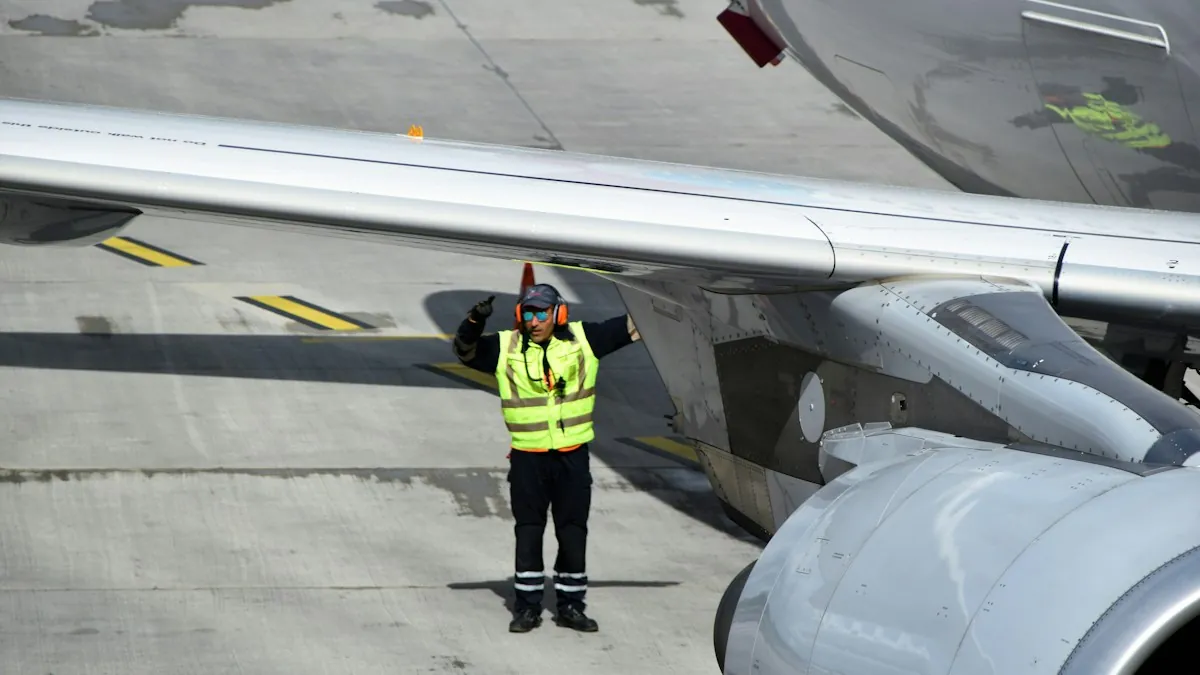
Ramp safety scenarios for 1,200 ground staff at 6 airports
A ground-handling company in the United Arab Emirates.
- What we built
- 5 scenario-based modules: aircraft marshalling, ground support equipment approach, FOD prevention, ramp vehicle safety, hazard spotting
- 24 360-degree photo scenes of the client's own stands, in Adobe Captivate
- English and Arabic, over 11 weeks
- How measured
- Trainer checklists, 6 months before vs after.
Read the aviation safety training case study.
"Our people now spot hazards in photos of their own press line, not in a stock video. The lockout/tagout game made the steps stick, and near-miss reports dropped within months. IKHYA worked around our three shifts and kept every review round short."
Does simulation training work?
The best evidence comes from health professions education. A 2011 review and meta-analysis pooled 609 studies with 35,226 trainees and found large effects on knowledge, skills and behaviors compared with no intervention, and moderate effects on patient-related outcomes. Most of those studies were single-group designs, and results varied a lot between studies.
Two honest points follow. That evidence is from clinical training, not corporate eLearning, so treat it as support for the method, not a promise for your course. And how well a simulation works depends on its design: a 2010 overview in the Journal of Emergencies, Trauma, and Shock calls simulation "a technique (not a technology)" and lists feedback, repetitive practice and adjustable difficulty as features that aid learning.
That is why we start from the behavior you want to change and build in practice, feedback and reporting you can act on.
What we deliver
| Deliverable | What you get |
|---|---|
| Design | Learning objectives, storyboard, scenario scripts and branching map, reviewed by you before build |
| Build | The simulation built in the authoring tool that fits your content and LMS |
| Output | SCORM 1.2, SCORM 2004, xAPI or HTML5 |
| Reporting | Scores, decisions and attempts reported to your LMS or LRS |
| Languages | Localization into 40+ languages, with human or AI voiceover |
| Accessibility | Accessible eLearning built to WCAG 2.1 AA and Section 508 |
Delivering by xAPI means activity is recorded as statements in a Learning Record Store (LRS), and it can track learning outside an LMS. SCORM is the older standard that lets a course run and report in most LMSs.
Need more practice built into the same program? See our microlearning development, mobile learning solutions and gamification in corporate training.
How it works
- 01
Scope the skill
We agree the task or decision to be practiced, the audience, the tool and the LMS.
You and IKHYA - 02
Design
We write the storyboard, the scenarios and the branching map.
IKHYA drafts, you review - 03
Build
We create the screens, scenes, interactions and audio.
IKHYA - 04
Review and test
You check content with your subject matter experts, and we test every path and the LMS output.
IKHYA drafts, you review - 05
Launch
We deliver the package for your LMS and set up the reporting.
IKHYA
What drives the cost of simulation training
IKHYA prices by quote, so we do not publish a price. These are the factors that move the cost most:
Length of the module and number of screens or scenes
Number of branches and decision points
Level of realism and interactivity (a simple click-through versus a full replica)
Media: photography, 360-degree capture, video, animation
Voiceover and number of languages
Authoring tool and output format
Number of review rounds
LMS testing
For an accurate quote, send the skill to be trained, the audience size, any existing material, the systems or sites involved, the languages and the LMS.
Get a Free Quote →Running a formal procurement? Submit an RFP →
What you send us and what we prepare
What you send us You
- The task, process or decision to be trained, and who does it
- Access to the software, or screen recordings, or photos and video of the site
- Subject matter experts for review
- Brand guide and any existing course material
- LMS details and target languages
What we prepare IKHYA
- Storyboard and scenario scripts
- Branching map or step-by-step flow
- The built simulation and packaged output
- Test results for the paths and the LMS
- A plan for reporting
Frequently asked questions
Simulation training lets people practice a real task or decision in a safe copy of the real situation and get feedback. In eLearning that can be a software simulation, a branching scenario or a 360-degree scenario.
A simulation recreates a tool or place to practice a task. A scenario uses a story to practice a decision.
Examples include a CRM practice environment for new hires, a branching conversation with an upset customer, and a hazard-spotting 360-degree scene of a plant.
Yes. We publish to SCORM 1.2, SCORM 2004, xAPI or HTML5, so it runs in a browser through your LMS.
It depends on length, branches, realism, media, languages, tool and reviews. We quote per project.
Mostly the task, access to the software or site, and a subject matter expert.
Articulate Storyline 360, Articulate Rise 360, Adobe Captivate, Lectora, iSpring Suite, dominKnow ONE and Elucidat. We choose by content, device and LMS needs.
Ready to scope your simulation training?
Tell us the skill, the audience and the LMS, and we will recommend the right format.